Best Android Keyboards: Our Checklist and Top 3 Picks
Disclosure: We may earn a commission when you buy through links on this page, at no extra cost to you. As an Amazon Associate I earn from qualifying purchases. Learn more

How we judge physical keyboards for Android phones and tablets, with three picks, a checklist, red flags and tablet specific advice.
Typing long emails, documents or school notes on a phone or tablet screen gets tiring fast, and a physical keyboard turns an Android device into a capable mini workstation. But not every Bluetooth keyboard handles Android well, and features like multi device switching, layout and battery life vary widely. This guide to the best android keyboards shares the checklist we use to judge them, with clear thresholds for good and poor performance.
The short answer: most Android users should choose a Bluetooth keyboard that explicitly supports Android, pairs with at least three devices, offers comfortable full size keys and lasts months between charges or battery swaps, such as the Logitech K780 around $60 with its built in tablet cradle; budget buyers can get the Logitech K480 around $30, while travelers should choose a foldable keyboard like the ProtoArc XK01 around $39.



How We Evaluate Android Keyboards
We score every keyboard on the criteria below. A keyboard must meet the good threshold for connectivity, compatibility and typing comfort to earn a recommendation.
Wired vs Wireless (2.4GHz, Bluetooth)
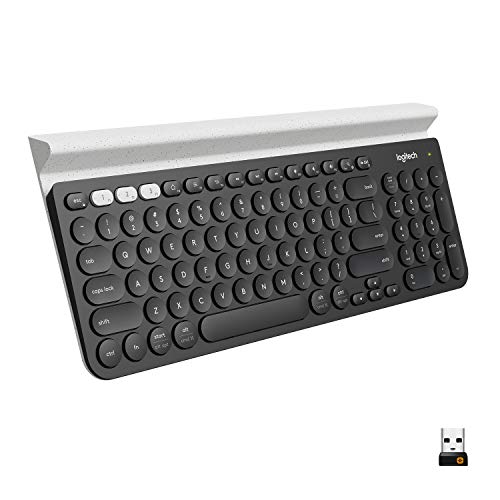
Bluetooth is the standard connection for Android phones and tablets, since most lack full size USB ports. Bluetooth 5.0 or newer offers stable connections and lower power use. Some keyboards, like the Logitech K780, also include a USB receiver for computers, letting one keyboard serve your desktop and tablet. Wired USB C keyboards work with many Android devices but are rare and less convenient. Good: Bluetooth 5.0 or newer with quick reconnection after sleep. Poor: older Bluetooth with laggy keystrokes or frequent drops.
Durability and Warranty
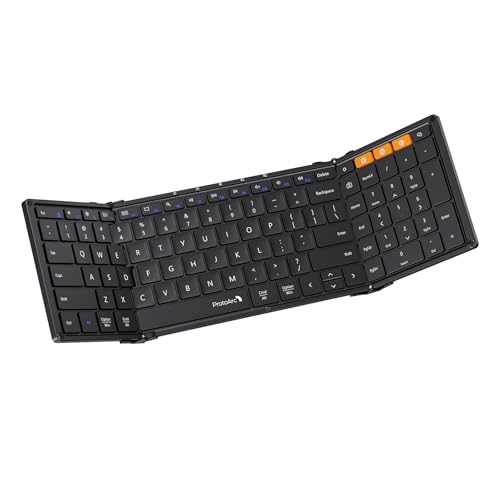
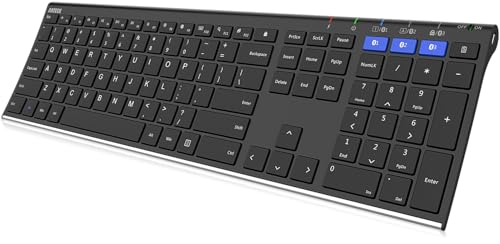
Portable keyboards get tossed into bags, so build quality matters. Aluminum or stainless steel frames, like the Arteck HB192, resist bending, while foldable designs need strong hinges; the ProtoArc XK01 uses aluminum hinges rated for more than 10,000 folds. Spill resistance, found on the Logitech K480, protects against coffee accidents. Good: sturdy frame, spill resistance and at least a one year warranty. Poor: flexing plastic, loose hinges and no warranty information.
Compatibility (Android, Windows, Mac, iPad)
Check that the keyboard lists Android support and includes Android friendly keys, such as Home, Back and app switching shortcuts. Many keyboards print separate labels for Windows, Mac and Android and adjust key functions automatically, as on the Logitech K480 and K780. Multi device keyboards let you switch between an Android phone, a tablet and a laptop with one button. Good: explicit Android support and OS adaptive keys. Poor: Mac or Windows only layouts with missing shortcuts.
Switch Type and Typing Feel
Most Android keyboards use low profile scissor switches, which feel like a laptop keyboard: quiet, stable and comfortable for long typing. Membrane keys are softer and quieter but less precise. Some enthusiasts use mechanical Bluetooth keyboards with linear, tactile or clicky switches, but these are larger and heavier. Key size matters too; full size keycaps around 0.65 inches, like the ProtoArc XK01, reduce typing errors. Good: full size scissor keys with consistent travel. Poor: tiny, cramped keys that cause frequent mistakes.
Battery Life and Charging
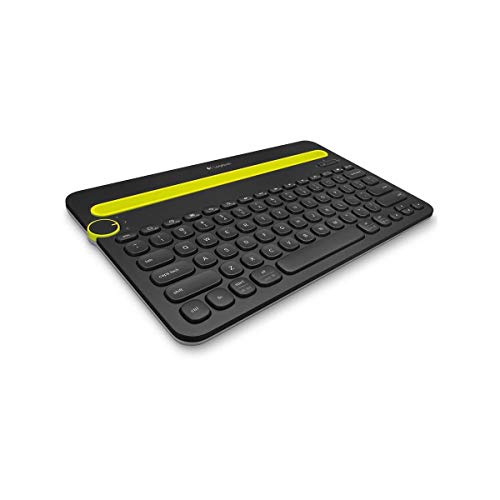
Keyboards with replaceable AAA batteries often last a year or more; Logitech rates the K480 at up to 24 months. Rechargeable keyboards use USB C and typically last weeks to months between charges, with standby times like the ProtoArc's 150 days. Backlit models drain faster. Good: at least several months of use or USB C charging. Poor: micro USB charging or batteries that die in days.
Ergonomics, Size, and Layout
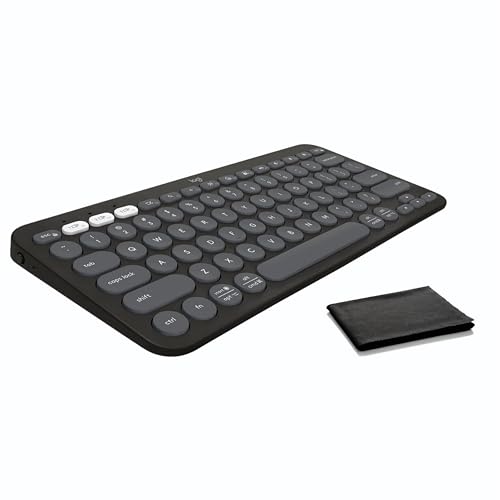
Layout determines comfort and portability. Full size keyboards with number pads suit desks and data entry. Compact layouts, like the K480 and Pebble Keys 2 K380s, save space and bring your mouse closer. Foldable keyboards fit in a pocket or small bag for travel. Built in cradles hold your phone or tablet at a readable angle. Good: a layout that matches where you type most. Poor: oversized keyboards for travel or cramped mini keyboards for all day work.
3 Picks That Pass Our Checklist
These three keyboards from the product table above pass every point on our checklist.


Best Overall
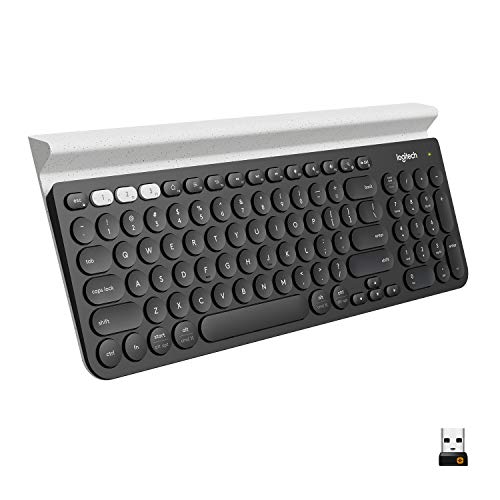
The Logitech K780, around $60, is for people who type daily on Android tablets and phones and also want a keyboard for their computer. Its first strength is the integrated cradle, which holds a smartphone and a large tablet together at a comfortable reading angle. Its second strength is versatility: it connects through Bluetooth or a USB receiver, switches between three devices and offers a full set of keys including a number pad, with quiet, comfortable keys.
The limitation is size and weight; it is best on a desk rather than in a backpack.
Best Value
The Logitech K480, around $30, suits students and home users who want a reliable keyboard for Android without spending much. Its first strength is the Easy Switch dial, which flips between three Bluetooth devices instantly, and an integrated cradle that fits most phones and tablets up to 10 inches wide. Its second strength is up to 24 months of battery life from two AAA batteries, plus a spill resistant design.
The limitation is weight; it is heavier than most portable keyboards, making it better for desks than travel.
Best Compact Pick
The ProtoArc XK01, around $39, is for travelers who want full size typing in a pocketable package. Its first strength is a tri fold design that collapses to about 8.5 by 4.7 inches, yet unfolds to 105 full size keys with a number pad and function row. Its second strength is Bluetooth 5.1 with three device switching and USB C charging with up to 150 days of standby.
The limitation is the center seam; some typists need time to adjust to the split between key sections.
Quick Buyer Checklist
- Does the keyboard explicitly support Android?
- Can it pair with and switch between at least three devices?
- Are the keys full size and comfortable for long typing?
- Does it include a cradle or work with a stand for your device?
- Does the battery last months, or charge through USB C?
- Is the layout right for desk use or travel?
- Does it survive spills and bag travel?
- Does the brand offer a clear warranty?
Red Flags to Watch For
- No mention of Android: keyboards listed only for iPad or Mac may lack Android shortcuts or have mapping issues.
- Vague battery claims: missing battery capacity or runtime details often mean disappointing performance.
- Flimsy foldable hinges: look for metal hinges and rated fold cycles.
- Suspicious reviews: large numbers of short, similar reviews posted together suggest manipulation.
- No warranty or support: avoid sellers without warranty information or contact details.
Best Android Keyboards for Specific Needs
Best Android Keyboards for Tablets: What to Check
The best android keyboards for tablets either attach directly or hold the tablet securely. Check three things: a cradle or case that fits your tablet's size and weight, a layout wide enough for comfortable typing and Android specific keys for apps and navigation. Samsung tablet owners can choose official book cover keyboards, like the Galaxy Tab S10 FE+ Book Cover Keyboard Slim, which add a trackpad experience and DeX shortcuts. Others can pair a cradle keyboard like the Logitech K780.
Keyboards for Android Phones
Phone users need portability first. Foldable keyboards like the ProtoArc XK01 and TECKNET foldable with touchpad pack into a pocket, while compact keyboards like the Logitech Pebble Keys 2 K380s are slim enough for any bag. Pair with a folding phone stand for a laptop like setup.
Keyboards With Touchpads
Keyboards with built in touchpads, like the Samsers backlit foldable keyboard and TECKNET foldable model, let you control the Android cursor without touching the screen. This is helpful when your tablet sits on a stand or connects to a monitor.
How to Pair a Keyboard With Android
- Charge or insert batteries: make sure the keyboard has power and turn it on.
- Enter pairing mode: press and hold the Bluetooth or channel button until the light blinks.
- Open Bluetooth settings on Android: go to Settings, then Connected devices, then Pair new device.
- Select the keyboard: tap its name and type the pairing code if asked.
- Set the layout: under Settings, System, Languages and input, choose Physical keyboard to set your language and layout.
Once paired, most keyboards reconnect automatically when you wake them, and multi device models remember each paired phone, tablet or laptop.
Tips to Get the Most From Your Android Keyboard
- Clean keys regularly: wipe keys with a slightly damp cloth and remove crumbs to keep keys responsive.
- Update firmware via the companion app: some brands, like Logitech, offer updates that improve compatibility.
- Learn Android shortcuts: keys for Home, Back, search and app switching speed up daily tasks.
- Use a stand: raising your device to eye level reduces neck strain.
Android Keyboards: Your Questions Answered
Are mechanical keyboards worth it?
Are mechanical keyboards worth it? Mechanical keyboards are worth it for enthusiasts who type a lot at a desk and enjoy crisp key feel, but they are bulky for Android phones and tablets on the go. Most mobile users are happier with slim scissor switch keyboards that are quiet, light and easy to carry.
Do keyboards with touchpads work on Android?
Do keyboards with touchpads work on Android? Yes, Android supports Bluetooth touchpads and mice, showing a cursor on screen. Keyboards with built in touchpads let you scroll, tap and select text without reaching for the screen, which is especially useful when your tablet is on a stand.
Can I use a keyboard for Android gaming?
Can I use a keyboard for Android gaming? Some Android games support keyboards, but many mobile games are built for touch or controllers. For gaming, a Bluetooth controller usually works better. Keyboards shine for productivity, chatting and emulators that support keyboard input.
Does it work with Mac and Windows too?
Does it work with Mac and Windows too? Most multi device keyboards work with Android, Windows, Mac, iPad and Chrome OS, switching between them at the press of a button. Models like the Logitech K480 and K780 adapt key functions to each operating system automatically, making one keyboard useful across all your devices.
Wrapping Up
Choosing a keyboard for your Android phone or tablet comes down to three things: reliable Bluetooth with Android support, a layout that fits where you type and battery life that keeps up with your routine. The Logitech K780 is the best all rounder, the Logitech K480 offers excellent value and the ProtoArc XK01 is ideal for travel. Compare the best android keyboards in the product table above to find the right fit for your device.