
Best 2.1 Soundbar for 2026: Bars With Subwoofers for Clearer TV Sound
Disclosure: We may earn a commission when you buy through links on this page, at no extra cost to you. As an Amazon Associate I earn from qualifying purchases. Learn more

Best 2.1 soundbar explained: subwoofer type, HDMI ARC, Dolby support and placement tips for clearer TV sound.
TV speakers are thin because TVs are thin, and a soundbar with a separate subwoofer is the simplest fix. The 2.1 layout gives you a bar for dialogue and effects and a subwoofer for bass, and it is a gentler step up than a full surround system. This guide to the best 2.1 soundbar options explains what to look for and what to ignore on the box.
The product table lists 2.1 soundbars available new, from compact budget models to bigger bars with wireless subwoofers and Dolby support. The sections below help you pick one that fits your TV, your room and your viewing habits.
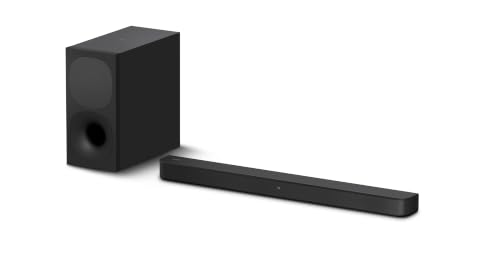


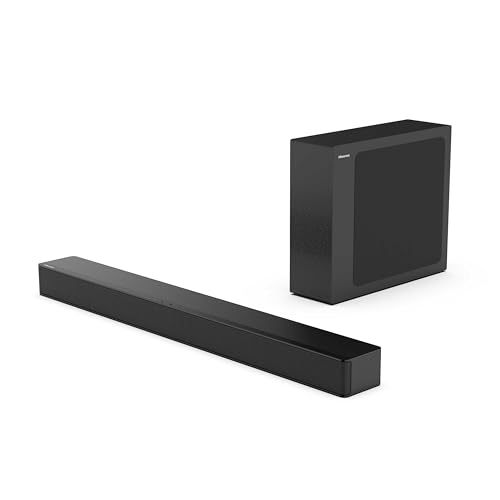


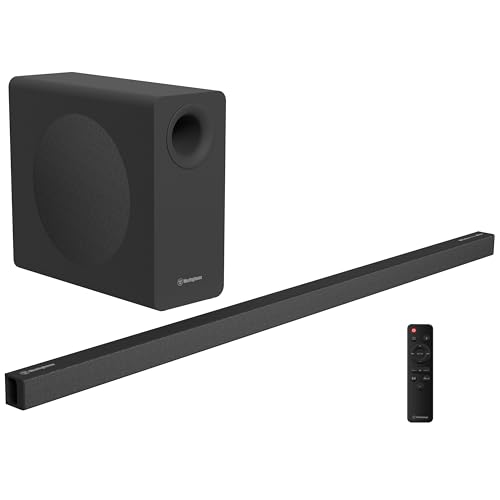
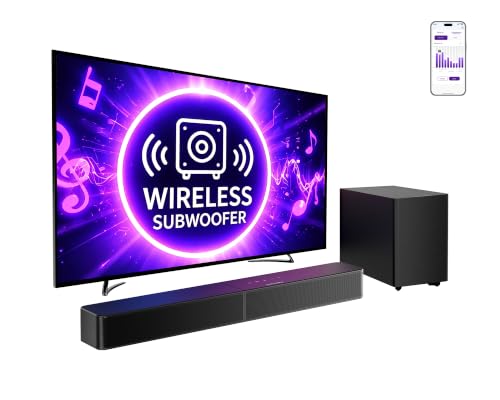
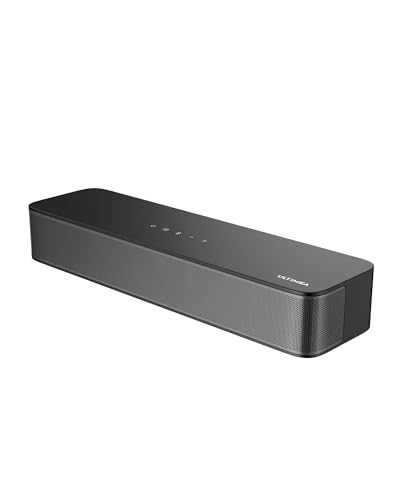
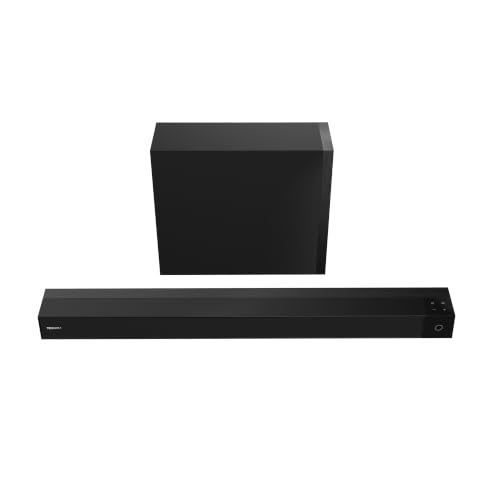
What a 2.1 Soundbar Does
A 2.1 bar has left and right channels in one cabinet and a subwoofer for low frequencies. It widens the sound compared with TV speakers, makes dialogue clearer and adds bass for films and music. It cannot create true surround sound from behind you, though some bars use processing to widen the image.
If you want rear speakers or height effects, step up to a 3.1 or 5.1 system. For most living rooms, a good 2.1 bar is the sensible choice.
Wired or Wireless Subwoofer
A wireless subwoofer connects to the bar by radio and only needs a power outlet, which gives freedom in placement. A wired sub is simpler and cheaper but needs a cable to the bar. Some compact bars have the sub built in, which saves space but gives less bass depth.
Connections to Your TV
HDMI ARC or eARC is the easiest way: one cable carries sound from the TV and lets the TV remote control volume. Optical is the second choice and works with older TVs. A 3.5 millimetre or RCA input helps with older devices, and Bluetooth lets you stream music from a phone.
Dolby and DTS Support
Dolby Digital and DTS support means the bar can decode the soundtracks on discs and streaming services. Dolby Atmos on a 2.1 bar uses processing to suggest height, with modest effect. Do not pay a large premium for it unless reviews say the effect is clear.
Size, Fit and Placement
Measure the width of your TV stand and the TV. A bar that is much wider than the TV looks odd, and a very tall bar can block the TV remote sensor. Wall mount holes and a low profile help in tight spaces. The sub is usually placed on the floor near the TV, and a thick rug reduces bass booming.
Sound Modes and Dialogue Boost
Modes such as movie, music and news change the tuning. A dialogue or voice mode lifts speech over background music, which many viewers find the most useful setting. Night mode lowers loud peaks for late viewing.
Remote, App and Smart Features
A simple remote with clear buttons is enough for most people. Some bars add an app for equaliser settings, and some include voice assistants or multiroom features. Pay for these only if you will use them.
Choosing by Room and TV Size
A small bedroom TV pairs well with a compact bar and a built in or small sub. A mid size living room benefits from a bar with a separate wireless subwoofer and a bit more power. In an open plan space, a larger bar and a stronger sub keep sound from getting lost. Match the bar to your TV: a very wide bar under a small TV looks out of balance.
Budget Tiers and What They Buy
Budget bars give a clear step up from TV speakers and often include Bluetooth and an HDMI ARC input. Mid price bars add better dialogue, firmer bass and decoding for common formats. Premium bars add more drivers, wider sound and richer apps. Spend more only when you notice a gap in your current sound, such as muddy dialogue or weak bass.
Setup Tips
- Place the bar directly below the TV and leave the front free of obstructions.
- Connect through HDMI ARC and switch on the TV setting for external speakers.
- Set the sub level so that voices stay clear and bass does not boom.
- Keep the sub a few inches from walls and corners.
Common Problems and Fixes
If the bar plays no sound over HDMI, check that the TV is set to output through ARC and that CEC or HDMI control is switched on. If voices sound faint, try the dialogue mode and lower the sub. If the sub hums, move it away from other electronics and check that its power cable is fully seated. Sync problems between picture and sound usually fix themselves with an audio delay setting on the TV.
Care
Dust the grille with a soft brush, avoid damp, and keep vents on the sub clear. Update firmware when the maker releases it.
Frequently Asked Questions
Is a 2.1 soundbar enough for a living room?
Yes for most rooms. Big or open plan rooms may benefit from a larger system.
Do I need Dolby Atmos?
Not on a 2.1 bar. It can add a sense of height, but the effect is small.
Will it work with any TV?
Most TVs work through HDMI ARC, optical or a 3.5 mm cable.
Where should the subwoofer go?
On the floor near the TV, a little off the wall. Move it if the bass sounds boomy.
Can I play music from my phone?
Yes with Bluetooth, which most bars include.
Will a soundbar fit under my TV?
Measure the gap between the stand and the screen. If it is too tight, choose a lower bar or wall mount it, and keep the front clear so sound reaches you.
Is a separate subwoofer worth it?
For movies and music, yes. It frees the bar from reproducing low notes and gives a fuller result, and a wireless sub gives you more freedom in placement.
How do I choose the best 2.1 soundbar?
Match the bar to your TV connections and room, and pay for a wireless subwoofer only if you want freedom in placement.
Final Verdict
Choose the best 2.1 soundbar for your TV size, connections and room: a bar that fits the stand, a subwoofer that suits your space and a clean HDMI connection. Compare the options in the product table, and read our guides on soundbars for TV and whether a soundbar is worth it for more help. Prices and availability change, so check the product page before ordering.


