
Best 3.5mm Gaming Headsets for 2026: Wired Picks for PC, Console and Phone
Disclosure: We may earn a commission when you buy through links on this page, at no extra cost to you. As an Amazon Associate I earn from qualifying purchases. Learn more

The best 3.5mm gaming headset options for PC, consoles and phones: how single plug and split cable models differ, and what to look for in mic, comfort and sound.
A wired headset with a 3.5mm jack is the simplest way to get game audio and a microphone on almost any device. It needs no batteries, no pairing and no drivers, and it adds almost no delay. The best 3.5mm gaming headset range from cheap everyday headsets to well tuned models with detachable microphones, and the product table compares them side by side.
This guide explains how the jack works on different devices, what to look for in sound and comfort, and how to avoid the compatibility trap that catches many first-time buyers.

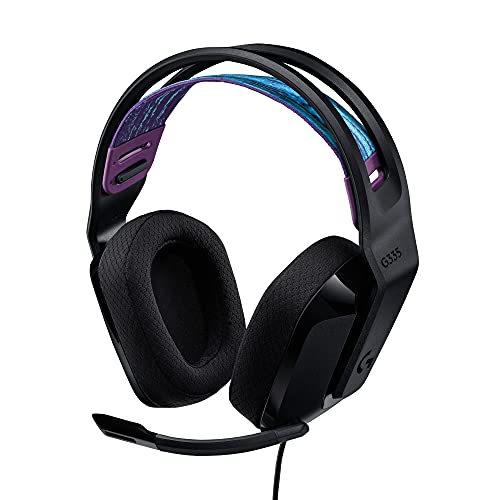

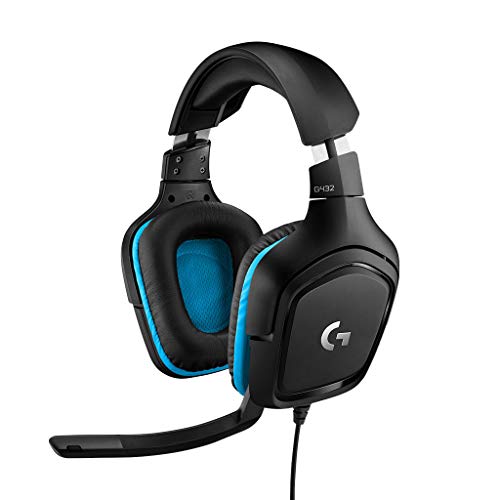
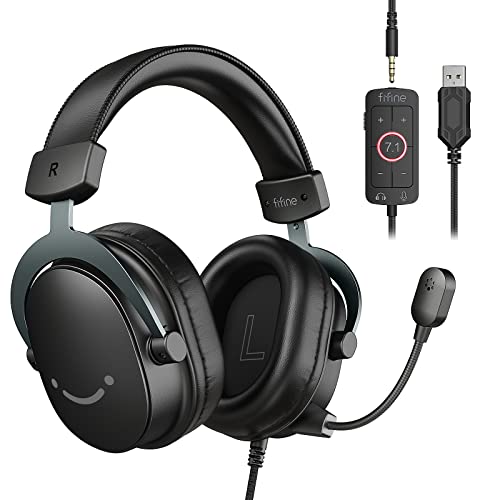

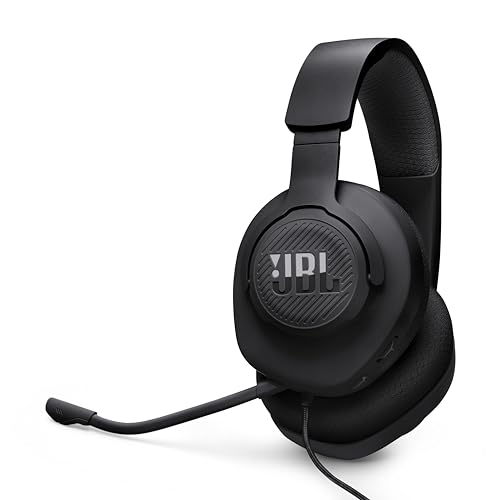


How a 3.5mm headset connects
A 3.5mm plug can carry stereo audio and a microphone on one four-pole connector. Phones, game controllers, consoles and many laptops have a single jack designed for exactly that. Many desktop PCs have two separate jacks, one green for audio and one pink for the microphone, and a single-plug headset will not work properly in those without a small splitter cable.
- Single plug (TRRS): works directly on controllers, phones, handhelds and most laptops
- Split cables: two plugs for audio and mic, made for older desktop sound cards
- USB option: some headsets add a USB sound card in the box, which also helps on PCs with weak audio
- Adapters: a small splitter or a USB audio adapter fixes mismatched ports
Check the listing for the words console, PC and mobile, and read the cable description. If a headset includes both a 3.5mm cable and a USB adapter, it is the most flexible choice.
Choosing the best 3.5mm gaming headset
Sound and tuning
Gaming headsets usually boost bass and treble for explosions and footsteps. A balanced tuning is better for competitive shooters, because it makes small sounds easier to hear. Larger drivers do not guarantee better sound, and the tuning matters more than the driver size.
Microphone quality
A flip to mute or a detachable boom mic is convenient. Read how buyers describe voice clarity, because a mic that picks up keyboard noise will annoy teammates. A detachable mic lets you use the headset as plain headphones.
Comfort for long sessions
Weight, clamping force and ear cup material decide how long you can wear a headset. Memory foam pads with a soft cover are comfortable, but they can feel warm. Mesh or velour covers breathe better. If you wear glasses, look for pads with a softer edge so the frame does not press.
Build and cable
A strong cable with a reinforced strain relief outlasts a thin one. Inline volume and mute controls are practical when you play on a controller. Detachable cables are easier to replace when they fray.
Platform notes
On PlayStation and Xbox controllers, a plain 3.5mm headset plugs directly into the controller jack. Chat and game audio work, though some features such as spatial audio or detailed equalizer settings depend on the controller or console menu. On Nintendo Switch handheld mode, the jack works the same way, and docked mode needs the headset on the controller or an adapter. On phones without a headphone jack, you need a USB-C or Lightning adapter, so check what your phone uses.
On PC, plug the headset into the correct jack or use the USB adapter, and set it as the default device in the sound settings. Test the mic input level and turn off any noise suppression that clips your voice.
Wired or wireless
Wireless headsets offer freedom but need charging and can add small delays. A wired model is dependable, cheaper at the same quality and never runs out of power in the middle of a match. If you play mostly at a desk, a 3.5mm headset is hard to beat for value. For more choices across both types, see our best gaming headset page.
Budget advice
Good models exist at nearly every price. Under a modest budget, look for a comfortable fit, a clear mic and a sturdy cable rather than flashy lighting. In the middle range, you gain better drivers, a detachable mic and improved pads. At the upper end, you pay for finish, metal frames and richer tuning. Our budget gaming headset guide focuses on lower prices.
Sound priorities for different games
Story games reward a rich, warm tuning that makes music and voices pleasant over many hours. Competitive shooters reward clarity and a clean mid and treble range, so you can pick out footsteps and reloads. Racing and flight games benefit from good bass response. If you play many types, a balanced headset with a flat profile is the safest choice, and an equalizer on your PC or console lets you tweak it for each game.
Soundstage is another term you will see. A wider soundstage makes positions in the game feel more spread out. Open back headsets sound wider but leak sound, so they suit quiet rooms, while closed back models block noise and keep your sound private.
Care and longevity
Cable damage is the most common failure on wired headsets. Avoid wrapping the cable tightly around the headband, do not yank on the plug and keep it out of the wheels of an office chair. Foam pads wear out over time, and many models allow you to replace them. Wipe the pads with a slightly damp cloth, and let them dry before use. Taking small steps like these can double the life of a headset.
Reading buyer feedback
Look past the star count and read what people say about the mic and fit. Comments from users with a similar head size are the most helpful, since a headset that fits one head perfectly may press on another. Pay attention to comments on durability after several months, which reveal whether the hinges and cable hold up. Be careful with listings that seem to have mixed products under one page, and make sure the model you choose matches the one in the comments.
Quick checklist
- Confirm the plug type fits your device
- Check that the mic works on your platform
- Read comments about comfort after several hours
- Look for a detachable cable or mic
- Keep the receipt for a quick return if the fit is wrong
FAQ
Can I use a 3.5mm gaming headset on PS5?
Yes, by plugging it into the controller. Audio and chat both work through the controller jack.
Why does my mic not work on PC?
Most often the PC has separate jacks. Use a splitter or a USB sound adapter, and check the input device in the sound settings.
Do wired headsets have lag?
Not in any way you can notice, which is why many players prefer them.
Is surround sound worth it?
Virtual surround can help with direction in some games, but good stereo works well. Try it on and off.
Final thoughts
The best 3.5mm gaming headset are simple, reliable and cheap to run. Make sure the plug fits your devices, choose comfort and mic clarity over lighting, and compare the headsets in the product table. A good wired headset can last for years.
Prices and availability can change, so check the product page before ordering.


