
Best 2K Monitors under 300: Fast, Sharp and Sensibly Priced for 2026
Disclosure: We may earn a commission when you buy through links on this page, at no extra cost to you. As an Amazon Associate I earn from qualifying purchases. Learn more

Up to 300 dollars the best 2k monitors under 300 can offer fast 1440p IPS, USB-C or mini LED, so decide what you will use and ignore the rest.
A budget of 300 dollars buys more than most people expect in the 1440p class. Panels are quick, stands adjust and ports include USB-C on some models. That is also the range where marketing language is thickest, so a few clear rules help. The best 2k monitors under 300 spend the money on the panel, the stand and the connections, and avoid paying for features that never show up on screen.
This guide shows what the budget buys, how to choose between sizes and panel types, which ports to look for and how to avoid common pitfalls.
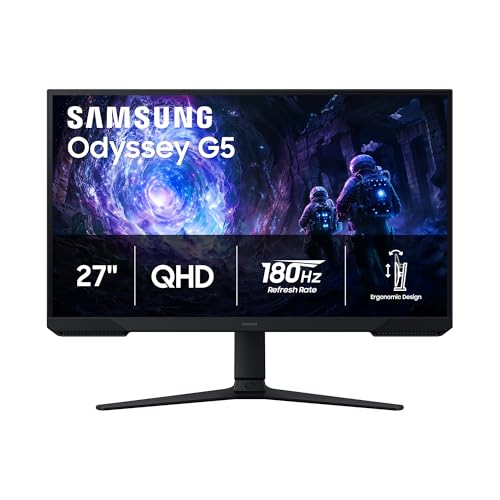


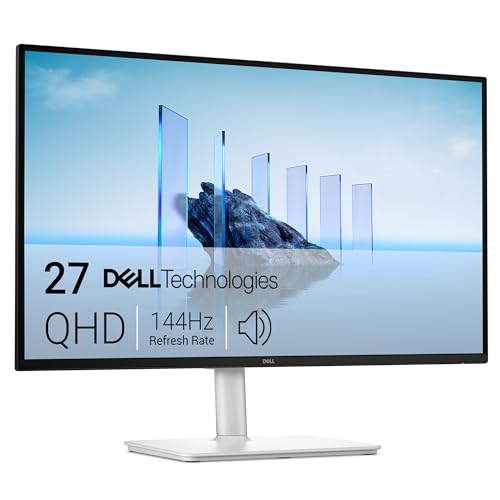
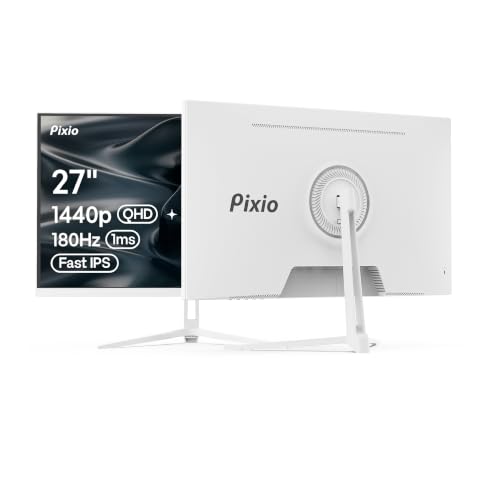


What Three Hundred Dollars Buys
At this price you can find 27 inch 1440p panels with refresh rates from 144 to 280 hertz, 32 inch screens with a wider view and some 24 inch screens with very sharp pixels. IPS is common, and VA and mini LED options exist. Many have height adjustable stands and USB hubs, and a few include USB-C with power delivery.
Compared with the lower price range, you get faster panels, better ergonomics and more consistent quality. Compared with the premium range, you give up calibration, high brightness and some build quality.
Choosing the Size
A 27 inch screen is the best balance of sharpness and room. A 24 inch screen is the sharpest, and suits small desks. A 32 inch screen gives lots of room and a cinematic feel but less sharp text.
At 300 dollars, 32 inch 1440p panels are common, and they suit people who sit a little farther back. See the PC monitors under 300 and monitors under 300 pages for a broader range.
Panel Types at This Price
Fast IPS panels dominate and offer quick response, wide viewing angles and good color. VA panels give deeper blacks and better contrast, a good fit for movies and dark games. Mini LED panels appear near the top of the range and add local dimming for stronger HDR, with some blooming. Choose IPS for all round use, VA for contrast and mini LED if HDR matters.
Refresh Rate and Gaming
A refresh rate of 144 hertz is enough for most players. 165 to 240 hertz suits competitive players who have the graphics power. At this price you can also find variable refresh rate support, which smooths out dips in frame rate. Match the screen to your graphics card, and use DisplayPort for the full refresh rate.
USB-C and Productivity
If you use a laptop, a USB-C port with power delivery is the best feature. One cable carries picture, charges the laptop and connects a hub. Check the wattage against your laptop's charger. If you only use a desktop, skip it and put the money into the panel.
Color and Calibration
Many screens in this range cover nearly all of sRGB, which suits web and general work. For photo work, look at models with wider gamut and a factory calibration report. A colorimeter can improve any screen. If you are weighing sharper pixels instead, the 4K monitors under 300 guide shows what that trade-off looks like.
Mistakes to Avoid
- Buying for refresh rate alone and ignoring panel type.
- Treating HDR as a feature without local dimming.
- Assuming a USB-C port charges any laptop.
- Skipping the return policy check.
- Using HDMI instead of DisplayPort and losing refresh rate.
Stands, Ports and Build Quality
At this price you should expect a stand with height adjustment and a VESA mount, or at least tilt and a good base. A wobbly stand is a sign of cost cutting. Look for the number of video inputs, the presence of a USB hub and whether the screen has a headphone jack. A power brick that is built in is tidier than an external one.
Build quality varies, and reviews are the best guide. Look for comments about screen wobble, backlight bleed and firmware bugs. A model with a long warranty and a good return policy gives you room to fix a poor unit. Keep the box for the first month in case you need to send it back.
A Quick Decision Guide
If you play competitive games on a strong graphics card, choose a fast IPS panel at 165 hertz or more. If you play single player games in a dim room, choose VA or mini LED for contrast. If you use a laptop for work, choose USB-C with power delivery. If you share the screen or edit photos, choose a wide gamut IPS panel with a calibration report.
If none of these describes you, a 27 inch 144 hertz IPS screen with an adjustable stand is the best general purchase. It works for everything, and it will stay useful when your computer changes.
Setting It Up Well
Plug in the supplied cable, set the native resolution and highest refresh rate, and enable variable refresh rate. Choose the standard color mode, lower the brightness for a dim room and set the overdrive to the middle level. Place the top of the screen at eye level and about an arm's length away. A few minutes of setup makes a mid priced screen feel like a premium one.
Frequently Asked Questions
Can I get 4K for this price?
Some models exist, but 1440p panels offer faster refresh and better value.
Is 144 hertz worth it?
For gaming and smooth scrolling, yes. It is the standard feature at this price.
Is a 32 inch 2K screen sharp enough?
It is clear but less dense than a 27 inch panel. Sit a little farther back.
Do I need USB-C?
Only if you use a laptop and want one cable docking.
Does a 2K monitor work with a console?
Yes over HDMI, though some consoles scale the picture instead of outputting 1440p. Check your console settings and the screen's HDMI version.
Should I buy a monitor and a graphics card together?
If you can, pick the graphics card first, then match the refresh rate to what it can deliver. Buying a very fast screen first often wastes money.
Final Thoughts
The best 2k monitors under 300 give you fast, sharp 1440p with a sturdy stand and useful ports. Choose the size and panel type for your use, match the refresh rate to your hardware and keep to the features you will actually use.
Prices and availability can change, so check the product page before ordering.


