Best 2TB Hard Drives in 2026: Portable, Desktop, NAS and Surveillance Types Compared
Disclosure: We may earn a commission when you buy through links on this page, at no extra cost to you. As an Amazon Associate I earn from qualifying purchases. Learn more

The right 2TB drive depends on the job, so the best 2tb hard drives are sorted into portable backup, desktop internal, NAS and surveillance models.
Two terabytes of hard drive storage can mean several very different products. A slim portable drive for backups, a 3.5 inch internal drive for a desktop, a drive built for a network storage box and a drive designed for security camera recorders all share the label, and they behave differently. The best 2tb hard drives are the type that fits your job, not just the one with the longest warranty or the smallest price.
This guide sorts the types, explains the differences in speed, noise and workload rating, and helps you pick the right one for backups, a PC upgrade, a home server or a camera system.


Four Types of 2TB Drive
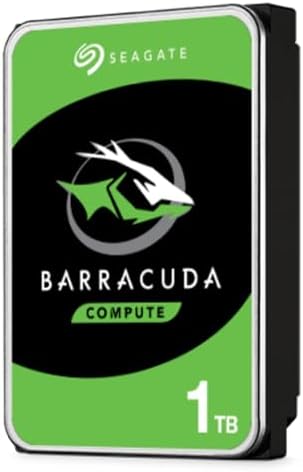
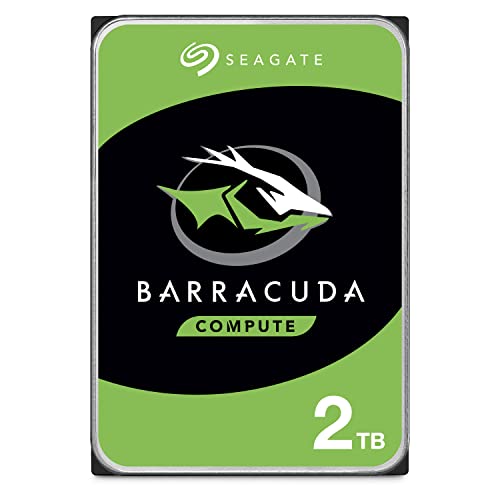
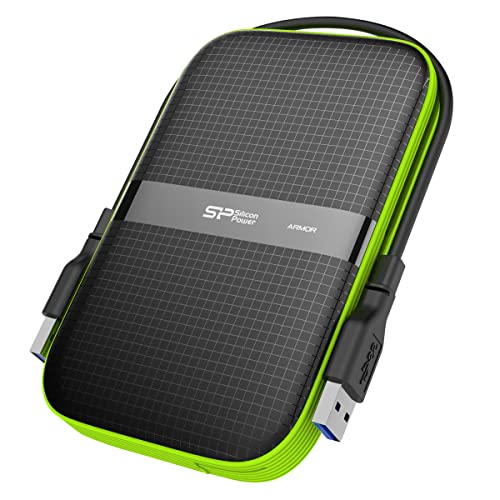
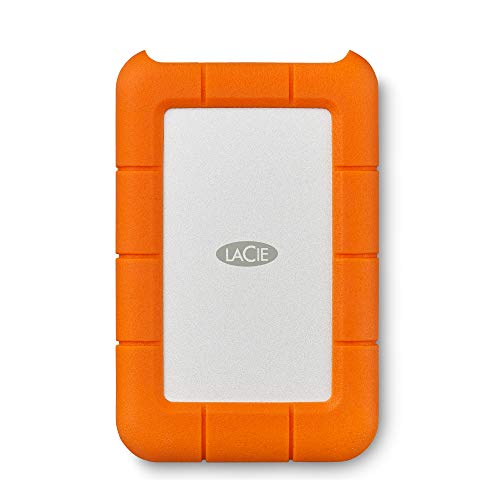
A portable external drive has a slim 2.5 inch mechanism and connects over USB. It is meant for backups and moving files between machines. An internal desktop drive is a 3.5 inch unit that connects to the motherboard with a data and a power cable, and it is cheap per terabyte.
A NAS drive is built for the long hours and vibration of a network storage box, with firmware that suits multi drive systems. A surveillance drive is tuned for continuous writing from camera feeds.
Mixing them up causes trouble: an ordinary desktop drive may not cope with a multi bay storage box, and a portable drive is not made for a recorder that runs all year.
For Backups and Portability
A portable drive is the simplest choice. Plug it in, set up File History or Time Machine and it backs up the computer. Rugged models protect against drops, and slim models fit in a pocket.
Speeds are enough for backups, and costs are low. See our guide to the external hard drives for related picks.
Remember that one drive is one copy. Keep a second copy of important files in another place, since drives fail without warning.
For a Desktop Upgrade
An internal 3.5 inch drive adds cheap storage to a desktop computer. It suits media libraries, game storage and backups of your main solid state drive. Check that your case has a free bay and that your power supply has a spare SATA power connector. Note that hard drives are slower than solid state drives, so keep your operating system and active programs on an SSD, and use the hard drive for bulk files.
For internal options in more detail, our 2TB internal hard drives and hard drives pages help.
For a NAS or Home Server
A NAS drive is designed to run all day, to tolerate vibration from neighbors in a multi bay unit and to report errors in a way a storage box understands. It often carries a longer warranty and a workload rating. If you plan to build a home server, choose drives made for it, and consider mixing brands and batches to reduce the risk of simultaneous failure.
Use a mirrored arrangement or regular backups, since a single drive can fail in any system.
For Security Cameras
Surveillance drives are tuned for continuous writing and many video streams. They handle the constant load of a recorder better than a standard desktop drive. Check the recorder's compatibility list and the capacity limit. A 2TB drive stores a few weeks of footage from a small system, depending on resolution and the number of cameras, so estimate your needs.
Noise, Heat and Power
Desktop and NAS drives make audible noise when they seek, and they produce heat. Place them where air can circulate, and consider a case with rubber mounts if noise bothers you. Portable drives are quieter but still spin. Power use is small, but a collection of drives adds up in a server.
Warranty and Reliability
Check the warranty length, which varies by type and brand. Drives for NAS and surveillance often have longer warranties than basic models. Keep an eye on drive health with the manufacturer's tools or the system's monitoring, and replace a drive that reports errors.
Mistakes to Avoid
- Using a desktop drive in a multi bay NAS and getting poor reliability.
- Relying on one portable drive as the only backup.
- Installing a hard drive as the system drive and living with slow boots.
- Forgetting the power connector and the free bay in a desktop case.
- Ignoring the recorder's compatibility list.
How Much 2TB Really Holds
Two terabytes sounds large, but it fills at different speeds depending on the job. A photo library of a few hundred thousand pictures uses a fraction of it. A game library of a dozen modern titles can take most of it.
A security recorder that stores continuous video from a few cameras may fill it in weeks. Measure your usage before you choose a type.
If you are unsure, buy a size that gives you room to grow, and plan to use the drive for bulk files while keeping the active work on a faster drive. When the drive reaches about eighty percent full, start planning an upgrade or a second drive.
Frequently Asked Questions
Which type of 2TB drive is best?
It depends on the job: portable for backups, internal for desktops, NAS for servers, surveillance for recorders.
Is a hard drive or an SSD better?
SSDs are faster and quieter. Hard drives give more capacity per dollar.
How long do hard drives last?
Typically several years. Failures are random, so keep backups.
Can I use a desktop drive in a NAS?
It may work, but a NAS drive is built for the job and is the safer choice.
Do I need to format a new internal drive?
Yes. A new internal drive has to be initialized and formatted in the operating system's disk tool before you can store files. Choose the standard partition style and the default file system for your system.
Can a portable drive replace an internal one?
For storage and backups, yes. For constant heavy use or a boot drive, an internal drive or an SSD is more suitable.
Final Thoughts
The best 2tb hard drives match the work they do. Choose portable for backups, internal for a desktop, NAS for a home server and surveillance for cameras, and keep a second copy of anything important.
Prices and availability can change, so check the product page before ordering.