
Best Computer Programming Laptops: Budget, Midrange, and Premium Picks
Disclosure: We may earn a commission when you buy through links on this page, at no extra cost to you. As an Amazon Associate I earn from qualifying purchases. Learn more

Laptops for coding from around $630 to $2,230 sorted by tier, with three picks and the features developers should pay for.
Laptops for coding range from around $500 student machines to $3,000 workstations, and spending more does not always make you a faster developer. What matters is enough memory for your tools, a processor that compiles quickly, a keyboard you enjoy typing on for hours and an operating system that fits your stack. This guide to the best computer programming laptops breaks the market into budget, midrange and premium tiers so you know where your money makes a real difference.
The short answer: most programmers should buy a laptop with at least 16GB of RAM, a modern multi core processor such as Apple M4, Intel Core Ultra 7 or AMD Ryzen 7, a 512GB or larger SSD and a comfortable keyboard, which costs around $650 to $1,300; spend more for 32GB of RAM if you run containers, virtual machines, Android emulators or large data workloads.

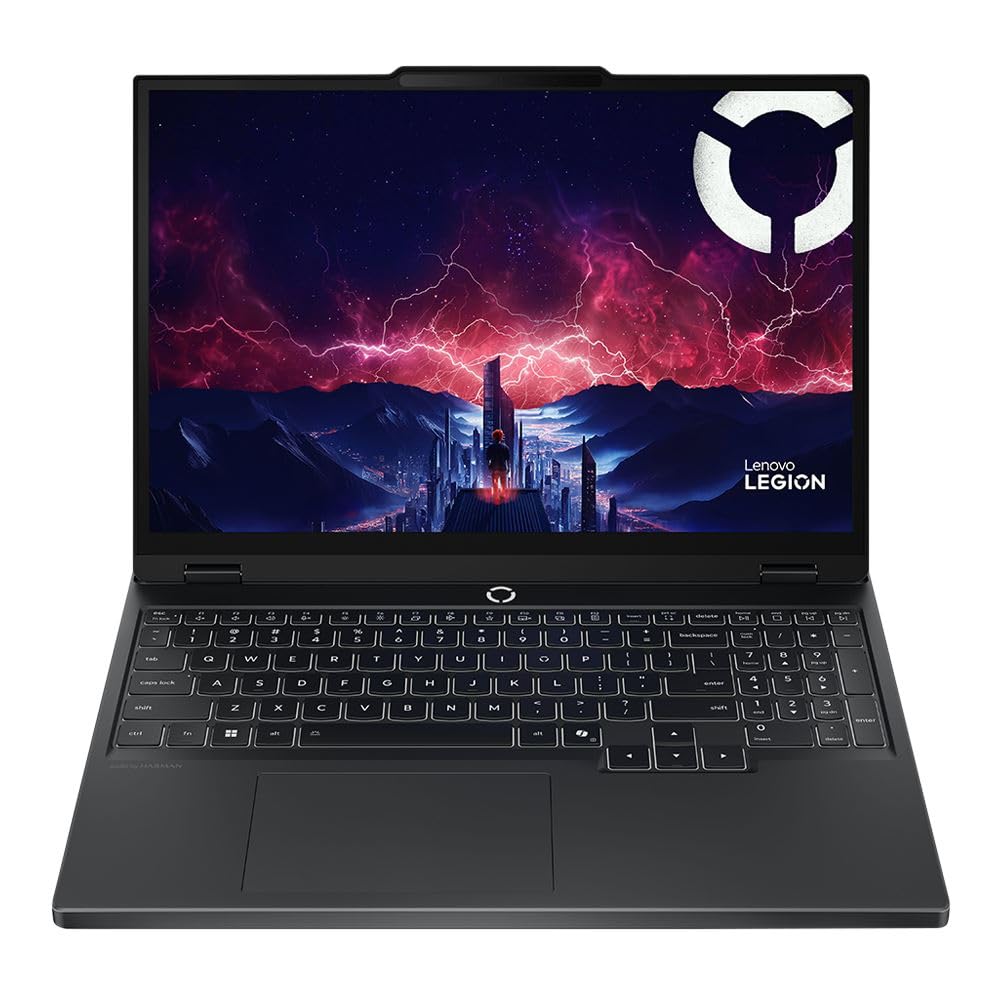


Top 3 Picks by Budget
Each pick below comes from the product table above and offers the strongest value for developers at its price tier.
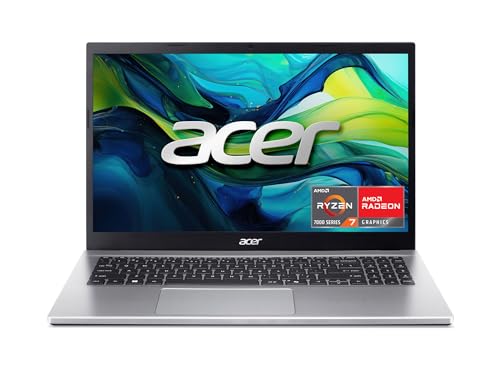


Best Budget Pick
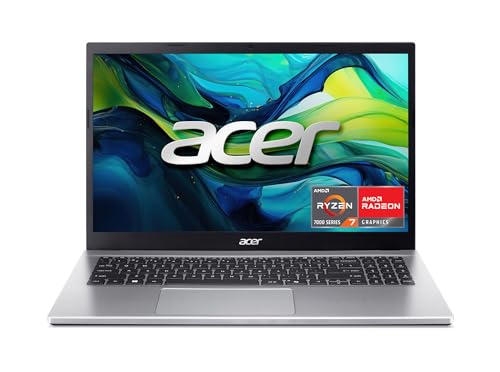
The Acer Aspire Go 15, around $630, suits students, bootcamp learners and hobbyists who need a capable coding machine without overspending. Its first strength is a balanced configuration with an eight core AMD Ryzen 7 7730U processor, 16GB of memory and a 512GB PCIe Gen4 SSD, which handles code editors, local web servers and moderate compile jobs smoothly. Its second strength is practicality: a 15.6 inch Full HD IPS screen gives room for side by side windows, and WiFi 6, HDMI 2.1 and a full function USB C port cover common connections.
The limitation is build quality and battery life, which trail pricier ultraportables, and the DDR4 memory cannot match newer, faster laptops.
Best Midrange Pick
The Apple MacBook Air 13 inch with the M4 chip, around $990, is the sweet spot for web developers, mobile developers and students who want speed, silence and battery life. Its first strength is the efficiency of Apple silicon, which compiles code quickly while running fanless and cool, with battery life that easily covers a long day. Its second strength is macOS, a Unix based system with a native terminal, Homebrew package manager and the only way to build iOS and macOS apps with Xcode.
The limitation is limited ports and fixed memory, so choose a configuration with enough RAM at purchase if you plan to run heavier tools.
Best Premium Pick
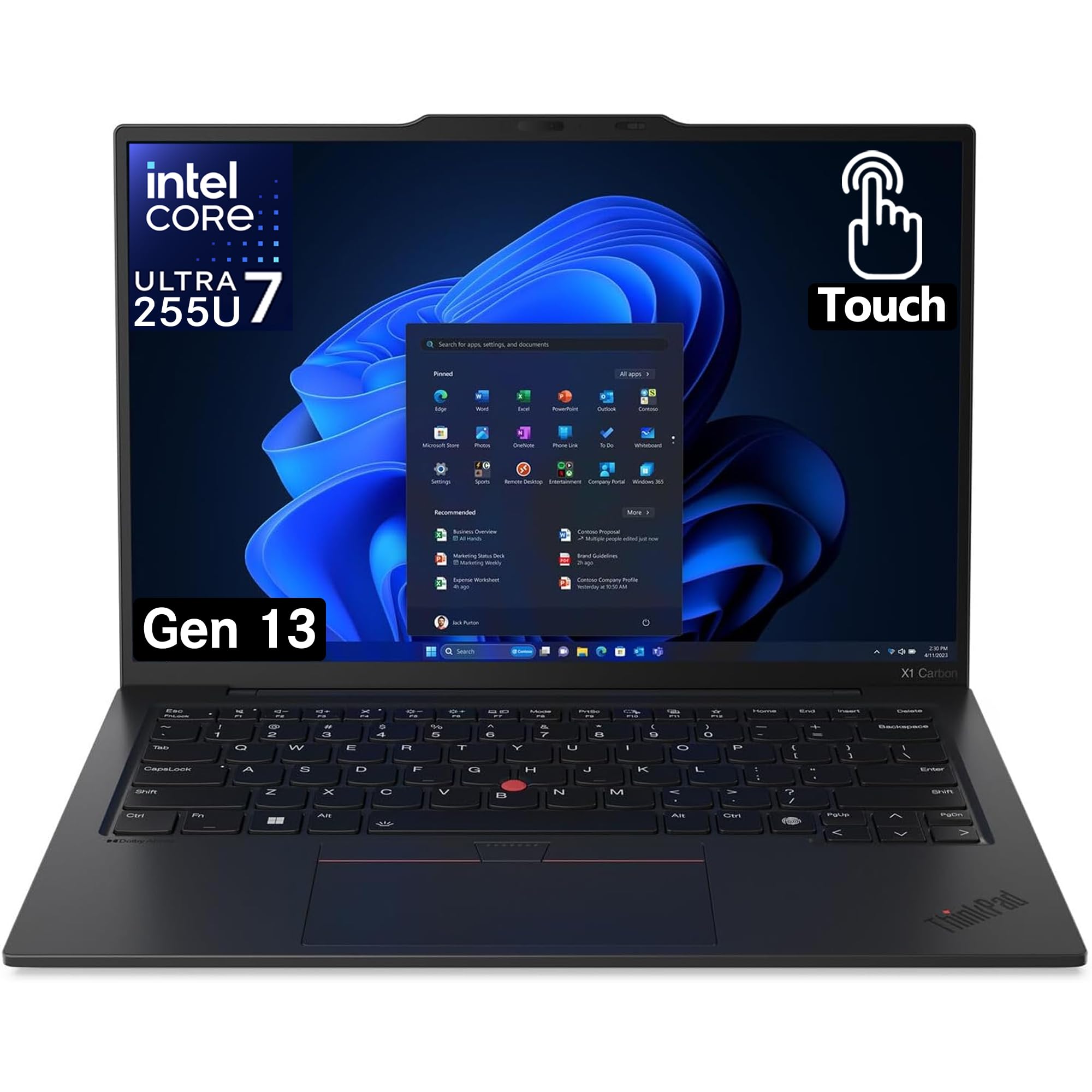
The Lenovo ThinkPad X1 Carbon Gen 13 Aura Edition, around $2,230 with 32GB of RAM and a 1TB SSD, is for professional developers who type all day and want a durable, lightweight Windows or Linux laptop. Its first strength is the ThinkPad keyboard, widely considered one of the best laptop keyboards, plus a TrackPoint for keeping your fingers on the home row. Its second strength is a configuration with an Intel Core Ultra 7 processor, 32GB of memory and plenty of storage for containers, virtual machines and large repositories.
The limitation is price; most students and hobbyists will not use its full capability.
What Your Money Gets You at Each Price Tier
Developer laptops follow fairly clear price tiers on Amazon. Here is what each typically includes.
Budget Tier: What to Expect
Budget laptops around $500 to $750 can be excellent for learning to code and building web projects. The best options include 16GB of RAM, a 512GB SSD and a Ryzen 5, Ryzen 7 or Core i5 processor. Expect plastic builds, average screens and modest battery life. These laptops suit students, career changers and hobbyists working with Python, JavaScript and lightweight frameworks. Avoid 8GB models; modern editors, browsers and dev servers quickly use more memory.
Midrange Tier: The Sweet Spot for Most Buyers
Midrange laptops around $800 to $1,400 bring faster processors like Apple M4, Intel Core Ultra 7 and AMD Ryzen AI chips, better displays, aluminum builds and longer battery life. This tier comfortably handles full stack development, mobile app work and moderate data projects. For most professional developers and computer science students, midrange offers the best balance of performance, portability and price.
Premium Tier: When Spending More Pays Off
Premium laptops start around $1,500 and include 32GB or more of RAM, high end processors such as Apple M4 Pro, larger and sharper displays and premium keyboards. Spending more pays off if you run multiple containers, Kubernetes clusters, Android emulators, virtual machines, game engines or machine learning workloads, or if your laptop is your primary professional tool.
Features Worth Paying For (and Ones to Skip)
When comparing the best computer programming laptops, focus on features that affect your daily workflow.
Operating System (Windows, macOS, Linux, ChromeOS)
macOS offers a Unix environment and is required for iOS development. Windows supports the widest range of software and includes WSL, which runs Linux tools natively. Linux appeals to backend, systems and DevOps developers who want maximum control, and many ThinkPad and Dell models support it well. ChromeOS can run Linux apps but is limited for serious development.
Processor and Performance Tier
Compile times, automated checks and build tools depend on CPU performance. More cores help with parallel builds and containers, while strong single core speed keeps editors and interpreters snappy. Apple M4, Intel Core Ultra 7 and AMD Ryzen 7 chips deliver excellent results; Core i5 and Ryzen 5 are fine for learning and web work.
Graphics (Integrated vs Dedicated GPU)
Most programming work does not need a dedicated GPU. Integrated graphics handle multiple monitors and editors easily. A dedicated NVIDIA GPU becomes worthwhile for machine learning with CUDA, game development or GPU accelerated computing. Otherwise, spend the money on RAM and CPU.
RAM and Storage
RAM is the most important spec for developers. Sixteen gigabytes is the minimum for modern workflows with IDEs, browsers and local servers, while 32GB suits containers, virtual machines and emulators. Storage should be a fast NVMe SSD of at least 512GB; 1TB helps with large repositories, Docker images and datasets.
Keyboard, Trackpad, and Build
You will type thousands of lines, so keyboard comfort matters. Look for good key travel, a full size layout with useful function keys and backlighting. A large, precise trackpad reduces mouse dependence. Aluminum or carbon fiber builds survive daily commutes better than thin plastic.
Features You Can Skip
RGB lighting, touchscreens and very high refresh rate displays rarely help programming. Gaming graphics add weight and reduce battery life. Spend instead on RAM, storage and a better keyboard.
Choosing Computer Programming Laptops for Your Situation
Best Computer Programming Laptops under 600: Where Your Money Goes
The best computer programming laptops under 600 put money into three places: 16GB of RAM, an SSD of at least 512GB and an eight core Ryzen 7 or modern Core i5 processor. Accept a plastic build and average screen. Models around $600 to $650, like the Acer Aspire Go 15, show what this budget can achieve.
Best for Web and Mobile Developers
Web and mobile developers benefit from macOS for iOS work, or Windows with WSL for Android and cross platform frameworks. Prioritize RAM and battery life.
Best for Data Science and Machine Learning
Data scientists should prioritize 32GB of RAM and consider a dedicated NVIDIA GPU for local model training, or rely on cloud compute with a lighter laptop.
Long Term Costs to Factor In
A laptop is only part of a developer's setup. An external monitor, keyboard and mouse can add $200 to $600 but improve productivity and ergonomics significantly. A USB C dock simplifies connecting everything with one cable. Software costs like IDE licenses, cloud services and subscriptions add up over time.
Consider lifespan too. A $650 laptop replaced every three years may cost more over time than a $1,300 laptop that lasts five or six years. Extended warranties help protect expensive machines, and laptops with upgradeable RAM and storage can extend usable life.
Building a Comfortable Developer Workspace
Long coding sessions reward a good workspace. An external monitor is one of the best upgrades a programmer can make; a 27 inch 1440p or 4K screen shows your editor, terminal and documentation side by side without constant window switching. Many developers rotate a second monitor vertically to read more lines of code at once.
A laptop stand raises the screen to eye level, reducing neck strain, while an external keyboard and mouse keep your wrists in a neutral position. Mechanical keyboards are popular among developers for their feel and durability, and ergonomic split keyboards help those with wrist discomfort.
A USB C or Thunderbolt dock lets you connect monitors, keyboard, mouse, ethernet and power with a single cable, making it easy to move between desk and couch. Good lighting and a comfortable chair complete the setup and help you stay focused during long debugging sessions.
Remote Development and Cloud Workflows
Cloud development environments and remote servers have changed what programmers need from a laptop. With tools like VS Code Remote, GitHub Codespaces and SSH into cloud machines, heavy compilation, data processing and model training can run on powerful remote hardware while your laptop handles the editor and browser.
This approach lets a midrange laptop punch above its weight, especially for data science and large backend projects. A reliable WiFi 6 connection, long battery life and a sharp display matter more in this workflow than raw local power. Keep in mind that offline work, local development environments and mobile development still benefit from a capable local machine.
Setting Up a New Laptop for Development
Once your laptop arrives, a few setup steps save time later. Install a package manager such as Homebrew on Mac, winget or Chocolatey on Windows or your distribution's manager on Linux. Set up your terminal, Git, a code editor like VS Code or a JetBrains IDE and your language runtimes through version managers so you can switch versions per project.
On Windows, enable WSL to run Linux tools natively. Install Docker or a container runtime if your projects use containers. Configure SSH keys for Git hosting services, enable full disk encryption and set up automatic backups. Finally, adjust power settings for performance when plugged in, and disable unnecessary startup apps to keep memory free for your tools.
Computer Programming Laptops: Your Questions Answered
Is a Chromebook enough for programming school?
A Chromebook is enough for basic coding courses but limited for full computer science programs. ChromeOS can run a Linux environment for Python and web development, but many courses require Windows or macOS tools, IDEs and compilers. Check your program's requirements before buying.
How much RAM do I need for programming?
Most programmers need 16GB of RAM, and 32GB for heavy workloads. Sixteen gigabytes handles IDEs, browsers and local servers comfortably. Choose 32GB or more for containers, virtual machines, Android emulators, game engines or data science work.
Should I buy a laptop or a tablet for coding?
Buy a laptop for coding. Laptops run full IDEs, compilers, terminals and containers. Tablets can run some coding apps and remote development tools but lack the flexibility and performance needed for serious programming.
Is a dedicated GPU worth it for programming?
A dedicated GPU is worth it only for machine learning, game development or GPU computing. Most web, mobile and backend development runs perfectly on integrated graphics. Spend the money on RAM, CPU and storage instead.
How long should a programming laptop last?
A good programming laptop should last around four to six years. Choosing 16GB to 32GB of RAM and a modern processor helps it handle future tools. Regular updates and good battery care extend its useful life.
Is a MacBook good for programming?
Yes, MacBooks are excellent for most programming work. macOS offers a Unix terminal, strong developer tools and long battery life, and it is required for building iOS and macOS apps. Windows specific development, such as some .NET desktop or game projects, may be easier on a Windows laptop.
Can I use Linux on a programming laptop?
Yes, many laptops run Linux well, especially ThinkPad and Dell models. Check hardware compatibility for WiFi, graphics and sleep before buying. Windows users can also run Linux tools through WSL without replacing their operating system, which suits most web and backend developers.
Final Thoughts
The right programming laptop balances memory, processing power, keyboard comfort and operating system fit. Prioritize at least 16GB of RAM and a modern multi core processor, then choose the tier that matches your workload. Students can start with a capable budget model, most developers will thrive with a midrange machine and professionals running heavy tools should invest in premium.
Compare the best computer programming laptops in the product table above to find the right balance of performance, portability and price for your code.


