
Best Mesh Network Routers: Which One Fits the Way You Use It?
Disclosure: We may earn a commission when you buy through links on this page, at no extra cost to you. As an Amazon Associate I earn from qualifying purchases. Learn more

Mesh WiFi systems matched to remote workers, gamers, large homes and budget buyers, with WiFi standards, ports and setup tips.
If your WiFi drops in the bedroom, crawls in the backyard or buffers during video calls upstairs, a single router may not be enough for your home. Mesh WiFi systems use multiple nodes placed around the house to create one seamless network, so your devices stay connected at full speed as you move from room to room. There is no single mesh system that suits every home, though. This guide to the best mesh network routers starts with how you use the internet, then explains which type of system fits.
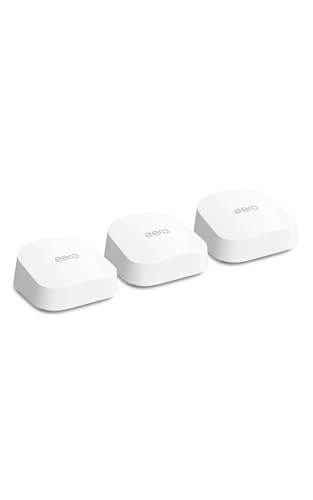
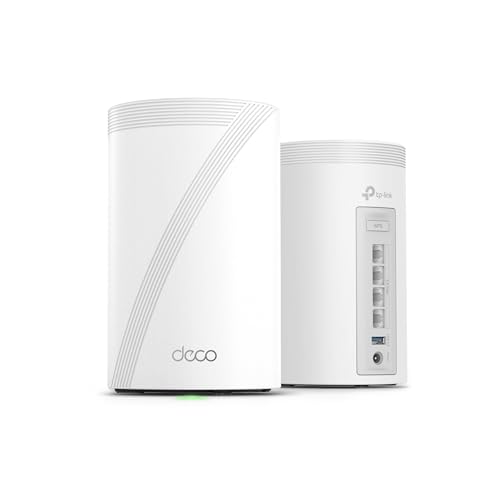
The short answer: most households should choose a WiFi 7 or WiFi 6 mesh system from an established brand with easy app setup, automatic updates and enough nodes to cover their home, such as the eero 7 around $400; budget buyers can start with the TP-Link Deco X55 around $80 per node, and large homes or fast internet plans benefit from tri band WiFi 7 systems like the Netgear Orbi 770 three pack.




Top 3 Picks at a Glance
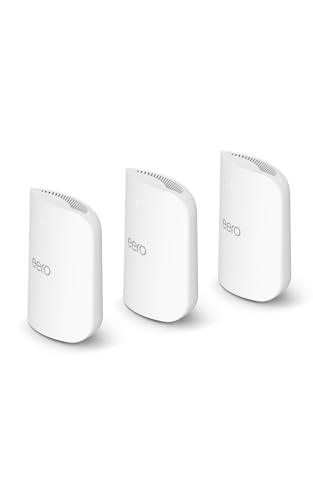
These three mesh systems from the product table above cover the best overall choice, the best value and the best option for large homes.


Who Should Buy Which Mesh Network Routers?
Mesh systems vary in WiFi standard, number of bands, node count and features. Your home size, internet plan and how you use the network determine which system makes sense.
For Remote Workers and Creators
Remote workers need reliable, low latency connections for video calls, cloud uploads and VPNs. Choose a mesh system with strong coverage in your home office, ideally with a wired Ethernet port on the nearest node for your computer. Tri band systems dedicate a radio to communication between nodes, keeping speeds high throughout the house. Creators uploading large files benefit from multi gig ports and WiFi 7 support.
For Travelers and Frequent Movers
Renters and people who move often appreciate mesh systems with simple app setup that takes minutes in a new home. Compact nodes that plug in anywhere make it easy to adapt to different layouts. Start with a two pack and add nodes as needed.
For Gamers and Power Users
Gamers want low latency, stable connections and features like quality of service that prioritize gaming traffic. Wired connections to consoles and PCs remain the gold standard, so choose nodes with multiple Ethernet ports. Power users may want advanced settings, VLANs and multi gig wired backhaul between nodes.
For Students and Everyday Users
Families and students streaming, browsing and attending online classes need reliable whole home coverage at a fair price. Affordable WiFi 6 systems like the TP-Link Deco X55 deliver strong performance for internet plans up to around 1 gigabit, with parental controls and easy management in the app.
Best Mesh Network Routers for Specific Needs
Best Mesh Network Routers for Gaming: What to Prioritize
The best mesh network routers for gaming prioritize low latency, gaming QoS and wired connectivity. Look for nodes with multiple Ethernet ports so you can wire consoles and PCs, tri band designs that keep backhaul traffic off client bands and WiFi 7 support for the lowest wireless latency. The eero Pro 7 and TP-Link Deco BE63 suit gamers with fast plans.
Best Wifi Mesh Network Routers: What to Prioritize
The best wifi mesh network routers for most homes balance coverage, speed and ease of use. Prioritize an app with clear setup and automatic updates, enough nodes to cover every floor and a WiFi standard that matches your devices and internet plan. WiFi 6 suits most current homes, while WiFi 7 future proofs for faster plans.
Best for Smart Homes
Smart home users benefit from mesh systems with built in Thread or Zigbee support, like eero models, which act as smart home hubs and reduce the need for separate bridges.
Key Features to Compare
Gaming Features (QoS, Low Latency)
Quality of service lets the router prioritize gaming, video calls or specific devices when the network is busy. Some systems detect gaming traffic automatically, while others let you set priorities manually. Low latency matters more than raw speed for competitive gaming, and wired connections deliver the lowest latency.
Speed Ratings vs Your Internet Plan
Mesh systems list combined speeds like AX3000 or BE10000, which add up all bands and are not real world speeds. What matters is whether the system can deliver your internet plan's speed to devices throughout your home. For plans up to about 1 gigabit, a quality WiFi 6 system is enough; for 2 gigabit or faster plans, choose WiFi 7 with multi gig ports.
Wired Ports (Multi Gig, WAN/LAN)
Each node typically includes one or more Ethernet ports. Multi gig ports, such as 2.5 or 10 gigabit, support fast fiber plans and wired backhaul between nodes. Extra LAN ports let you wire TVs, consoles and desktops. Wired backhaul, where nodes connect by Ethernet, delivers the best performance if your home has cabling.
WiFi Standard (WiFi 6, 6E, 7)
WiFi 6 offers strong performance and efficiency for most homes. WiFi 6E adds the 6GHz band for less congestion with compatible devices. WiFi 7 adds wider channels and multi link operation for higher speeds and lower latency, ideal for fast plans and new devices. Older devices still connect to newer systems.
App, Security, and Subscriptions
Mesh systems are managed through phone apps that handle setup, device lists, parental controls and updates. Some brands offer optional subscriptions for advanced security and parental filtering. Automatic firmware updates keep your network secure.
Common Mistakes to Avoid When Buying Mesh Network Routers
- Buying too few nodes. Large or multi story homes may need three or more nodes.
- Trusting combined speed numbers. AX and BE ratings overstate real speeds.
- Ignoring your internet plan. A slow plan will not get faster with an expensive mesh system.
- Placing nodes poorly. Nodes too far apart weaken the backhaul and slow the whole network.
- Skipping wired backhaul when available. Ethernet between nodes greatly improves performance.
Setup and Care Tips
Place the main node near your modem in an open, central location, then position satellite nodes about halfway between the main node and dead zones, ideally within one or two rooms. Avoid placing nodes inside cabinets, behind TVs or near microwaves. Use the app's placement checks to confirm strong connections. Enable automatic updates, set a strong WiFi password and use WPA3 security if your devices support it. Restart nodes occasionally if performance drops.
Wired Backhaul: The Secret to Fast Mesh WiFi
Mesh nodes communicate with each other through a backhaul connection. Wireless backhaul uses one of the WiFi bands, which can reduce speeds as data hops between nodes, especially in dual band systems. Tri band systems dedicate a separate band to backhaul, improving performance. The fastest option is wired backhaul, where nodes connect with Ethernet cables, freeing all wireless bands for your devices.
If your home has Ethernet wiring in the walls, take advantage of it. Powerline and MoCA adapters can also provide wired backhaul over electrical wiring or coaxial cable in homes without Ethernet. Even one wired node can dramatically improve speeds in distant rooms.
Security and Parental Controls
Modern mesh systems include security features such as automatic firmware updates, WPA3 encryption and network monitoring. Optional subscriptions from eero, TP-Link and Netgear add malware blocking, ad filtering and advanced parental controls. Basic parental controls, including device pausing, schedules and content filters, are often free. Guest networks keep visitors separate from your personal devices and smart home gear.
Review connected devices regularly in the app, change default passwords and keep automatic updates enabled to protect your network.
Mesh Networks and Smart Homes
Smart homes with dozens of connected devices benefit from mesh systems that handle many simultaneous connections. Many smart plugs, cameras and sensors use the 2.4GHz band, so make sure your system supports it reliably. Some mesh routers, including eero models, include Thread and Zigbee radios that act as smart home hubs for Matter devices. Placing nodes near clusters of smart devices improves reliability.
Troubleshooting Common Mesh Problems
If speeds drop, check node placement and move satellites closer to the main node. Reboot the system and confirm firmware is up to date. Interference from microwaves, baby monitors and thick walls can weaken signals. If a device keeps connecting to a distant node, toggling WiFi off and on or using the app's optimization features can help. Contact your ISP if wired speeds at the modem are also slow.
How Many Mesh Nodes Do You Need?
As a rule of thumb, one node covers around 1,500 to 2,000 square feet in open homes. Apartments and small homes under about 1,500 square feet often need one or two nodes. Medium homes of 2,000 to 3,500 square feet typically need two or three, while large or multi story homes over 4,000 square feet may need three to five. Thick walls, brick and metal reduce coverage, so plan for an extra node in older or larger homes. Most systems let you add nodes later.
Mesh vs Extenders vs Single Routers
A single powerful router works well in small homes and apartments. WiFi extenders are cheap but often create separate networks and cut speeds in half, causing frustrating drops. Mesh systems create one network with seamless roaming and intelligent routing, delivering consistent coverage throughout larger homes. For most homes with dead zones, mesh is the best solution.
Choosing Between eero, TP-Link Deco, Netgear Orbi and Others
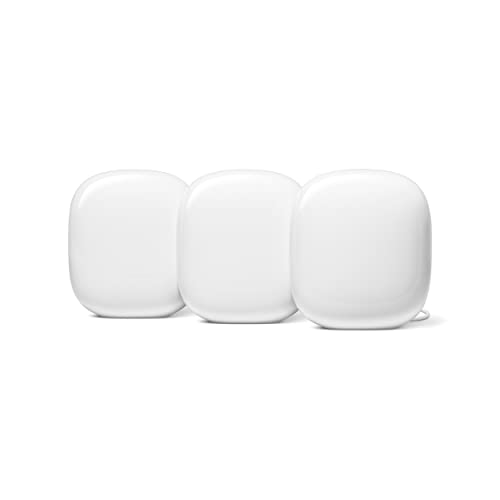
Amazon's eero systems are known for simple setup, reliable performance, frequent updates and built in smart home hubs, making them great for families. TP-Link Deco systems offer excellent value across WiFi 6 and WiFi 7, with flexible node options and a straightforward app. Netgear Orbi systems focus on high performance and large coverage, often with dedicated backhaul radios and premium pricing. Google Nest WiFi Pro integrates with Google Home and offers WiFi 6E. ASUS ZenWiFi systems appeal to power users with advanced settings and AiMesh compatibility with ASUS routers.
Choose based on your priorities: ease of use, value, maximum performance or advanced control. Mixing brands usually does not work, so plan to expand within one ecosystem.
How Much to Spend on a Mesh System
Around $80 to $250 buys WiFi 6 mesh systems that cover small to medium homes. Around $300 to $500 covers WiFi 6E and entry WiFi 7 systems with better speeds and features. Around $550 to $900 brings tri band WiFi 7 systems for large homes and multi gig plans. For most households, the best mesh network routers cost between $200 and $500.
Mesh Network Routers: Your Questions Answered
Will a new mesh router speed up my internet?
A mesh router will not increase your plan's maximum speed, but it can deliver more of that speed throughout your home. If your current WiFi is slow in certain rooms, mesh coverage eliminates dead zones and improves real world speeds.
How often should I replace my router?
Plan to replace your router or mesh system every four to six years. Replace sooner if it no longer receives security updates, cannot handle your internet plan or lacks support for your newer devices.
Do I need WiFi 7 yet?
WiFi 7 is worth it for fast internet plans and new devices, but WiFi 6 is enough for most homes today. WiFi 7 offers lower latency and higher speeds, and it future proofs your network. If your plan is under 1 gigabit, a good WiFi 6 system saves money.
Mesh or a single router: which is better?
Mesh is better for medium and large homes or homes with dead zones, while a single router is fine for small apartments. Mesh delivers consistent coverage and seamless roaming across multiple rooms and floors.
Can I use my ISP's modem with a mesh system?
Yes, most mesh systems connect to your ISP's modem or gateway. If your ISP provides a combined modem and router, set it to bridge mode or turn off its WiFi to avoid conflicts.
Can I mix mesh nodes from different generations?
Many brands let you mix nodes from different generations within the same ecosystem. For example, newer eero and Deco nodes often work with older models, though the network may run at the older standard's speeds. Check compatibility before buying additional nodes.
Do mesh systems work with gaming consoles?
Yes, mesh systems work well with consoles, especially when consoles are wired to a node. Use a node's Ethernet port for the PS5 or Xbox to reduce latency. Enable QoS or gaming prioritization in the app for smoother online play.
Final Thoughts
The right mesh system eliminates dead zones and keeps every room connected. Choose an affordable WiFi 6 system for typical homes, a WiFi 7 system for fast plans and gaming and a tri band system with more nodes for large homes. Place nodes thoughtfully and use wired backhaul when possible for the best performance.
Compare the best mesh network routers in the product table above to find the right system for your home and internet plan.


