
The Best Mid Range Computer Speakers for 2026: Desktop Audio Guide
Disclosure: We may earn a commission when you buy through links on this page, at no extra cost to you. As an Amazon Associate I earn from qualifying purchases. Learn more

Desk workers and gamers can pick the best mid range computer speakers by comparing USB DAC, drivers, inputs, subwoofer options and desk fit.
Built-in laptop speakers and cheap plastic desktop pairs make vocals sound thin, bass sound muddy and treble sound harsh after a few hours. If you work, game and stream music at the same desk, a step up in quality makes a clear difference. The best mid range computer speakers typically cost around $100 to $300 and add real amplifiers, better drivers and digital inputs.
Some people want a compact pair of powered monitors for a tidy desk. Others prefer a 2.1 system with a subwoofer, or a pair with a built-in USB DAC and Bluetooth. This guide covers amplification, driver materials, connections, desk fit and setup habits, so you can match the picks in the table to your own desk.



How to Choose the Best Mid Range Computer Speakers
The right desktop speakers balance driver quality, built-in amplification and the connections your computer needs, all in a size your desk can hold. Work through the benchmarks below before you buy.
Integrated Digital to Analog Converter (USB DAC)
A speaker with a built-in USB DAC avoids the noisy onboard sound circuits found in many motherboards and laptops. Look for a model that accepts USB-C or USB-A audio directly.
The computer sends digital audio over the cable, and the speaker converts it to analog internally. This often removes the faint hiss and electrical whine that analog headphone-jack connections pick up from nearby components. It also means one cable can carry sound from the computer, which keeps the desk cleaner.
Active Bi-Amplification and Class D Power
Powered speakers need enough built-in amplification to play loudly without a separate receiver. Class D amplifiers are common in this price range because they are efficient and run cool.
Bi-amplified designs give the woofer and tweeter their own amplifier channels, split by an active crossover. Many mid range pairs list roughly 40 to 100 watts of total power, which is plenty for a desk where you sit two or three feet away. Treat the wattage as a rough guide only, since makers measure it in different ways (peak versus continuous).
Driver Materials: Silk Domes vs Aramid Fiber Woofers
Drivers shape the sound more than any other part. Check what the tweeter and woofer are made of.
- Tweeters: Silk dome tweeters, usually three quarters of an inch to one inch, tend to sound smooth and are easier to listen to through a long workday.
- Woofers: Woven aramid fiber (Kevlar), glass fiber or mineral-filled polypropylene cones are stiff and light, which helps keep bass tight and vocals clear.
Metal dome tweeters can sound more detailed but a little brighter, so if you are sensitive to sharp treble, silk is the safer choice.
Physical Footprint and Nearfield Acoustics
Most desktop speakers use woofers between 3.5 and 5 inches, so measure your desk before ordering. Allow room for the cabinet width, the depth to the wall and any monitor arms.
Nearfield speakers are tuned to sound balanced from about two to three feet away. At that distance the room has less effect on the sound, and the stereo image centers neatly on your screen. A pair with a 5 inch woofer often has a cabinet near 10 inches tall, which can block a laptop screen unless it sits on a stand.
Input Connectivity: Optical, RCA and Bluetooth
Good connection options let one pair of speakers serve your PC, console and phone. Check the rear panel for these inputs:
- Optical (TOSLINK) and USB: Digital connections for PCs and game consoles.
- RCA and 3.5mm aux: For a turntable with a phono preamp, a synth or a second audio player.
- Bluetooth: Lets you stream from a phone or tablet. Models listing aptX or AAC support usually offer better quality than basic Bluetooth.
Count the inputs you need today and add one spare. Many people forget that a console and a PC together already use two ports.
Subwoofer Outputs and Bass Expansion
A dedicated subwoofer output lets you add low bass later without replacing the speakers. Four-inch desktop monitors can reach down to roughly 50 or 60 Hz, but deeper rumble needs a sub.
With an RCA sub-out, you can connect a powered subwoofer under the desk whenever you want more impact for games and action films. Some pairs also have a built-in high-pass filter, which stops the small woofers from straining once the sub takes over the lowest notes.
Front Panel Headphone Jack and Volume Control
A front headphone jack and volume knob save you from reaching behind the speakers. Plugging in headphones usually mutes the speakers automatically on models with this feature.
A physical knob also lets you adjust the level quickly without opening software mixers during calls or late night sessions. Check that the knob sits on the front or top edge, since a side-mounted control can be hard to reach in a tight corner.
Magnetic Shielding and Interference Rejection
Desks are crowded with power adapters, routers, phones and monitors that can cause buzzing or clicking in poorly shielded speakers. Look for speakers described as magnetically shielded with well grounded power circuits.
If you still hear noise, move the power bricks away from the speaker cables and keep audio cables from running parallel to power cords. Plugging the computer and speakers into the same power strip can also cut down on ground hum.
What to Expect at a Mid Range Price
Around $100 to $300, you get noticeably cleaner sound than budget pairs, but not the precision of true studio monitors. Knowing the trade-offs keeps expectations realistic.
At this level, cabinets are often MDF (medium-density fiberboard) rather than thin plastic, which cuts unwanted vibration and makes the sound more solid. You also see remote controls, digital inputs and a few tone controls. What you usually will not find is room correction or very deep bass from a pair without a sub.
A few common buying mistakes are worth avoiding:
- Buying on wattage alone: A well made 40 watt pair can sound better than a poorly made 100 watt pair.
- Ignoring desk depth: Rear-ported cabinets need space behind them, and a shallow desk pushes them against the wall.
- Skipping the input check: A pair with only a 3.5mm cable and Bluetooth cannot take a digital signal from a console.
- Forgetting cable length: Many pairs link the two speakers with a short cable, so make sure the left and right sides can sit as far apart as you plan.
Popular Desktop Computer Speaker Formats Compared
Three formats cover most desks, and the best one depends on your space and what you play.
Compact Powered 2.0 Desktop Monitors
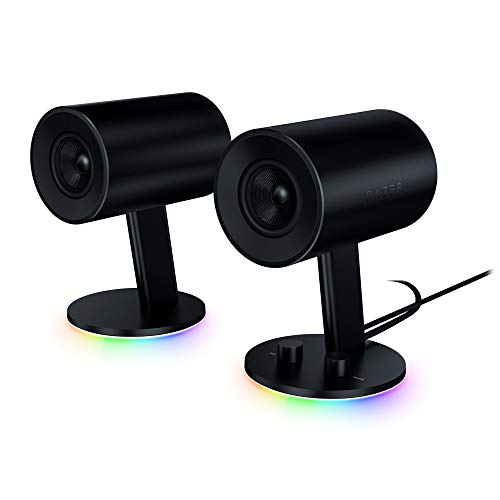
A 2.0 pair is two self-powered speakers with no subwoofer. They suit music listeners and home office desks because they take little space and give clear vocals and precise stereo imaging.
2.1 Speaker Systems with Subwoofers
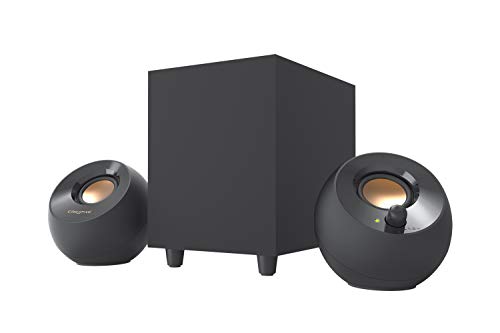
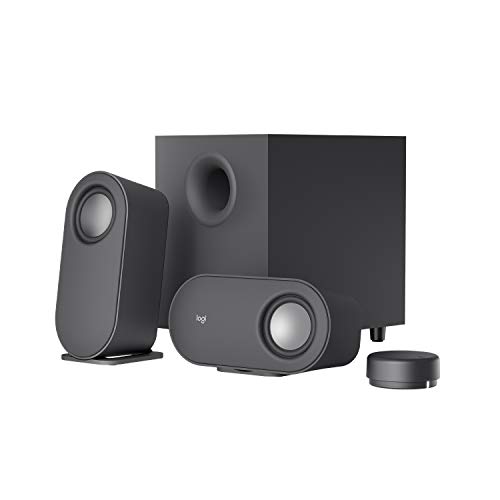
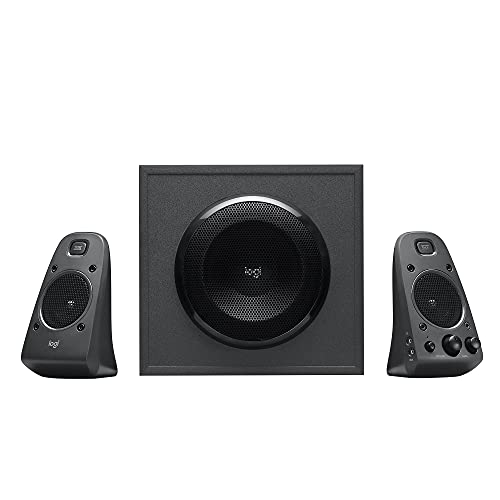
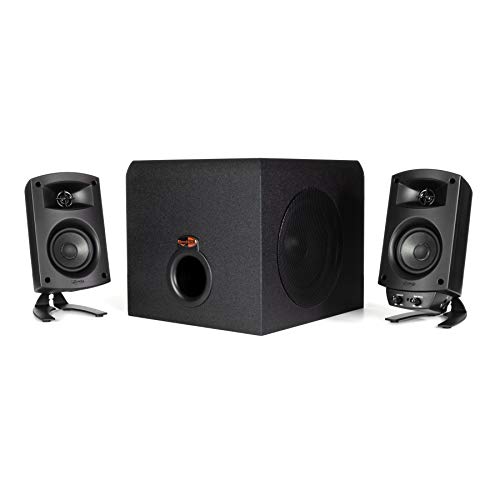
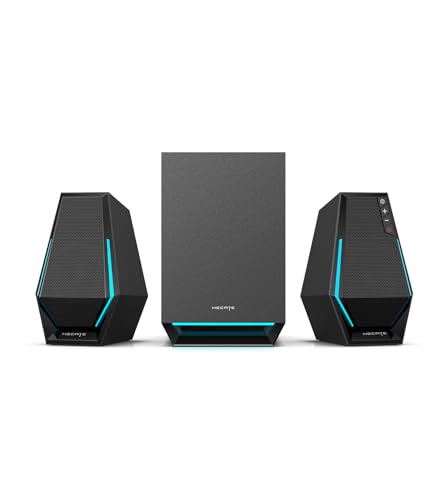
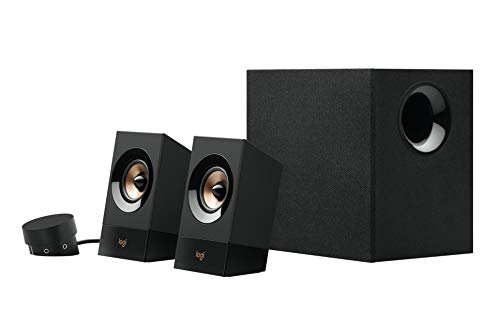
A 2.1 system pairs two small satellites with an under-desk subwoofer. It suits PC gamers, movie fans and electronic music listeners who want stronger bass than small cabinets can deliver. Plan floor space for the sub, which is often about the size of a small shoebox or larger.
Desktop Soundbars
A desktop soundbar is a single long speaker that sits under the monitor. It works well on small desks or multi-monitor setups where side speakers would be in the way, though stereo separation is narrower.
Setup and Isolation Habits for Better Desktop Audio
Placement can improve a good pair of speakers as much as a price upgrade. These four habits cost little.
- Decouple speakers from the desk: Foam isolation pads or angled stands stop bass vibration from traveling through the furniture and aim the tweeters at ear level.
- Form an equilateral triangle: Place the speakers as far apart as each one is from your head for a stable center image.
- Leave room behind rear-ported speakers: Keep two to four inches from the wall to avoid boomy bass.
- Power speakers down when you finish: Switching them off at the end of the day saves a little electricity and avoids standby noise.
Keep the grilles and cabinets clean with a dry microfiber cloth, and avoid spraying cleaner near the drivers. If your desk sits in a kitchen or home office nook, also keep speakers away from steam, cooking splatter and sunny windowsills. Wipe dust from the ports and cables now and then so connections stay reliable.
Frequently Asked Questions
Why are USB computer speakers better than using a headphone jack?
USB speakers use their own built-in DAC, so they bypass the noisy audio circuits on many computers. This usually removes background hiss and electrical interference. It also needs only one cable for sound in many models.
Do I need a separate subwoofer for desktop computer speakers?
Not always. A good 2.0 pair gives enough bass for music, podcasts and office work. If you play action games or watch movies, a subwoofer adds low end impact that small speakers cannot reproduce.
Can I connect my smartphone to computer speakers wirelessly?
Yes, many mid range computer speakers include Bluetooth. You can stream from a phone or tablet without unplugging the computer. Check the product listing for Bluetooth, because not every model has it.
What is nearfield listening in computer audio?
Nearfield listening means sitting about two to three feet from the speakers. At that distance you hear mostly direct sound instead of room reflections, so stereo detail is clearer. Desktop speakers are designed for this position.
What do flared bass ports and tone dials do?
Flared ports reduce air noise during deep bass notes, which keeps low frequencies cleaner. Treble and bass dials let you adjust the sound to your desk and room. Both are useful features if you listen at higher volumes.
How much should I spend on computer speakers?
Around $100 to $300 is the usual mid range band and covers most needs. Below that, pairs often skip digital inputs and use thinner cabinets. Above it, you start paying for studio-style accuracy that matters mostly to people who mix music.
Final Thoughts
The best mid range computer speakers pair a built-in USB DAC, active amplification and quality drivers with inputs that match your gear. Measure your desk, decide between 2.0, 2.1 and soundbar formats, then compare the picks in the table. Good placement will bring out the most from whichever pair you choose.


