
Best Mid Range Office Chairs for 2026: Ergonomics, Mesh vs Foam, and Buyer Guide
Disclosure: We may earn a commission when you buy through links on this page, at no extra cost to you. As an Amazon Associate I earn from qualifying purchases. Learn more

Desk workers who sit all day can choose the best mid range office chairs by checking synchro tilt, seat depth, lumbar support and armrests.
A $90 big box chair with a flat foam pad, fixed armrests and a basic rocking hinge is hard to live with over an eight hour day, and flagship commercial chairs often cost $1,400 to $1,800. In the roughly $250 to $600 bracket, the best mid range office chairs offer synchro tilt mechanisms, sliding seat pans, adjustable lumbar support and breathable mesh at a fraction of showroom prices. Use the table on this page to compare the picks side by side.
A good ergonomic task chair adapts to your leg length, torso height and shoulder width rather than forcing your spine into a fixed mold. If you want a chair built around long ergonomic sessions, our guide to the best ergonomic office chairs covers that angle too.
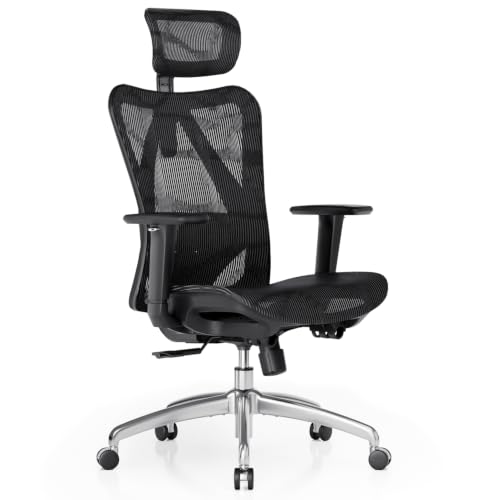
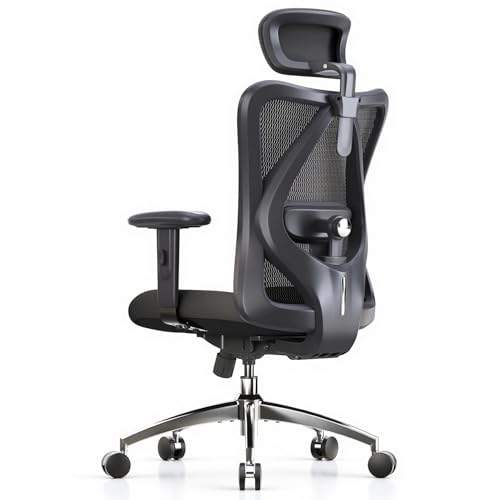
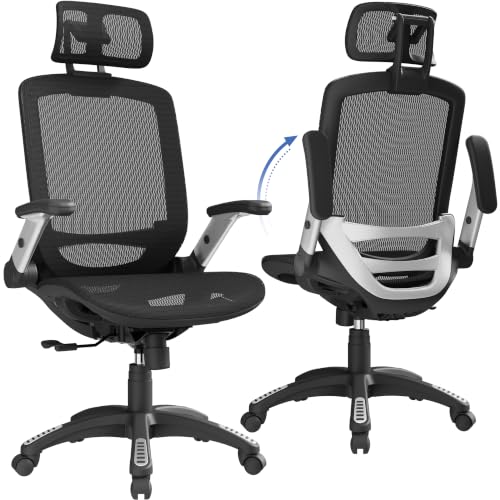
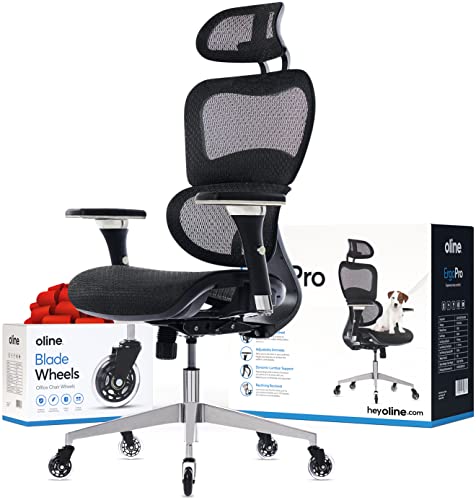
![CLOUVOU Ergonomic Office Chair Comfy [#1 in Tests]](https://m.media-amazon.com/images/I/41pqi7f5W5L.jpg)


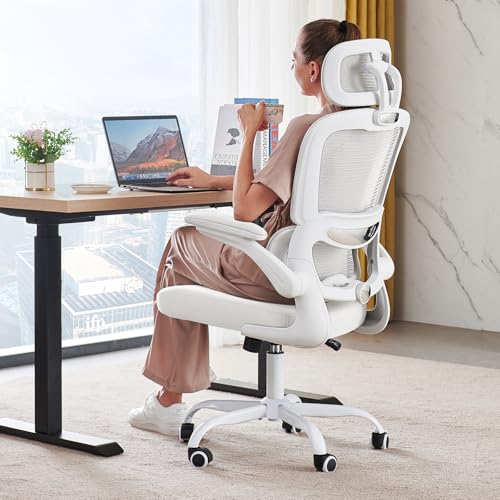

Who Should Buy Which Mid Range Office Chair?
Full Time Remote Workers and Eight Hour Desk Pros
Anyone working thirty five to fifty hours a week at a computer needs a fully adjustable chair with a tension tuned synchro tilt, a seat depth slider, adjustable lumbar support and 3D or 4D armrests. Look for chairs rated to ANSI/BIFMA X5.1, a commercial durability standard that covers the base, cylinder and tilt mechanism under repeated loading. Also check the maker's stated weight rating and warranty length before you buy.
If you share the chair with a partner or family member of a different height, the adjustments matter even more. Controls you can reach and change in seconds, without tools, make it realistic to reset the chair every time someone new sits down.
Hot Sleepers and Warm Home Offices
If your office warms up in the afternoon sun, or leatherette feels sticky after an hour, choose an all mesh chair with a mesh backrest and a tensioned mesh seat. Mesh lets air move beneath your thighs and across your lower back, and it spreads sitting pressure evenly when it is properly tensioned. Look for a firm, springy weave rather than a loose, thin one.
Mesh is also easy to keep clean. A vacuum brush attachment removes dust and pet hair, and a damp cloth with mild soap handles most marks.
Design Focused Home Offices and Hybrid Gamers
If your desk sits in a living room or studio apartment, a bulky mesh headrest chair can look out of place. Upholstered mid century style task chairs and gaming crossover models pair fabric or leather looks with hidden synchro tilt hardware and molded foam. Just make sure the style does not cost you the adjustments: seat depth, lumbar and armrests still matter more than appearance.
Fabric hides wear better than cheap faux leather, which can peel at the seat edge and armrest pads over time. If you pick a darker upholstery, it also tends to hide small stains between cleanings.
Key Features That Separate Real Ergonomics From Cheap Chairs
Synchro Tilt vs Cheap Center Tilt Mechanisms
A synchro tilt mechanism moves the seat and backrest at different rates, while a cheap center tilt moves them as one rigid unit. With center tilt, the front edge of the seat lifts as you lean back, which can press behind your knees and lift your feet off the floor. With synchro tilt, the backrest reclines roughly two degrees for every one degree of seat movement, which opens your hip angle and keeps your feet planted.
You can spot the difference by looking under the seat. A larger metal mechanism housing with a tension knob and a multi position lock usually signals a true synchro unit, while a small plate with a single lever is typically center tilt.
Seat Pan Depth Adjustment (The Two Finger Rule)
A sliding seat pan lets you match the chair to your thigh length. If the seat is too short, your thighs lack support; if it is too deep, the front edge presses behind your knees or pushes you to slouch away from the backrest. Most sliders offer around 2 to 3 inches of travel, and the goal is two to three fingers of clearance between the seat edge and the back of your calves.
Adjustable Lumbar Support vs Fixed Plastic Bars
Adjustable lumbar support fits the natural inward curve of your lower back, while a fixed hard bar presses one spot. Without support, your pelvis tends to rotate backward and your lower spine flattens into a slouch. Choose a chair with independent height and depth adjustment, or a flexible back panel that moves with you as you shift postures. If you have persistent back pain or sciatica, talk to a physical therapist or physician as well as upgrading your chair.
Seat Cushion Construction: Tensioned Mesh vs High Density Molded Foam
Mesh seats suit upright sitters, and molded foam seats suit people who shift around. Tensioned mesh breathes well and distributes weight, but it has a rigid outer frame that can feel firm if you sit cross legged. Molded foam seats, commonly about 2.5 to 3.5 inches thick with a waterfall front edge, have no hard perimeter and are more forgiving when you tuck a leg underneath. Cheap cut sponge foam, by contrast, tends to flatten quickly.
3D and 4D Armrests for Shoulder and Wrist Relief
Adjustable armrests keep your shoulders relaxed and your elbows supported, while fixed loops often sit too high or too low. Too high and they shrug your shoulders up; too low or wide and your elbows hang unsupported. Look for height, depth, width and pivot adjustment, so you can pull close to the desk edge and angle the pads inward when typing.
Check that the armrests can slide low enough to clear your desk edge. If they cannot, you will end up sitting away from the desk, which pulls your arms forward and tires your shoulders.
Base, Casters and Gas Cylinder
The base and cylinder carry every pound you put on the chair, so they deserve a close look. Nylon bases are common and fine at this price, while aluminum bases are stiffer and tend to appear near the top of the bracket. A Class 4 gas cylinder is the usual commercial grade rating, and the maker should state the weight capacity clearly, often 250 to 300 pounds in this range.
Comparing Mid Range Office Chair Styles Side by Side
Matching seat surface and frame design to your body and sitting habits is the quickest route to all day comfort.
| Chair Architecture | Seat & Back Material | Cooling Breathability | Cross Legged Comfort | Best User Match |
|---|---|---|---|---|
| Hybrid Ergonomic Task Chair | Mesh back + molded foam seat | High (breathable back) | Excellent (frameless pad) | Most remote workers and all day typists |
| All Mesh Suspension Chair | Tensioned mesh back & seat | Maximum airflow | Poor (hard perimeter rim) | Warm rooms and upright posture |
| Dynamic Flexible Polymer Back | Frameless elastomer + foam | Good (perforated flex matrix) | Very good | Active sitters who reach, twist and stretch |
| Refurbished Tier 1 Commercial | Commercial mesh or foam | High | Varies by model | Buyers wanting flagship build quality at a mid range price |
Price Tiers: What Your Budget Gets You
Entry Ergonomic Task Chairs (Around $180 to $300)
This bracket gets you real ergonomic adjustments at a modest price. Expect breathable mesh backs, molded foam seats, adjustable lumbar pads, 3D armrests and a lockable tilt. These chairs generally suit four to seven hours of daily home office work.
Core Commercial Grade Mid Range (Around $300 to $480)
This is the sweet spot for most buyers. You typically see sliding seat depth, smoother tilt tension controls, gas cylinders rated for heavier users, softer 4D arm pads and commercial certification with longer warranties, often five to ten years.
Upper Mid Range and Remanufactured Flagships (Around $480 to $650)
At the top of the bracket you can choose a new upper tier chair or a professionally remanufactured flagship. New chairs may add forward seat tilt, aluminum bases and multi zone backs. Remanufactured commercial chairs from well known makers come from authorized sellers with their own warranty, so confirm the terms and who stands behind them.
Common Mistakes to Avoid When Buying an Office Chair
- Buying a racing style gaming chair for eight hours of typing: Side bolsters can push your shoulders forward and cheap PU leather traps heat; an open shoulder task chair is usually the better fit.
- Skipping a seat depth slider if you are under 5'4" or over 6'0": Fixed seats are sized for an average frame, so shorter and taller users need a slider and a height adjustable backrest to place the lumbar curve correctly.
- Locking the backrest upright all day: A slight recline of roughly 100 to 110 degrees with unlocked tilt is generally considered easier on the back than rigid 90 degree sitting.
- Using hard casters on hardwood or laminate: Hard plastic wheels can scratch floors; choose soft polyurethane casters or lay down a floor mat.
- Ordering an oversized headrest you will not use: You mainly need one when reclining to read or take calls, and a poorly angled one pushes your chin forward when typing.
- Ignoring the return policy and warranty terms: A chair can look right on paper and still feel wrong after a week, so confirm the return window and what the warranty covers (parts, labor, mechanism) before ordering.
How to Dial In Your Ergonomic Chair Setup in 5 Minutes
After assembly, adjust the controls from the bottom up for a neutral spine:
- Seat Height: Raise or lower the lever until your thighs are roughly parallel to the floor with your feet flat.
- Seat Pan Depth: Slide the seat until two to three fingers fit between the cushion edge and the back of your knees while your hips are against the backrest.
- Lumbar Support: Set the lumbar curve in the small of your back just above your beltline, with firm support that does not push you off the seat.
- Tilt Tension: Turn the underside knob until you can recline smoothly without falling back or pushing with your legs.
- Armrests: Set them so your elbows rest lightly at about 90 degrees with your shoulders relaxed.
Once the chair is set, check your monitor and keyboard too. The top of the screen should sit near eye level, and your wrists should stay fairly straight while typing. Stand up and stretch briefly every 30 to 60 minutes, because even the best chair works better when you change position often.
Caring for Your Chair So It Lasts
A few minutes of upkeep every few months keeps a mid range chair working like new. Tighten the bolts under the seat and on the armrests with the supplied hex key, since they loosen gradually with use. Wipe the gas cylinder and casters, and remove hair or carpet fibers wrapped around the wheel axles. If the tilt mechanism squeaks, a small amount of silicone lubricant on the moving joints usually quiets it.
Frequently Asked Questions
Is a mesh seat or a foam seat better for long hours of work?
A foam seat with a mesh back suits most people. It removes the hard front frame of an all mesh seat and lets you shift positions while your back stays cool. Choose an all mesh seat if you run warm and always sit with both feet on the floor.
What is the difference between a $200 chair and a $450 mid range office chair?
The pricier chair upgrades the parts that wear out first. It usually replaces cut sponge foam with molded foam or sturdier mesh, swaps a basic rocking hinge for a smoother synchro tilt, and adds a seat depth slider and 4D armrests. A longer warranty, often five years or more, is also common.
Do I really need a headrest on an ergonomic office chair?
No, not for upright typing. Your head should balance over your spine without touching a headrest. An adjustable headrest helps mainly if you often recline to watch videos, read or take calls.
Should I buy a new mid range chair or a refurbished commercial chair?
Both can be smart buys, depending on what you value. A new chair gives you fresh upholstery, current colors and a full manufacturer warranty. A remanufactured commercial chair from an authorized seller typically offers heavier build quality, but check which parts were replaced and what the warranty covers.
How do I stop my office chair gas cylinder from sinking over time?
Sinking happens when the internal seals wear out, so prevention starts when you shop. Look for a Class 4 cylinder with a stated safety certification. If an older cylinder starts to sink, universal Class 4 replacements often cost around $25 and can be swapped with basic tools.
Final Thoughts
The best mid range office chairs put a true synchro tilt, a seat depth slider and adjustable lumbar support ahead of racing stripes or thick padding. For all around comfort, a hybrid chair with a mesh back, molded foam seat and 4D armrests fits most bodies, while an all mesh chair suits hot rooms. Compare the picks in the table above and set the chair up carefully once it arrives.


