
The Best Mixer for Keyboards for 2026: Keyboardist Soundboard Guide
Disclosure: We may earn a commission when you buy through links on this page, at no extra cost to you. As an Amazon Associate I earn from qualifying purchases. Learn more

Playing several synths and a stage piano live? This guide to the best mixer for keyboards covers stereo channels, headroom, aux sends and outputs.
Keyboardists who run a stage piano, a synthesizer, an organ module and a laptop at once need a way to blend them before the signal reaches the house system. The best mixer for keyboards is a line level mixer with true stereo channels, clean headroom, aux sends for effects pedals and balanced outputs. A guitar or vocal mixer built around microphone preamps usually handles these stereo sources poorly, forcing you to juggle faders and fight hum.
This guide explains what to look for: stereo channel density, active versus passive summing, effects routing, cabling and practical stage habits. The picks in the table below can be checked against these points before you buy.



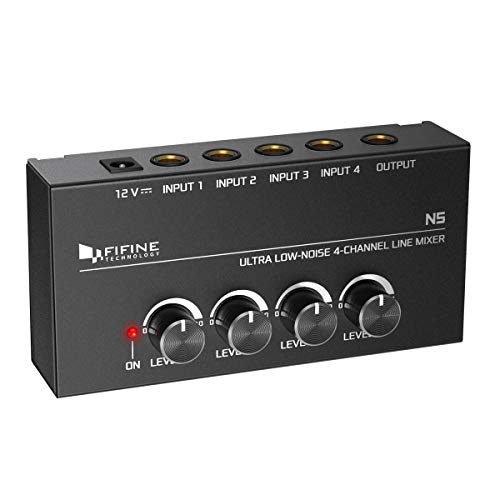


How to Choose the Best Mixer for Keyboards
Choose a mixer by prioritizing stereo signal paths, low noise circuitry and a rugged chassis. Work through the six benchmarks below before you assemble your rig. If you also play at home or record, a general mixer for home use may cover lighter needs, but stage work asks for more.
Stereo Input Density and Ganged Control Channels
A keyboard mixer should offer true stereo channels, so each instrument needs only one level control. Electronic keyboards output stereo signals with chorus, panning delays and sampled piano ambience, so a mixer with eight mono channels only accommodates four stereo instruments. You would also have to move two faders every time you change a volume.
Look for true stereo channel strips with paired quarter inch TRS inputs and a single ganged knob or fader. This lets you balance left and right with one hand while the other keeps playing. Count your instruments first, then add one spare stereo channel for a laptop or backing tracks.
Analog Dynamic Headroom and Low Noise Floor
A good keyboard mixer has enough headroom to pass loud peaks without clipping and a quiet noise floor. Digital pianos and analog synths swing from soft ballad arpeggios to loud bass and filter sweeps, and several instruments can peak together.
Check the spec sheet for a stated maximum output level (around +20 dBu or higher is common on quality units) and low noise circuitry. Clean analog stages keep piano decays and airy pads free from hiss, which matters most in quiet passages.
Chassis Form Factor: Compact Desktop vs 19 Inch Rackmount
Pick a desktop mixer if it sits on your keyboard stand, and a rackmount unit if your gear lives in a flight case. Each suits a different workflow:
- Desktop Format Mixers: Angled top panels, mute switches, rotary knobs and faders. They sit on a stand and give instant visual feedback and hands on control during improvisation.
- 1U Rackmount Submixers: Made for touring players who keep sound modules, in ear systems and the mixer pre wired in a road case, which reduces onstage cable clutter.
Auxiliary Sends and Effects Loops for Pedal Integration
Aux sends let you route chosen instruments through external effects while others stay clean. Many keyboardists color synth patches with guitar pedals, delay boxes and phasers, so look for one or two aux sends per channel.
With an aux send you can add reverb to a pad but keep an acoustic piano patch dry. Stereo aux returns bring the processed delay or reverb back into the master mix without extra channels.
Balanced XLR Master Outputs and Ground Lift Switches
Balanced XLR master outputs carry your mix to the house console with little noise over long cables. Stages are full of lighting dimmers, power cords and long cable runs that can produce a 60 Hz hum.
Balanced outputs often remove the need for an outboard direct box. A ground lift switch lets you break a ground loop quickly if hum appears at a venue.
Independent High Power Headphone Monitoring
A dedicated headphone output lets you hear a patch before the audience does. Look for an amplifier that drives studio headphones cleanly, with its own volume knob.
Pre fade listen (PFL) solo switches help you audition sounds, check split points and tune oscillators privately on stage.
Balanced TRS Quarter Inch Cables vs Unbalanced TS Lines
Use balanced TRS cables whenever both the keyboard and the mixer support them. Standard guitar cables (TS) have one signal conductor and a shield, so they can pick up interference from dimmers and AC cords over long runs.
Balanced cables carry the signal and an inverted copy, and the mixer input cancels noise picked up along the way. This usually gives a much quieter background, especially on runs beyond a few meters.
Integrated Multi Channel USB Audio Interface Functionality
A built in USB audio interface lets you record your rig or play software instruments through the mixer. Many modern line mixers are class compliant, so a single USB cable connects to a Mac or PC without drivers.
Two way routing also sends laptop backing tracks and virtual synths through your analog outputs, blending them with hardware keyboards on stage.
Keyboard Mixer Topologies Compared
Keyboard mixers fall into two main architectures: active and passive.
Active Operational Amplifier Submixers
Active mixers use powered preamps, channel gain trims and an active summing bus. Adding more channels does not lower overall volume, so the output stays strong and consistent. Most stage players choose this type.
Passive Summing Box Mixers
Passive boxes need no wall power and blend signals through precision resistors. They add no electronic coloration, but they lose some level, so you may need an active direct box or preamp later in the chain. They suit simple setups with two or three sources.
Essential Stage Habits for Keyboard Mixers
Four simple habits keep a keyboard mixer reliable night after night.
- Color code and label every channel with console tape: Knowing which knob controls the organ and which the synth prevents panic during live adjustments.
- Use balanced TRS cables for all keyboard connections: Where outputs are balanced, these reject interference from lighting rigs.
- Set gain staging before rehearsals: Set keyboard volume around three quarters and adjust channel gains so loud chords light the green LEDs without hitting red.
- Carry spare IEC power cables in your gig bag: A backup three prong cable saves you from a forgotten or damaged cord.
A metal chassis also helps with shielding and road wear. If your needs grow into recording or general audio mixing, compare options in a broader mixer guide before upgrading.
Frequently Asked Questions
Why do I need a dedicated keyboard mixer instead of plugging into the stage snake?
A dedicated mixer gives you personal control of your instrument balance. It also provides aux sends for effect pedals and sends one clean stereo pair to the house console. This saves channels on the main board and makes changes quick.
Can a keyboard mixer handle microphone inputs if I also sing backing vocals?
Yes, many hybrid models include one or two XLR microphone preamps, often with phantom power. This lets you blend a vocal mic with your keyboards. Check the channel count to be sure you keep enough stereo line inputs.
What is the difference between line level and instrument level?
Keyboards output strong line level signals, while guitars output weaker instrument level signals. Line mixers are built for the stronger signal and avoid distortion. Plugging a keyboard into a high gain instrument input can clip easily.
Can I connect an audio interface to a keyboard mixer?
Yes, you can send the stereo outputs of a computer interface into a mixer stereo channel. This blends soft synth plugins with hardware keyboards. Keep the interface output level moderate to avoid clipping.
Final Thoughts
The best mixer for keyboards gives you true stereo channels, ample headroom, aux effects routing and balanced XLR outputs. Match the channel count to your instruments, choose desktop or rackmount for how you travel, and use balanced cables throughout. Then compare the picks in the table above against your own rig.


