Best 2 Channel Computer Speakers for 2026: Stereo Pairs for Your Desk
Disclosure: We may earn a commission when you buy through links on this page, at no extra cost to you. As an Amazon Associate I earn from qualifying purchases. Learn more

Best 2 channel computer speakers explained: powered stereo pairs, inputs, DAC quality and placement for clearer desk audio.
Most desks do not need a full surround system. A pair of powered stereo speakers gives clearer voices, better music and a wider picture than the speakers built into a monitor or laptop, and it takes up very little space. This guide to the best 2 channel computer speakers explains how to pick a pair that sounds good and fits your desk.
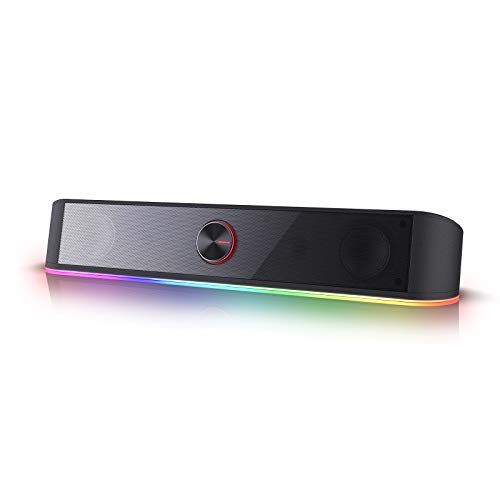
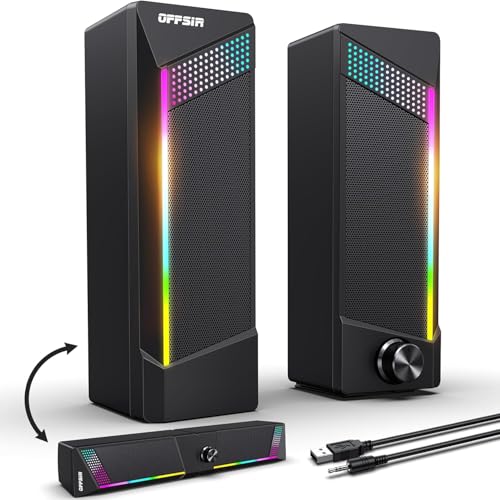
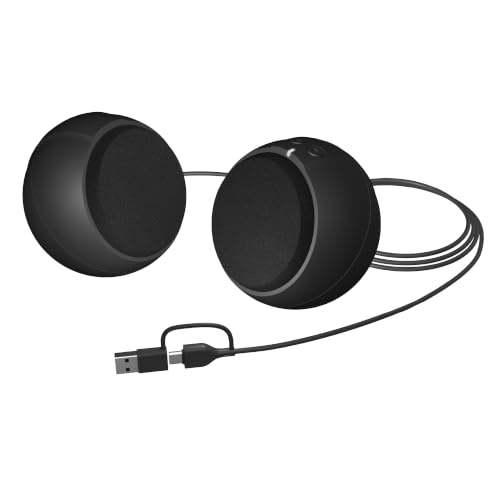
The product table lists 2 channel speaker sets available new, from simple USB powered pairs to larger powered bookshelf models with built in DACs. The sections below help you compare them.







What 2 Channel Means on a Desk
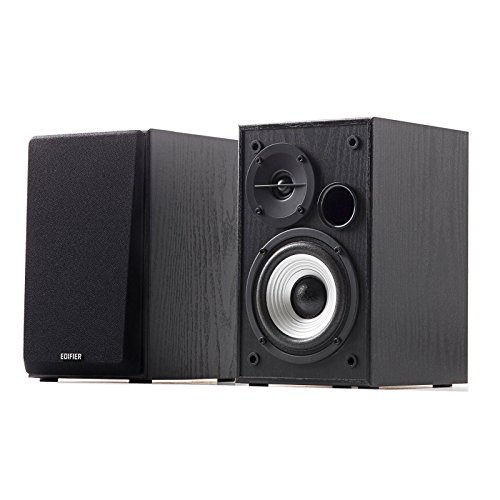
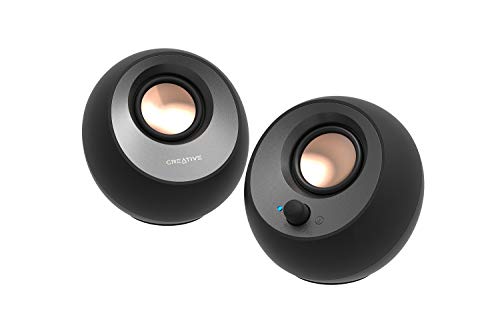
Two channel means a left and a right speaker and no separate subwoofer. Because there is no sub, the bass comes from the speakers themselves, so driver size and cabinet design matter. A small pair gives clear mids and highs, and a larger pair adds weight to bass and music.
Choose a pair that suits the size of your desk and how loud you listen. Big speakers on a small desk can sound boomy and crowd your keyboard.
Powered or Plugged In
Computer speakers are almost always powered: one speaker contains the amplifier and connects to the other with a cable. Some small sets draw power from a USB port, which keeps the desk tidy but limits volume. A set with its own power adapter usually plays louder and cleaner.
Inputs That Matter
A 3.5 millimetre jack works with every computer. USB audio avoids the noise from some motherboard outputs. Bluetooth is useful for phones and tablets, and an RCA or optical input lets you connect a TV or a turntable. A headphone jack on the front is handy.
Built In DAC and Sound Quality
A digital to analog converter inside the speaker keeps the signal clean from the computer. A good DAC gives lower noise and better detail, and it is a feature of the better models.
Size, Driver and Bass
A 2 to 3 inch driver suits compact desk speakers and gives clear dialogue and moderate bass. A 4 inch driver reaches deeper and plays louder. A bass port at the back adds depth but needs some space behind the speaker.
Gaming, Office or Music
Gaming speakers often add RGB lighting and a punchy sound. Office speakers favour a neutral tone and low desk space. Music listeners should look for a flat, detailed sound and sturdy cabinets. If you do a bit of everything, a neutral pair with Bluetooth is the safe choice.
Positioning
Place the speakers at ear height, spaced about as wide as your seating distance, and angle them toward you. Keep them a few inches from the wall. Use foam pads to stop desk vibration if the speakers sit directly on the surface.
Cables, Stands and Small Extras
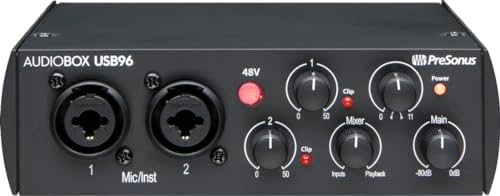
A pair of balanced cables for the outputs, a short USB cable and a pop filter are cheap additions that improve results. A desktop stand for the microphone keeps it steady, while a boom arm frees desk space. If your speakers are far from the interface, buy cables that are long enough so that you do not need adapters.
Value Versus Price
Cheaper speakers give a clear lift over built in audio but trade off bass depth and clean volume. Mid priced pairs often add a DAC, better drivers and sturdier cabinets. Premium pairs sound more like small hi-fi bookshelf speakers with room filling output. For most desks, the middle tier gives the best balance of quality and cost.
Setup Tips
- Plug both speakers in before connecting the audio cable.
- Set the computer volume to about three quarters and use the speaker knob for the rest.
- Choose your speakers as the output in the sound settings.
- If you hear hum, try a different USB port or a ground loop isolator.
Matching Speakers to the Rest of Your Setup
Before you buy, look at the monitor, the keyboard and the free space around them. A wide monitor leaves room for larger speakers on each side, while a small laptop desk favours a slim pair. If you use headphones often, a headphone jack on the speaker lets you switch without changing cables. Cable length matters too, since the cable between the two speakers has to reach across your desk.
Care
Wipe the cabinets with a dry cloth, avoid moisture and use compressed air for dust on the grille.
Frequently Asked Questions
Are 2 channel speakers better than a soundbar for a PC?
For stereo separation on a desk, yes. A desk soundbar is more compact, but a pair of speakers gives a wider image.
Do I need a subwoofer?
Not for everyday use. A subwoofer helps for movies and bass heavy music.
Why do my speakers hum?
Hum is often a ground loop. Try another port or a cable with an isolator.
Are RGB lights worth it?
They are a visual extra and add nothing to sound. Choose them only if you like the look, and check that the light can be turned off.
Do speaker stands help?
Small stands or foam pads lift the speakers to ear height and reduce desk vibration, which makes the sound clearer and less boomy.
How do I connect them to a laptop with one jack?
Use the single 3.5 mm output, or a USB adapter if your laptop lacks a jack, and then choose the speakers as the sound output.
Can I use them with a console?
Yes, through the 3.5 mm or optical input if the speakers offer it, and a few models also accept a direct USB connection.
Should I buy bigger speakers than I think I need?
Not necessarily. Speakers that are too large for a desk sound boomy and tire the ear, so choose a size that fits the distance you sit from them and the volume you actually use.
What size is best?
Match the size to your desk and your listening level.
How do I choose the best 2 channel computer speakers?
Measure your desk, check the inputs on your computer and decide how loud you listen before you compare sound.
Final Verdict
The best 2 channel computer speakers suit your desk, your inputs and your listening style. Compare the options in the product table and see our guides on the best 2 piece computer speakers and the best 2 channel speakers for related choices. Prices and availability change, so check the product page before ordering.