
Best Office Chairs for Back Problems: Which One Fits the Way You Use It?
Disclosure: We may earn a commission when you buy through links on this page, at no extra cost to you. As an Amazon Associate I earn from qualifying purchases. Learn more

How to choose and set up an office chair that supports your back, with three picks for different budgets.
If your back aches after a few hours at your desk, your chair is often part of the problem. A chair that does not support the natural curve of your lower spine, fit your body or adjust to your desk can push you into slouching postures that leave muscles tired and sore. This guide to the best office chairs for back problems explains which features genuinely help, how to match a chair to the way you work and how to set it up so it supports you all day.
The short answer: look for adjustable lumbar support, seat depth or a seat that fits your thighs, height adjustable armrests and a backrest that reclines and locks. A well adjusted mid range mesh chair helps most people more than an expensive chair set up badly. This article is general information, not medical advice; if you have ongoing or severe back pain, speak with a doctor or physical therapist.



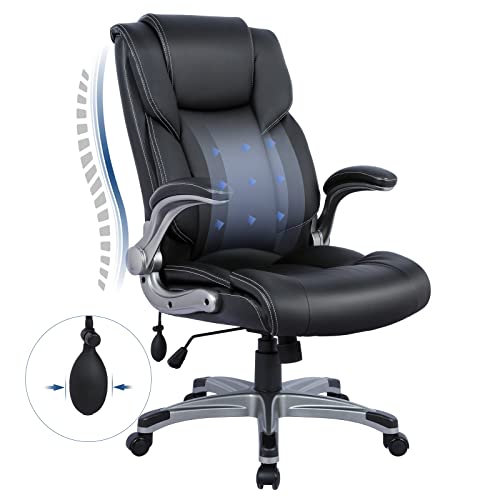
Our Top 3 Picks at a Glance
For a quick starting point, these three chairs cover different budgets and body types.
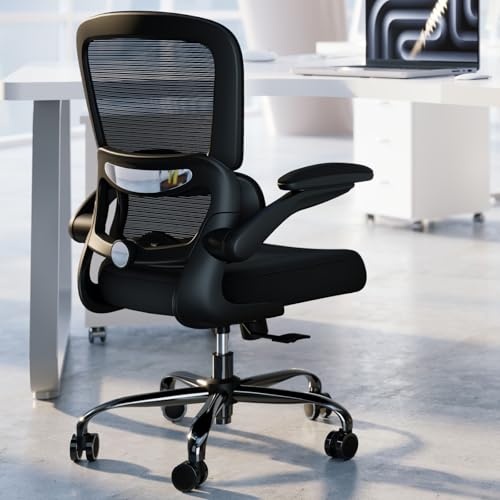
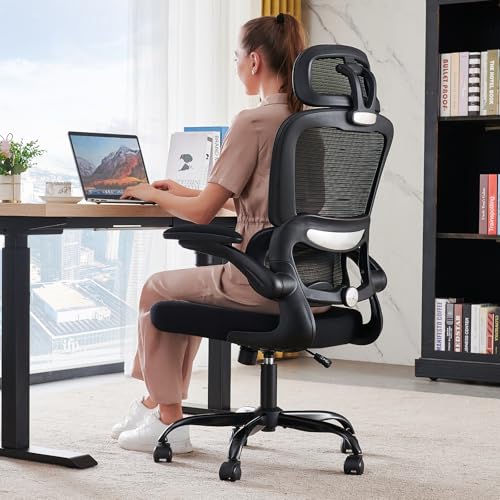
Best overall: the MOLENTS Ergonomic Office Chair, around $205, is a BIFMA X5.1 certified mesh chair with lumbar support that adjusts up, down, forward and back, 3D armrests and a backrest that reclines from 90 to 120 degrees.

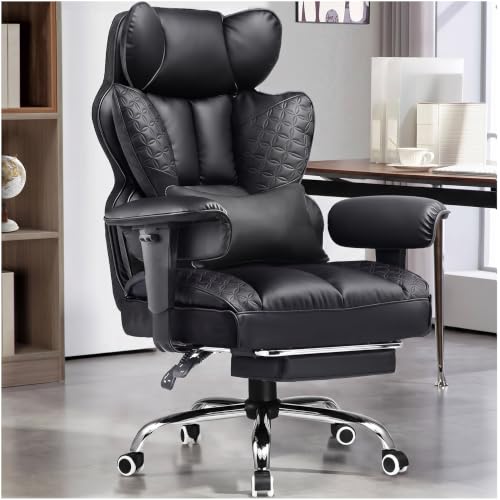
Best value: the TRALT Ergonomic Desk Chair, around $103, combines a mesh back, depth adjustable lumbar support, a molded foam seat and a BIFMA certified gas lift rated to hold its height, with a 330 pound capacity.

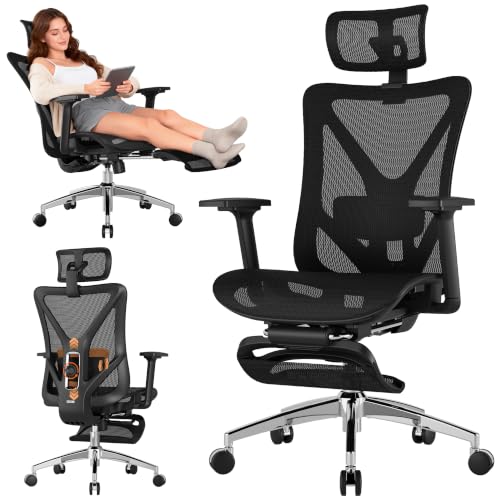
Best for adjustability: the ELABEST X100 Ergonomic Mesh Office Chair, around $350, adds spring loaded 3D lumbar support, 5D flip up armrests, a headrest and an extendable footrest for people who want fine control and a way to recline between tasks.

Who Should Buy Which Office Chairs?
The right chair depends on how many hours you sit, your body size and what your back needs most.
For First Time Buyers
If you are replacing a kitchen chair or a basic task chair, start with a mesh chair that has adjustable lumbar support, seat height and armrests. You do not need every possible adjustment; you need the key ones that let the chair fit you. Budget models around $100 to $200 now include real lumbar adjustment and certified gas lifts, which is a big step up from cheap foam chairs that sag within months.
Focus on fit first. Check the seat height range against your desk and leg length, and make sure the seat depth leaves two to four finger widths between the seat edge and the back of your knees.
For Gift Shoppers
Buying a chair for someone else is tricky because fit is personal. Choose a highly adjustable model with a wide height range, adjustable lumbar and armrests, and a generous return policy. Note the recipient's height and weight if you can, and check the weight capacity and seat width. Mesh backs suit warm rooms; padded seats suit people who prefer a softer feel.
For People Who Want the Best Performance
If you sit eight hours or more a day, invest in a chair with dynamic or spring loaded lumbar support, synchronized tilt that keeps your feet grounded as you recline, seat depth adjustment and four or five way armrests. A headrest helps when you recline for calls or reading, and a footrest can provide a break position. Premium chairs also tend to have longer warranties, which matters for something you use every day.
Best Office Chairs for Back Problems by Need
Some situations call for specific features.
Best Gaming Chairs for Back Problems
Gaming chairs look supportive, but many rely on loose lumbar pillows and fixed racing style seats with raised side bolsters that limit movement. If you prefer a gaming chair, choose one with built in, adjustable lumbar support rather than a strap on pillow, a seat wide enough for your hips, and a recline that locks at several angles. Big and tall gaming chairs with pocket spring seats can work well for larger users. For long workdays, though, a well adjusted ergonomic mesh chair is usually the better choice for back comfort.
Best for Lower Back Pain
Lower back discomfort often comes from the pelvis tilting back and the lower spine rounding when you sit. Lumbar support that you can raise, lower and push forward fills that gap and helps keep a gentle curve. Pair it with a seat height that keeps your hips level with or slightly above your knees.
Best for Upper Back and Neck Tension
Upper back and neck tension often comes from shoulders hunched toward a keyboard or a screen that is too low. Adjustable armrests that support your forearms at desk height, plus a headrest for reclined tasks, help shoulders relax. Raising the monitor matters as much as the chair.
Best for Tall or Heavy Users
Look for a high backrest, a tall gas lift, a deep, wide seat and a weight capacity well above your weight. Big and tall chairs use stronger bases and cylinders that resist wobble and sinking.
Key Features to Compare
These features separate a supportive chair from one that simply looks the part.
Size, Dimensions and Weight Capacity
Seat height should let your feet rest flat with thighs roughly parallel to the floor; most people need a range of about 16 to 21 inches. Seat width should leave a little room on each side of your hips. Check the rated weight capacity and choose one with a comfortable margin, since chairs flex and wear faster near their limit.
Build Quality and Frame
A strong base, ideally metal or metal reinforced, and a BIFMA certified gas cylinder resist sinking and wobbling. Quality casters roll smoothly on your floor type; rubber casters protect hardwood. Cheap foam seats can flatten within months, while molded high resilience foam holds its shape.
Ergonomics and Adjustability
The more a chair adjusts, the more likely it fits you. Key adjustments are seat height, seat depth, lumbar height and depth, armrest height and width, and backrest tilt with a lock. Synchro tilt mechanisms recline the seat and back together for a natural feel.
Features That Matter for Back Problems
Adjustable lumbar support is the single most important feature. Dynamic or spring loaded lumbar moves with you as you shift, which some people find more comfortable over long sessions. A backrest that supports the full length of your spine, plus the ability to recline and change position, encourages movement, which is just as important as posture. A breathable mesh back keeps you cool, reducing fidgeting and slouching.
Warranty and Return Policy
A good chair should last years. Look for warranties covering the frame, mechanism and gas lift, and buy from retailers with easy returns so you can send back a chair that does not fit after a week of real use.
How to Set Up Your Chair for a Healthy Back
- Raise or lower the seat until your feet are flat on the floor and your knees are at about hip height.
- Adjust seat depth so there is a small gap between the seat edge and the back of your knees.
- Move the lumbar support so it sits in the curve of your lower back, then adjust depth until it feels supportive but not pushy.
- Set armrests so your shoulders are relaxed and elbows bend at about 90 degrees near desk height.
- Tilt the backrest slightly back, around 100 to 110 degrees, rather than sitting bolt upright.
- Position the monitor about an arm's length away with the top of the screen at or slightly below eye level.
Habits That Matter as Much as the Chair
Even the best chair cannot make sitting still for hours healthy. Change position often, stand up every 30 to 60 minutes and walk around, and consider a sit stand desk to alternate postures. Simple stretches for the hips, back and shoulders help counter long periods of sitting. Keep frequently used items within easy reach so you are not twisting and leaning, and use a footrest if your feet do not reach the floor comfortably.
What Your Budget Buys
Around $100 to $200 buys a mesh task chair with adjustable lumbar support, a certified gas lift and basic armrest adjustment, which is enough for many people working from home. Between about $200 and $400, you gain more adjustable armrests, seat depth adjustment, better foam, headrests and more refined tilt mechanisms. Above about $400, premium chairs add dynamic lumbar systems, high grade materials, longer warranties and finer adjustments for very long workdays. Spend where it affects fit and support, not on looks.
Accessories That Help Your Back
- A footrest keeps knees and hips at a comfortable angle for shorter users.
- A monitor arm or riser lifts the screen to eye level so you do not lean forward.
- A sit stand desk or converter lets you change posture through the day.
- An external keyboard and mouse for laptop users, so the screen can sit higher.
- A seat cushion can add comfort on a firm seat, but it should not replace proper lumbar support.
When to See a Professional
A better chair can make sitting more comfortable, but it is not a treatment. See a doctor or physical therapist if back pain lasts more than a few weeks, keeps getting worse, spreads down a leg or comes with numbness, tingling or weakness. A therapist can also recommend specific chair settings and exercises for your situation.
Common Mistakes to Avoid When Buying Office Chairs
- Choosing style over fit, especially racing style gaming chairs with fixed bolsters.
- Relying on a loose lumbar pillow instead of adjustable built in support.
- Ignoring seat depth, which can press on the back of the knees.
- Buying too small a chair for your height or weight.
- Never adjusting the chair after assembly; most comfort comes from setup.
When comparing the best office chairs for back problems, check each of these points against the product details before you buy.
Setup and Care Tips
Tighten bolts a week after assembly and every few months after that, since screws loosen with use. Vacuum mesh and fabric regularly and wipe leather or faux leather with a damp cloth. Clean caster wheels of hair and debris so they roll smoothly. If the chair starts sinking, the gas cylinder may need replacing, which is usually inexpensive and easy on chairs with standard cylinders.
Frequently Asked Questions
These are the questions people ask most when choosing a chair for back comfort.
What features matter most in office chairs for back problems?
Adjustable lumbar support, the right seat height and depth, adjustable armrests and a reclining backrest that locks matter most. Together they let the chair support your spine in a relaxed, upright position.
Are kneeling chairs or ball chairs better for back pain?
Some people like kneeling chairs or exercise balls for short periods because they encourage an open hip angle and movement. They lack back support for long sessions, so most people do best using them occasionally alongside a supportive office chair.
Is an expensive office chair worth it?
Often, if you sit many hours a day. Premium chairs offer more adjustments, better materials and longer warranties. That said, a well adjusted mid range chair can be very comfortable, so focus on fit and features rather than price alone.
How do I choose the right size?
Compare the seat height range, seat width and depth, backrest height and weight capacity with your body. Taller people need taller gas lifts and backrests; shorter people may need a shallower seat and a footrest.
Mesh or padded: which is better for back pain?
Both can work. Mesh backs stay cooler and flex with your body, while padded backs feel softer. What matters more is adjustable lumbar support and a good fit.
How long should a good office chair last?
A quality chair typically lasts seven to ten years with care, and some premium chairs last longer. Budget chairs may need replacing sooner as foam and cylinders wear.
Final Thoughts
The three things that matter most are adjustable lumbar support, a chair sized to your body and taking the time to set it up correctly. Budget buyers can get real support from an affordable mesh chair, most people will be happiest with a certified mid range model and those who sit all day may want the extra adjustability of a premium chair. Use this guide to choose the best office chairs for back problems, then check the product table above for current prices. For more options, see the best ergonomic office chairs.


