
Best QLED TVs: The Buyer Checklist We Use
Disclosure: We may earn a commission when you buy through links on this page, at no extra cost to you. As an Amazon Associate I earn from qualifying purchases. Learn more

How we judge QLED TVs from Samsung, TCL, Hisense and Roku, with three picks, a checklist, red flags and QLED vs OLED advice.
QLED TVs use a layer of quantum dots to produce brighter, more vivid colors than standard LED TVs, and the best models pair that technology with Mini LED backlights for deep contrast and dazzling HDR. QLED has become the most popular choice for living rooms because it delivers big screens, high brightness and gaming features at prices well below OLED. Not every QLED is equal, though. This guide to the best qled tvs explains the checklist we use to judge them, then shows three picks that pass.
The short answer: most buyers should choose a Mini LED QLED TV with full array local dimming, peak brightness well above 1,000 nits, Dolby Vision or HDR10+ support, a native 120Hz or higher refresh rate and HDMI 2.1, such as the Hisense U8 or TCL QM6K, which cost around $650 to $1,000 in 65 inches; budget buyers can choose an edge lit QLED like the Samsung Q7F for basic upgrades, while premium shoppers can step up to the TCL QM8L for even brighter HDR.




How We Evaluate QLED TVs
We score QLED TVs on seven criteria, each with clear thresholds for good and poor performance.
Panel Technology (VA, IPS, Mini LED)
QLED refers to quantum dot color, but the backlight determines contrast. Standard QLED TVs use edge lit or direct LED backlights with limited dimming. Mini LED QLED TVs use thousands of tiny LEDs grouped into hundreds or thousands of dimming zones, delivering much deeper blacks and brighter highlights. VA panels offer high native contrast for dark rooms, while IPS style panels widen viewing angles. Good: Mini LED with many dimming zones and a VA panel. Poor: edge lit QLED marketed as premium.
Connectivity and Ports
Look for at least two HDMI 2.1 ports for 4K 120Hz gaming from consoles and PCs, plus an eARC port for soundbars. WiFi 6 or Ethernet keeps 4K streaming stable. USB ports support storage and streaming sticks. Good: multiple HDMI 2.1 ports with eARC. Poor: only HDMI 2.0 ports.
Resolution and Screen Size
All current QLED TVs are 4K at mainstream sizes, with 8K reserved for niche premium models. Sizes range from 43 to 100 inches. Choose based on viewing distance, roughly 1 to 1.5 times the screen size. Good: 4K with strong upscaling at the right size for your room. Poor: oversized TVs with weak processing that makes cable content look soft.
Adaptive Sync and Gaming Features
Gaming QLEDs support variable refresh rate, AMD FreeSync Premium Pro, auto low latency mode and game modes with low input lag. These features make PS5, Xbox Series X and PC gaming smoother. Good: VRR, ALLM and FreeSync across HDMI 2.1 ports. Poor: no VRR support.
Refresh Rate and Response Time
A native 120Hz panel reduces motion blur for sports and gaming, and some QLEDs reach 144Hz or 165Hz for PC gaming. Be wary of motion rate numbers that double the real refresh rate. Good: native 120Hz or higher. Poor: 60Hz panels advertised with inflated motion rates.
HDR and Brightness
Brightness is where QLED shines. Mini LED QLEDs often exceed 1,000 to 2,000 nits in highlights, making HDR scenes pop even in bright rooms. Support for Dolby Vision and HDR10+ ensures the best version of streaming content. Good: high peak brightness with Dolby Vision or HDR10+. Poor: dim panels that cannot display HDR effectively.
Stand, Mounting, and Design
Check stand width and placement, since some TVs use feet at the edges. VESA mounting holes allow wall mounting, and slim designs look better on walls. Good: adjustable stand positions and VESA support. Poor: wide feet that do not fit your furniture.
3 Picks That Pass Our Checklist
These three QLED TVs come from the product table above and meet every criterion on our checklist.


Best Overall
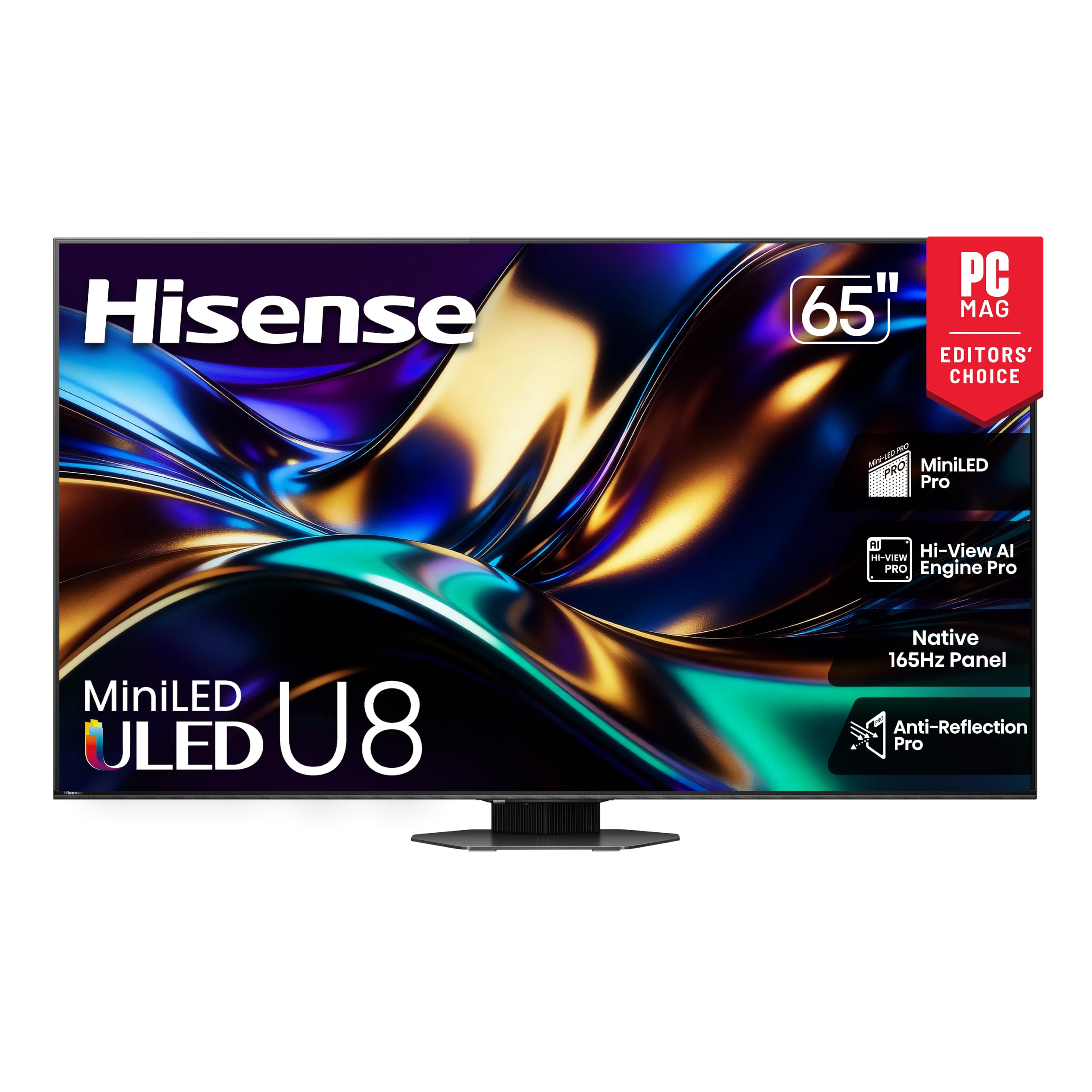
The Hisense 65 inch U8 Series, around $1,000, is our pick for buyers who want outstanding brightness and gaming features at a fair price. Its first strength is a Mini LED ULED panel with quantum dot color that delivers intense HDR highlights and deep contrast, excellent for movies and bright living rooms. Its second strength is gaming performance, with a native 165Hz refresh rate, VRR support and Google TV for easy streaming.
The limitation is viewing angles; colors and contrast fade somewhat when viewed from wide side angles.
Best Value
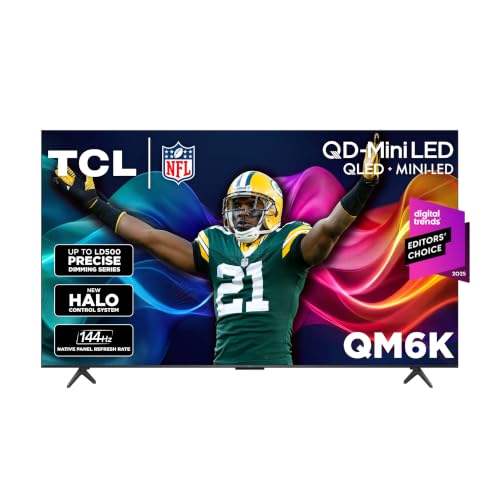
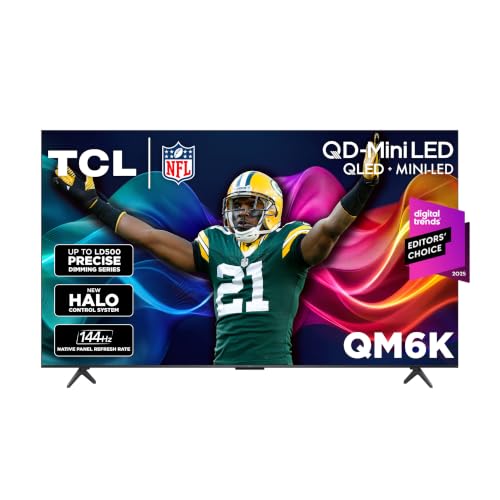
The TCL 65 inch QM6K, around $650, is the value champion of Mini LED QLED TVs. Its first strength is a Mini LED backlight with QLED color, delivering far better contrast and HDR than standard LED TVs at a mainstream price. Its second strength is a 120Hz to 144Hz refresh rate with gaming features, plus Google TV for apps and casting.
The limitation is fewer dimming zones than premium models, so very dark scenes show a bit more blooming.
Best for Heavy Use
The TCL 65 inch QM8L, around $1,080, is for movie lovers and gamers who watch for many hours and want premium picture quality. Its first strength is TCL's advanced SQD Mini LED technology with very high brightness and many dimming zones, delivering exceptional HDR and contrast. Its second strength is a 144Hz panel with full gaming features and anti reflection coatings for bright rooms.
The limitation is price, which is higher than mainstream Mini LED models.
Quick Buyer Checklist
- Does the TV use a Mini LED backlight with local dimming?
- Does it support Dolby Vision or HDR10+?
- Is the refresh rate native 120Hz or higher?
- Does it have at least two HDMI 2.1 ports with VRR?
- Does it include an eARC port for a soundbar?
- Is the size right for your viewing distance?
- Does the stand fit your furniture, or will you wall mount?
- Do you like the smart platform it uses?
Red Flags to Watch For
- Inflated motion rates. Motion rate 240 often means a 120Hz or 60Hz panel.
- Edge lit backlights sold as premium. Edge lit QLEDs cannot match Mini LED contrast.
- Vague HDR claims. HDR labels without brightness specs may hide dim panels.
- Suspicious reviews. Many short, similar five star reviews suggest manipulation.
- Limited HDMI 2.1. Some TVs offer only one HDMI 2.1 port, limiting gamers with multiple consoles.
Choosing QLED TVs for Your Situation
Best 4K QLED TVs: What to Check
The best 4k qled tvs combine Mini LED backlights, strong upscaling and wide HDR format support. Check dimming zone counts, peak brightness and processor quality, since these determine how well lower resolution content looks. The Hisense U8 and TCL QM6K deliver excellent 4K performance for the money.
Best OLED or QLED TVs
Choosing between the best oled or qled tvs depends on your room. QLED Mini LED TVs get much brighter, suit sunny living rooms and have no burn in risk. OLED TVs deliver perfect blacks and wider viewing angles, ideal for dark home theaters. For mixed use in bright rooms, QLED is usually the better value.
Best for Gaming
Gamers should choose QLEDs with 144Hz or higher refresh, VRR and low input lag, like the Hisense U8 or TCL QM8L.
Best for Bright Rooms
Rooms with lots of windows benefit from high brightness Mini LED QLEDs with anti glare coatings.
QLED vs Mini LED vs OLED Explained
QLED describes a quantum dot color layer that boosts brightness and color volume. Mini LED describes the backlight, using many small LEDs with local dimming. Most premium QLED TVs combine both, often marketed as Mini LED QLED, Neo QLED or ULED. OLED TVs use self lit pixels with no backlight, producing perfect blacks and infinite contrast.
In practice, Mini LED QLED TVs offer the best combination of brightness, size and value, while OLED offers the best contrast and viewing angles. Basic QLED TVs without Mini LED offer better color than standard LED but limited contrast.
Samsung vs TCL vs Hisense QLED TVs
Samsung coined the QLED name and offers a wide lineup, from affordable Q7F models to Neo QLED Mini LED TVs with excellent processing, anti glare screens and the Tizen smart platform. Samsung TVs support HDR10+ but not Dolby Vision. TCL focuses on value, packing Mini LED backlights, high brightness and Google TV into competitively priced sets like the QM6K and QM8L. TCL TVs support both Dolby Vision and HDR10+.
Hisense offers ULED and Mini LED models like the U8 with very high brightness, fast refresh rates and Google TV or Fire TV platforms, also supporting Dolby Vision. Roku branded Pro Series TVs bring Mini LED QLED to the simple Roku interface. Choose Samsung for polished design and processing, TCL and Hisense for the most brightness per dollar and Roku for simplicity.
Understanding Dimming Zones and Blooming
Local dimming lets a TV brighten some areas while dimming others, improving contrast. More dimming zones mean finer control, so bright objects on dark backgrounds show less blooming, the faint halo that can appear around highlights. Entry Mini LED TVs may have a few hundred zones, while premium models have over a thousand. Processing quality matters as much as zone count; good algorithms minimize blooming without dimming highlights too much.
If you watch many dark movies or play space games, prioritize TVs with more zones and strong processing. For bright rooms and mixed content, mainstream Mini LED models already deliver excellent results.
QLED TVs for Sports and Gaming
Sports fans benefit from QLED's high brightness for daytime games and native 120Hz panels for smooth motion. Good motion processing reduces judder in camera pans, and wide viewing angles help when friends sit around the room. Gamers should enable game mode, VRR and ALLM, and set consoles to 4K 120Hz on HDMI 2.1 ports. High refresh models at 144Hz or 165Hz also work great as big screen PC gaming displays.
Sound and Smart Platforms
Thin QLED TVs have modest speakers, so a soundbar connected through HDMI eARC dramatically improves dialogue and immersion, especially with Dolby Atmos content. Smart platforms vary: Samsung uses Tizen, TCL and Hisense use Google TV or Fire TV and Roku TVs use Roku OS. Choose the platform that matches your favorite apps and voice assistant.
Common QLED Buying Mistakes
Many shoppers pick the biggest screen at the lowest price and end up with an edge lit panel that looks washed out in HDR. Check for full array local dimming or Mini LED before comparing sizes. Another mistake is ignoring viewing distance; a screen that is too small for the couch loses impact, while one that is too large for a small room strains your eyes. Measure the distance and aim for a screen diagonal roughly half to two thirds of it.
Shoppers also forget to check HDMI 2.1 port counts, which matters if you own several consoles plus a soundbar. Some TVs offer only two full bandwidth ports. Finally, avoid judging picture quality from showroom vivid mode. Switch to movie or filmmaker mode at home for accurate colors, then adjust brightness to suit your room lighting and viewing habits.
Setup and Care Tips
Switch from vivid mode to movie, filmmaker or calibrated mode for accurate color. Enable local dimming at medium or high for the best contrast. Turn on game mode for consoles, and use certified HDMI 2.1 cables for 4K 120Hz. Clean the screen with a dry microfiber cloth only. Update firmware for picture and app improvements.
How Much to Spend on a QLED TV
Around $400 to $600 buys 55 to 65 inch standard QLED and entry Mini LED TVs. Around $650 to $1,100 covers excellent Mini LED QLEDs like the TCL QM6K, Hisense U8 and TCL QM8L. Around $1,200 to $3,000 brings premium Samsung Neo QLED and large screen models. For most buyers, the best qled tvs cost between $650 and $1,100 in 65 inches.
FAQs
Is 4K worth it on a QLED TV?
Yes, 4K is standard and worth it on QLED TVs 43 inches and larger. Streaming services and consoles offer plenty of 4K content, and good upscaling improves HD sources.
Does refresh rate matter for non gamers?
Refresh rate matters for sports and action movies. A native 120Hz panel reduces motion blur in fast scenes, while 60Hz is fine for dramas and news.
How long do QLED TVs last?
QLED TVs typically last seven to ten years or more. LED backlights and quantum dot layers are durable, and QLEDs have no burn in risk.
What size QLED TV should I get?
Choose about 55 inches for 5.5 to 7 feet, 65 inches for 6.5 to 8 feet and 75 inches or more beyond 8 feet. Larger screens feel more immersive, and many buyers wish they had gone bigger.
QLED vs OLED: which is better?
QLED is better for bright rooms and big screens, while OLED is better for dark rooms and perfect blacks. Mini LED QLEDs have closed much of the contrast gap at lower prices.
Our Verdict
The best QLED TVs combine Mini LED backlights, high brightness and strong gaming features. Choose the Hisense U8 for top value performance, the TCL QM6K for the best price and the TCL QM8L for premium HDR. Prioritize local dimming, brightness and HDMI 2.1 for the best experience.
Compare the best qled tvs in the product table above to find the right size and performance for your room.


