
Best Sounding Soundbars: A First Time Buyer's Guide for 2026
Disclosure: We may earn a commission when you buy through links on this page, at no extra cost to you. As an Amazon Associate I earn from qualifying purchases. Learn more

A first time buyer's guide to the best sounding soundbars: channels, Atmos, connections, sizing and setup.
Modern TVs keep getting thinner, and their tiny built in speakers sound thin to match. Dialogue gets lost under music, explosions lack punch and you end up riding the volume button all night. A soundbar fixes that with one slim speaker under the screen, often paired with a subwoofer. For first time buyers, though, terms like 3.1.2, Dolby Atmos, eARC and up firing drivers can be confusing. The best sounding soundbars deliver clear dialogue, room filling sound and bass that fits your space without a complicated setup.
This guide explains how soundbars work, what the specs mean in plain English, the mistakes first time buyers make and how to set up a soundbar for the best sound from day one.



Soundbars 101: The Basics
A soundbar is a long, slim speaker that sits below or mounts under your TV and contains several drivers and an amplifier, creating wider and clearer sound than TV speakers from a single box.
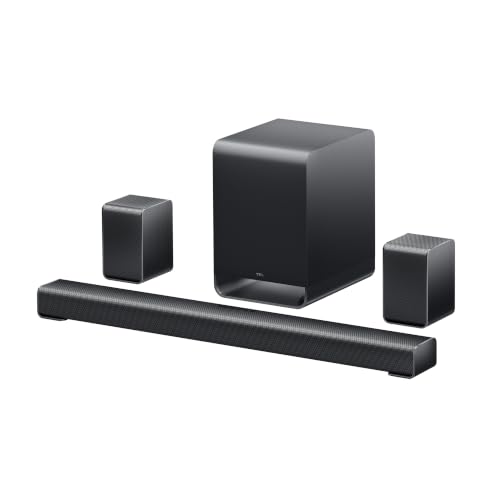
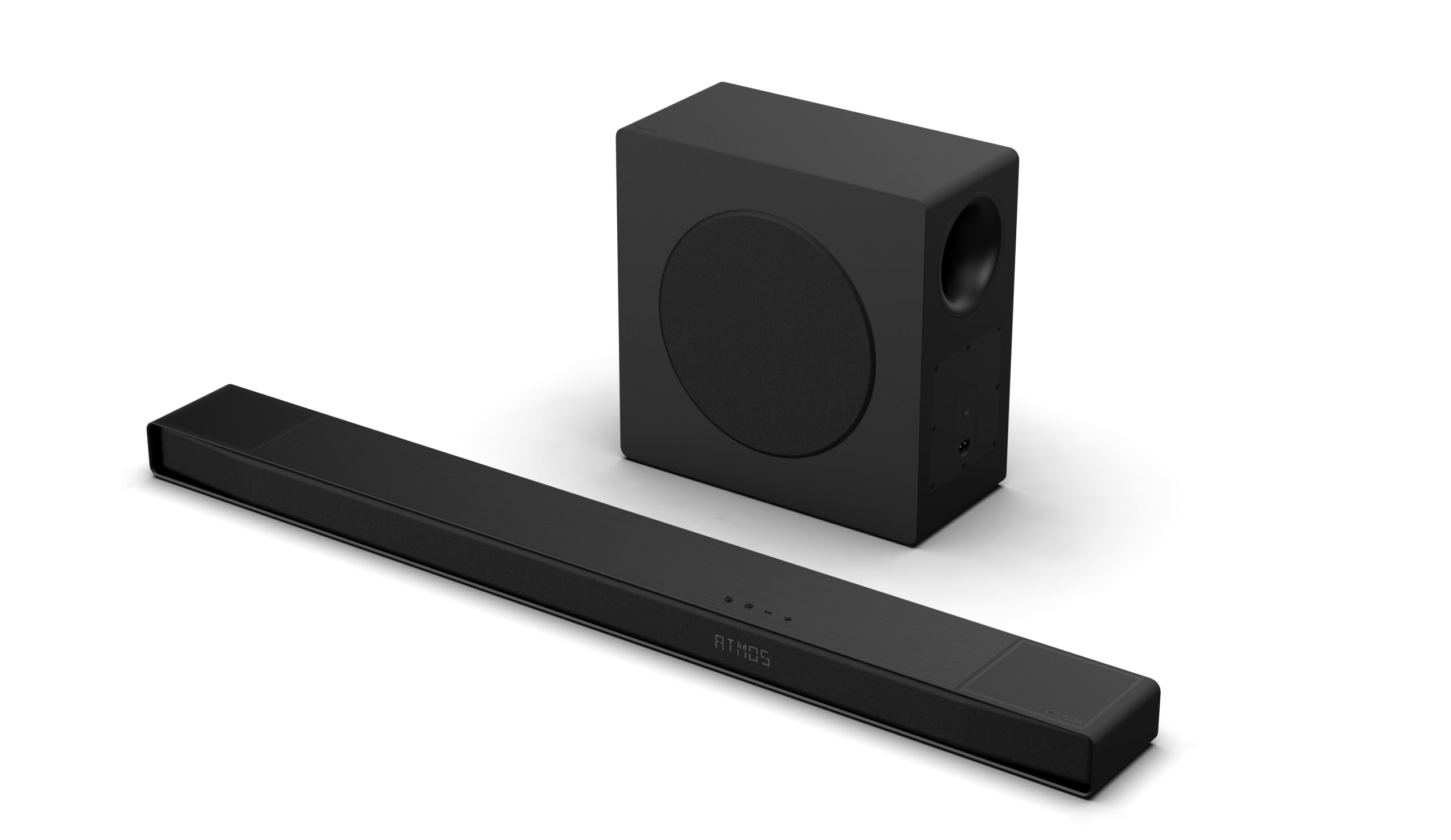
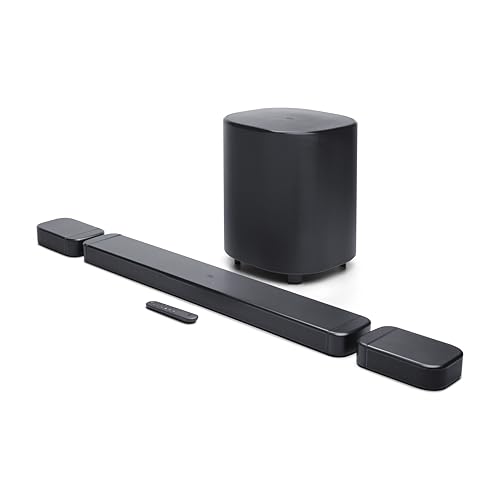
Inside, separate drivers handle the left, center and right channels. The center channel carries most dialogue, which is why soundbars make voices easier to understand. Many models add a wireless subwoofer for deep bass, and premium systems add rear surround speakers or up firing drivers that bounce sound off the ceiling for height effects.
Channel counts describe the layout. A 2.0 soundbar has left and right channels. 3.1 adds a dedicated center channel and a subwoofer (the ".1"). 5.1 adds two surround channels. A third number, as in 5.1.2, counts height channels for Dolby Atmos. More channels usually mean more immersive sound, but room size and placement matter too.
Most soundbars connect to your TV with a single HDMI cable using ARC or eARC, which also lets your TV remote control the volume.
Key Specs Explained in Plain English
Six specs decide how a soundbar sounds and how easy it is to live with.
Channels and Speaker Layout
For most living rooms, a 3.1 soundbar with a subwoofer is the sweet spot: a dedicated center channel for clear dialogue and a subwoofer for bass. A 2.1 setup works for small rooms and bedrooms.
For movie fans, 5.1 adds rear surround speakers that put effects behind you, and 5.1.2 or higher adds up firing height channels for Dolby Atmos. All in one soundbars with side firing and up firing drivers simulate surround without extra speakers, while systems with real rear speakers sound more convincing.
Dolby Atmos, DTS:X and Sound Formats
Dolby Atmos and DTS:X are object based surround formats that add height, so a helicopter can sound like it is flying overhead. Streaming services, 4K Blu ray and many games offer Atmos soundtracks.
To get real height effects, a soundbar needs up firing drivers or separate height speakers, and your ceiling should be flat and between about 8 and 12 feet high. Virtual Atmos processing on cheaper bars widens sound but cannot fully match physical height drivers.
Connectivity and Ports: HDMI eARC, Optical and Wireless
HDMI eARC is the best connection. It carries high quality lossless audio, including Dolby Atmos from streaming apps, and lets one remote control the TV and soundbar. Standard ARC handles compressed Atmos and surround.
Optical cables work with older TVs but do not carry Atmos and do not support remote control syncing. Bluetooth lets you stream music from your phone, while WiFi, AirPlay 2, Chromecast or Spotify Connect deliver higher quality streaming and multiroom audio.
Subwoofer and Bass
A dedicated wireless subwoofer delivers deep bass that thin soundbars cannot reproduce, adding weight to music and impact to action scenes. Subwoofers with 6.5 to 10 inch drivers suit most rooms.
Built in subwoofers in all in one bars save space and suit apartments where heavy bass may disturb neighbors. Look for adjustable bass levels and night modes that compress loud effects for late viewing.
Dialogue Enhancement and Room Calibration
Dialogue or voice enhancement modes lift the center channel so voices cut through music and effects, which is one of the most useful features for everyday TV. Some models use AI to detect speech automatically.
Room calibration uses a built in microphone or your phone to measure the room and adjust sound to match. It helps soundbars sound balanced in rooms with hard floors, open layouts or odd shapes.
Size, Placement and Mounting
Choose a soundbar about the width of your TV or slightly smaller. A 36 to 45 inch bar suits 50 to 65 inch TVs, and longer bars suit 75 inch and larger screens.
Check the bar's height so it does not block the TV's IR sensor or the bottom of the screen on a low stand. Most soundbars include wall brackets or support optional ones, and mounting the bar just below a wall mounted TV keeps sound centered on the picture.
Soundbar vs AV Receiver and Speakers
A soundbar is the simpler, more compact choice, while an AV receiver with separate speakers delivers the most powerful and flexible home theater sound.
Soundbars combine amplification, processing and speakers in one or a few boxes, connect with a single HDMI cable and suit most living rooms. They are easy to set up, take little space and often cost less than a full speaker system.
An AV receiver drives separate front, center, surround and height speakers plus one or more subwoofers. It offers better sound separation, more power and the ability to upgrade individual speakers over time. The trade offs are cost, cables, space and a more complex setup. If you want a dedicated theater room, consider a receiver; for a living room TV, a good soundbar system usually makes more sense.
What Soundbar Wattage Really Means
Wattage figures on soundbar boxes, such as 300W or 750W, describe total amplifier power across all drivers, not how good the soundbar sounds. Manufacturers measure it in different ways, so two bars with the same wattage can sound very different.
Driver quality, enclosure design, processing and the presence of a dedicated subwoofer matter more than the headline number. For a typical living room, any well designed soundbar system around 200 to 500 watts total gets loud enough. Focus on channel layout, dialogue clarity and reviews of sound quality rather than chasing higher wattage.
Picking the Right Soundbars for Different Uses
Room size and what you watch should guide your choice.
Best Stereo Sounding Soundbars: Tips for First Time Buyers
The best stereo sounding soundbars create wide left and right separation for music and TV, often with side firing drivers that push sound toward the walls. Look for a wide bar that matches your TV, a separate center channel or dialogue mode and support for high quality music streaming over WiFi. For music listeners, a stereo bar with a good subwoofer often sounds more natural than virtual surround.
Soundbars for Movies and Home Theater
For movies, choose a 5.1 or higher system with Dolby Atmos, a wireless subwoofer and ideally real rear speakers. HDMI eARC is essential to pass lossless soundtracks from your TV's apps.
Soundbars for Small Rooms and Apartments
For bedrooms and apartments, a compact 2.1 or 3.1 bar with a built in subwoofer and night mode keeps sound clear without rattling walls.
Soundbars for Gaming
Gamers should look for eARC passthrough support for 4K at 120Hz from consoles, low latency modes and Atmos support for positional audio.
How Much to Spend on the Best Sounding Soundbars
Most living rooms get the best sounding soundbars for the money between about $250 and $550.
- Under $200: 2.1 and budget 5.1 systems that dramatically improve on TV speakers, with Bluetooth and HDMI ARC.
- Around $250 to $550: 3.1 to 5.1.2 systems with Dolby Atmos, wireless subwoofers, eARC and better dialogue clarity. The sweet spot for most buyers.
- Around $550 to $1,000: premium all in one Atmos bars and systems with detachable or wireless rear speakers and WiFi streaming.
- Over $1,000: flagship 7.1.4 and higher systems with room calibration, large subwoofers and true surround for dedicated home theaters.
Soundbar Placement Tips by Room
Where you put the soundbar and subwoofer has a big effect on how they sound.
- Living room on a TV stand: place the bar at the front edge of the stand so sound is not reflected off the surface, and keep it centered on the screen.
- Wall mounted TV: mount the bar 2 to 4 inches below the TV so voices seem to come from the screen.
- Open plan rooms: run room calibration and use a subwoofer near a wall or corner to reinforce bass.
- Bedrooms: use a compact bar and turn on night mode to keep loud scenes in check.
- Rooms with high or sloped ceilings: Atmos up firing drivers work less well, so consider rear speakers or virtual surround modes instead.
Music Streaming Features to Look For
Many soundbars double as the main music system in the living room. Bluetooth is convenient for guests, while WiFi streaming through AirPlay 2, Chromecast built in or Spotify Connect sounds better and does not interrupt playback when your phone rings. Multiroom support lets you group the soundbar with other speakers from the same brand. Voice assistants like Alexa built in make it easy to request songs and control smart home devices hands free.
Rookie Mistakes to Avoid
- Using an optical cable when eARC is available: you lose Atmos and one remote control.
- Buying a bar wider than your TV stand: measure stand depth and width before ordering.
- Placing the subwoofer in a cabinet: enclosed spaces muddy bass; keep it on the floor near a wall.
- Leaving the TV speakers on: set the TV audio output to the soundbar to avoid echo.
- Ignoring room size: a large 7.1.4 system can overwhelm a small bedroom, while a compact bar struggles in an open plan room.
Getting Started: Setup and First Use
- Place the soundbar centered below the TV: make sure it does not block the screen or the TV's remote sensor.
- Connect with HDMI eARC: plug into the TV's HDMI port labeled ARC or eARC using a high speed HDMI cable.
- Turn on HDMI CEC: enable it in your TV settings, sometimes called Anynet+, Simplink or Bravia Sync, so your TV remote controls volume.
- Set TV audio output: choose the soundbar or receiver as the speaker and set digital audio to pass through or bitstream.
- Pair the subwoofer and rear speakers: most pair automatically; place the subwoofer on the floor near the front of the room.
- Run room calibration: if available, use the app to tune sound to your room.
- Update firmware: updates often improve sound and add features.
- Adjust settings by content: use movie mode for films, voice mode for news and night mode for late viewing.
Common Soundbar Problems and Fixes
- No sound from the soundbar: confirm the cable is in the ARC or eARC port and the TV's audio output is set to the soundbar.
- Audio out of sync with video: adjust lip sync or audio delay settings on the soundbar or TV.
- TV remote does not control volume: turn on HDMI CEC in the TV settings and power cycle both devices.
- Subwoofer cuts out: move it closer to the soundbar and away from WiFi routers and metal furniture.
- No Atmos indicator: check that the app streams Atmos, the TV passes it through and the HDMI cable supports eARC.
Soundbars: Your Questions Answered
Is Dolby Atmos worth it in a soundbar?
Yes, if you watch many movies and shows on streaming services or 4K Blu ray. Atmos adds height and a more immersive sense of space. You get the most benefit from soundbars with up firing drivers or rear speakers and a flat ceiling about 8 to 12 feet high. For news and talk shows, dialogue clarity matters more than Atmos.
Do I need a separate subwoofer?
For movies and music, a separate subwoofer adds the deep bass that slim soundbars cannot produce, making explosions and bass lines feel fuller. In small apartments or bedrooms, an all in one soundbar with built in woofers may be enough and is less likely to disturb neighbors.
Does a soundbar help with dialogue?
Yes. A dedicated center channel and dialogue enhancement mode make voices clearer than TV speakers, which is one of the main reasons people buy soundbars. Look for 3.1 or higher channel counts and voice or speech modes.
What size soundbar should I get for my TV?
Choose a soundbar about the same width as your TV or slightly narrower. For 50 to 55 inch TVs, look for bars around 32 to 40 inches; for 65 inch TVs, 36 to 45 inches; for 75 inch and larger TVs, 45 inches or more.
How long do soundbars last?
A quality soundbar typically lasts about 5 to 10 years. Speakers wear slowly, but connectivity standards change, so choose models with HDMI eARC and WiFi that can receive firmware updates. Keeping the bar dust free and away from heat helps it last.
Can I add rear speakers later?
Some soundbars support optional wireless rear speakers and subwoofers from the same brand, letting you start with a bar and build a surround system over time. Check expansion options before buying if you think you will upgrade.
Can I connect a soundbar to a TV without HDMI?
Yes. Most soundbars include an optical input, and many support Bluetooth, so you can connect older TVs without HDMI ARC. Optical carries standard surround sound but not Dolby Atmos, and you may need the soundbar remote for volume. HDMI eARC remains the best option when available.
Will a soundbar work with my gaming console?
Yes. Connect the console to the TV and the TV to the soundbar through HDMI eARC, so you keep 4K and 120Hz video while sending audio to the bar. Some soundbars also offer HDMI passthrough inputs, though not all support high refresh rate gaming.
The Bottom Line
Choose a soundbar by room size, channel count and connections. A 3.1 bar with a subwoofer suits most living rooms, Dolby Atmos systems with up firing or rear speakers suit movie fans and compact all in one bars suit bedrooms and apartments. Connect with HDMI eARC, run calibration and use dialogue mode for everyday TV. The best sounding soundbars transform how your TV sounds, so check the product table above for current models and prices. For more options, see our best soundbars with subwoofer guide.


