Keychron
Keychron K3 Version 2 QMK 75% Wireless Low-Profile Mechanical Keyboard
Disclosure: We may earn a commission when you buy through links on this page, at no extra cost to you. As an Amazon Associate I earn from qualifying purchases. Learn more
Highlights
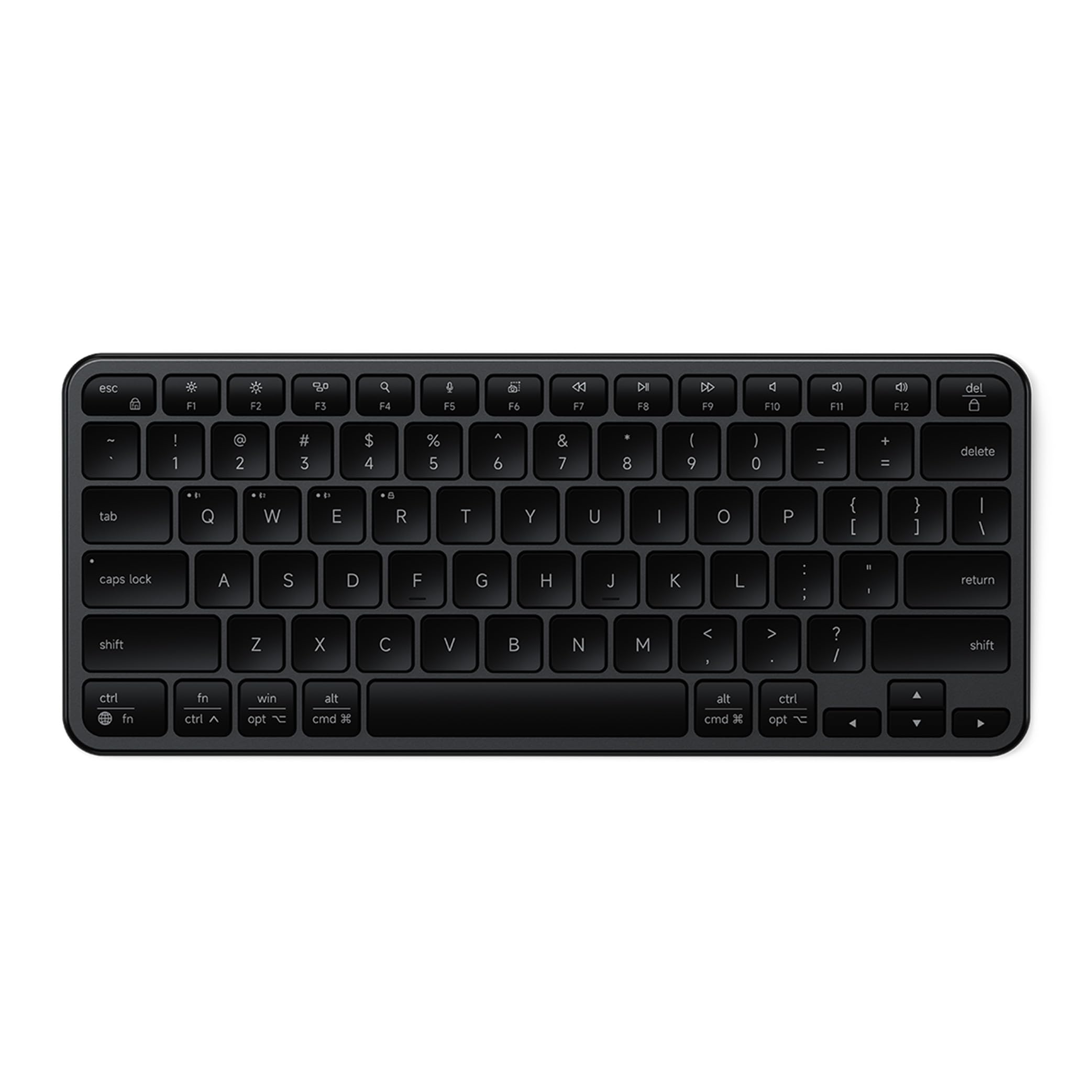
- Keychron K3, a compact 75% layout ultra-slim wireless mechanical keyboard built for peak productivity and a great tactile typing experience.
- Be ready to multitask without missing a beat by connecting the K3 with up to 3 devices via the stable Broadcom Bluetooth 5.1 chipset and switch between your laptop, PC, tablet and phone seamlessly. *Keep the distance between the keyboard and the device within reasonable limits to minimize signal interference.
- With a unique Mac layout, the K3 has all the necessary Mac multimedia keys while still being compatible with Windows. Extra keycaps for both Windows and Mac operating systems are included. *If it doesn't match your device exactly, you can try updating the keyboard's firmware.
- With open-source QMK firmware, it offers endless possibilities for key remapping, macros, and shortcuts. Customize every key easily using the Keychron Launcher web app for a more personalized typing experience. With its built-in AI assistant (live in beta now), keyboard customization is no longer complicated — just ask in plain language, and AI handles the rest.
- Together with the reinforced aluminum body (plastic bottom frame) make the K3 one of the thinnest and lightweight wireless mechanical keyboards on the market. The K3 also comes with a floating keycap design with a charming white backlight with modern keycap legends to sync with your mood.
Why You'll Love It
- Connects with multiple devices for flexible switching between computers and mobile devices
- QMK customization lets users remap keys and create shortcuts through Keychron Launcher
- Mac focused layout includes multimedia keys while supporting Windows users too
- Slim wireless design combines a reinforced aluminum body with a compact layout
- White backlight and floating keycaps create a clean desktop appearance
Pros
- +Compact 75% layout
- +Wireless multi device support
- +QMK key customization
- +Mac and Windows compatibility
- +Slim aluminum design
Cons
- -Plastic bottom frame
- -Compact layout may not suit everyone
Detailed Review
Keychron K3 is a wireless low-profile mechanical keyboard built for buyers who want a compact typing setup with flexible device support and deep customization options. Its 75% layout keeps the design focused while giving users a way to manage work across laptops, PCs, tablets, and phones without needing a larger keyboard.
The K3 stands out with its wireless connectivity approach. It can connect with up to three devices through Bluetooth 5.1 and lets users switch between them, which can suit people who regularly move between different screens or operating systems. The keyboard also uses a Mac layout with multimedia keys while remaining compatible with Windows, and it includes extra keycaps for both systems.
Customization is a major part of the design. With open source QMK firmware, the K3 allows key remapping, macros, and shortcut adjustments. The Keychron Launcher web app provides a way to personalize the keyboard, and the built in AI assistant in beta is designed to help with customization through plain language requests.
The physical design focuses on a slim profile while keeping a mechanical keyboard layout. The K3 combines a reinforced aluminum body with a plastic bottom frame, and its floating keycap design uses modern legends with white backlighting. Buyers should keep in mind that a compact 75% layout makes choices about key placement, so shoppers who prefer a larger keyboard layout may want a different style.
Verdict: The Keychron K3 is a strong fit for people who want a compact wireless low profile mechanical keyboard with customization features and support for both Mac and Windows setups. Buyers who need a different layout style or a larger keyboard format should consider other options.
Who Should Buy It
A great fit if you:
- Switch between several devices and want one keyboard for your everyday setup.
- Prefer a compact workspace layout while keeping mechanical keyboard features.
- Use Mac devices but also need compatibility with Windows systems.
- Enjoy adjusting keys, shortcuts, and macros to match your workflow.
Consider something else if you:
- Need a larger keyboard layout with more dedicated keys and a different arrangement.
- Prefer a non mechanical keyboard style with a simpler design.
Before You Buy
Confirm on the listing:
- Check whether the 75% layout matches the keyboard size and arrangement you want for your space.
- Check whether your devices are compatible with the Mac and Windows support described.
- Confirm what accessories are included in the box if you need specific keycaps.
- Check any setup details that may apply to your preferred customization options.
How to compare your options: Focus on layout, connection flexibility, operating system compatibility, and customization features when comparing wireless mechanical keyboards. The K3 is aimed at shoppers who value a compact design, multi device connection, and QMK based adjustments. Consider which combination of features matches your daily workflow before choosing a keyboard.
Getting the Most From It
Set up the K3 by following the available instructions for connecting your devices and configuring your preferred settings. Using the included keycaps can help match your keyboard to the operating system you use.
Explore the QMK features and Keychron Launcher options if you want to personalize key assignments, shortcuts, or macros. The customization tools are designed to help adapt the keyboard to different workflows.
Keep the keyboard maintained according to the care guidance provided with the product. Regular attention to the keys, frame, and backlight area can help keep the setup looking organized.
If you switch between devices often, organize your preferred connections and settings so the keyboard fits your normal routine.
FAQ
Can the Keychron K3 work with Mac and Windows?
Yes, the K3 supports Mac and Windows systems. It has a Mac layout with multimedia keys and includes extra keycaps for both operating systems.
How many devices can the K3 connect to?
The K3 can connect with up to three devices through Bluetooth 5.1. It is designed for switching between devices such as laptops, PCs, tablets, and phones.
Can I customize the keys on the Keychron K3?
Yes, the K3 supports QMK firmware for key remapping, macros, and shortcuts. The Keychron Launcher web app provides customization options, and its built in AI assistant is available in beta for help with adjustments.
What type of keyboard layout does it use?
The K3 uses a 75% layout. This compact format suits shoppers who want a smaller keyboard design, while people wanting a different arrangement should compare other layouts.
What should I know about the materials?
The K3 has a reinforced aluminum body and a plastic bottom frame. Check the listing for any additional material details you need before buying.
Product Details
| Brand | Keychron |
| ASIN | B08LSJ4RHH |