
990 Pro vs 990 EVO Plus: Which Is Better in 2026?
Disclosure: We may earn a commission when you buy through links on this page, at no extra cost to you. As an Amazon Associate I earn from qualifying purchases. Learn more

990 pro vs 990 evo plus Samsung SSDs: how speed, price and use cases differ, and who benefits from the faster drive.
Samsung's two high-performance NVMe drives look alike on a spec sheet, so 990 pro vs 990 evo plus is really a question of whether the faster, pricier drive earns its premium in your use. The 990 PRO is built for sustained speed and heavy workloads, while the 990 EVO Plus offers very close everyday performance at a lower price. The product table right after this introduction lists both drives and similar models.
Here you will find how they differ in speed, design, price and use cases, so you can pick the one that fits.



Speed on Paper
According to the listings, the 990 PRO uses PCIe 4.0 and reaches sequential read speeds up to 7,450 MB/s with writes up to 6,900 MB/s. It also quotes random performance of up to 1,400K read and 1,550K write IOPS in the 1TB version, which are very high figures.
The 990 EVO Plus is listed with sequential reads up to 7,150 MB/s on the 1TB model and 7,250 MB/s on the 2TB, with writes up to 6,300 MB/s. It supports PCIe 4.0 x4 and PCIe 5.0 x2, which is useful on boards with that lane layout. On paper the PRO leads, but the gap is small for sequential work.
- 990 PRO: higher sequential writes, much higher random figures.
- 990 EVO Plus: slightly lower speeds, flexible PCIe options.
Real-World Differences
In everyday tasks the two feel nearly identical. Booting Windows, opening apps, loading games and copying typical files happen so quickly on both that you will rarely see a difference. Game loading in particular depends on the CPU and the game design as much as the drive.
The gap shows up under heavy, sustained work: large file transfers, video editing from scratch disks, database tasks and working with many small files at once. In those jobs the PRO's higher write speed and random performance keep it ahead. If your work involves that kind of load, the premium has a purpose.
Design and Efficiency
Both drives use Samsung's nickel-coated controller for thermal control, and both come with Samsung Magician software for health monitoring and updates. The 990 PRO emphasizes performance per watt compared with the older 980 PRO, while the EVO Plus's listing highlights lower power use with similar performance.
The EVO Plus relies on host memory buffer technology and TurboWrite 2.0, according to its listing, which keeps the design cost-effective. The PRO is positioned for high-end computing, gaming and workstations. For laptops and small builds, check heat output and the available heatsink options before you buy either drive.
PS5, Laptops and Special Uses
For a PS5 or other console that accepts M.2 drives, both exceed the typical speed requirement, and a heatsink is needed. The PRO listing mentions improved performance for DirectStorage games on PC and for consoles, though real gains are small for most players.
In laptops, drive heat and battery life matter. A lower-power drive can help in thin machines, and in that case the EVO Plus is an attractive pick. Check that the laptop has an M.2 2280 slot and the right PCIe support before buying, since some thin designs use shorter drives.
Capacity, Warranty and Price
Both come in several capacities, from 1TB up to 4TB or more, and the price per terabyte falls as capacity rises. The EVO Plus is usually cheaper than the PRO at the same capacity, and the gap can be large during sales. Compare prices in the table, since both move frequently.
Samsung offers a limited warranty with an endurance rating that rises with capacity, and the PRO generally carries a higher rating at the same size. For long-lived workloads, check the terabytes written figure, since it tells you how much data the drive can absorb over its life.
Alternatives Worth Considering
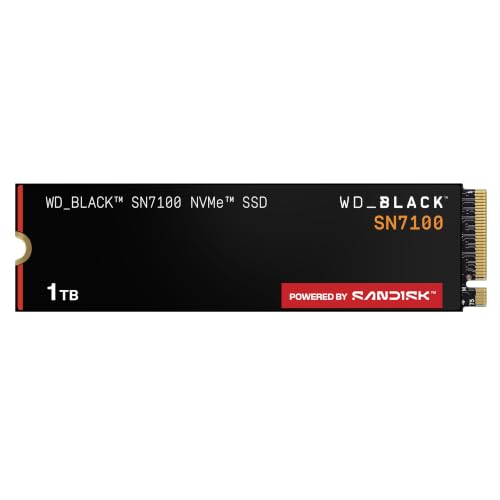
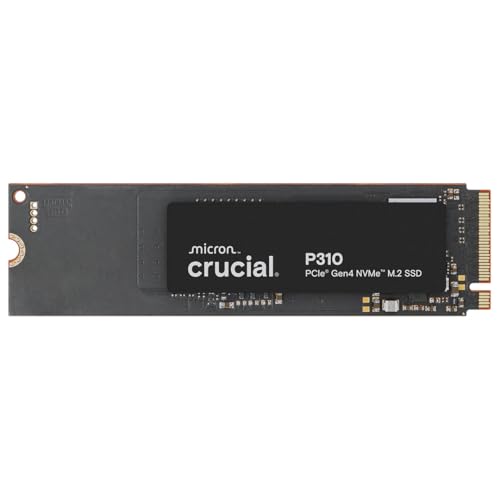
Other makers compete in both price tiers. Our Crucial P310 review covers a value-focused PCIe 4.0 drive, and the WD Black SN7100 and Kingston NV3 appear in the table as alternatives. For a full list, see our best SSD guide, and the Samsung 990 Pro review for a closer look at the faster drive.
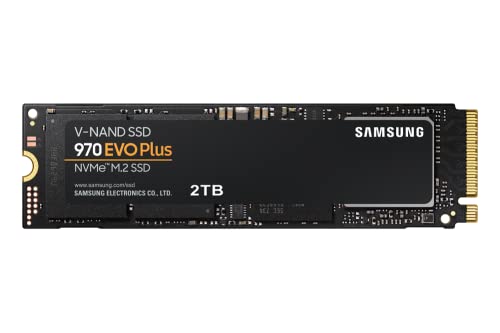
The older 970 EVO Plus remains available at times and offers good reliability at PCIe 3.0 speeds, which is fine for many systems and costs less.
Thermals and Throttling
Fast drives get warm under long writes, and when they overheat they slow themselves to protect the chips. A motherboard heatsink or a drive heatsink keeps temperatures in check and prevents that slowdown. The PRO's higher peak speeds produce more heat in sustained work, so cooling matters a bit more with it.
In a laptop with limited airflow, a lower-power drive may sustain its speed more consistently. Check temperature readings in Samsung Magician after a large copy, and add airflow or a heatsink if the numbers climb high.
Which Capacity to Buy
Capacity affects both speed and value. Larger models of the same drive often write faster and carry higher endurance ratings, while price per terabyte drops. For gaming, 2TB is a comfortable size, and 1TB works if you keep few large titles installed. Creators with big projects should consider 2TB or 4TB.
If you are torn, buy the cheaper EVO Plus in a larger capacity rather than the PRO in a smaller one. Extra space helps more in daily use than a modest speed edge.
990 pro vs 990 evo plus: Which Should You Choose?
Choose the 990 PRO if you
- Do heavy editing, large transfers or database work.
- Want the highest random and write performance.
- Do not mind paying more for the best Samsung option.
Choose the 990 EVO Plus if you
- Play games, browse and do ordinary work.
- Want the best value with performance very close to the PRO.
- Use a thin laptop or a build where power use matters.
Installing and Setting Up
Insert the drive in the M.2 slot at an angle, press it down and secure it with the screw. Add a heatsink if the board or case does not have one, particularly in a console. After installation, initialize the drive in Windows, and use Samsung Magician to check firmware and monitor temperatures.
Keep free space on the drive, around 10 to 20 percent, to maintain write speed. Avoid filling it to the brim, and keep a backup of important files elsewhere.
FAQ
Is the 990 PRO much faster than the EVO Plus?
On paper yes, particularly in writes and random operations, but everyday use feels very similar.
Which is better for gaming?
Both are excellent. Load times are limited by other parts, so the cheaper drive is usually the better value.
Do they need heatsinks?
For consoles yes. For desktops, a motherboard heatsink is usually enough.
Can the EVO Plus use PCIe 5.0?
It supports PCIe 5.0 x2 as well as PCIe 4.0 x4, which suits some boards.
In summary, 990 pro vs 990 evo plus favors the EVO Plus for value and everyday use, and the PRO for heavy, sustained workloads where every bit of speed counts.


