
Audio Interface vs USB Mic: Which Is Better in 2026?
Disclosure: We may earn a commission when you buy through links on this page, at no extra cost to you. As an Amazon Associate I earn from qualifying purchases. Learn more

Audio Interface vs USB Mic: which route suits streaming, podcasting and music, with costs, setup and growth compared.
The audio interface vs usb mic choice is really a choice between simplicity and flexibility. A USB microphone plugs straight into the computer and records right away, while an XLR microphone paired with an audio interface costs more and takes longer to set up, but it grows with you and usually sounds better in the long run.
This guide compares the two paths on sound quality, cost, setup, flexibility and common uses. The product table shows both USB microphones and audio interfaces that are in stock, so you can price each route before you decide.





Audio Interface vs USB Mic: How Each Works
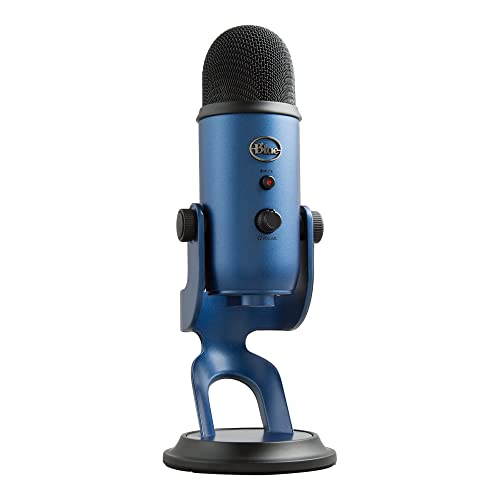
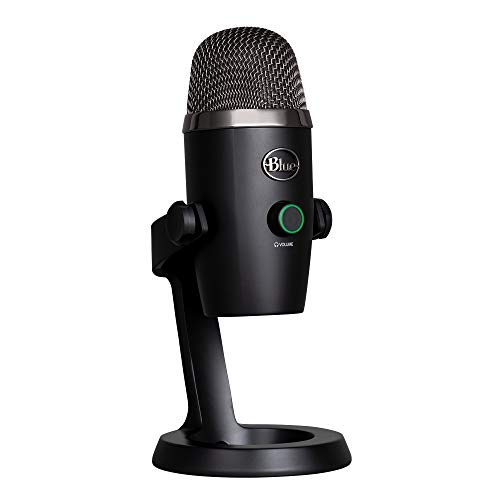
A USB microphone has the preamp and the converter built into the microphone body. You plug it into a computer, choose it as the input and start talking. Popular examples include the Blue Yeti, HyperX QuadCast and the Audio-Technica AT2020USB models.
An XLR microphone sends a raw signal along a balanced cable, and an audio interface amplifies and converts it. The interface then connects to the computer, usually over USB-C. That adds a box and a cable but separates the microphone from the electronics, which means you can change either one later.
Sound Quality
A good USB microphone sounds clear enough for streaming, meetings and podcasts, and many listeners cannot tell the difference. The advantage of the interface route shows up at the high end: better preamps, more headroom for loud sources and a wider choice of microphones, including studio dynamic microphones such as the Shure SM7B.
If your room is noisy or echoey, the microphone type and placement matter more than whether it is USB or XLR. A dynamic microphone close to your mouth rejects room noise better than a condenser across the desk.
Cost
USB microphones cost less to start. A solid option from Blue, HyperX, Samson or Audio-Technica is under about a hundred and fifty dollars, and no other parts are required. The interface route needs a microphone, an interface, an XLR cable and often a stand, so the total is higher.
The gap narrows when you upgrade. A USB microphone cannot be reused if you want better sound, while an interface keeps its value across many microphones.
Setup and Ease of Use
USB wins on simplicity. There is no gain staging or phantom power, and few settings to explain. Interfaces add knobs, meters and switches, but they also add control, which helps when you record different voices or instruments.
Flexibility and Future Growth
An interface lets you record more than one source. You can add a second microphone for a guest, plug in a guitar, connect a keyboard or use studio monitors and headphones with better output. USB microphones are mostly a one-source tool, although some, like the Samson Q2U, offer both USB and XLR outputs, giving you a middle path.
Common Uses
- Streaming and gaming: a USB microphone is usually enough.
- Meetings and online classes: USB is the simple choice.
- Podcasting alone: either works, USB for ease and interface for growth.
- Music recording: an interface is the better route.
- Interviews with a guest: an interface with two inputs is best.
Which Should You Choose
Choose a USB microphone if you want to start quickly, record by yourself and keep the cost low. Choose an audio interface if you expect to add instruments, guests or higher-end microphones later, or if you want the best possible sound. For many people the best compromise is a USB and XLR combination microphone, which starts simple and lets you move to an interface later.
Read our best audio interface guide, the focusrite scarlett 2i2 4th gen review, the motu m4 review and the motu m2 review for specific models.
Real Examples of Each Route
On the USB side, the Blue Yeti is the long-time favorite for streaming and meetings, the HyperX QuadCast adds a built-in stand and tap-to-mute, and the Audio-Technica AT2020USB+ gives a studio-style capsule with a headphone output. The Samson Q2U is a dynamic microphone with both USB and XLR, which makes it a useful stepping stone.
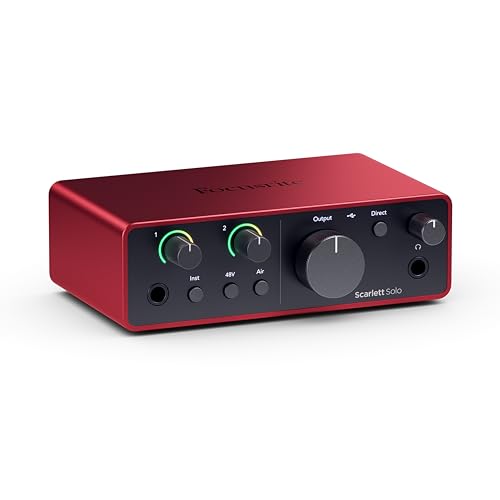
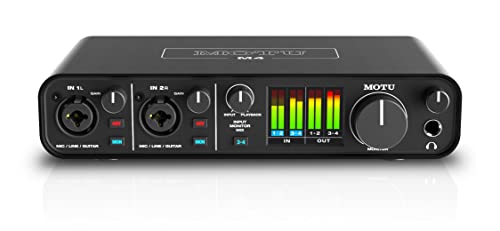
On the interface side, the Focusrite Scarlett Solo and 2i2 are the common starting points, the MOTU M4 adds more inputs and strong metering, and the Universal Audio Volt 276 adds a vintage-style preamp mode. Pair any of them with an XLR microphone such as the Audio-Technica AT2020, a dynamic podcast microphone or a Shure SM7B for the best sound.
Mistakes to Avoid
The most common mistake is spending on the microphone while ignoring the room. Hard walls and a bare desk add echo that no microphone can remove, so a rug, curtains or a few soft panels help more than a pricier microphone. The second mistake is placing the microphone too far away. Speak a hand span from the capsule, slightly off to the side, to reduce breath noise.
A third mistake is buying a condenser microphone for a noisy room. Condensers hear everything, including fans and keyboards, so choose a dynamic microphone if you cannot control the noise.
Upgrade Path
If you are starting with USB and expect to grow, keep the receipt and the box and consider a combination model. When you add an interface later, the USB microphone moves to a second computer or a travel kit and does not go to waste. If you start with an interface, the box stays useful for years, because you only need to change the microphone, arm or cable when you want a new sound.
FAQ
Is an audio interface better than a USB mic?
It offers more flexibility and room to grow, and it can sound better with the right microphone. A USB mic is simpler and cheaper.
Can I use an XLR microphone without an interface?
No, not directly. You need an interface or a converter cable to connect an XLR microphone to a computer.
Do I need phantom power?
Only for condenser XLR microphones. Dynamic microphones do not need it, and USB microphones handle power themselves.
Can a USB mic sound professional?
A good one can sound very good for streaming and podcasts, especially when positioned close and used in a quiet room.
Final Verdict
For fast, simple and affordable recording, choose a USB microphone. For flexibility, higher quality and room to grow, choose an audio interface with an XLR microphone. This audio interface vs usb mic comparison is easiest to settle by counting your sources and your budget, then browsing the product table.
Prices and availability can change, so check the product page before ordering.


