
Best 10 Inch Windows Tablets: Which Type Fits Your Work (2026)
Disclosure: We may earn a commission when you buy through links on this page, at no extra cost to you. As an Amazon Associate I earn from qualifying purchases. Learn more

Anyone who needs desktop software on the go: how to choose the best 10 inch windows tablets by type, memory, storage, ports and rugged needs.
A Windows tablet runs the same desktop programs as a laptop, which makes it a good fit for people who need full software on a 10 inch screen. The best 10 inch windows tablets include light two-in-one models, rugged field tablets and compact computers with keyboards.
The choice is smaller than for Android tablets, and prices are higher. This guide explains the types, the specs that matter and the trade-offs. The product table lists the Windows tablets available at this size.


Why Choose Windows on a Tablet
Windows lets you use desktop browsers, office suites, accounting software and specialist tools. You can plug in a keyboard, mouse and external drives, and use remote desktop. If your work depends on a program that exists only on Windows, a Windows tablet is the way to take it with you.
Type One: Light Two-in-One Tablets
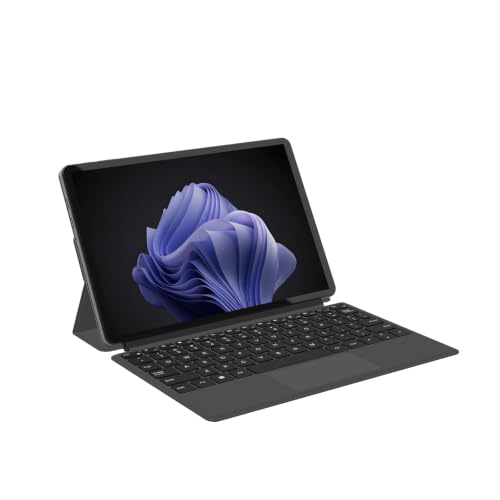
These tablets come with a detachable keyboard and are meant for office tasks, study and travel. They are light, run for hours and cost less than a laptop. Their processors are modest, so they suit documents, web apps and video calls better than heavy editing.
Type Two: Slim Tablets with Better Chips
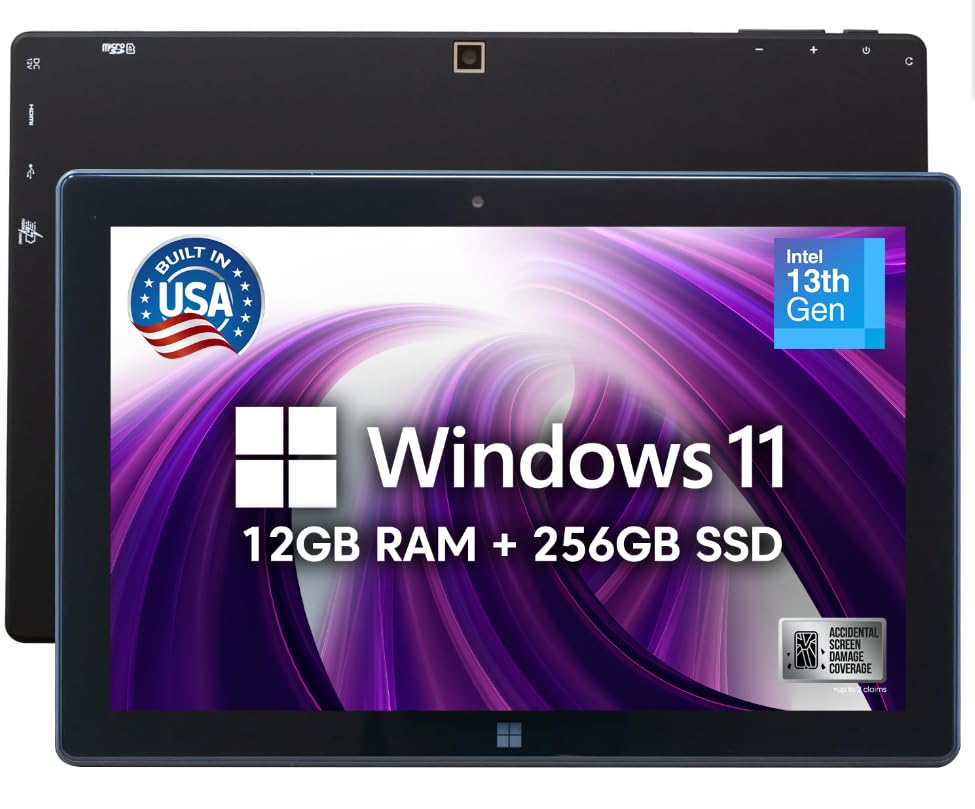
Some tablets use newer processors and more memory, which gives smoother multitasking. They cost more but feel closer to a small laptop. Look for 8GB of memory or more and an SSD for fast start-up.
Type Three: Rugged Tablets
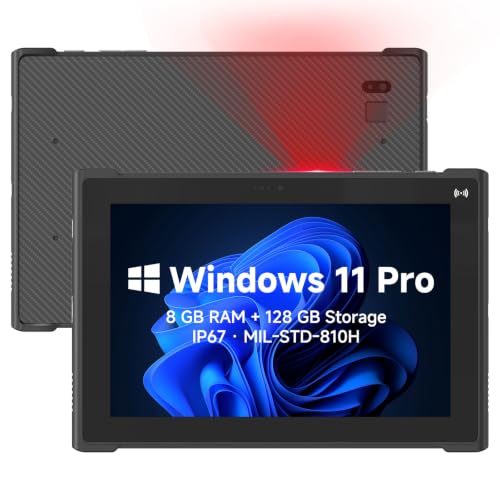
Rugged Windows tablets are built for warehouses, field work and vehicles. They have sunlight-readable screens, sealed bodies and extra ports. They cost much more than consumer models. They are the right tool for demanding jobs and overkill for home use.
Specs That Matter
- Processor: newer chips run cooler and last longer on battery.
- Memory: 8GB suits most users; 4GB feels tight on Windows.
- Storage: a 128GB SSD is the minimum; 256GB or 512GB is more comfortable.
- Screen: Full HD IPS is standard at this size, brightness matters outdoors.
- Ports: USB-C, USB-A and a microSD slot add flexibility.
Battery and Heat
Small tablets with low-power processors run for hours, but heavy tasks reduce battery life quickly. Check the battery size and charging method, and read buyer notes about fans or heat. Many slim tablets are fanless, so they stay quiet, though they slow down under heavy load.
Keyboards, Pens and Docks
A keyboard case makes the tablet a laptop replacement. Some models support a pen for notes. A dock or USB-C hub adds ports for a desk setup. Make sure the accessory matches the model before you buy.
Choosing the Best 10 Inch Windows Tablets
Pick the type, then compare memory, storage, battery and ports. Prices range from around $330 for light two-in-one models to nearly $1,000 for rugged tablets. If you do not need Windows, an Android tablet at a lower price may be enough. Check warranty terms and the maker's support for Windows updates.
For related reading, see best 10 inch tablets and best tablets with 10 inch screen.
Using Windows on a Small Screen
Windows was designed for larger displays, so a 10 inch screen needs some adjustment. Increase the scaling so icons and text are easy to tap, use the touch keyboard when you are not connected to a physical one and enable tablet-friendly features in the settings. Pin the apps you use most to the taskbar and learn the touch gestures to switch between windows.
Security and Updates
A Windows tablet needs the same care as a laptop: install updates, use a strong password or a fingerprint or face sign-in if the tablet offers one, and keep security software active. Rugged and industrial models may be configured for specific tasks, so check the maker's policies on updates and support.
Desk Setup and Docking
A USB-C hub or dock lets a tablet drive an external monitor, a keyboard and a mouse. That turns it into a desktop at the office and a tablet on the road. Check whether the tablet's USB-C port supports video output and charging at the same time before you buy a dock.
Rugged Tablets for Field Work
If you need a tablet for a warehouse, a construction site or a vehicle, look for sealed bodies, sunlight-readable screens, glove-friendly touch and replaceable batteries or docks. Rugged tablets cost far more than consumer models and are heavier, but they survive drops, dust and rain that would ruin a normal tablet.
Windows Tablet or Chromebook?
A Chromebook is cheaper and simpler and suits web-based work. A Windows tablet runs desktop programs and handles local files, specialist software and wider peripherals. If your work lives in a browser, you may not need Windows at all. If it depends on a specific desktop program, Windows is the right choice.
Storage, Memory and Real Use
Windows and its updates take a large share of a small drive, so a 128GB tablet may have much less free space than you expect. Choose 256GB if you store files locally, or use cloud storage and a microSD card for extra room. More memory keeps several programs responsive, and a fast solid-state drive speeds up start-up and app launches. If you plan to run a browser with many tabs plus a mail app and a document editor, 8GB of memory is the comfortable choice.
Check how the tablet charges as well. A USB-C charging port is convenient for travel, while a barrel connector may require carrying a dedicated charger. Some tablets can charge from a power bank, which helps in the field.
Warranty and Support
Because Windows tablets cost more, check the warranty and where to send the tablet for repair. Rugged models often include extended warranties and business support, while consumer models may have a short warranty and limited service. Register the device, and keep the receipt for the return window.
Frequently Asked Questions
Can a Windows tablet replace a laptop?
For light work, yes. Heavy tasks need a faster machine.
How much memory do I need?
Eight gigabytes is comfortable for most users. Four gigabytes can feel slow.
Do these tablets get Windows updates?
Yes. Check the maker's support, especially for rugged and lesser-known brands.
Are they good for kids?
They can be, but a simple Android or Fire tablet is cheaper and easier for kids.
Final Thoughts
Choose Windows if you need real desktop software and a keyboard. The best 10 inch windows tablets give you a full computer in a small package, with a price that reflects it. Prices and availability can change, so check the product page before ordering.


