
Best 1440p Ips Gaming Monitors: Fast Panels and What to Watch For in 2026
Disclosure: We may earn a commission when you buy through links on this page, at no extra cost to you. As an Amazon Associate I earn from qualifying purchases. Learn more

Fast IPS gives color and speed, but glow and bleed vary. Learn how to choose the best 1440p ips gaming monitors.
The best 1440p ips gaming monitors combine accurate color, wide viewing angles and quick pixel response, so games look vivid from any seat and fast scenes stay clear. IPS has become the default choice for 1440p gaming because it avoids the washed out look of older panels and the slow smearing of cheaper ones.
This guide explains what makes a fast IPS panel good, which flaws to expect and how to choose a refresh rate and size. The product table after the introduction lists in-stock IPS gaming monitors, mostly between $150 and $270, with a few larger and premium models above that.





What IPS Brings to Gaming
IPS panels keep their color and brightness when viewed from the side, so the picture looks the same whether you sit centered or lean back. Color accuracy is strong, and wide gamut models cover most of the DCI-P3 range that cinematic and colorful games use. Response times on current fast IPS panels now rival those of older TN screens, which were once the choice of esports players.
The trade is contrast. An IPS screen shows blacks as dark gray in a dim room, unlike OLED, which switches pixels off. For most players that gap is acceptable, and the price difference is large. If you want to compare the technologies, the guide to the best 1440p IPS monitors is wider, and the best 1440p monitors page covers every panel type.
Common IPS Flaws and How to Spot Them
IPS glow
A faint glow in the corners of dark scenes is normal on IPS panels. A small amount is fine, but strong glow shows up in dark games. Reading buyer comments with photos is the best way to judge it.
Backlight bleed
Light leaking from the edges varies between units, even in the same model. Check the return policy so you can send back a bad unit.
Response time and overdrive
Maker response figures are measured in best case conditions. Fast IPS with overdrive settings can show faint trails if overdrive is too high, so try the middle setting first.
Fast IPS, Nano IPS and Mini LED
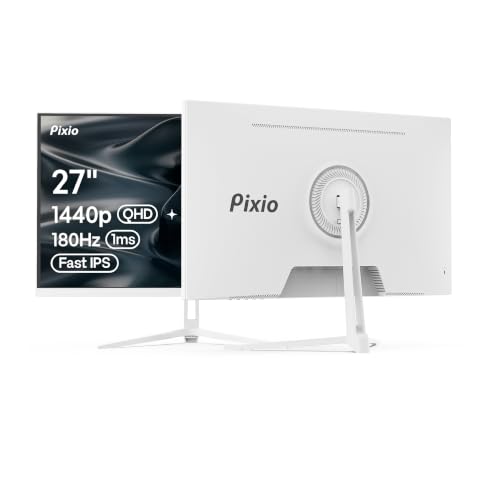
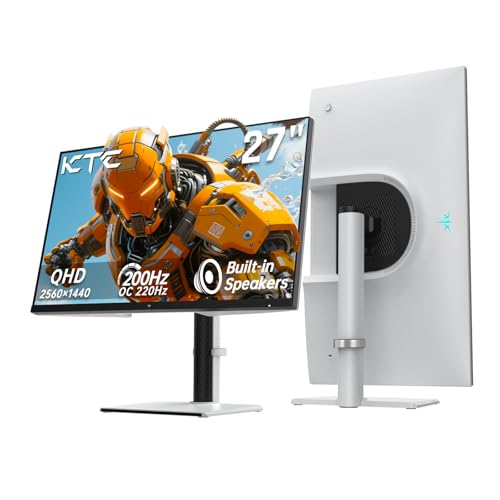
Fast IPS is the standard in this table, with 1ms response claims and refresh rates from 144Hz to 300Hz. Nano IPS and similar wide gamut panels add richer color. Mini LED backlit IPS monitors add local dimming zones that improve contrast and HDR brightness, and one 27 inch model in the table uses it. These cost a bit more, but they narrow the gap with OLED while avoiding burn in.
Choose Your Refresh Rate and Size
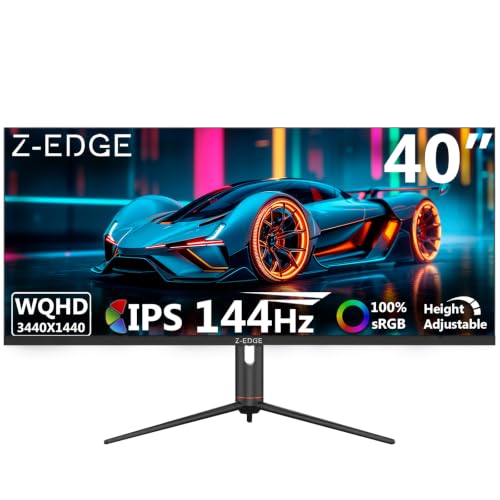
A 144Hz to 180Hz monitor gives smooth motion and is easy to drive at 1440p with a mid range graphics card. A 240Hz to 300Hz monitor rewards competitive players with a strong card and fast games. For size, 27 inches is the standard; 24 or 25 inches suits esports desks; and 34 or 40 inch ultrawides add width. See the gaming monitors 144Hz 1440p page for the middle tier.
Features Worth Checking
- Adaptive sync: FreeSync Premium or G-Sync compatible support.
- Stand: height, tilt and swivel adjustment, or a VESA mount.
- Ports: DisplayPort for high refresh rates, HDMI for consoles.
- USB-C: handy for laptops on some models.
- HDR: a mild bonus unless the monitor has local dimming.
Price Guide
Budget IPS models with 1440p and 180Hz to 300Hz start near $150 and rise to $200 for well known value brands. Well known gaming brands sit at $180 to $270, and large ultrawides cost $450 or more. Premium picks are worth the money only when you will use the features. The best PC monitors for gaming guide gives a wider view.
Matching the Monitor to the Games You Play
Different games lean on different strengths. Fast shooters reward a high refresh rate and quick response, so a 240Hz or higher IPS model is the best fit. Open world adventures and racing games show off color and size, which favors a 27 or 32 inch panel with a wide gamut. Strategy and simulation games spend long hours showing static interfaces, so a sharp, bright IPS with a flat shape is easy on the eyes and has no burn in worries.
If you play on a console as well, make sure the monitor has an HDMI port that supports the resolution and refresh rate your console can output. When you compare the best 1440p ips gaming monitors, a model that handles both PC and console without compromise is often the better long term purchase than a specialist.
Warranty terms deserve a minute of attention. Because backlight bleed and dead pixels differ from unit to unit, a seller with a clear return window and a stated pixel policy protects you better than a slightly lower price. Keep the packaging for the first month, photograph any defect in a dark room and contact the seller early. A good panel in a replaceable unit is worth more than a perfect specification on paper, and it keeps your gaming setup trouble free for years.
Setting Up for the Best Picture
Update the graphics driver, set the refresh rate in the display settings and enable adaptive sync. Use a calibrated or standard color mode first, then adjust brightness for your room. Many gaming modes oversaturate, so a neutral mode often looks more natural. If you see glow in dark scenes, lowering the brightness and room lighting changes helps more than any setting.
FAQs
Is IPS better than VA for gaming?
IPS has better color and viewing angles and fast response. VA has higher contrast and often costs less.
Can IPS monitors burn in?
No. Burn in is a concern for OLED panels. IPS monitors may show brief image retention but recover quickly.
Is 1ms response real?
It is a best case claim. Read buyer feedback for real motion performance.
What size is best?
Twenty seven inches suits most desks at 1440p.
Final Verdict
The best 1440p ips gaming monitors pair a fast panel, adaptive sync and a sturdy stand at a fair price. Use the product table to compare refresh rates and sizes, and read buyer comments about glow and bleed before you choose.
Prices and availability can change, so check the product page before ordering.


