Best 1440p Monitors for PS5 in 2026: How to Choose
Disclosure: We may earn a commission when you buy through links on this page, at no extra cost to you. As an Amazon Associate I earn from qualifying purchases. Learn more

What to check before choosing the best 1440p monitors for ps5: HDMI behavior, 120Hz support and the panel choices that suit a console.
The PlayStation 5 can output at 1440p on supported displays, which makes a QHD monitor an attractive middle path between a basic 1080p screen and a pricey 4K one. The best 1440p monitors for PS5 are the ones that accept the console's signal cleanly, hold a steady 120Hz where the game allows it, and keep input delay low.
Not every 1440p monitor is console friendly, though. Some are built purely around PC ports, and a few handle a console signal awkwardly. This guide covers the connection details, refresh rate behavior and screen choices that matter on a PS5, so you can read the product table above with confidence.


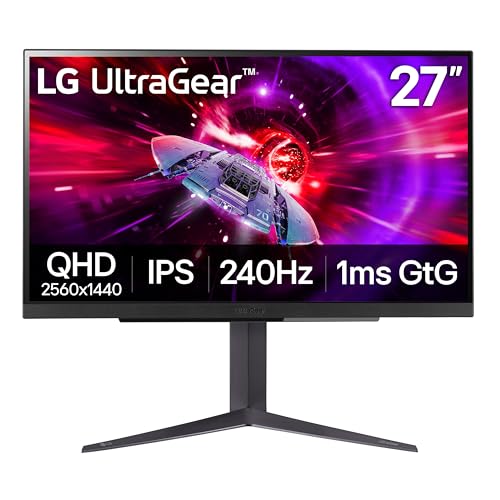

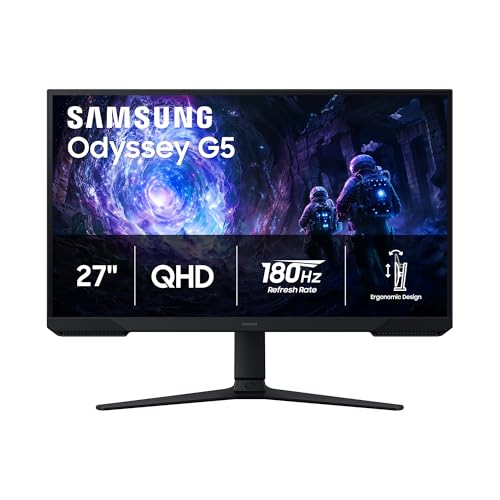

What a PS5 Needs From a Monitor
The console sends video over HDMI, so the first check is the HDMI port itself. HDMI 2.1 gives the most headroom for 120Hz at higher resolutions, while older HDMI versions can limit the combination of resolution and refresh rate. Read the listing carefully for the HDMI version, not only the port count.
Next, confirm that the monitor lists 1440p support over HDMI. A screen that reaches its top refresh rate only through DisplayPort will not show that rate from a console. If the listing is vague, buyer questions and feedback often clarify what a console can actually achieve.
Refresh Rate and Why 120Hz Matters
Many PS5 games offer a performance mode aimed at 60 frames per second, and a smaller group of titles support up to 120. A monitor rated well above 60Hz leaves room for those modes and also keeps menus feeling responsive. Anything beyond 120Hz is wasted on the console, so you do not need to pay extra for 240Hz or higher.
Variable refresh rate support is a useful bonus. When the console and screen both support it, small frame dips look smoother and tearing is reduced. Check the listing for the relevant label, and make sure the feature is enabled in the console's video settings.
Panel Type: IPS, VA or OLED
Among the best 1440p monitors for PS5, panel type decides how the picture feels day to day.
A fast IPS panel is the safe all-rounder for a console desk: strong colors, wide viewing angles and few surprises. VA panels bring deeper blacks that suit dark, cinematic games, though motion can look slightly smeary on cheaper ones. OLED screens give the best contrast and motion but cost more and need care to avoid long static images.
If your PS5 sits next to a PC on the same desk, IPS is the easiest to live with across both uses. If it is a dedicated console screen in a dim room, VA or OLED can make games feel more dramatic.
Size, Distance and Sharing the Desk
Most console players sit slightly farther back than PC users, which makes a 27 inch panel a comfortable default and a 32 inch panel workable. A 24 to 25 inch screen suits a very tight desk or competitive play.
If you share the screen with friends for local multiplayer, a larger panel and wide viewing angles help everybody see clearly. Built-in speakers are rarely good, so plan on headphones or a headphone jack on the monitor for late-night play.
Console-Friendly Features to Look For
- An HDMI input that supports your target resolution and refresh rate.
- A headphone output, so you can plug in a headset without extra adapters.
- Auto low latency mode or a game mode that cuts processing delay.
- A stand that adjusts for height, plus VESA holes if you want a wall or arm mount.
Features like built-in HDR processing, RGB lighting and crosshair overlays are nice but rarely decide the experience. Spend on the panel and ports first.
Do You Need 1440p for a PS5 at All?
A 1440p monitor looks sharper than 1080p, but the benefit on a console depends on what the game renders. Many titles use dynamic resolution or upscaling, so you may not always see a true 1440p image. Even so, the extra pixels give cleaner text and edges, and the screen doubles as a desktop display for a PC or laptop.
If you only game on the console and sit far from the screen, a good 4K TV may serve you better. A monitor wins when desk space is limited or you want low input delay.
Picking Between Monitors When the Specs Look Alike
Many 1440p monitors list near-identical numbers, so look at what the numbers leave out. Check how the screen behaves when a console signal arrives: does it switch modes quickly, and does it keep variable refresh rate on after a restart? Buyer comments about console use are often more useful than the listing itself.
Also compare the warranty and the return window. A monitor is easy to judge in the first week, since dead pixels, backlight bleed and flicker show up quickly in dark games. If something looks wrong, a clear return policy matters more than a small price difference.
Setting Up the Monitor With a PS5
Connect the console to the HDMI port the manufacturer recommends for high refresh rates, then open the console's video settings and look at what it detects. If 120Hz or variable refresh rate options do not appear, switch the monitor's HDMI mode to the newest setting in its on-screen menu, since some screens ship with a compatibility mode that limits features.
Turn on game mode on the monitor to cut processing delay, and lower any sharpening or motion smoothing options, because they can add blur or lag. Adjust brightness for your room instead of leaving the factory setting, and you will get a more comfortable picture for long evening sessions.
Related reading: best 1440p monitors and best curved monitors for ps5.
Frequently Asked Questions
Does a PS5 support 1440p?
Yes, the console can output 1440p to a compatible display. Check the video output settings on the console after connecting, and make sure the monitor lists support for that resolution over HDMI.
Do I need HDMI 2.1 for a PS5 monitor?
It is not strictly required, but it gives the most flexibility for 120Hz modes. A monitor with an older HDMI version can still work well for 60Hz play and may cost less.
Is 144Hz or 240Hz better for a PS5?
Neither matters beyond 120Hz, because the console does not output more. Save money by choosing a screen that handles 120Hz well and spend the difference on panel quality.
Can I use the same monitor for a PC?
Yes. Most 1440p monitors have both HDMI and DisplayPort, so the same screen can serve the console and a PC, although the highest refresh rates on a PC usually need DisplayPort.
Final Thoughts on the Best 1440p Monitors for PS5
The best 1440p monitors for PS5 offer a clean HDMI connection, 120Hz capability and a panel type that suits your room and games. Pick a size that fits your desk, confirm the HDMI details in the listing, and use the table above to compare current prices. Prices and availability can change, so check the product page before ordering.