Best 32 Inch Monitors for 2026: Is 32 Inches Right for Your Desk?
Disclosure: We may earn a commission when you buy through links on this page, at no extra cost to you. As an Amazon Associate I earn from qualifying purchases. Learn more

The best 32 inch monitors start with a question: does the size suit your desk and viewing distance? Learn how to judge fit, resolution and value first.
A 32 inch monitor fills a lot of your field of view, so the first question is whether the size suits your desk and your eyes. The best 32 inch monitors are only worth buying if the screen is comfortable to use at your normal distance, and if the resolution is high enough to keep it sharp. This guide starts with size and distance, then moves on to resolution, panel types and price, with a table of current models to compare.
If you are still choosing between sizes, the first two sections will tell you whether 32 inches is the right call.

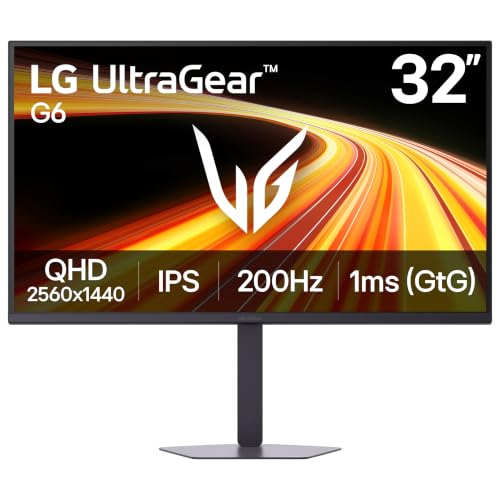

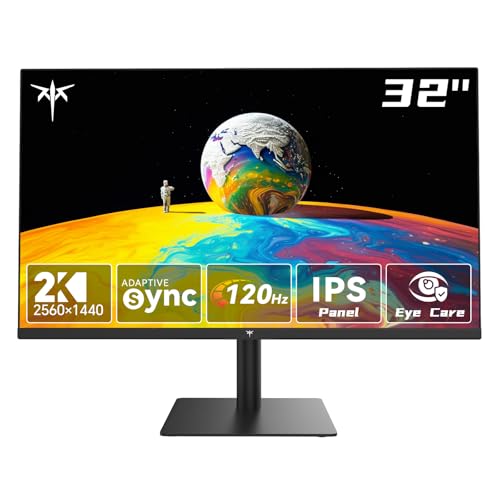


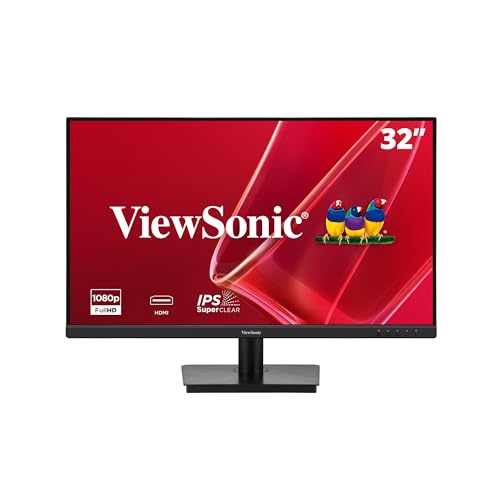

The size in real numbers
A 32 inch 16:9 monitor is about 28 inches wide and 15.7 inches tall, not counting the frame and stand. That is about 30 percent wider than a 24 inch screen and about 18 percent wider than a 27 inch one. It is a large object, and on a desk 24 to 30 inches deep it looks big.
- Desk depth: aim for at least 24 inches, so that you can sit an arm's length or more from the glass
- Desk width: 48 inches or more makes the screen look balanced
- Weight: most 32 inch models weigh between 10 and 20 pounds, so check the arm rating
- Height: the screen is tall, so a stand that adjusts matters
If your desk is shallow or small, consider whether 27 inch would serve you better. If you have room, 32 inch is a pleasure to use.
Viewing distance and eyes
A larger screen needs more distance to be comfortable. A comfortable range is about an arm's length (around 24 to 32 inches), so you can see the whole screen without moving your head. At 1080p, that distance shows the pixel grid. At 1440p it is acceptable, and at 4K the picture looks smooth. Our guides to 1440p models and 4K models compare the sharper options.
If you wear glasses, check that you can read the corners without strain. Raise the screen so you look slightly down, and keep the brightness close to the room light.
Resolution at 32 inches
- 1080p: the cheapest option, but soft at this size, with about 69 pixels per inch
- 1440p: a clear step up at about 92 pixels per inch and easy to run
- 4K: the sharpest at about 138 pixels per inch, with a bigger demand on your PC
- Ultrawide shapes: a different category with other aspect ratios
For most buyers, 1440p is the balanced choice. 4K is a luxury for text and photos. 1080p only makes sense if the budget is very tight or if you sit far back.
Panel types
IPS gives wide angles and accurate color. VA gives better contrast and lower prices and is common on curved models. OLED is premium and rare at this size. For a shared desk or creative work, IPS is the safe choice. For a movie night or a gaming corner, VA or OLED look great.
Picking among the best 32 inch monitors
Match the use
Work, gaming, creative work and media viewing each have different needs. If you have not decided, QHD at 100 to 165 Hz is a good general answer.
Check the extras
Speakers, USB hubs and webcams are bonuses, not essentials. If speakers matter, read our monitor with speakers page. If you game, our curved monitor guide covers wrap-around screens.
Warranty and returns
A big panel ships in a big box and can arrive damaged. Inspect it the day it arrives, and keep the box for the return window.
Mounting options
A monitor arm saves desk space and lets you place the screen precisely. Check the VESA pattern on the back and the weight rating of the arm. A wall mount makes sense for a living room or a standing desk. If you use the stand, put the screen on a flat surface and check that the stand width fits your desk.
Setting up
- Unpack carefully and attach the stand on a soft surface
- Place the screen at arm's length with the top at eye level
- Use the right cable for the maximum resolution and refresh rate
- Select the native resolution and the right scaling
- Adjust brightness and color to the room
If the text looks too small, raise the scaling in the operating system, not the font in every program.
Budget advice
A basic 1080p 32 inch screen costs the least. A good QHD model costs more, and 4K and premium panels cost the most. Choose according to how much you sit in front of the screen. If it is many hours a day, spend on quality. If it is occasional, a cheaper model will do.
Reading buyer comments on a big screen
A large panel has more room for defects, so buyer comments matter. Look for mentions of uneven backlight, dead pixels, color shift near the edges and coating grain. A few comments about minor bleed are normal, while many reports of the same fault point to a bad batch. Pay attention to comments from people who use the screen the way you plan to, since a defect that shows on a dark game may not matter in an office.
Also read about the stand and the packaging. Some screens arrive with a wobbly stand or a loose neck, which is annoying but usually fixable with a monitor arm. Delivery damage is the other risk, so open the box in front of good light and check the glass before you throw anything away.
Upgrading from a smaller screen
Moving from 24 or 27 inch to 32 inch is a clear change. Text and windows look bigger at the same resolution, so you may want to lower the scaling or raise the resolution to keep everything crisp. Your head moves slightly more, so keep frequently used windows near the center. After a week, most people say they no longer notice the size, and going back to a smaller screen feels cramped. If you use a laptop, keep it at the side with a stand so its screen is a handy second display.
FAQ
Is 32 inch too big for a desk?
For a desk 24 inches deep or more, it fits. For a shallow desk, choose 27 inch.
Is it good for gaming and work?
Yes, especially at 1440p or 4K.
Do I need 4K?
Not for everyone. QHD is enough for most.
What size stand do I need?
The stand width is listed. Check it against your desk.
Final thoughts
The best 32 inch monitors are a big, enjoyable upgrade if your desk can hold them. Check the size and distance, choose a resolution that fits your computer, pick a panel for your use and compare the models in the product table. For office-focused picks, read monitors for work.
Prices and availability can change, so check the product page before ordering.