
Best Monitors for PS5: Everything to Know Before Your First Purchase
Disclosure: We may earn a commission when you buy through links on this page, at no extra cost to you. As an Amazon Associate I earn from qualifying purchases. Learn more

A first time buyer's guide to PS5 monitors, with HDMI 2.1, VRR and HDR explained and three picks.
A gaming monitor is a great way to play PS5 at a desk, in a bedroom or anywhere a big TV will not fit. Monitors offer fast response times, low input lag and sharp detail up close, and many now support the PS5's 4K at 120Hz mode through HDMI 2.1. But not every monitor gets the most from the console, and specs like HDMI version, VRR support and HDR brightness make a real difference. This first time buyer's guide to the best monitors for ps5 explains the basics, the key specs in plain English and how to set up a monitor for the best picture.
The short answer: for most PS5 players, a 27 inch 4K monitor with HDMI 2.1, 120Hz or higher and VRR support delivers the best mix of sharpness and smoothness; budget buyers can get excellent results from a 27 inch 1440p high refresh monitor, and players who want the most impressive HDR should step up to a premium 4K model with higher brightness.
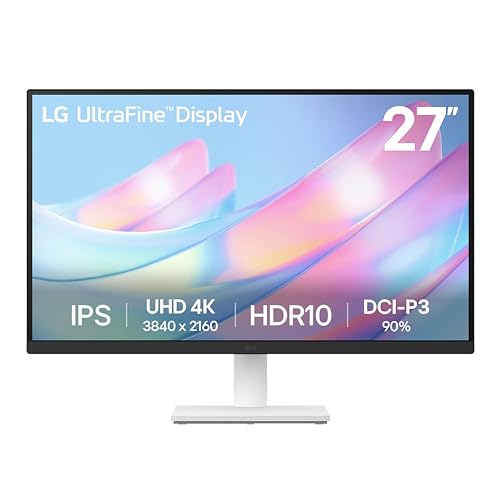

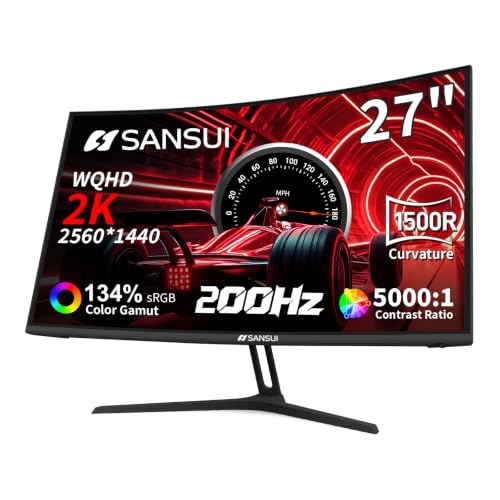
Our Top 3 Picks at a Glance
For a quick starting point, these three monitors cover the main budgets.
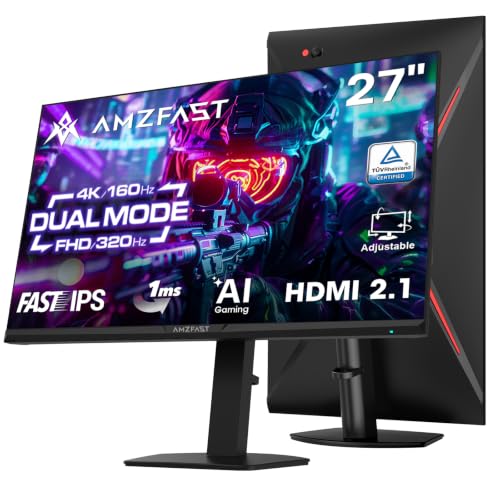
Best overall: the Amzfast 27 inch 4K Gaming Monitor, around $270, offers two HDMI 2.1 ports, a 4K 160Hz mode and a Full HD 320Hz mode, HDR400 with 10 bit color and a stand that adjusts height, swivel, tilt and rotation.

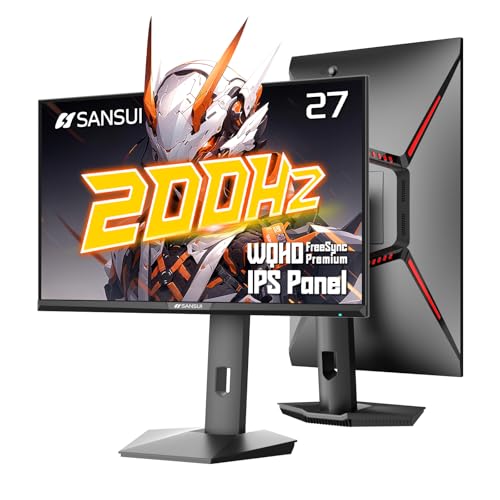
Best value: the SANSUI 27 inch 1440p Gaming Monitor, around $150, pairs a sharp 2560 by 1440 panel with a refresh rate up to 200Hz, a budget friendly way to get smooth PS5 gameplay at 1440p.
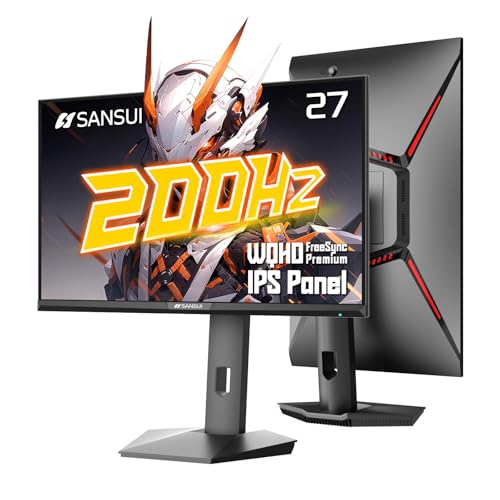
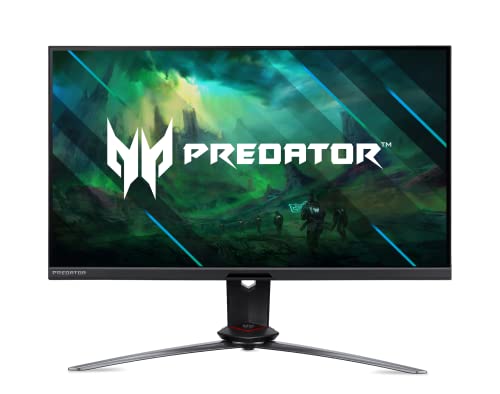
Best premium pick: the Acer Predator XB283K, around $540, is a 28 inch 4K IPS monitor built for PC and console gaming, with two HDMI 2.1 ports supporting 4K console play, 144Hz, VESA DisplayHDR 400, 90 percent DCI P3 color and USB C.

Monitors 101: The Basics
The PS5 outputs video over HDMI. To use its best modes, a monitor needs HDMI 2.1, which carries 4K at up to 120 frames per second and supports features like variable refresh rate (VRR) and auto low latency mode (ALLM). Monitors with only HDMI 2.0 still work with the PS5 but usually limit 4K to 60Hz, which is fine for many single player games.
The PS5 also supports 1440p output, so a 1440p monitor can run games at native resolution with higher frame rates in supported titles. Unlike TVs, most monitors have small built in speakers or none at all, so plan to use a headset plugged into the DualSense controller or the monitor's headphone jack.
Key Specs Explained in Plain English
These are the specs that make the biggest difference for PS5 gaming.
Features That Matter for PS5
Look for HDMI 2.1 ports, support for 4K at 120Hz, HDMI VRR and ALLM. VRR smooths out frame rate dips in games that cannot hold a steady 60 or 120fps, reducing tearing and stutter. Check that VRR works over HDMI, not only over DisplayPort, since the PS5 only uses HDMI.
Panel Technology
IPS panels offer accurate colors and wide viewing angles, ideal for most players. VA panels deliver deeper contrast for dark scenes. OLED monitors provide perfect blacks and outstanding HDR but cost more and need care with static elements. Mini LED monitors offer very bright HDR with local dimming.
Resolution and Screen Size
At desk distances, 27 inches is the sweet spot. 4K looks razor sharp at 27 to 32 inches, while 1440p offers a great balance of sharpness and performance. 24 inch 1080p monitors suit competitive players on tight budgets.
Refresh Rate and Response Time
The PS5 can output up to 120Hz, so a monitor that supports 120Hz or higher unlocks performance modes in supported games. Higher refresh rates, such as 144Hz or 160Hz, help when you also connect a gaming PC. Fast response times reduce motion blur.
HDR and Brightness
HDR makes highlights and colors pop, but entry level HDR400 monitors offer only modest improvement. For striking HDR, look for higher brightness, local dimming or OLED panels. Run the PS5's HDR adjustment tool after connecting.
Stand, Mounting and Ergonomics
Height adjustable stands and VESA mounts let you position the screen at eye level, which matters for long sessions.
Connectivity and Ports
Two HDMI 2.1 ports let you connect a PS5 and an Xbox or PC without swapping cables. A headphone jack, DisplayPort for PC and USB hubs add flexibility.
Monitor vs TV for PS5
TVs offer larger screens, better built in sound and often brighter HDR, making them ideal for couch gaming. Monitors are better for desks and small rooms, with lower input lag, sharper detail up close and high refresh rates for PC use. If you sit within a few feet of the screen, a 27 to 32 inch monitor usually looks better than a small TV.
Picking the Right Monitors for PS5 for Different Uses
The best monitors for ps5 differ depending on the games you play and where you play them.
Best TVs and Monitors for PS5: Tips for First Time Buyers
Start by deciding where you will play. For a desk, choose a 27 inch 4K or 1440p monitor with HDMI 2.1. For a couch, choose a TV with HDMI 2.1, 120Hz and VRR. In both cases, check for ALLM and good HDR, and budget for a headset or soundbar.
For Competitive Shooters
Competitive players often prefer 1440p or 1080p at the highest frame rates, with fast IPS or OLED panels and low input lag.
For Cinematic Single Player Games
4K resolution and strong HDR make story games look their best. A 32 inch 4K monitor is a great desk upgrade for these games.
For Shared PC and Console Setups
Look for both HDMI 2.1 and DisplayPort, plus high refresh rates, so one monitor serves your PS5 and gaming PC.
Sound Options for a PS5 Monitor Setup
Most monitors have small, thin speakers or none at all, so sound is worth planning. The simplest option is a headset plugged into the DualSense controller, which also gives you the PS5's Tempest 3D Audio. Many monitors include a headphone jack that passes audio through from HDMI, letting you connect powered desktop speakers or a compact soundbar. For a desk setup shared with a PC, a small pair of USB or Bluetooth speakers can switch between devices, though Bluetooth adds slight delay.
Ultrawide and Large Monitors With PS5
The PS5 outputs a standard 16:9 picture, so ultrawide monitors show black bars on the sides when used with the console. They remain great for PC gaming, but if PS5 is your main platform, a standard 27 or 32 inch 16:9 monitor is the better choice. Large 42 to 48 inch gaming monitors and small OLED TVs can work as giant desk displays, but you need a deep desk to sit far enough back.
Using One Monitor for PS5 and a PC
Many gamers share one monitor between a PS5 and a gaming PC. Connect the PS5 to an HDMI 2.1 port and the PC to DisplayPort, then switch inputs from the monitor menu. Some monitors offer picture by picture modes for viewing both at once. If you stream, a capture card that passes through 4K 120Hz HDR lets you record PS5 gameplay on the PC without losing quality on your screen.
Accessories Worth Adding
- An Ultra High Speed HDMI cable if you need a longer run than the included cable.
- A monitor arm to free up desk space and adjust height precisely.
- A gaming headset for 3D audio and party chat.
- A controller charging dock to keep DualSense controllers topped up at your desk.
What Your Budget Buys
Around $120 to $200 buys a 27 inch 1440p high refresh monitor or a basic 4K monitor at 60Hz. Between about $200 and $400, you get 4K monitors with HDMI 2.1, 120Hz or higher and VRR. Above about $500, premium 4K IPS, Mini LED and OLED monitors add brighter HDR, better color and better build quality.
Rookie Mistakes to Avoid
- Buying an HDMI 2.0 only monitor and expecting 4K at 120Hz.
- Assuming VRR works over HDMI when some monitors support it only on DisplayPort.
- Using an old HDMI cable instead of the high speed cable included with the PS5.
- Relying on tiny built in speakers for immersive games.
- Skipping the PS5 HDR adjustment, which leads to washed out or crushed images.
- Choosing an ultrawide for PS5 only, since the console shows black bars on 21:9 screens.
- Ignoring the stand, as fixed tilt stands make it hard to set a comfortable height for long sessions.
Best PS5 Picture Settings for Monitors
A few settings make a noticeable difference. Set PS5 video output resolution to automatic so the console detects 4K or 1440p correctly, and enable 120Hz output for games with performance modes. Turn on VRR and apply it to unsupported games if you like, though it can cause flicker in some titles. If your monitor's HDR is weak, try turning HDR off for certain games, since an entry HDR400 display can look better in SDR. In the monitor menu, choose a game or FPS mode with overdrive set to medium to reduce motion blur without overshoot artifacts, and disable dynamic contrast if blacks look crushed.
Desk Setup and Comfort
Position the monitor about an arm's length away with the top of the screen at or slightly below eye level. A comfortable chair, good lighting behind or beside the screen rather than in front of it and a controller charging station keep long sessions enjoyable. If several people play, a monitor arm makes it easy to swivel the screen toward the couch or chair.
Getting Started: Setup and First Use
- Connect the PS5 to an HDMI 2.1 port using the console's included cable or a certified Ultra High Speed cable.
- In the monitor's menu, enable the HDMI 2.1 or console mode if available.
- On PS5, open Settings, then Screen and Video, and set 120Hz output and VRR to automatic.
- Run the HDR adjustment and set resolution to automatic or 1440p as needed.
- Choose performance mode in games that offer it for higher frame rates.
FAQs
These are the questions PS5 players ask most.
What features matter most in monitors for ps5?
HDMI 2.1, 120Hz support, HDMI VRR, ALLM and good HDR matter most. A comfortable size for your desk and a headphone jack are useful extras.
Is 4K worth it for PS5 on a monitor?
Yes for most players. At 27 inches or larger, 4K looks noticeably sharper than 1440p up close. Competitive players who prefer higher frame rates may choose 1440p instead.
Does the PS5 support 1440p monitors?
Yes. The PS5 supports 1440p output, and many games run at higher frame rates when a 1440p display is connected.
IPS vs OLED: which is better for PS5?
OLED offers perfect blacks and stunning HDR but costs more and needs care with static HUDs. IPS is brighter for static content, more affordable and worry free.
Do I need a monitor with HDMI 2.1 for PS5?
Only if you want 4K at 120Hz and HDMI VRR. HDMI 2.0 monitors still work well at 4K 60Hz or 1440p, which suits many players and budgets.
Will a gaming monitor reduce input lag compared with a TV?
Often, yes. Gaming monitors typically have very low input lag by design, while TVs need game mode enabled to reach similar responsiveness. Modern TVs in game mode are still excellent for most players.
Can I use a 1080p monitor with PS5?
Yes. The PS5 outputs 1080p, and a fast 1080p monitor is a budget friendly choice for competitive games, though 4K content will be downscaled.
How long do monitors last?
Most LCD monitors last many years of daily use. OLED monitors also last for years with sensible settings such as screen savers and pixel refresh.
Taking a few minutes to confirm HDMI 2.1, VRR over HDMI and your desk space will make it far easier to pick from the best monitors for ps5 with confidence.
Wrapping Up
The three things that matter most are HDMI 2.1 with 120Hz and VRR, the right resolution for your desk and enough HDR performance for the games you love. Most players will be happiest with a 27 inch 4K HDMI 2.1 monitor, budget buyers can enjoy smooth 1440p and enthusiasts should consider premium 4K models. Use this guide to choose the best monitors for ps5, then check the product table above for current prices. For bigger screens, see the best TVs for video games.


