
Best 1440p Monitors for Xbox Series X in 2026: A Practical Buyer's Guide
Disclosure: We may earn a commission when you buy through links on this page, at no extra cost to you. As an Amazon Associate I earn from qualifying purchases. Learn more

What to check before choosing the best 1440p monitors for xbox series x: HDMI, variable refresh rate and panel choices for console play.
The Xbox Series X is built for high frame rates, and a 1440p monitor lets you take advantage of that without the cost of a 4K screen. The best 1440p monitors for Xbox Series X combine a dependable HDMI connection, variable refresh rate support and a fast panel that keeps pace with a controller in your hands.
Xbox consoles have a few quirks that matter when choosing a display: how they negotiate refresh rate, how they handle adaptive sync and which HDMI inputs they favor. This guide walks through those points so the product table above is easier to read.

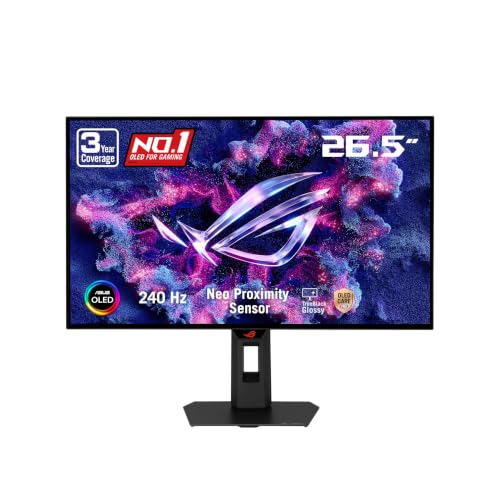


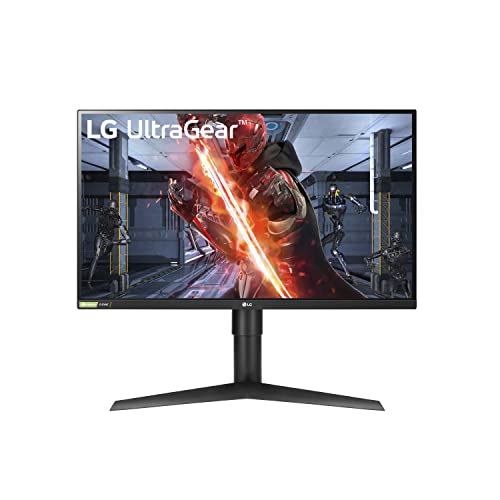

Connection and HDMI Basics
The console connects through HDMI, so the monitor's HDMI port matters more than its DisplayPort. A port that supports high refresh rates at 1440p lets the console deliver 120Hz in games that offer it. Older HDMI versions may cap you at lower rates or require compromises in resolution, so read the listing for the exact version.
Use the cable that came with the console or a certified high speed cable. A cheap or damaged cable is a common reason for flickering, black screens or a refresh rate that refuses to rise.
Variable Refresh Rate and Frame Pacing
Xbox consoles support variable refresh rate on compatible displays. When a game dips below its target frame rate, the screen adjusts instead of tearing, which keeps motion smooth even in busy scenes. Look for FreeSync or an HDMI variable refresh rate label in the listing, then enable the feature in the console's display settings.
A wider variable refresh range gives smoother handling of low frame rates. Some budget monitors limit the range or only enable the feature on one input, so buyer feedback on console use is worth reading.
Panel Choices for Console Play
Among the best 1440p monitors for Xbox Series X, the panel type shapes the whole experience.
Fast IPS panels remain the easiest choice: bright, colorful and consistent from any viewing angle. VA screens give better contrast for dark games but can show motion trails if the panel is slow. OLED monitors deliver the strongest picture and the quickest response but cost more and are best for people who vary what is on screen.
Because console players often sit farther back than PC players, brightness and viewing angle matter slightly more than raw pixel density. A bright, even panel often feels better than a sharper but dimmer one.
Screen Size and Seating Distance
A 27 inch screen is the natural fit for a desk, and a 32 inch panel works if you sit about two arm lengths away. Ultrawide screens can display some Xbox games in their native aspect ratio, but many titles show black bars, so check compatibility before buying one for the console.
If you game from a couch with a small table, a larger panel and a stand that tilts help keep the screen comfortable. For a standard desk, a 27 inch screen on an adjustable stand is hard to beat.
Features That Help on a Console
- Low latency or game mode that reduces processing time.
- A headphone jack so a wired headset connects straight to the screen.
- Multiple HDMI inputs, so a PC or streaming stick can share the display.
- Good stand adjustment or VESA holes for a wall or arm mount.
Speakers built into monitors tend to be weak. A headset or a small external speaker gives a much better experience, so do not pay extra for built-in audio.
How Much Resolution Does the Xbox Really Deliver?
Many console games render at a lower internal resolution and upscale the image, so you do not always see a native 1440p picture. Even so, a 1440p panel scales the image more cleanly than a 1080p screen and shows sharper menus, text and edges.
The screen also works as a desktop display, so a PC or laptop can share it. That flexibility is one of the main reasons people choose 1440p monitors over console-only displays.
Comparing Models Beyond the Headline Numbers
Two 1440p monitors can list the same refresh rate and still feel different on a console. Pay attention to the wording around the HDMI port, the adaptive sync range and the response time. If the listing gives only a best-case figure, buyer feedback about ghosting and flicker gives a more honest picture of what to expect.
Also weigh the warranty and return window. Problems like backlight bleed or dead pixels show up during the first dark game, so a straightforward return policy is worth more than a small saving.
Setting Up the Monitor With Your Console
After you connect the console, open its display and video settings and let it detect the screen. If 120Hz or variable refresh rate do not appear as options, open the monitor's own menu and change the HDMI mode to the newest or enhanced setting, since many monitors ship with a conservative default.
Switch on game mode on the monitor, turn off extra image processing and keep brightness at a level that suits your room. If you plan to use the same screen for a PC, set refresh rates separately on each source so one does not override the other.
For related options, see our guides to best monitors for xbox series x and best 4k monitors for xbox series x.
Frequently Asked Questions
Does the Xbox Series X support 1440p?
Yes, the console can output 1440p to a compatible display. After connecting, check the video output menu to confirm the resolution and refresh rate the console detects.
Will my monitor run at 120Hz on the console?
If the HDMI port supports 120Hz at 1440p and the game offers a 120 frame mode, yes. Check the monitor listing for HDMI details and enable the right modes in the console menu.
Is FreeSync enough for variable refresh rate?
Many FreeSync monitors work with the console's variable refresh rate. Read buyer feedback to confirm it works on the HDMI input, since some models only enable it over DisplayPort.
Should I buy an ultrawide for Xbox?
Only if you like the extra width for the games you play. Some titles support it and many show black bars, so a standard widescreen is the safer choice for a console.
Final Thoughts on the Best 1440p Monitors for Xbox Series X
The best 1440p monitors for Xbox Series X offer reliable HDMI, variable refresh rate support and a bright, fast panel that fits your desk. Decide on size and panel type, confirm the console details in the listing, and use the table above to compare current prices. Prices and availability can change, so check the product page before ordering.


