Best 24 Inch Computer Monitors for Work in 2026: Comfort, Ergonomics and Docking
Disclosure: We may earn a commission when you buy through links on this page, at no extra cost to you. As an Amazon Associate I earn from qualifying purchases. Learn more

Best 24 inch computer monitors for work should be easy on the eyes and adjustable. Compare stands, USB hubs, docking and panel comfort.
A work monitor does one job all day: it shows documents, spreadsheets, chats and video calls without making you tired. The best 24 inch computer monitors for work are chosen less for speed and more for ergonomics, panel comfort and connections that make a laptop dock simple.
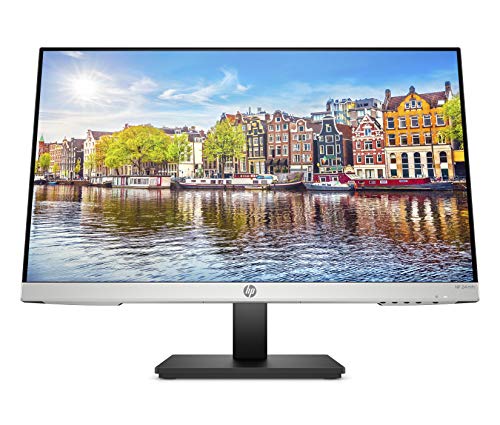
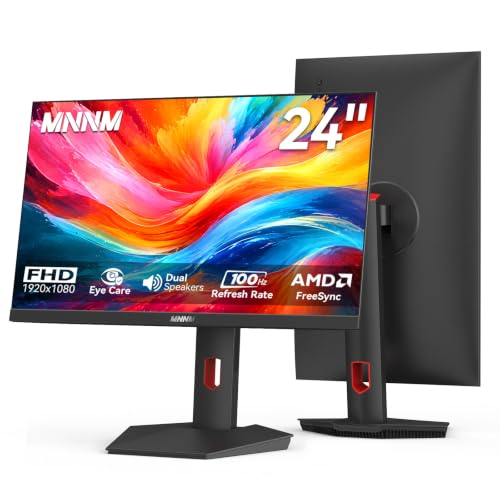
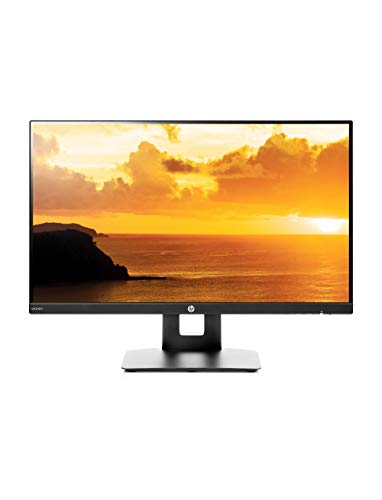
The product table lists office-oriented 24-inch models, including ergonomic screens with USB hubs, business-class models and one with a height-adjustable stand. The sections below explain what to check, from stand adjustments to USB hubs and warranties.




Ergonomics First
The single most valuable feature in a work monitor is a stand that adjusts. Look for height adjustment, tilt, swivel and pivot, so you can set the top of the screen at eye level and rotate to portrait for long documents. A fixed stand forces you to stack books under the monitor or tilt your head, and the cost shows after a few weeks.
If the stand falls short, a VESA arm solves it. Check that the monitor has the standard pattern on the back, and match the arm's weight rating to the monitor. Good posture is worth more than any display feature.
Panel Comfort
An IPS panel with wide viewing angles keeps text clear even if you sit off-center. A flicker-free backlight and a low blue light mode reduce eye strain. An anti-glare coating cuts reflections, which matter if the desk is near a window or under bright office lights.
Brightness should be adequate for a daylight office, and the monitor should be able to dim comfortably for evening work. Some models include ambient light sensors, though most rely on manual presets.
USB Hubs, Docking and Connectivity
Several models in the table include a USB hub, which lets you plug a keyboard, mouse or headset into the monitor and connect everything to a laptop with a single cable. A USB-C input that also charges the laptop is an even tidier setup, if your laptop supports video over USB-C.
Check the ports on your laptop and the monitor before you buy. HDMI and DisplayPort cover most cases. VGA appears on some business models for older machines. A short cable can limit placement, so plan for a longer one.
Video Calls and Audio
Built-in speakers help in a pinch, and a few models include a webcam, though most do not. For frequent calls, a separate headset gives better sound and privacy. Look for a headphone jack if you want an easy connection. If you use a laptop beside the monitor, raise the laptop on a stand so its webcam sits near eye level.
Single Screen or Dual Screen
Many people find a pair of 24-inch monitors more productive than one larger screen, since you can keep a document on one and a reference on the other. Buy matching models, thin bezels and a dual arm, and set the primary screen directly ahead. For more on this, see our guide to the best 24 inch monitors and the best computer monitors for office work.
If you want a larger screen, the best 32 inch monitors for work is the next step, and gamers may prefer the best computer monitors for gaming.
Warranty and Business Support
For a work monitor, support matters. Look for a warranty of at least three years where offered, a clear advance replacement policy and a seller with a good return window. Business-class models often include longer warranties than consumer ones. A broken monitor stops work, so quick replacement is worth paying for.
Common Mistakes
Do not buy a fixed-height stand for a long working day. Do not ignore the ports your laptop has. Do not choose a high refresh rate you will not use at the expense of ergonomics. And do not place the monitor too far or too close. The best 24 inch computer monitors for work make a day at the desk easier without calling attention to themselves.
Setting Up a Work Monitor Properly
Position the monitor directly in front of you, with the top edge at eye level and about an arm's length away. If you use a laptop alongside, place the laptop on a riser and use an external keyboard and mouse. Check that your elbows are near ninety degrees and your feet rest flat on the floor. A good monitor helps only if the rest of the setup supports it.
Set the display to a neutral picture mode and bring the brightness down until the screen matches the room. Enable the low blue light mode in the evening, and use software or the monitor's own menu to pick a text-friendly profile. Take regular short breaks, because even the best 24 inch computer monitors for work cannot replace rest.
Cables and Cable Management
A tidy desk reduces clutter and strain on ports. Run the cables behind the stand, use short ties and leave a little slack so the monitor can move freely. If the monitor has a USB hub, connect the upstream cable to your laptop and plug the keyboard, mouse and headset into the monitor. When you take your laptop to a meeting, one cable disconnects and the desk stays ready for your return.
Finally, ask your employer or IT team about equipment rules. Some workplaces supply monitors or reimburse them, and some require specific connections for docking stations. A short check before you buy can save a return and make sure the monitor works with the laptop you use every day.
FAQs
Which stand features matter most?
Height adjustment and tilt. Pivot and swivel are useful extras.
Do I need USB-C?
It is convenient for a laptop dock, but optional. HDMI works well.
Is 1080p enough for work?
Yes at 24 inches. It looks sharp and keeps costs down.
Are two screens better than one?
For multitasking, often yes.
Final Thoughts
The best 24 inch computer monitors for work are adjustable, comfortable and easy to connect to your laptop. Focus on the stand, the panel comfort and a USB hub, then compare the models in the product table.
Prices and availability can change, so check the product page before ordering.