
Best Computer Monitors for Gaming: What Actually Matters Before You Buy
Disclosure: We may earn a commission when you buy through links on this page, at no extra cost to you. As an Amazon Associate I earn from qualifying purchases. Learn more

A practical checklist for choosing the best computer monitors for gaming, from refresh rate and panel type to ports and HDR, plus three picks.
Your monitor is the one part of a gaming setup you look at for every second you play. A great graphics card paired with a slow, washed out screen wastes much of its power, while the right display makes even a midrange PC feel faster and more immersive. Picking the best computer monitors for gaming comes down to a handful of criteria, and this guide lays them out as a checklist you can use on any model.
Below you will find how we evaluate gaming monitors, what strong and weak results look like for each criterion, three picks that pass, a quick buyer checklist and the red flags that signal a disappointing screen. The product table above lists options from budget IPS panels to premium 4K OLEDs.





How We Evaluate Computer Monitors for Gaming
We judged monitors on the same criteria using manufacturer specifications, the details in each Amazon listing and patterns across verified buyer feedback from PC and console gamers. We did not run our own trials; instead we compared each display's design against what owners consistently report after months of play. Each criterion includes the thresholds that separate a strong gaming monitor from a weak one.
Features That Matter for Gaming
For gaming, smooth motion, fast response and low input lag matter more than anything else. A good gaming monitor pairs a high refresh rate with variable refresh technology, so frames appear the moment your graphics card renders them without tearing. Game modes, crosshair overlays and black level boosting are useful extras for competitive titles.
A strong gaming monitor feels instantly responsive in fast shooters and racing games. A weak one advertises gaming features but suffers from ghosting, smearing or noticeable lag.
Panel Technology
IPS panels offer accurate colors, wide viewing angles and fast response times, making them a popular all round choice. VA panels deliver deeper blacks and higher contrast, great for dark games and movies, though some show smearing in dark scenes. OLED panels, including QD OLED and WOLED, light each pixel individually for perfect blacks, near instant response and outstanding HDR.
A strong choice matches the panel to your games and room: IPS for versatility, VA for contrast on a budget and OLED for the best overall picture. A weak monitor uses an older TN panel with poor colors and viewing angles.
Connectivity and Ports
DisplayPort 1.4 or newer is the standard for high refresh PC gaming, while HDMI 2.1 is essential for 4K at 120Hz on PlayStation 5 and Xbox Series X. Extra features such as USB C with power delivery, USB hubs and audio outputs add convenience for laptops and desk setups.
A strong monitor has enough ports for your PC, console and laptop. A weak one limits its highest refresh rate to a single port or lacks HDMI 2.1 for current consoles.
Adaptive Sync and Gaming Features
Adaptive sync technologies such as AMD FreeSync and NVIDIA G SYNC Compatible match the monitor's refresh rate to your frame rate, eliminating tearing and reducing stutter. Look for a wide variable refresh range and support for low framerate compensation.
A strong implementation works smoothly with both AMD and NVIDIA graphics cards. A weak one flickers or only works within a narrow range of frame rates.
HDR and Brightness
HDR expands contrast and color for supported games. Real HDR needs high peak brightness or per pixel control, so look for certifications such as VESA DisplayHDR True Black 400 on OLED or DisplayHDR 600 and higher on Mini LED monitors. Basic HDR400 on standard LCD panels adds little.
A strong HDR monitor shows bright highlights with deep shadows. A weak one carries an HDR label but looks washed out when HDR is enabled.
Stand, Mounting and Ergonomics
Long gaming sessions are easier with a stand that adjusts height, tilt and swivel, letting you set the screen at eye level. VESA mounting support allows monitor arms, which free up desk space. Sturdy stands prevent wobble during intense games and when you bump the desk.
A strong stand holds the monitor steady at a comfortable height. A weak one offers tilt only and leaves the screen too low or shaky.
Refresh Rate and Response Time
Refresh rate, measured in hertz, is how many times per second the screen updates. 144Hz is the entry point for gaming, 165Hz to 180Hz is common, 240Hz suits competitive players and 360Hz and above target esports professionals. Response time, ideally 1ms gray to gray or faster on LCD and around 0.03ms on OLED, reduces motion blur.
A strong monitor reaches its rated refresh rate with clean motion and minimal overshoot. A weak one needs overdrive settings that create bright halos around moving objects.
Curved vs Flat Screens
Curved monitors wrap the image around your field of view, which adds immersion on wide and ultrawide screens and reduces eye movement to the edges. Curvature is described with numbers like 1000R or 1500R; smaller numbers mean a stronger curve. Flat monitors are better for competitive play, multi monitor setups and creative work where straight lines matter.
A strong curved monitor uses a gentle curve suited to its size. A weak one adds an aggressive curve to a small screen, where it brings little benefit.
Matte vs Glossy Coatings
Matte coatings diffuse reflections, making them better for bright rooms and windows. Glossy coatings, common on OLED, deliver punchier contrast and clearer blacks but reflect lamps and sunlight. Consider your room lighting before choosing, since reflections can be distracting in dark game scenes.
Resolution and Size
Resolution should match your graphics card and screen size. 1080p works well at 24 to 25 inches for high frame rate esports, 1440p is the sweet spot at 27 inches for most gamers and 4K shines at 32 inches with a powerful GPU. Ultrawide 34 inch monitors with 3440 x 1440 resolution add immersion in racing, flight and open world games.
3 Picks That Pass Our Checklist
These three monitors pass the checklist and represent the best computer monitors for gaming across three budgets: a premium feeling OLED at a midrange price, a value IPS and a flagship 4K OLED. Prices change often, so treat figures as approximate.
ASUS ROG XG27AQDMGR OLED: Best Overall
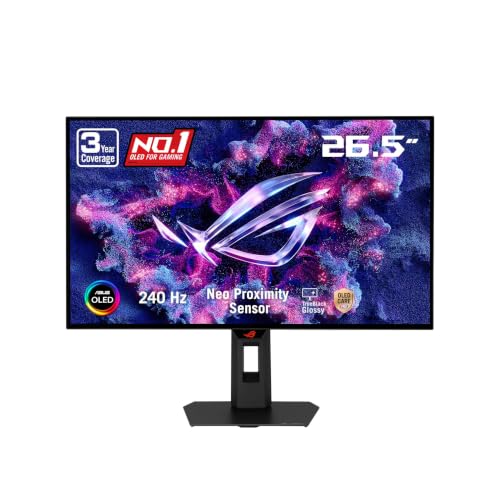
The ASUS ROG XG27AQDMGR suits gamers who want OLED picture quality at 1440p without flagship pricing, at around $384. It is a 26.5 inch QHD glossy WOLED panel with a 240Hz refresh rate.
Two strengths stand out: a 0.03ms gray to gray response time for exceptionally clear motion, and VESA DisplayHDR 400 True Black compliance with 99 percent DCI P3 color for vivid HDR. ASUS OLED Care Pro uses a proximity sensor to blank the screen when you step away, and the 3 year warranty includes burn in coverage. The limitation is that the glossy screen reflects room lights, so it suits rooms you can control. Skip it if your desk faces a bright window.
At this price, it brings OLED's biggest strengths, perfect blacks and instant response, to a mainstream 1440p resolution that midrange graphics cards can drive at high frame rates. For many gamers it is the most noticeable upgrade they can make.

AOC Q27G41ZE: Best Value
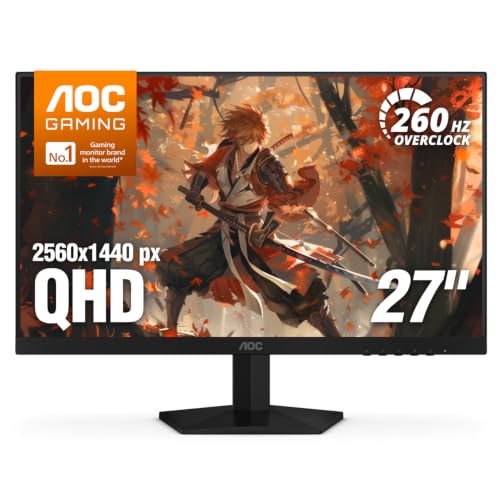
The AOC Q27G41ZE suits budget conscious gamers who want a fast 1440p IPS monitor, at around $160. It delivers 2560 x 1440 resolution on a 27 inch panel, the most popular gaming size.
Its strengths are a 240Hz refresh rate via DisplayPort (with an overclocked mode the listing advertises up to 260Hz) and 0.3ms MPRT response for sharp motion, plus Adaptive Sync support for both AMD and NVIDIA graphics cards. Shadow Control and game mode presets help in dark scenes. The trade off is a basic stand with tilt adjustment only and 300 nit brightness that is modest for HDR. Skip it if you need height adjustment without buying a monitor arm.
Pair it with an inexpensive VESA arm and you get a fast, sharp 1440p setup for less than many 1080p monitors cost a few years ago.

ASUS ROG PG32UCDM QD OLED: Best Premium Pick
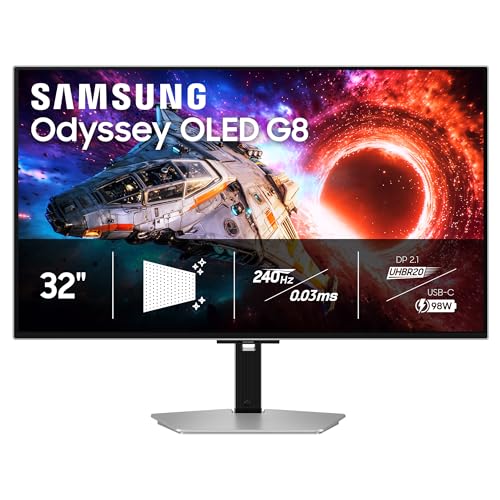
The ASUS ROG PG32UCDM is a 32 inch 4K QD OLED monitor with a 240Hz refresh rate, aimed at gamers with high end graphics cards, at around $1,180. It suits players who want the sharpest, most immersive picture available.
Two features justify the price: 4K resolution with OLED contrast and color, ideal for cinematic single player games and creative work, and a 240Hz refresh rate that keeps fast games smooth at high resolution. The drawback is that driving 4K at high frame rates requires a powerful GPU and the price is several times higher than 1440p options. Skip it if your PC uses a midrange graphics card.
For players who also watch movies or edit video on their PC, the combination of 4K detail, OLED contrast and wide color makes it a true all in one display.

Quick Buyer Checklist
- Does the resolution match your graphics card (1080p, 1440p or 4K)?
- Is the refresh rate at least 144Hz, or 240Hz for competitive play?
- Does it support FreeSync or G SYNC Compatible with your GPU?
- Does it have DisplayPort for PC and HDMI 2.1 for current consoles?
- Is the panel type right for your room and games (IPS, VA or OLED)?
- Can the stand adjust height, or does it support VESA mounting?
- Is real HDR certification listed if you care about HDR?
- Does the warranty cover burn in for OLED models?
Red Flags to Watch For
- Misleading response times: 1ms MPRT claims can hide slow gray to gray response and ghosting.
- Refresh rates only via overclocking: some monitors reach advertised rates only in overclocked modes.
- HDR in name only: HDR400 on a dim LCD rarely improves picture quality.
- Limited ports: no HDMI 2.1 on monitors marketed for consoles.
- Unusual review patterns: new listings with only short, generic reviews deserve extra caution.
Short warranties without dead pixel or burn in policies are another warning sign, particularly on OLED panels.
Best Computer Monitors for Specific Needs
Different players and setups call for different priorities.
Best Computer Monitors and Why
The best computer monitors balance resolution, refresh rate and panel quality for your hardware. For most gamers, a 27 inch 1440p display at 165Hz to 240Hz offers the ideal mix of sharpness and speed. Competitive players benefit from 24 to 25 inch 1080p or 1440p monitors at 240Hz or higher, while immersive single player fans enjoy 4K OLED or ultrawide screens.
Best Computer Monitors for Gaming and Art
Gamers who also edit photos, draw or create video need accurate color as well as speed. Look for wide color gamut coverage (DCI P3), factory calibration with low Delta E values and 10 bit color. OLED and quality IPS panels serve both purposes well, and a USB C connection helps for laptops and drawing tablets.
For Console Gamers
PlayStation 5 and Xbox Series X players should prioritize HDMI 2.1, 4K resolution support and 120Hz refresh. A 27 to 32 inch 4K monitor or a 1440p monitor with HDMI 2.1 suits consoles well, and built in speakers or a headphone jack add convenience.
For Competitive Esports Players
Esports players should prioritize the highest refresh rate their PC can sustain, often 240Hz to 360Hz or more, along with fast response times and low input lag. A 24 to 25 inch screen keeps the entire playfield in view without moving your eyes. Features like black equalizer and motion blur reduction help spot enemies in dark corners.
For Multi Monitor and Streaming Setups
Streamers and multitaskers often pair a fast primary gaming monitor with a secondary screen for chat, streaming software and guides. Matching heights and thin bezels make dual setups look clean, and VESA mounts on a dual arm save desk space.
How to Make Your Computer Monitor Last Longer
- Use OLED care features: enable pixel refresh, screen savers and auto hide taskbars to reduce burn in risk.
- Lower brightness for desktop work: high brightness constantly increases wear and heat.
- Clean gently: use a dry microfiber cloth; avoid sprays on matte or glossy coatings.
- Protect from power surges: plug into a surge protector.
- Keep firmware updated: monitor firmware updates can fix bugs and improve features.
- Use a monitor arm carefully: make sure it supports the monitor's weight so the screen does not sag or fall.
- Avoid pressing on the panel: carry the monitor by its frame or stand, never by the screen.
Frequently Asked Questions
What features matter most in computer monitors for gaming?
The most important features are refresh rate, response time, adaptive sync and a resolution that matches your graphics card. Panel type affects contrast and color, while ports determine compatibility with PCs and consoles. Ergonomic stands and HDR quality are valuable extras.
What size should I get for my room or desk?
For most desks, 27 inches is the sweet spot, pairing well with 1440p resolution. Competitive gamers often prefer 24 to 25 inches so the whole screen stays in view. Deep desks can handle 32 inch 4K or 34 inch ultrawide monitors comfortably.
Is 4K worth it?
4K is worth it if you have a powerful graphics card or a current console and enjoy visually rich games. It also improves text clarity for work. For competitive games where frame rate matters most, 1440p offers a better balance of sharpness and speed.
How long do they last?
LCD gaming monitors often last five to ten years or more. OLED monitors can last many years with care features enabled, though burn in is possible with heavy static content. Warranties that include burn in coverage add peace of mind.
IPS vs OLED: which is better?
OLED offers perfect blacks, infinite contrast and near instant response, making it better for picture quality and HDR. IPS is brighter, has no burn in risk and costs less. Choose OLED for immersive gaming in controlled lighting, IPS for bright rooms and long desktop sessions.
Does refresh rate matter for non gamers?
Yes, a higher refresh rate makes scrolling, moving windows and cursor movement smoother, which many people notice immediately. A 120Hz or 144Hz monitor improves everyday use, though the difference matters most in games.
Wrapping Up
Refresh rate, panel type and the right resolution for your hardware matter most. The ASUS ROG XG27AQDMGR OLED is the best overall pick for vivid 1440p gaming, the AOC Q27G41ZE offers outstanding value and the ASUS ROG PG32UCDM is the premium 4K OLED for high end rigs. Run through the checklist, compare the product table above and you will find the best computer monitors for gaming for your setup. Console players can also read our guide to the best computer monitors for console gaming.

