Best 144Hz Gaming Laptops in 2026: Buying Guide
Disclosure: We may earn a commission when you buy through links on this page, at no extra cost to you. As an Amazon Associate I earn from qualifying purchases. Learn more

What to check before choosing the best 144hz gaming laptops: graphics, cooling and display points that decide real performance.
A 144Hz screen is the baseline for a gaming laptop that feels fluid, and it is the feature that separates a gaming machine from an ordinary one with a graphics chip. The best 144hz gaming laptops pair that screen with a graphics card and cooling that can actually reach high frame rates.
That last part is where buyers go wrong, so this guide focuses on balance: the graphics card, processor, cooling, display and battery working together. Use the product table above for current options and the sections below to understand them.





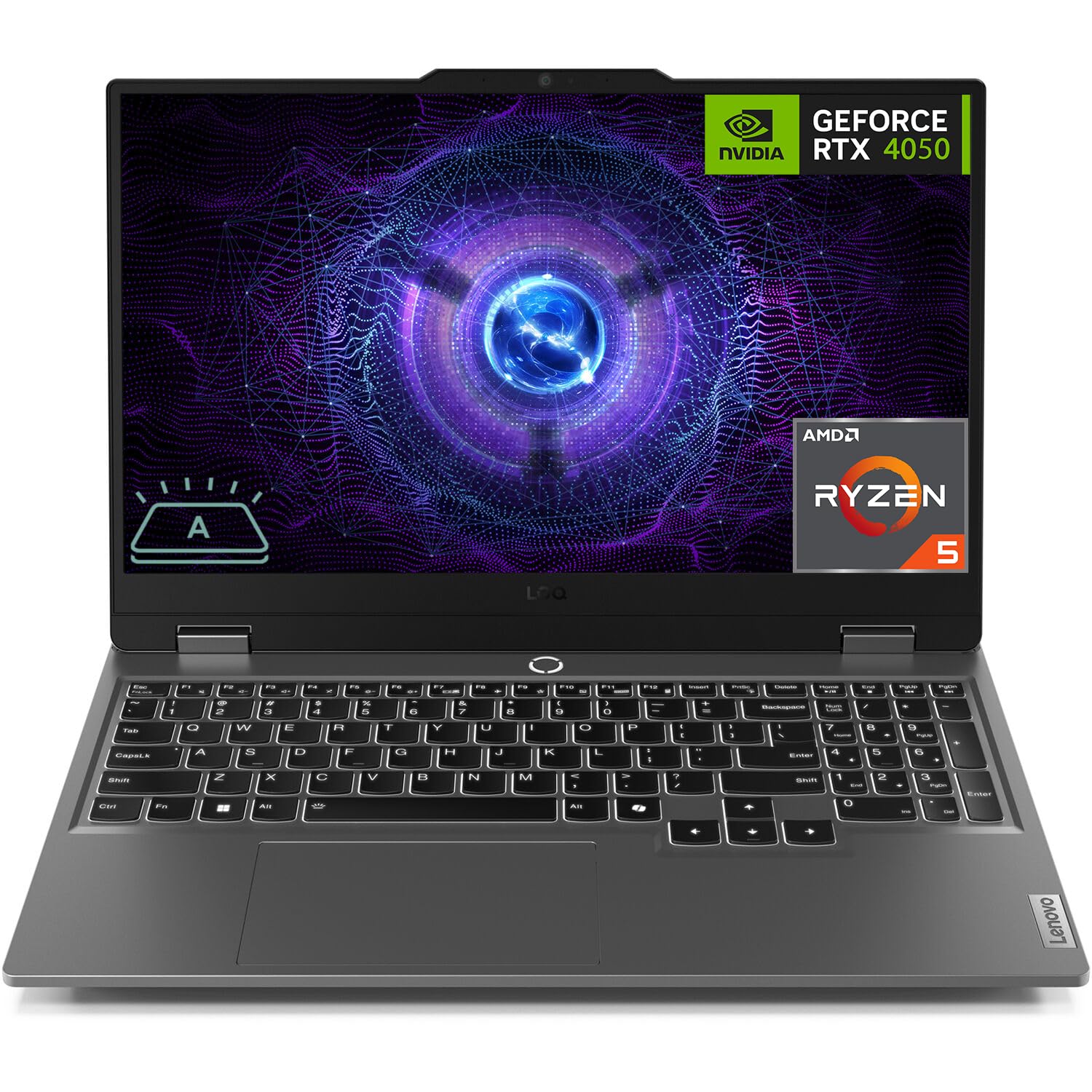

Why 144Hz Matters on a Laptop
A 144Hz display refreshes more than twice as often as a standard 60Hz one, which makes movement smoother and gives competitive players a small edge. The benefit only appears if the laptop's graphics card can deliver frames at that pace in the games you play.
In demanding titles, a laptop may reach only 80 to 100 frames at high settings. That is still a large improvement on 60Hz, and adaptive sync on some models helps smooth the variation.
Graphics Card Is the Heart of the Machine
The graphics chip determines how many frames you will see. Entry cards handle esports titles at high settings, midrange cards run most games well at Full HD, and higher models handle QHD and demanding titles. Laptop versions of cards vary in power by manufacturer, so two laptops with the same chip name can perform differently.
Look at the wattage or power limit when it is listed, and read buyer feedback about performance in real games. A thicker laptop with better cooling often outperforms a thin one with an identical chip.
Processor and Memory
A modern processor with six or more cores is plenty for most games. Memory matters more than people think: 16GB is the recommended minimum for current games, and 32GB suits heavy multitasking or streaming. Check whether the memory is upgradeable, since soldered memory cannot be expanded later.
Storage should be a fast SSD of at least 512GB. Many modern games take up large amounts of space, and a full drive slows down loading times and updates.
Cooling, Noise and Sustained Performance
Gaming laptops generate heat, and the cooling design decides how long the machine holds its peak speed. Thin models may throttle after a while, reducing frame rates, while thicker ones sustain performance better but weigh more and are louder.
Look for notes about fan noise, surface temperature and any performance modes. A cooling pad or a raised stand can lower temperatures further and keeps the keyboard area comfortable.
Display Details Beyond Refresh Rate
Check resolution, panel type and color coverage. Full HD at 144Hz is common and works well with midrange hardware. IPS-type panels give good viewing angles and color, while brightness matters if you game near a window. Adaptive sync support is a helpful bonus.
A matte screen cuts reflections. If you edit photos on the same machine, look for wider color coverage, though it is less common on budget models.
Battery, Weight and Portability
Gaming laptops have modest battery life, especially when playing, and most perform best while plugged in. Expect a few hours of light use at best. Weight varies from slim models that are easy to carry to thick ones that feel like a small desktop.
If you travel with your laptop, factor in the charger too, which can be large. For mostly desk use, a heavier machine with better cooling is often the smarter buy.
Ports and Upgradeability
- HDMI or DisplayPort output for an external monitor.
- USB-A and USB-C ports for peripherals.
- Wi-Fi 6 or newer, and an Ethernet port for stable online play.
- Accessible RAM and storage slots for later upgrades.
Good ports mean fewer adapters and a smoother desk setup.
How to Compare Two Laptops With the Same Graphics Chip
Two machines can list the same graphics chip and perform differently. Compare the maximum power the chip is allowed to draw, the thickness of the chassis, the number of fans and heat pipes, and what buyers report about sustained frame rates after an hour of play. A thicker laptop with a modest chip often outperforms a sleek one with the same name on paper.
Also compare the display. A laptop with a brighter, better-calibrated screen can feel more premium in daily use, even if the games run the same. Add up the extras that you use every day, such as keyboard feel, webcam quality and speaker volume, because they matter beyond benchmark numbers.
Getting the Most Out of a 144Hz Laptop Screen
After unboxing, open the display settings and confirm that the refresh rate is set to 144Hz, since laptops often default to 60Hz to save battery. Make sure the discrete graphics card, not the integrated one, runs your games, and switch to the performance power mode while plugged in.
Keep the vents clear, avoid using the laptop on soft surfaces, and update the graphics driver regularly. Capping the frame rate slightly below the screen's maximum can lower temperatures and fan noise with almost no visible change in smoothness.
Mistakes Gaming Laptop Buyers Make
The most expensive mistake is paying for a high-end processor while accepting a weak graphics card. For games, the graphics chip matters far more, so shift budget toward it first. Another is ignoring storage and memory: a machine with 8GB of memory and a small drive will feel slow in modern games regardless of its graphics power.
Buyers also overlook the keyboard and the fan noise. You will use both daily, so read comments about key feel, wrist comfort and how loud the fans get under load. A slightly slower laptop that is pleasant to use often beats a faster one that is tiring to live with.
For related options, see our guides to best 144hz laptops, best inexpensive gaming laptops and best quality gaming laptops.
Frequently Asked Questions
Is 144Hz enough for a gaming laptop?
For most players, yes. Higher rates exist, but they matter only when the graphics card can supply the frames.
How much memory do I need?
16GB is the sensible minimum today. Choose 32GB if you stream or multitask heavily.
Do thin gaming laptops perform as well as thick ones?
Often not. Thinner machines may throttle under load, so check buyer feedback on sustained performance.
Can I connect an external monitor?
Yes. Most gaming laptops have HDMI or DisplayPort, and an external screen gives more screen space.
Final Thoughts on the Best 144hz Gaming Laptops
The best 144hz gaming laptops balance a smooth screen with a graphics card, memory and cooling that can use it. Decide how portable you need the machine to be, check the ports and use the table above to compare current prices. Prices and availability can change, so check the product page before ordering.