
Best 24 Inch Computer Monitors in 2026: The Everyday Desk Standard
Disclosure: We may earn a commission when you buy through links on this page, at no extra cost to you. As an Amazon Associate I earn from qualifying purchases. Learn more

Best 24 inch computer monitors are the default desk size for a reason. Compare panels, ports, stands and warranties for work and home.
If one monitor size has earned the title of default, it is 24 inches. It fits almost any desk, runs a crisp 1080p picture and covers the needs of most people who write, browse, study and stream. The best 24 inch computer monitors are not exotic; they are well-built, comfortable screens priced for everyday use.
The product table lists current models from simple 75Hz office screens to 120Hz IPS panels, with built-in speakers, adjustable stands and long warranties. The sections below help you choose among them without wading through marketing.

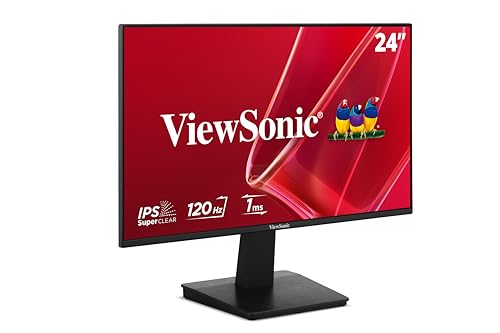


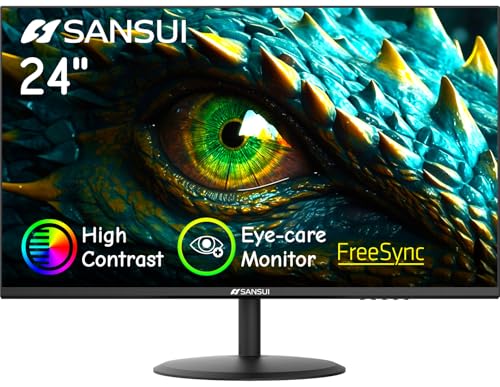
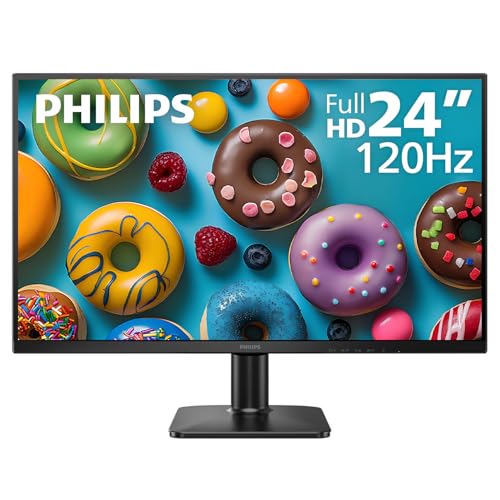
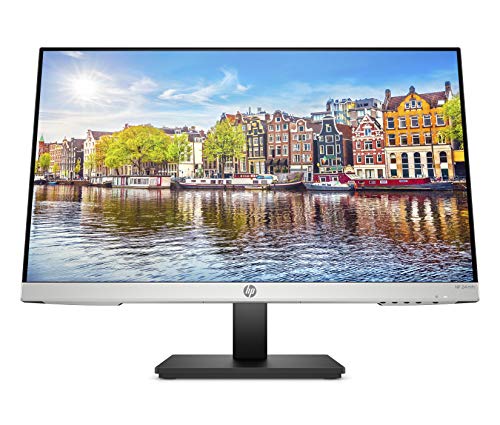


Why 24 Inches Fits So Many Desks
A 24-inch screen, usually a 23.8-inch panel, sits comfortably at arm's length and shows two windows side by side with room to spare. It leaves space on a shallow desk for a keyboard, notebook and mug, and it is light enough for a basic arm. For small spaces, the size is a safe choice, and for bigger desks, two make a tidy pair.
If you want more room, step up to the best computer monitor guide, which compares larger sizes. Mac users may like our guide for Mac mini, and anyone planning two screens should read about connecting two monitors to a laptop.
Panel Type and Comfort
Most of the best models use IPS panels, which keep colors and brightness steady when you sit off-center. A few use VA, which has richer contrast and suits movies. Look for flicker-free backlights, a low blue light mode and an anti-glare coating, which together reduce eye strain across a working day.
Brightness matters if the desk faces a window. A brighter screen stays readable in daylight, while a dimmer one suits a dark room. Many monitors include presets, and a neutral setting with moderate brightness is a good starting point for text.
Refresh Rate: Do You Need More Than 60Hz?
The table includes screens at 75Hz, 100Hz and 120Hz. A higher rate looks smoother when you scroll, move windows and play casual games, and it costs little at this size. For documents, 60Hz is perfectly usable. For a desktop that feels more responsive, 100Hz or 120Hz is a worthwhile upgrade.
If you want a high rate for competitive play, a dedicated gaming monitor is the better choice, and our guide to 24 inch gaming monitors covers that. For office work, a calm panel matters more than speed.
Ports and Cables
HDMI is the standard connection, DisplayPort is common on desktop graphics cards and VGA remains on some basic models. Check that your computer has a matching output. A USB-C input is not common at this price, so a thin laptop may need an adapter or a different monitor.
Look at the cables included. Many monitors ship with an HDMI cable, some with VGA or DisplayPort. A short cable limits placement, so buy a longer one if needed. Make sure any cable supports the refresh rate you want.
Stands, Speakers and Extras
Most stands tilt and a few adjust height and rotate. If your chair or desk makes the default height awkward, choose an adjustable stand or add a VESA arm. Built-in speakers are handy for calls and videos but modest in sound.
Warranty and support matter. Some brands offer advance replacement programs and multi-year coverage, a sign of confidence, and valuable for a screen you will use every day. Compare the return policy as well, since a monitor is easy to return when you can inspect it promptly.
Single Screen or a Pair
Two 24-inch monitors give far more working space than one, for a modest extra cost. Buy matching models to keep colors and height the same, and choose slim bezels to reduce the gap. A dual arm keeps the pair aligned and frees desk space. Even if you start with one, pick a model sold in a pack or likely to stay in stock, so you can add a second later.
How to Choose Among the Models
Start with your budget and your main use. For documents and video calls, choose a comfortable IPS model with speakers. For mixed work and play, choose 100Hz or 120Hz. For a second screen, choose a thin-bezel model that matches your first. Then check the stand and warranty. Avoid paying for features you will not use, such as high refresh rates for a screen used only for spreadsheets.
Setting Up Your Monitor Well
Place the screen at arm's length with the top edge at or slightly below eye level. Tilt it a few degrees back so you look slightly down, and keep it square to your seat. Set the brightness so a white page matches the light of the room, and use a night or low blue light mode in the evening. Picking the best 24 inch computer monitors is only half the job; the setup decides whether your eyes feel good at five o'clock.
Update your graphics drivers and check the display settings for the native 1920 by 1080 resolution and the highest refresh rate the monitor offers. Use the calibration or color mode your monitor suggests for general use, and keep sharpening at its default, since sharper settings introduce halos around text.
Caring for the Monitor
Dust the screen with a dry microfiber cloth, and use a slightly damp one for smudges. Never spray cleaner directly on the panel. Keep the vents clear, avoid placing the monitor beside a radiator and switch it off or let it sleep when you are away. A monitor kept in good condition lasts for many years and holds its brightness.
FAQs
Is 24 inches big enough for work?
Yes, for most tasks. Two screens give more room if you multitask.
Do I need IPS?
It is the best all-round choice, but VA works well for contrast.
Is 1080p enough at 24 inches?
Yes. It looks sharp at this size.
Should I get speakers?
If you want fewer cables, yes. Headphones sound better.
Final Thoughts
The best 24 inch computer monitors are comfortable, well-supported screens that match your ports and your desk. Choose a calm IPS panel, check the stand and warranty, and compare the models in the product table to find the one that suits you.
Prices and availability can change, so check the product page before ordering.


