
Best 3 Piece Computer Speakers for 2026: 2.1 Systems With a Subwoofer
Disclosure: We may earn a commission when you buy through links on this page, at no extra cost to you. As an Amazon Associate I earn from qualifying purchases. Learn more

The best 3 piece computer speakers are 2.1 systems: two small satellites and a subwoofer. See how they differ on power, inputs, bass control and desk fit.
A three piece computer speaker system has two satellite speakers and a subwoofer, which is why sellers call it 2.1. The best 3 piece computer speakers give a wider, fuller sound than a plain stereo pair because the sub handles bass and lets the small satellites focus on voices and details. They suit music, movies and games at a desk, and the product table lists current systems at a range of prices.
This guide explains how the three pieces work together, what specs to check, how to place the sub and how to connect the system to a PC, laptop or console.
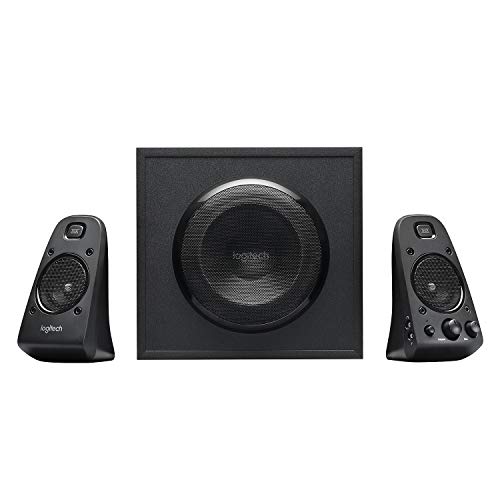
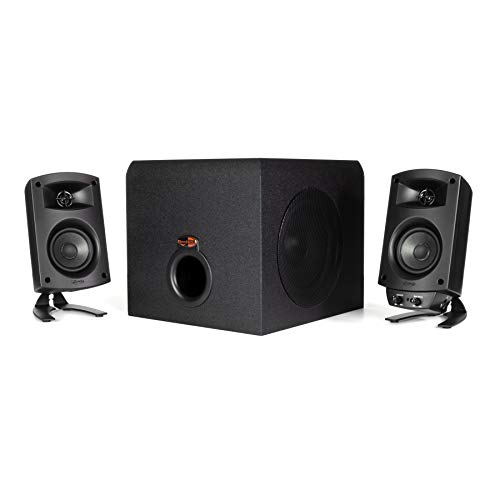
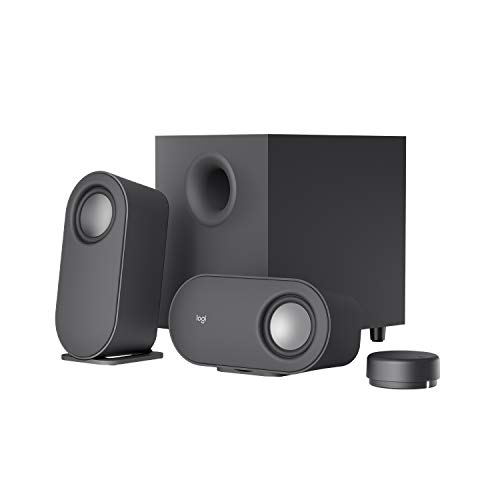

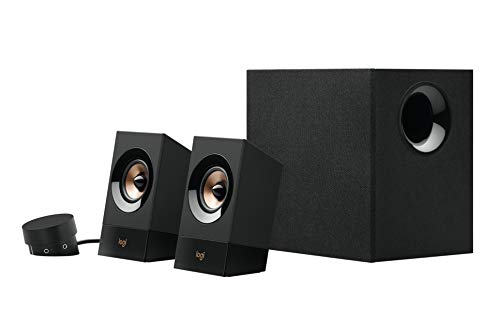
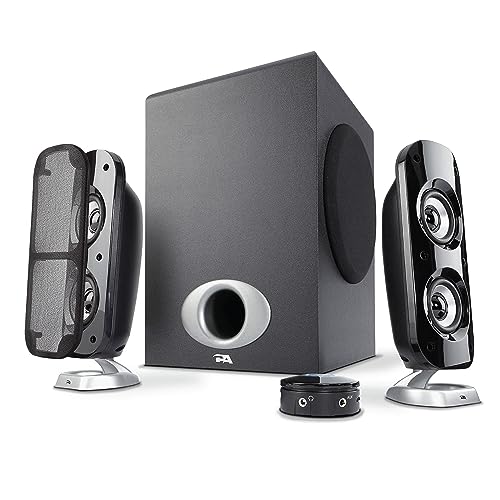

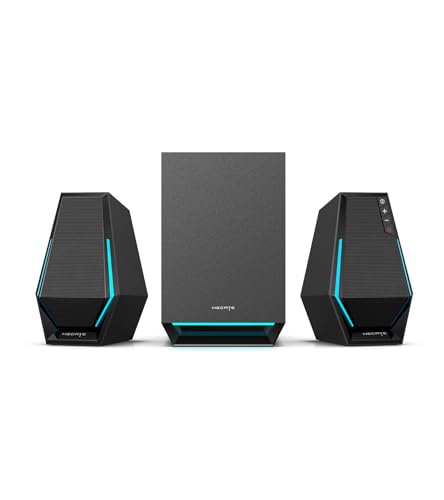
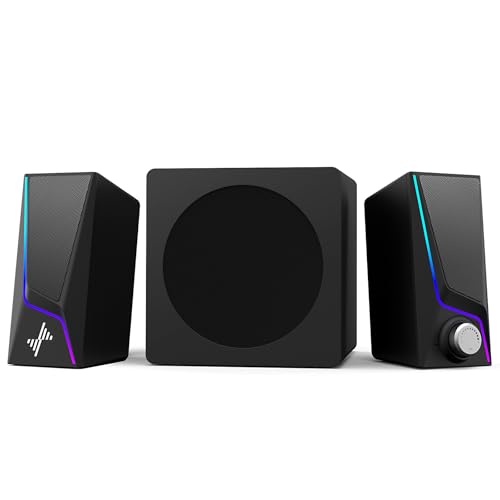

How a 2.1 system works
Each satellite reproduces mids and highs, and the subwoofer reproduces the low frequencies. The sub also carries the power amplifier in most desktop systems, with a control pod or a cable that feeds the satellites. Splitting the jobs lets the satellites be small and the bass be big. The result is a more natural sound than a pair of tiny speakers pretending to play bass.
The extra piece does take space, though. You need a spot on the floor or under the desk for the sub and a power outlet nearby. If you have a very tight desk, a two piece system may fit better, and our guide to 2 piece computer speakers covers that option.
What to check on the specs
Power ratings
Systems advertise peak and RMS power. RMS is the realistic figure, so compare that number. A modest system is plenty for a desk, and you rarely use more than a fraction of the power in a room of normal size.
Inputs and outputs
Most systems accept a 3.5mm cable. Bluetooth is a handy extra for phones. Optical or RCA inputs help if you want to connect a TV or console. A headphone jack on the control pod is useful for late-night gaming.
Controls
A wired control pod with volume, bass and a power button is simple and sits on the desk. Rear knobs on the sub are hard to reach, so a front-facing control is worth having. Remote controls are a bonus for living room use.
Satellite size and stands
Small satellites save space but give less midrange body. Tilted or angled satellites aim the sound at your ears. Some systems include stands or pads, and others rely on a flat base.
Picking among the best 3 piece computer speakers
Think about the size of your room, the music you play and your budget. If you play games and watch films, a stronger sub adds impact to explosions and engines. If you mostly listen to podcasts, voices and light music, a modest system keeps the bass smooth and avoids annoying neighbors. Also consider the finish: a wooden sub looks better in a living room than a plastic one, and a small LED can be annoying at night.
For a deeper look at bass-heavy models, see our computer speakers with sub page. If you value accuracy over punch, compare our best sounding computer speakers guide. On a tight budget, the inexpensive computer speakers page lists lower cost options.
Setting up the system
- Place the satellites on either side of the monitor at ear height, angled slightly toward you
- Put the subwoofer on the floor near the front, away from the wall if the bass sounds boomy
- Connect the satellites to the sub and the control pod, then plug in the audio source
- Set the sub volume low, play a familiar song and raise it slowly until the bass blends in
- Adjust the bass level for different content, since movies and music need different settings
Corner placement boosts bass, which can sound muddy. If the bass is boomy, move the sub away from walls and a few inches out of the corner. If it sounds thin, move it closer to a wall.
Connections for different devices
A PC with a 3.5mm output works with almost every system. If the PC audio hisses, a USB sound adapter often cleans it up. For a console, use an optical or 3.5mm output on the TV or controller. For a phone, Bluetooth is handy, but a cable gives better sound and no pairing issues. If the system has USB audio, it can double as the PC's sound card and reduce cables.
Noise and hum
A faint hum often means a ground loop or a cable running next to a power cord. Keep audio cables away from power bricks, and use shielded cables. A hum that changes when you move the mouse points to electrical interference from the PC itself, and a USB audio connection fixes it.
Gaming and movies
Positional audio in games relies on stereo cues, and a good 2.1 system delivers it well. For movies, a 2.1 system will not give real surround, but virtual surround modes can widen the sound. If you want true surround, look at 5.1 systems instead, though they need more space and wiring.
Room acoustics and desk placement
Desks reflect sound, and a hard surface right in front of the satellites can blur voices. Place the satellites on small stands or pads so that the tweeters sit near ear level and the first desk reflection is reduced. If the desk is crowded, pushing the satellites a little farther apart gives a wider sound. Avoid hiding them behind the monitor or beside a stack of books, since anything in the way muffles the highs.
The sub is easiest to place under the desk, where it fills the room evenly. If the floor is hollow or thin, a rubber pad under the sub reduces boom and prevents buzzing against the floor. Check that the sub cable is long enough, and avoid pinching it under a chair wheel.
How much power do you really need
Desk speakers rarely need more than a small fraction of their rated power. A system rated in the tens of watts RMS fills a bedroom or an office. Higher power only matters if you want to fill a larger room or play loudly without distortion. More power also means a bigger sub and a bigger power brick, and the price rises accordingly.
FAQ
Is a subwoofer necessary?
Not necessary, but it adds depth to music, games and films. A good stereo pair is enough for speech.
Can I connect it to a TV?
Yes, if the TV has an audio out and the speakers have a matching input.
Will it overpower a small desk?
Not if you keep the volume sensible. The sub can sit on the floor.
Do I need a power strip?
Often yes, since the sub and the monitor both need outlets.
Final thoughts
The best 3 piece computer speakers give your PC fuller sound without the cost of a full hi-fi system. Choose the right power and inputs, place the sub carefully, keep the bass in check and compare the systems in the product table.
Prices and availability can change, so check the product page before ordering.


