
Best 50 Inch TVs: Matching the Right Model to Your Routine
Disclosure: We may earn a commission when you buy through links on this page, at no extra cost to you. As an Amazon Associate I earn from qualifying purchases. Learn more

50 inch TVs matched to how you watch, with three picks and advice on panels, gaming and room size.
A 50 inch TV hits a sweet spot for bedrooms, apartments, dorms and smaller living rooms: big enough for movie nights and gaming, small enough to fit on a dresser or narrow wall, and priced well below larger sets. The catch is that the 50 inch class covers everything from basic budget models to Mini LED TVs with gaming features that rival flagships. This guide to the best 50 inch tvs matches the right type of TV to the way you watch, so you pay for the features you will actually use.
The short answer: most people should choose a 4K QLED or Mini LED TV with a good smart platform; budget buyers can get a solid 4K picture from a simple LED or QLED Roku or Google TV model, and gamers should prioritize 120Hz or higher refresh rates with variable refresh rate support.



Our Top 3 Picks at a Glance
For a quick starting point, these three TVs cover the main budgets.
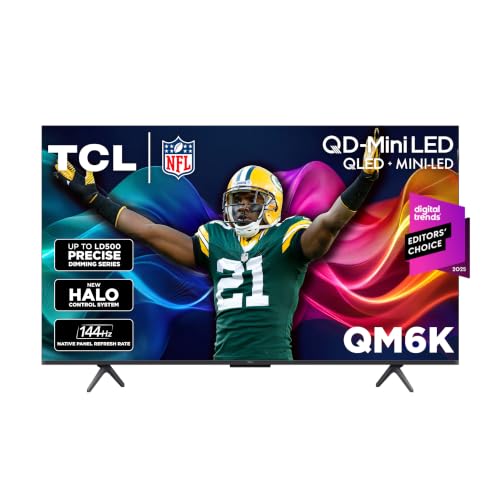
Best overall: the TCL 50 inch QM6K, around $498, is a QD Mini LED QLED 4K TV with TCL's Halo Control System, a 120 to 144Hz panel, Google TV and Dolby Atmos audio.

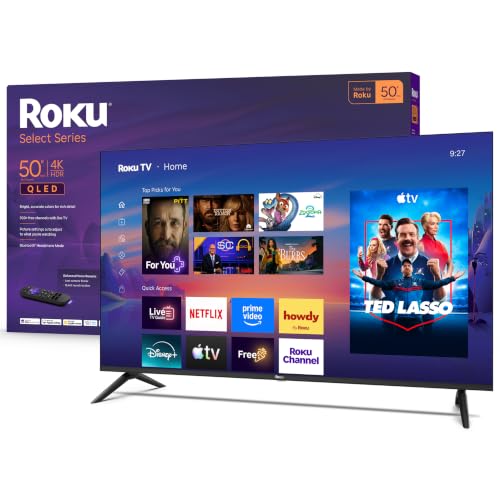
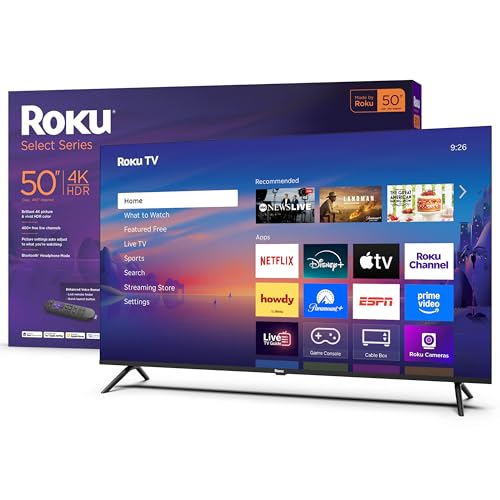
Best value: the Roku 50 inch Select Series, around $250, offers a 4K QLED screen with HDR10, Roku Smart Picture, a simple home screen and an enhanced voice remote with a lost remote finder.

Best premium pick: the Samsung 50 inch Neo QLED QN90F, around $1,098, adds a glare free screen, Mini LED brightness, Samsung's NQ4 AI Gen2 processor and VRR gaming at up to 4K 165Hz.

Who Should Buy Which 50 Inch TVs?
The right 50 inch TV depends on what you watch, where it goes and how much you want to spend.
For Gamers and Power Users
Gamers should look for a native 120Hz or higher refresh rate, variable refresh rate (VRR), auto low latency mode (ALLM) and HDMI 2.1 ports for PS5, Xbox Series X and gaming PCs. Mini LED models with local dimming deliver brighter HDR highlights and deeper blacks than basic LED sets. Low input lag in game mode matters as much as refresh rate, so check that the TV has a dedicated game mode or gaming hub.
For Movie Lovers and Sports Fans
Movie fans benefit most from strong contrast, good HDR performance and support for Dolby Vision or HDR10+. Sports fans should prioritize motion handling and brightness for daytime viewing, since games are often watched in bright rooms. A glare reducing screen helps if the TV faces windows.
For Bedrooms, Dorms and Small Spaces
In bedrooms and dorms, a simple smart platform, compact stand and quiet operation matter more than peak brightness. Look for narrow feet or a central pedestal if the TV sits on a dresser, and consider VESA mounting for walls. Built in voice control and sleep timers are handy for late night viewing.
For Students and Everyday Users
Budget conscious buyers can get a sharp 4K picture and all the main streaming apps for well under $350. Focus on a reliable smart platform, at least three HDMI ports and HDR support. Paying more mostly adds brightness, contrast and gaming features.
Picking the Right 50 Inch TVs for Different Uses
These quick recommendations help narrow the choice.
Best Affordable 50 Inch TVs
Affordable 50 inch TVs with QLED or standard LED panels, HDR10 and Roku, Google TV or Fire TV software offer excellent value for streaming and casual viewing. Expect 60Hz panels, modest brightness and basic speakers, so pair one with a soundbar if audio matters.
Best Picture 50 Inch TVs
For the best picture at this size, choose a Mini LED TV with full array local dimming, which controls backlight zones to boost contrast. OLED TVs offer perfect blacks, but very few OLED models come in a 50 inch size, so Mini LED is usually the top picture option in this class.
Best 50 Inch TVs for Gaming
For gaming, the best 50 inch tvs combine a native 120Hz or faster panel, VRR, ALLM and at least one HDMI 2.1 port. Mini LED models add HDR punch that makes games look more dramatic, while cheaper 60Hz sets are fine for casual Switch or older console gaming.
Key Features to Compare
These specs make the biggest difference between 50 inch TVs.
Panel Technology: LED, QLED and Mini LED
Standard LED TVs use a white LED backlight and are the most affordable. QLED adds a quantum dot layer for brighter, more saturated colors. Mini LED uses thousands of tiny LEDs in dimming zones for better contrast and HDR brightness. VA panels offer better contrast, while IPS panels offer wider viewing angles, useful for wide seating.
Refresh Rate and Motion
A native 60Hz panel is fine for movies and TV. A native 120Hz or higher panel makes sports and games smoother and enables high frame rate console gaming. Be wary of marketing terms that double the number using motion processing.
Gaming Features
Look for HDMI 2.1, VRR (including FreeSync or G Sync compatibility), ALLM and low input lag. These features matter most for current consoles and PCs.
HDR Formats and Brightness
HDR10 is universal; Dolby Vision and HDR10+ add scene by scene optimization on supported content. Brightness determines how impactful HDR looks, and Mini LED TVs usually lead here.
Smart Platform
Roku, Google TV, Fire TV, Samsung Tizen and LG webOS all offer the main streaming apps. Choose the one you find easiest or that matches your other devices, such as Google Assistant or Alexa.
Connectivity and Ports
Count HDMI ports for your devices, and look for eARC to connect a soundbar with full audio quality. USB ports, WiFi 6 and Bluetooth for headphones are useful extras.
What Size Room Suits a 50 Inch TV?
A 50 inch 4K TV looks best from about 5 to 7 feet away, close enough to appreciate 4K detail without the picture feeling too large. That makes it ideal for bedrooms, small living rooms, home offices and dorms. If your couch sits 8 feet or more from the wall, a 55 or 65 inch TV will feel more immersive. Measure the width of your stand or wall space too: most 50 inch TVs are around 44 inches wide without the stand.
50 Inch vs 55 Inch: Is the Bigger Size Worth It?
A 55 inch TV has about 20 percent more screen area than a 50 inch model, and prices are often close. Choose 55 inches if your space allows and you sit farther back. Choose 50 inches if the TV must fit a specific stand, wall or niche, or if you sit fairly close. Feature availability can differ, as some premium lines start at 55 inches.
Sound: Built In Speakers vs a Soundbar
Thin TVs have limited room for speakers, so dialogue can sound thin. A compact soundbar connected by HDMI eARC improves clarity dramatically, often for less than $200. Look for dialogue enhancement modes if you mainly want clearer speech.
Smart TV Platforms Compared
| Platform | Found On | Strengths | Consider |
|---|---|---|---|
| Roku | Roku, TCL, Hisense, Philips | Simple, neutral app store, free channels | Fewer advanced picture settings on some models |
| Google TV | TCL, Sony, Hisense | Personalized recommendations, Chromecast | Busier home screen |
| Fire TV | Amazon, Insignia, Toshiba | Alexa built in, Prime integration | Promoted content |
| Tizen | Samsung | Gaming Hub, SmartThings | Samsung specific ecosystem |
| webOS | LG | Fast, pointer remote | Ads on home screen |
Every major platform carries Netflix, YouTube, Disney+, Prime Video, Max and other big apps, so the choice comes down to ease of use and how well it fits your other devices. Roku is often the easiest for less technical viewers, Google TV suits Android and Chromecast households and Fire TV suits Alexa homes. If you dislike your TV's built in software later, a streaming stick can replace it without buying a new TV.
Wall Mounting a 50 Inch TV
Most 50 inch TVs use standard VESA mounting patterns and weigh around 20 to 35 pounds, making them easy to wall mount. A fixed mount keeps the TV close to the wall, a tilting mount reduces glare when mounted higher and a full motion mount lets you angle the screen toward different seats. Mount the center of the screen roughly at eye level when seated, about 40 to 45 inches from the floor in most living rooms. Always anchor into wall studs or use anchors rated for the weight, and plan for cable management so wires are hidden.
When to Buy a 50 Inch TV
TV prices typically drop around major shopping events such as Black Friday and Cyber Monday, and again in late winter and spring as new models arrive and older stock is cleared. Previous year models often offer most of the picture quality at a lower price. If you need a TV now, a sale price on a current model is still worth it; if you can wait, holiday deals usually bring the deepest discounts.
Energy Use and Running Costs
A 50 inch LED TV uses roughly 50 to 100 watts in typical viewing, which adds only a modest amount to your electricity bill. Bright HDR content and vivid picture modes use more power. Using an energy saving picture mode, lowering brightness in dark rooms and turning off quick start features can trim consumption further.
Common Mistakes to Avoid When Buying 50 Inch TVs
- Trusting inflated refresh rate claims instead of checking native refresh rate.
- Ignoring HDMI 2.1 if you own a current console.
- Forgetting stand width and buying a TV with feet wider than your furniture.
- Skipping the soundbar budget, then living with weak audio.
- Leaving picture settings on vivid instead of a movie or filmmaker mode.
Quick Setup Tips for a New TV
- Switch the picture mode to Movie, Cinema or Filmmaker for accurate color.
- Turn off motion smoothing for films, and leave it on low for sports if you like it.
- Enable game mode and VRR on the HDMI input used by your console.
- Update the TV software and sign in to your streaming apps.
- Connect a soundbar to the eARC port and set TV audio output accordingly.
Viewing Angles and Seating Layout
If your seating is spread out, such as a sectional sofa or a bedroom where people watch from the side, viewing angles matter. VA panels, common in many TVs for their contrast, lose color and contrast when viewed from wide angles. IPS panels and some TVs with wide angle filters hold color better off center. In a room where everyone sits directly in front of the screen, VA panels give deeper blacks and are the better pick.
Using a 50 Inch TV as a Computer Monitor
Some people use a 50 inch TV as a large monitor for a PC or for a home office setup. It works well for media and couch gaming, but for desk use you need to sit farther back than with a normal monitor. Look for a TV that supports 4:4:4 chroma for sharp text, a PC or game mode with low input lag and 120Hz support over HDMI 2.1 if you game.
Care and Maintenance Tips
Dust the screen with a dry microfiber cloth and avoid household cleaners, which can damage anti glare coatings. Keep vents clear for airflow, use a surge protector and update software regularly for new features and security fixes. If you mount the TV, use a VESA compatible mount rated for its weight and anchor it to studs.
FAQs
These are the questions buyers ask most about 50 inch TVs.
Is a 50 inch TV big enough for a living room?
For smaller living rooms where you sit around 5 to 7 feet away, yes. For larger rooms or seating farther back, a 55 or 65 inch TV feels more cinematic.
How long do TVs last?
Most modern LED and Mini LED TVs last seven to ten years or more with normal use. Smart platform support may end sooner, but you can add a streaming stick.
Is 4K worth it at 50 inches?
Yes. Nearly all 50 inch TVs are 4K now, and from typical viewing distances the extra sharpness over 1080p is visible, especially with 4K streaming.
Mini LED vs OLED: which is better?
OLED offers perfect blacks and wide viewing angles but is rare at 50 inches. Mini LED is brighter and more widely available at this size, making it the practical premium choice.
Does refresh rate matter for non gamers?
Somewhat. A 120Hz panel makes sports and fast camera pans smoother, but 60Hz is fine if you mainly watch shows and movies.
The Bottom Line
The three things that matter most are panel technology, refresh rate and the smart platform you enjoy using. Most buyers will be happiest with a 4K Mini LED or QLED TV, budget shoppers can save with a simple 4K QLED model and gamers should focus on 120Hz plus HDMI 2.1. Use this guide to choose the best 50 inch tvs for your room, then check the product table above for current prices. Have more space? See the best 55 inch TVs.


