
Best Desktop Computer Speakers: Which Type Is Right for You?
Disclosure: We may earn a commission when you buy through links on this page, at no extra cost to you. As an Amazon Associate I earn from qualifying purchases. Learn more

Compact USB, bookshelf, 2.1, soundbar and 5.1 computer speakers compared, with desk fit, connections and sound tips.
Laptop and monitor speakers rarely sound good, which is why a dedicated set of computer speakers is one of the most noticeable desk upgrades you can make. The confusing part is choosing a type: tiny USB powered pairs, bookshelf style studio monitors, 2.1 systems with subwoofers, PC soundbars and full 5.1 surround kits all promise better sound. This guide to the best desktop computer speakers compares each type side by side so you can match the right style to your desk, budget and listening habits.
The short answer: most people should choose a powered 2.0 bookshelf style pair around $100 to $200 for clear, balanced sound, a compact USB pair around $40 for small desks and budgets, a 2.1 system with a subwoofer if you want deep bass for games and movies and a PC soundbar if desk space is tight.
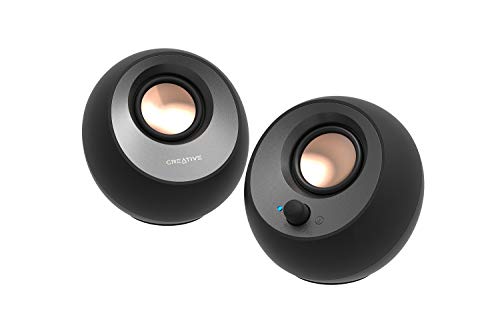
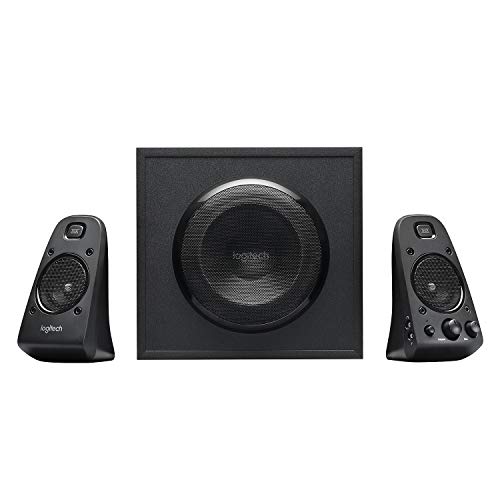

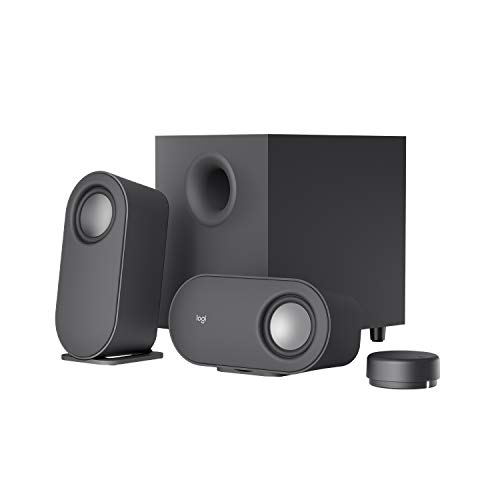
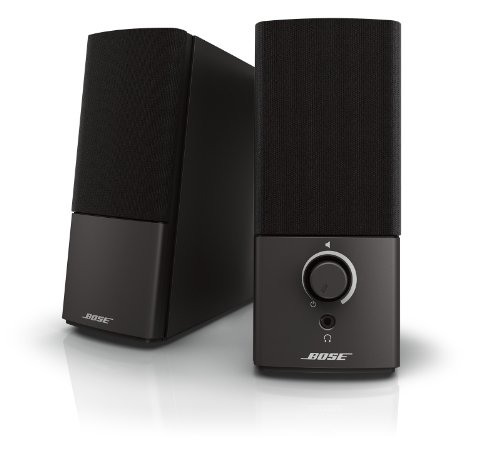
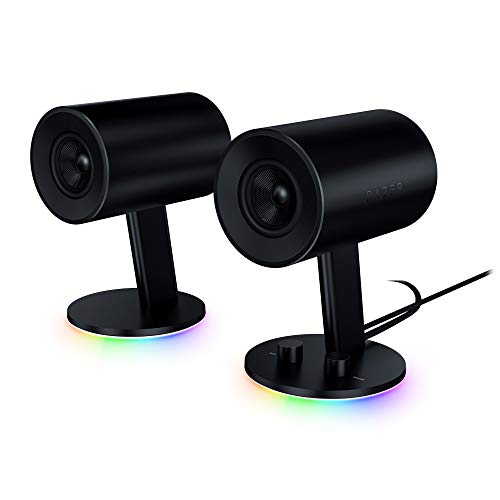
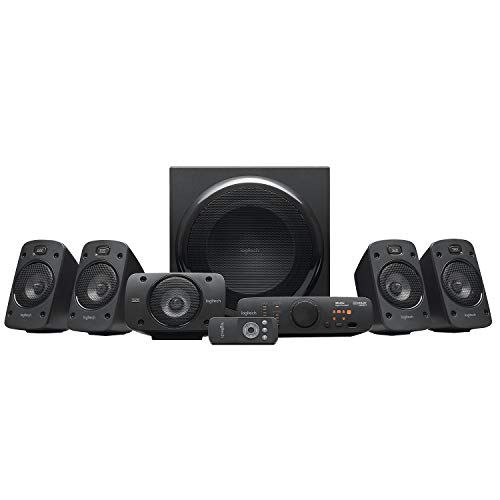

Top 3 Picks at a Glance
These three speaker sets represent the strongest choice in the three most popular desktop speaker types.
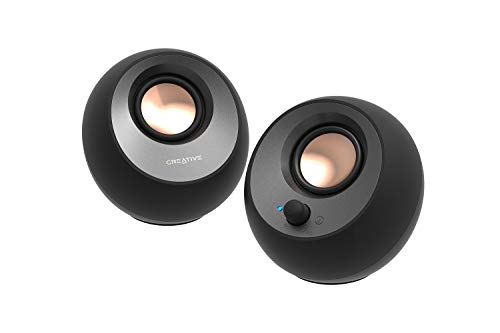
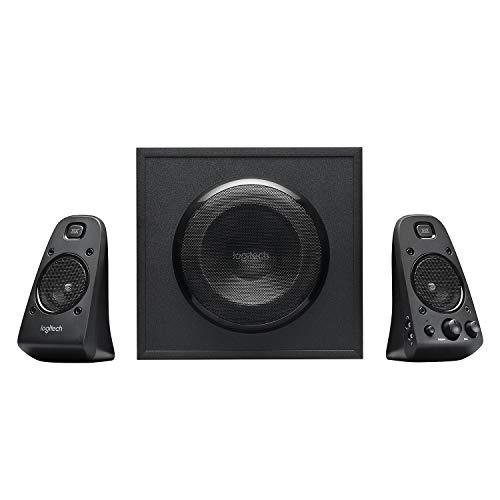

Types of Desktop Computer Speakers Compared
The table below summarizes each type of computer speaker before we look at them in detail.
| Type | Best For | Pros | Cons | Typical Price |
|---|---|---|---|---|
| Compact USB 2.0 | Small desks, students, laptops | Tiny, cheap, single cable setup | Limited bass and volume | around $20 to $70 |
| Bookshelf style 2.0 | Music, mixed use, home offices | Clear, balanced sound, inputs for multiple devices | Take more desk space | around $100 to $250 |
| 2.1 with subwoofer | Gaming, movies, bass lovers | Deep bass, room filling volume | Subwoofer needs floor space | around $80 to $200 |
| PC soundbar | Tight desks, under monitor placement | Single slim unit, tidy look | Narrow stereo image | around $40 to $150 |
| 5.1 surround | Immersive gaming and home theater PCs | True surround effects | Complex setup, many cables | around $250 to $450 |
Compact USB 2.0 Speakers
Compact USB speakers draw power from your computer and often connect through USB C or USB A plus a 3.5 mm cable. They take up very little space and are easy to move between a laptop and desktop. Many include Bluetooth for phone streaming.
Their small drivers limit bass and maximum volume, but they sound far better than built in laptop speakers. They suit students, small desks and anyone who wants better sound for videos, calls and casual music without spending much.
Bookshelf Style 2.0 Speakers
Bookshelf style powered speakers use larger 3 to 5 inch woofers, separate tweeters and wooden cabinets, giving clearer vocals, wider stereo imaging and more natural bass. One speaker contains the amplifier, and many offer multiple inputs, Bluetooth and tone controls.
They take more desk space and cost more than compact speakers, but they are the best choice for music lovers, remote workers who listen all day and anyone who wants one set of speakers for everything.
2.1 Systems with a Subwoofer
2.1 systems pair two small satellite speakers with a separate subwoofer that handles low frequencies. The subwoofer sits on the floor, adding deep bass for explosions, soundtracks and electronic music while keeping the desk speakers small.
The trade offs are floor space, extra cables and bass that can be too strong in apartments. They suit gamers, movie watchers and bass lovers who have room under their desk.
PC Soundbars and 5.1 Surround
PC soundbars combine speakers into one slim bar that fits under a monitor, ideal for tight desks and minimalist setups, though stereo separation is narrower. 5.1 surround systems add rear and center speakers for true positional audio in games and movies, but they require space around your seat and careful cable management.
Bookshelf Style vs 2.1 Systems: Which Should You Choose?
- Sound balance: Bookshelf speakers offer clearer mids and highs for music and vocals; 2.1 systems emphasize bass.
- Bass depth: 2.1 systems with dedicated subwoofers dig deeper, ideal for games and movies.
- Desk space: 2.1 satellites are smaller on the desk, but the subwoofer needs floor space; bookshelf speakers take more desk room but nothing on the floor.
- Connections: Bookshelf speakers often include more inputs and Bluetooth; many 2.1 systems offer fewer options.
- Neighbors: Bookshelf speakers are friendlier for apartments, since subwoofer bass travels through floors.
Choose bookshelf style speakers for music and all round use, and a 2.1 system for gaming and movies when deep bass matters most.
How to Choose the Right Desktop Computer Speaker
Connections and Compatibility
Check which connections your computer offers. USB speakers are simplest, while 3.5 mm analog connections work with nearly any computer. Optical inputs connect to some desktops, TVs and consoles, and Bluetooth lets you stream from phones and tablets. Multiple inputs let you connect a computer and a game console at once.
Power and Driver Size
Speaker power is measured in watts RMS; around 10 to 20 watts total suits small desks, while 40 watts or more fills a room. Larger woofers produce fuller bass, with 3 inch drivers suited to compact speakers and 4 to 5 inch drivers in bookshelf models.
Desk Size and Placement
Measure your desk before buying. Place speakers at ear height, angled toward you, and an equal distance from your head for the best stereo image. Small stands or foam pads lift speakers off the desk and reduce vibration, improving clarity.
Controls and Extras
Front facing volume knobs, headphone jacks and remote controls make daily use easier. Bass and treble controls help tune sound for your room. RGB lighting suits gaming setups but adds cost without improving sound.
Picking the Right Desktop Computer Speakers for Different Uses
Best Inexpensive Desktop Computer Speakers: Which Type Works Best
The best inexpensive desktop computer speakers are compact USB powered pairs. Look for USB C power, a front volume knob and Bluetooth for phones. Models like the Creative Pebble V3 deliver a big upgrade over laptop speakers for around $40.
Best for Gaming
Gamers benefit from 2.1 systems with strong bass or 5.1 surround setups for positional audio, plus RGB options to match their rigs.
Best for Music and Work
Remote workers and music lovers should choose bookshelf style speakers with balanced tuning, multiple inputs and Bluetooth.
How to Make Your Desktop Computer Speaker Last Longer
Dust speakers and grilles every few months with a soft brush or microfiber cloth to keep drivers clean. Update firmware on Bluetooth or app connected models. Avoid running at maximum volume for long periods, which stresses drivers and amplifiers. Turn speakers off or let them sleep when not in use, and use a surge protector to protect built in amplifiers.
Getting Better Sound From Any Computer Speakers
Placement and settings matter as much as the speakers themselves. Pull speakers forward from the wall to reduce boomy bass, or closer for more low end. Angle tweeters toward your ears and keep them at head height using stands or books.
In your computer's sound settings, disable unnecessary audio enhancements that can distort sound, set the correct output device and choose a sample rate supported by your speakers. Use a high quality streaming setting in music apps. For subwoofers, start with the bass knob at the midpoint and adjust until bass blends naturally with the satellites rather than overpowering them.
Speakers or Headphones for Your Desk?
Many people wonder whether to buy speakers or headphones for their computer. Speakers are more comfortable for long sessions, let you hear your surroundings and create a more natural, open sound for music, movies and casual gaming. They also make it easy to share audio with others in the room.
Headphones offer privacy, better isolation in noisy homes and precise positional audio for competitive games. They do not disturb roommates or family members late at night. Many people use both: speakers for everyday listening and headphones for calls, late night gaming and focused work. If you choose speakers, look for a model with a front headphone jack so you can switch quickly without reaching behind your computer.
Speakers for Video Calls and Remote Work
Remote workers spend hours on calls, so speech clarity matters more than deep bass. Bookshelf style or compact speakers with clear midrange make voices easy to understand. Keep volume moderate to prevent your microphone from picking up speaker audio and creating echo for other participants.
Many conferencing apps include echo cancellation, but placing speakers slightly behind or to the sides of your microphone helps further. If you share your workspace or take frequent calls, consider a headset for meetings and speakers for music between calls.
Setting Up a Surround Sound System
A 5.1 system includes front left and right speakers, a center channel, two rear speakers and a subwoofer. Place the front speakers on either side of your monitor, the center speaker below or above the screen and the rear speakers slightly behind your seat at ear height. Put the subwoofer on the floor near the front, away from corners if bass sounds boomy.
Connect the system through your computer's surround outputs or optical connection, then enable 5.1 in the sound settings and run the speaker configuration to confirm each channel works correctly.
How Much to Spend on Computer Speakers
Around $20 to $50 buys compact USB speakers that dramatically improve on laptop audio for videos and calls. Around $80 to $150 brings 2.1 systems with subwoofers and entry level bookshelf style pairs with real stereo imaging and fuller sound. Around $150 to $250 delivers premium bookshelf style speakers and popular 2.1 systems with excellent clarity and volume. Above that, 5.1 surround kits and studio monitors suit enthusiasts and creators.
For most people, the sweet spot sits between $40 and $200. Spending in this range buys the biggest jump in quality per dollar, and the best desktop computer speakers for everyday use rarely cost more.
FAQs
Do I need a subwoofer for computer speakers?
You need a subwoofer only if you want deep bass for games, movies or bass heavy music. Bookshelf style 2.0 speakers deliver enough bass for most people. A 2.1 system adds rumble and impact but takes floor space and may disturb neighbors.
USB or 3.5 mm: which connection is better?
Both work well; USB is simpler, while 3.5 mm works with more devices. USB speakers often draw power and audio from one cable, ideal for laptops. Analog 3.5 mm connections work with nearly any computer, console or phone. Optical and Bluetooth add flexibility on higher end models.
Are bookshelf speakers good for computers?
Yes, powered bookshelf speakers are excellent for computers. They deliver clearer sound and better stereo imaging than most compact speakers. Choose smaller models with 3 to 4 inch woofers for desks, and angle them toward your listening position.
Can I use computer speakers with a TV or console?
Yes, many computer speakers work with TVs and consoles through optical, 3.5 mm or Bluetooth connections. Check that your TV or console has a compatible audio output. Speakers with multiple inputs let you switch between computer and console easily.
How long do computer speakers last?
Quality computer speakers typically last five to ten years or more. Drivers rarely fail, while built in amplifiers and power supplies are the most common weak points. Avoiding maximum volume and using surge protection help them last longer.
Why do my computer speakers buzz or hum?
Buzzing usually comes from ground loops, interference or loose cables. Plug the speakers and computer into the same power strip, keep audio cables away from power cords and try a different USB port or a USB audio adapter. Turning the speaker volume up and computer volume down can also reduce background noise.
Are Bluetooth computer speakers good for gaming?
Bluetooth speakers work for casual gaming but add slight audio delay. For fast games and video editing, use a wired USB, optical or 3.5 mm connection to keep sound in sync with the picture. Bluetooth is best for music and streaming from phones.
Can I add a subwoofer to my existing speakers later?
Yes, if your speakers have a subwoofer output. Many bookshelf style powered speakers include a sub out port, letting you add a powered subwoofer for deeper bass. Without that port, you would need an external audio interface or receiver.
Wrapping Up
The right computer speakers depend on your desk, budget and what you listen to. Compact USB speakers offer a cheap upgrade, bookshelf style pairs deliver the best balance for music and work, 2.1 systems add bass for gaming and movies and soundbars and 5.1 kits suit specific setups.
Compare the best desktop computer speakers in the product table above to find the right type for your setup and budget.


