
Best Gaming Headsets for Xbox: Which One Fits the Way You Play?
Disclosure: We may earn a commission when you buy through links on this page, at no extra cost to you. As an Amazon Associate I earn from qualifying purchases. Learn more

Xbox headsets matched to casual players, competitive gamers and multiplatform owners, with wireless, mic and comfort tips.
Xbox gamers have unique headset needs. Unlike PlayStation and PC, Xbox consoles use their own wireless protocol, so many wireless headsets marketed for gaming will not connect to an Xbox without the right version or dongle. On top of that, casual players, competitive shooters and people who also play on PC or phones all want different features. This guide to the best gaming headsets for xbox starts with how you play and explains which headset type fits.
The short answer: choose a headset with official Xbox wireless support, such as the SteelSeries Arctis Nova 7X or Turtle Beach Stealth 600, if you want cable free play on Xbox Series X or S; pick a wired 3.5 mm headset like the HyperX Cloud III for the lowest price and zero charging; and step up to a premium model like the Razer BlackShark V3 Pro for active noise cancellation, long battery life and top mic quality.
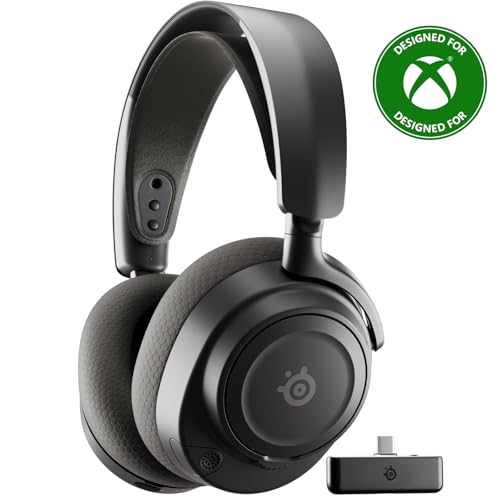
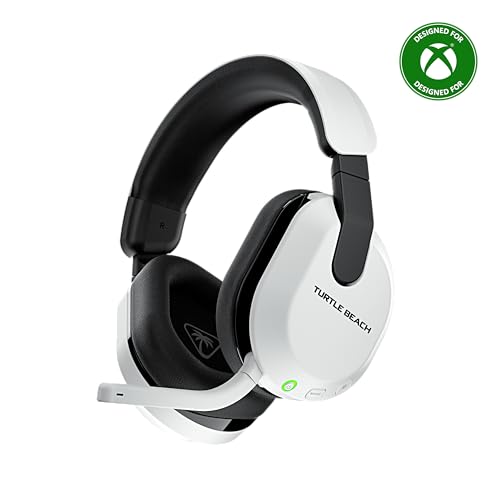

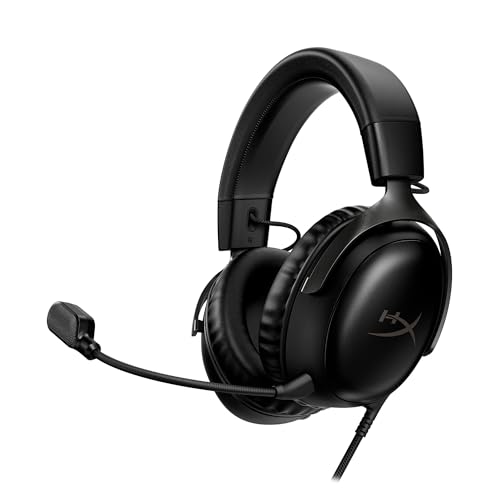

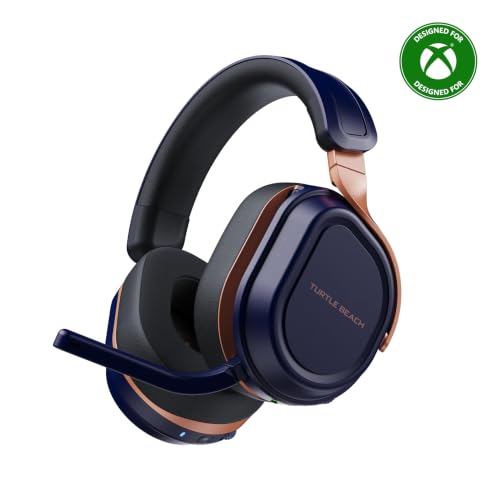


Top 3 Picks at a Glance
These three headsets from the product table above represent the best overall choice, the best value wireless option and a premium upgrade.


Who Should Buy Which Gaming Headsets?
Xbox headsets fall into three groups: wired headsets that plug into the controller, Xbox wireless headsets that connect directly to the console or through an Xbox specific dongle, and multiplatform wireless headsets that switch between Xbox, PlayStation, PC and phones. Your habits decide which group fits.
For Students and Everyday Players
Casual players and students want comfort, clear chat and a fair price. A wired headset that plugs into the Xbox controller's 3.5 mm jack is the simplest and cheapest option, with no charging or pairing. Budget wireless models with Xbox support add freedom from cables for around $90 to $110. Look for lightweight designs, soft ear cushions and a flip to mute microphone for quick chat breaks.
For Multiplatform and On the Go Players
If you play on Xbox, PC, phone and handheld devices, choose a multiplatform headset with an Xbox compatible dongle plus Bluetooth. Many models let you take calls or listen to music from your phone while gaming. Dual wireless lets you mix Discord on your phone with game audio on Xbox. Foldable designs and detachable mics help when traveling.
For Competitive Gamers and Power Users
Competitive players want precise positional audio, low latency and crisp microphones for team communication. Look for large 50 mm drivers, support for Windows Sonic or Dolby Atmos for Headphones, broadcast quality microphones and long battery life for marathon sessions. Active noise cancellation helps in noisy homes and LAN events.
Key Features to Compare
Features That Matter for Xbox
Xbox compatibility is the most important feature. Headsets labeled for Xbox Wireless connect directly to Xbox Series X and S consoles or through a USB dongle designed for Xbox. Many wireless headsets sold for PlayStation and PC do not work wirelessly on Xbox, so check the packaging or model name for Xbox versions. Wired headsets with a 3.5 mm plug work with any modern Xbox controller.
Battery Life and Charging
Wireless Xbox headsets typically last around 20 to 80 hours per charge depending on features. Models with ANC or RGB lighting use more power. USB C charging and quick charge features, which add hours of play in minutes, are convenient. Some premium headsets include swappable batteries or charging stands.
Comfort, Weight, and Fit
Comfort matters for long sessions. Lightweight headsets under about 330 grams reduce pressure, while memory foam ear cushions and adjustable headbands spread weight evenly. Breathable fabric pads stay cooler than leatherette. Glasses wearers should look for soft cushions that do not press frames against their temples.
Microphone Quality
A clear microphone helps teammates hear calls without background noise. Look for unidirectional or supercardioid microphones with noise reduction, mute indicators and adjustable sidetone. Detachable or retractable mics are convenient when using the headset for music.
Spatial Audio and Software
Xbox supports Windows Sonic for free and Dolby Atmos for Headphones and DTS Headphone:X as paid apps. Many headsets include free licenses or companion apps with EQ presets. Software lets you tweak bass, mic levels and game chat balance.
Common Mistakes to Avoid When Buying Gaming Headsets
- Buying a non Xbox wireless version. Many wireless headsets have separate Xbox and PlayStation models; only the Xbox version connects wirelessly to Xbox.
- Choosing on price alone. The cheapest headsets may have poor mics and uncomfortable fits.
- Ignoring comfort. Heavy headsets with tight clamping force cause fatigue.
- Overlooking battery life. Short battery life means frequent charging interruptions.
- Not checking the warranty. Buy from authorized sellers for full coverage.
Tips to Get the Most From Your Gaming Headset
Enable Windows Sonic or your preferred spatial audio format in the Xbox settings for better positional sound. Adjust game and chat balance using the headset dial or Xbox audio settings. Update headset firmware through companion apps on Xbox, PC or phone. Clean ear pads regularly and replace worn cushions. Keep volume moderate to protect your hearing during long sessions, and take short breaks to rest your ears.
Setting Up a Headset on Xbox
Setup depends on the headset type. Wired headsets plug into the 3.5 mm jack at the bottom of the Xbox Wireless Controller; the console detects them automatically, and you can adjust volume and chat mix in the audio settings by pressing the Xbox button and selecting the speaker icon. Older controllers without a jack need the Xbox Stereo Headset Adapter.
Xbox wireless headsets pair like controllers. Turn on the headset, hold its pairing button and press the pair button on the console, or plug the included USB dongle into the Xbox. Once paired, the headset connects automatically when you turn on the console. Multiplatform headsets often require switching the dongle or a slider to Xbox mode. After pairing, update the headset firmware through the Xbox Accessories app if available.
Spatial Audio on Xbox Explained
Spatial audio makes it easier to hear where footsteps, gunfire and vehicles are coming from. Xbox includes Windows Sonic for Headphones for free, which works with any headset. Dolby Atmos for Headphones and DTS Headphone:X are available through apps, often with free trials or bundled licenses from headset makers.
To enable spatial audio, open Settings, then General, Volume and audio output, and choose your preferred headset format. Games with native Dolby Atmos support deliver the most convincing effects. Try each format in your favorite games, since preferences vary from person to person.
Choosing Gaming Headsets for Xbox by Game Genre
Different games reward different strengths. Competitive shooters like Call of Duty, Halo and Apex Legends benefit from accurate positional audio, clear microphones and lightweight designs for long sessions. A headset with strong spatial audio support and adjustable EQ helps you hear enemy footsteps.
Story driven adventures and open world games shine with rich bass and wide soundstages, where comfort and immersive tuning matter more than competitive precision. Racing and sports games benefit from punchy, detailed sound for engines and crowds. Party games and casual multiplayer prioritize clear chat and easy controls. If you play a bit of everything, choose a balanced headset with EQ presets you can switch between genres.
Wired vs Wireless Xbox Headsets
Wired headsets connect to the Xbox controller's 3.5 mm jack and deliver reliable audio with no charging or pairing. They are cheaper and work across Xbox, PlayStation, Switch, PC and phones. The downside is a cable tethered to your controller.
Wireless Xbox headsets connect directly to the console or through an Xbox dongle, offering freedom of movement and often better features like ANC, longer range and quick pairing. They cost more and need charging. If you play on a couch across the room, wireless is far more convenient.
Open Back vs Closed Back Gaming Headsets
Most gaming headsets for Xbox use closed back ear cups, which seal around your ears, block outside noise and keep sound from leaking to others in the room. They suit shared living rooms, dorms and late night sessions. Bass tends to feel stronger with a good seal.
Open back headsets let air and sound pass through the ear cups, creating a wider, more natural soundstage that some players find helpful for positional audio. They feel cooler during long sessions but leak sound and let in household noise. Open back designs work best in quiet private rooms, while closed back headsets are the practical choice for most Xbox players.
Caring for Ear Pads and Headbands
Ear pads absorb sweat and oils over time, which can make them crack, flatten or smell. Wipe leatherette pads with a slightly damp cloth after long sessions, and hand wash fabric pads if the manufacturer allows. Store the headset on a stand rather than tossing it on a desk, which protects the headband and hinges. Many popular headsets sell replacement ear pads, which restore comfort and seal for a fraction of the cost of a new headset.
How Much to Spend on an Xbox Headset
Around $50 to $70 buys excellent wired headsets with good drivers and mics. Around $90 to $150 brings Xbox wireless headsets with long battery life, comfortable designs and companion apps. Around $170 to $250 adds multiplatform dongles, Bluetooth, premium mics and ANC. For most players, the best gaming headsets for xbox cost between $90 and $170, balancing wireless convenience and quality.
Frequently Asked Questions
What features matter most in gaming headsets for Xbox?
Xbox wireless compatibility, comfort and microphone quality matter most. Make sure wireless headsets are the Xbox version, choose lightweight designs with soft cushions and look for noise reducing mics. Long battery life and spatial audio support add value.
Do PlayStation headsets work on Xbox?
Wired PlayStation headsets work on Xbox through the controller's 3.5 mm jack, but most wireless PlayStation headsets do not. Xbox uses its own wireless protocol, so you need an Xbox specific wireless headset or a multiplatform model with an Xbox compatible dongle.
Do I need a gaming PC to use these headsets?
No, Xbox headsets work directly with the console. Some companion apps run on PC or phone for EQ and firmware updates, but most settings are available on Xbox or through mobile apps.
How long does the battery last?
Most wireless Xbox headsets last around 20 to 80 hours per charge. Battery life depends on ANC, lighting and volume. Quick charging can add several hours in minutes.
Can I wear glasses with a gaming headset?
Yes, many gaming headsets are comfortable with glasses. Choose models with soft memory foam cushions and moderate clamping force. Some brands offer glasses friendly ear pad designs that reduce pressure on temples.
Is active noise cancellation worth it on a gaming headset?
ANC is worth it if you game in a noisy home or want to use the headset while traveling. It blocks fans, traffic and household noise so you can focus. In quiet rooms, closed back headsets without ANC already block plenty of sound.
Can I use an Xbox headset on PC?
Yes, most Xbox headsets work on PC through a USB dongle, the Xbox Wireless Adapter or a 3.5 mm cable. Multiplatform models often include PC friendly dongles and Bluetooth. Companion software on PC unlocks EQ and firmware updates.
Do Xbox headsets work with Xbox Cloud Gaming?
Yes, headsets work with cloud gaming through whatever device you stream on. On Xbox consoles they work as usual, on PC through USB or Bluetooth and on phones through Bluetooth or wired connections.
The Bottom Line
The right Xbox headset depends on how you play. Casual players can save with comfortable wired headsets, couch gamers will love Xbox wireless models with long battery life and competitive or multiplatform players should invest in premium headsets with great mics and flexible connectivity. Always confirm Xbox wireless compatibility before buying, and prioritize comfort for long gaming nights.
Compare the best gaming headsets for xbox in the product table above to find the right fit for your games and budget.


