
Best Mid Range Keyboards for 2026: Mechanical Switches, Layouts, and Buyer Guide
Disclosure: We may earn a commission when you buy through links on this page, at no extra cost to you. As an Amazon Associate I earn from qualifying purchases. Learn more

Typists, coders and gamers can pick the best mid range keyboards by comparing layout, hot swappable switches, gasket mounts, PBT keycaps and wireless options.
If you type or game for hours a day, a keyboard in the $75 to $180 range can feel far better than a basic office board. A few years ago, a custom feeling mechanical keyboard with lubed stabilizers, sound dampening foam and thick textured keycaps meant spending around $350 on a limited kit and soldering switches by hand. Today, mid priced boards often include gasket mounted plates, machined aluminum cases and tri mode wireless connectivity out of the box. Choosing the best mid range keyboards means matching form factor, switch type and mounting acoustics to whether you spend your day coding, writing or gaming. The picks in the table below show how these options compare side by side.
Your keyboard is the part of the desk setup your fingers touch for hours every day, so it deserves more thought than the monitor stand. The sections below explain layouts, switches, case construction and care, so you can narrow the choice before you look at any single model.

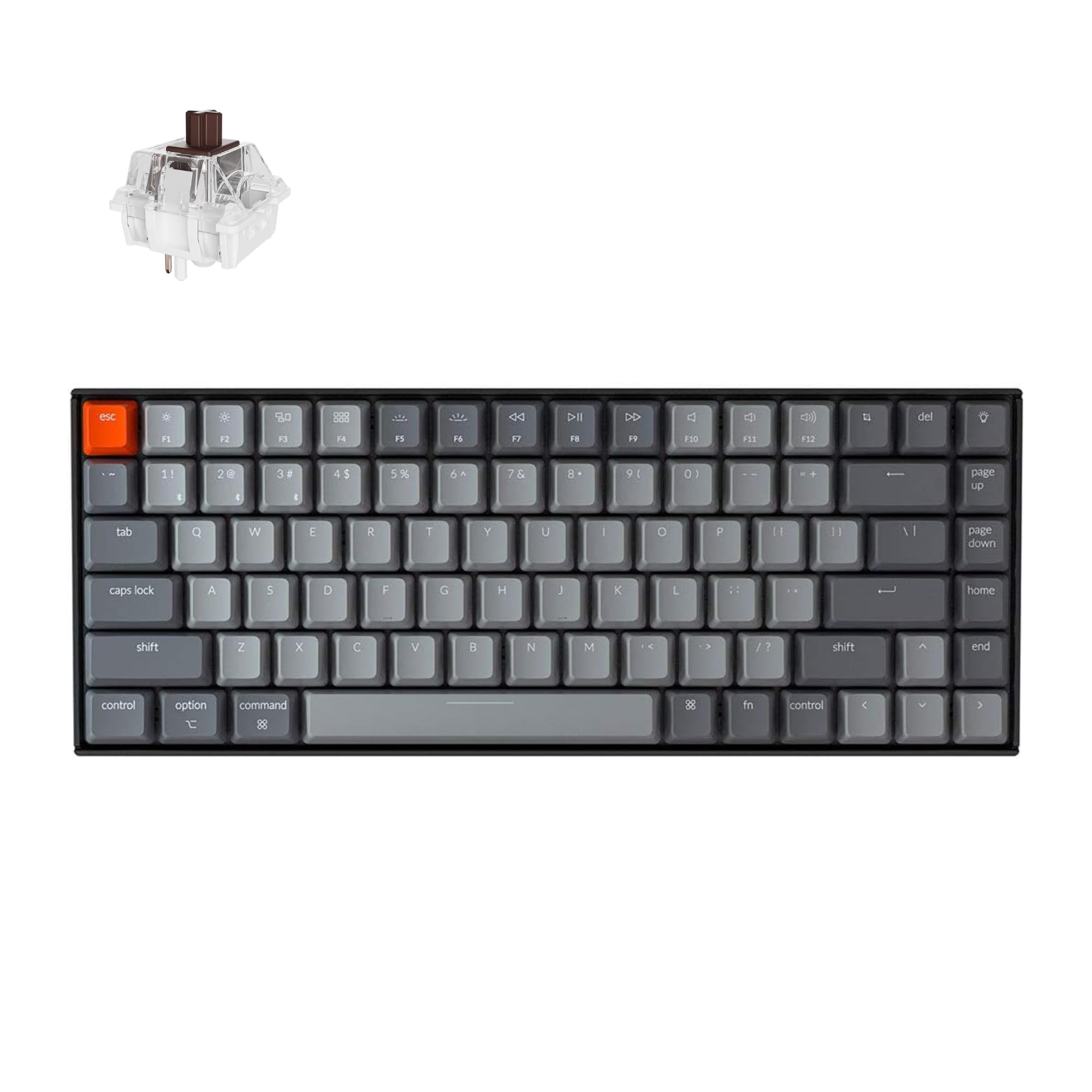


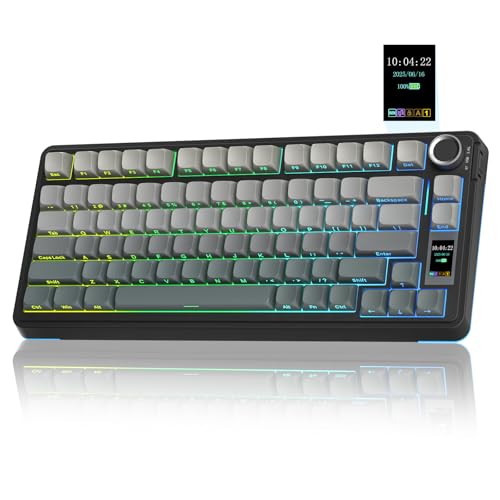



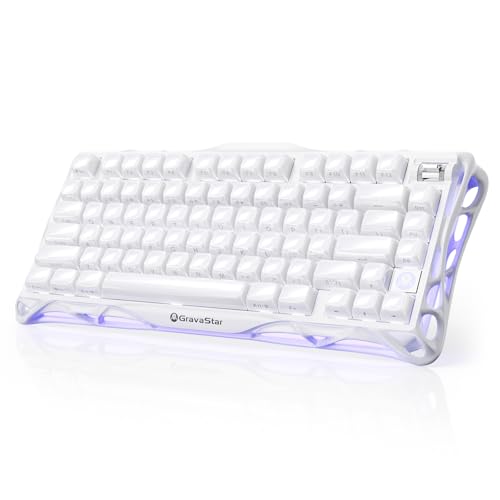
Who Should Buy Which Mid Range Keyboard?
Office Writers, Programmers, and Remote Workers
Writers and programmers do best with a 75 percent or tenkeyless (TKL) gasket mounted board with tactile or silent linear switches. These typists need a keyboard that is gentle on the fingers and does not produce a sharp metallic ping on video calls.
Look for multi layer silicone and poron acoustic foam, pre lubed switches, and open source QMK or VIA key remapping software. Remapping lets you put shortcuts, symbols and layers exactly where your workflow needs them.
Competitive and Casual PC Gamers
Gamers who play fast shooters, MOBAs or action RPGs benefit from linear mechanical switches or Hall effect magnetic switches with a 1,000 hertz (1 millisecond) wired or 2.4 gigahertz wireless polling rate. Magnetic Hall effect boards in the mid range tier let you adjust the actuation point of each key, often from about 0.1 to 4.0 millimeters, and support rapid trigger resets the instant your finger lifts.
Casual players who also type a lot can skip the magnetic boards and choose a good linear gasket board, which handles both jobs well for less money.
Multi Device Desk Setups and Minimalist Workspaces
If you switch between a desktop PC, a work laptop and a tablet during the day, choose a compact 65 to 75 percent tri mode wireless keyboard. Tri mode boards let you toggle among several Bluetooth channels, a 2.4GHz USB dongle and a wired USB C connection using a single switch or function shortcut.
Low profile boards suit people who want a flat wrist posture and a keyboard that slips into a bag. They give up some of the deep sound of a gasket build in return.
Key Features to Compare in Mid Range Keyboards
Form Factor and Layout Sizes: Full Size, 96%, TKL, 75%, and 65%
Layouts are named by the share of keys they keep compared with a traditional 104 key full size board. The right choice depends mostly on whether you need a number pad.
Full size (100%) and compact 96% (1800) boards keep the number pad for spreadsheets and accounting, with 96% trimming the dead space around the arrow keys. Tenkeyless (TKL, 80%) and 75% layouts drop the number pad so your mouse hand sits several inches closer to your body, which many people find easier on the shoulder. 65% boards also drop the F1 through F12 row for maximum desk space while keeping dedicated arrow keys.
Hot Swappable Sockets and Switch Styles
A mid range mechanical board should be hot swappable, meaning switches pull out and press in without soldering. A hot swappable PCB (printed circuit board) uses metal leaf sockets under every key, so you can change switches with a small puller tool.
Mechanical switches come in three feel profiles: linear (smooth top to bottom press with no bump, favored for gaming and quiet typing), tactile (a noticeable bump halfway down that confirms actuation) and clicky (a loud audible snap alongside a bump). Many hot swap boards accept common five pin switches, but check the maker's stated socket compatibility before buying a set of replacements.
Gasket Mount vs Tray Mount and Acoustic Dampening
Gasket mounting suspends the switch plate on soft strips, which gives a cushioned feel and a deeper sound than tray mounting. How the plate is fastened inside the case governs both typing softness and sound.
Older budget boards screw the plate rigidly onto posts in the bottom case (tray mount), which tends to feel stiff and sound uneven. Modern mid range keyboards suspend a polycarbonate or FR4 plate between poron or silicone strips along the perimeter. Combined with switch pad foam and bottom case silicone, this absorbs shock and gives a muted sound rather than a hollow plastic rattle.
Keycap Material: Double Shot PBT vs Thin ABS
Double shot PBT keycaps are the better choice because they resist shine and keep their legends. Check the plastic and the printing method before ordering.
Cheap keyboards use thin acrylonitrile butadiene styrene (ABS) keycaps with laser etched legends, which tend to turn shiny from skin oil and can wear the letters over time. Quality mid range boards include thick double shot or dye sublimated PBT (polybutylene terephthalate) keycaps. PBT has a dry, lightly textured matte grip, and double shot molding forms the legend from a second color of plastic so it cannot rub off.
Connectivity, Battery Capacity, and QMK/VIA Software
For a wireless board, look for a battery of roughly 3,000 mAh or more, which typically lasts weeks between charges with the backlight off, while a small 1,000 mAh cell needs charging far more often. Battery life drops quickly with bright RGB, so check the maker's stated figures with lighting on and off.
Also prefer boards that support browser based VIA or QMK firmware over heavy proprietary driver suites. VIA lets you remap keys, program macros and set layers in a web browser on Windows, macOS or Linux, and the settings are saved to the keyboard's onboard memory.
Comparing Mid Range Keyboard Architectures
Matching the case construction and switch mechanism to your daily routine gives you the right acoustic and tactile feedback.
| Keyboard Architecture | Typing Feel & Sound | Weight & Portability | Primary Strength | Typical Price Tier |
|---|---|---|---|---|
| Gasket Mount CNC Aluminum | Cushioned flex; deep muted sound | Heavy (3.5 to 4.8 lbs) | Custom enthusiast build quality | About $100 to $180 |
| Gasket Mount ABS / Polycarbonate | Soft flex; warm mid pitch sound | Medium (1.8 to 2.5 lbs) | High acoustic value; lighter carry | About $65 to $120 |
| Hall Effect Magnetic Linear | Smooth linear; rapid trigger | Medium (2.0 to 3.0 lbs) | Adjustable actuation for esports | About $110 to $180 |
| Low Profile Scissor / Mechanical | Short 2.5mm travel; quiet | Ultralight (1.0 to 1.5 lbs) | Flat wrist posture; bag friendly | About $80 to $150 |
Price Tiers: What Your Budget Gets You
Entry Enthusiast Gasket Boards (About $65 to $100)
At around $65 to $100, injection molded ABS or polycarbonate gasket keyboards dominate. Many include hot swappable sockets, pre lubed switches, PBT keycaps, internal foam and tri mode wireless.
They are light enough to toss into a backpack and often sound cleaner than older, pricier big box gaming keyboards.
CNC Aluminum and Pro Gaming Mid Tier (About $100 to $150)
Around $100 to $150 you commonly find machined aluminum cases with anodized or powder coated finishes, rotary volume knobs, screw in stabilizers and native QMK/VIA programming. Gamers in this tier also see Hall effect magnetic boards with rapid trigger and high wired polling rates.
Flagship Mid Range Custom Kits and Prebuilts (About $150 to $200)
Between about $150 and $200, keyboards may add brass or steel weights, quick release cases for easier modding, south facing RGB LEDs and factory lubed switches. The gains here are smaller and more about refinement than basic quality, so only pay this much if you value sound and build details.
A wrist rest and a proper desk height make long work sessions more comfortable with any of these boards.
Common Mistakes to Avoid When Buying a Keyboard
- Buying a 60% compact keyboard if you rely on dedicated arrow keys: A 60% layout removes the arrow cluster and requires holding a Function key to move the cursor; choose a 65% or 75% layout instead so you keep physical arrow keys.
- Choosing loud clicky switches for a shared office or bedroom: Clicky switches snap loudly on every keystroke; pick tactile or silent linear switches for shared spaces.
- Using Bluetooth mode for fast paced competitive gaming: Standard Bluetooth generally adds more input latency and a lower polling rate than a 2.4GHz dongle or a wired USB C cable, so switch modes when gaming.
- Forgetting to check macOS vs Windows keycap legends: If you use a Mac, pick a keyboard that includes Command and Option replacement keycaps alongside an OS toggle.
- Pulling hot swap switches out at an angle and bending the metal pins: Grip the top and bottom latches squarely with a switch puller and check that the pins are straight before pressing a switch into the socket.
- Ignoring the return policy: Switch feel and sound are personal, so buy from a seller with a clear return window in case the board is louder or stiffer than you expected.
Care, Cleaning, and Stabilizer Maintenance Tips
Keeping a mechanical keyboard clean and rattle free takes about thirty minutes twice a year. Unplug the keyboard (or turn the wireless power switch off), lift off the keycaps with a wire puller, and soak plastic keycaps in warm water with a drop of mild dish soap for about twenty minutes. Avoid very hot water, which can warp spacebars.
While the caps air dry completely on a towel, use a soft paintbrush and a manual air blower to clear hair and dust from the switch plate. Never use liquid cleaners directly on the PCB, and keep keycaps away from strong solvents that can damage legends.
If long keys such as the spacebar, Enter, Shift or Backspace develop a metallic tick or rattle, you do not need to take the whole board apart. Dab a tiny amount of dielectric grease or a stabilizer safe lubricant inside the housing where the metal wire clips in.
Frequently Asked Questions
What is the best keyboard layout size for everyday work and gaming?
A 75% layout is the most popular all around choice. It keeps the full alphanumeric block, dedicated arrow keys and the top Function row in a compact footprint that gives your mouse room to move. Choose a 96% or 1800 layout if you enter numbers into spreadsheets daily.
Are linear or tactile switches better for typing and gaming?
Linear switches suit gaming and light, fluid typing, while tactile switches suit people who want confirmation on each keypress. Linear switches travel smoothly without a bump, which helps with fast double taps. Tactile switches have a small bump halfway through the press, which many writers and coders prefer for reducing typos.
What does "hot swappable" mean on a mid range keyboard?
Hot swappable means the switches sit in sockets rather than being soldered to the board. If a switch stops working, or you want quieter ones for the office, you can pull the old switch out and plug a new one in within seconds using a puller tool.
Why do people prefer gasket mount keyboards over standard keyboards?
Gasket mounting gives a softer feel and a more muted sound. It cushions the switch plate between foam or silicone strips instead of bolting it to hard posts, which reduces harsh vibration when keys bottom out.
Do wireless mechanical keyboards have noticeable lag?
Most people will not notice lag on a good 2.4GHz wireless connection. Modern mid range boards can poll at 1,000Hz (1 millisecond), which is very close to a wired cable. Standard Bluetooth is slower and tuned to save battery, which is fine for office typing but less ideal for competitive play.
Final Thoughts
Selecting the best mid range keyboards comes down to matching layout size, switch feel and case acoustics to your desk routine. For a long lasting typing board, choose a 75% or TKL gasket mounted aluminum or polycarbonate keyboard with hot swappable sockets, double shot PBT keycaps and QMK/VIA support. If competitive gaming speed is your top priority, pick a Hall effect magnetic board with rapid trigger customization. Compare the picks in the product table above to find the one that fits your desk.


