
Astro A50 X Review for 2026: Multi-System Wireless Headset
Disclosure: We may earn a commission when you buy through links on this page, at no extra cost to you. As an Amazon Associate I earn from qualifying purchases. Learn more

This astro a50 x review covers PLAYSYNC switching, the HDMI 2.1 base station, sound and microphone quality and how it compares with the standard A50.
Console and PC players who switch between systems all day will recognize the problem the A50 X tries to solve, and this astro a50 x review explains how. Logitech G's Astro A50 X is a wireless gaming headset with a base station that handles HDMI 2.1 passthrough and switches between Xbox, PlayStation and PC. It costs about $400, so it aims at players who want one headset for everything and are willing to pay for the convenience.
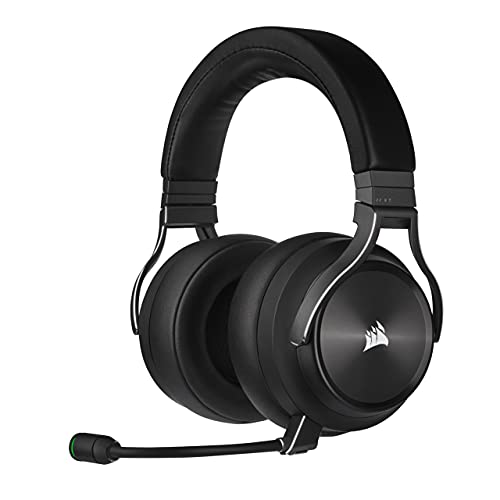
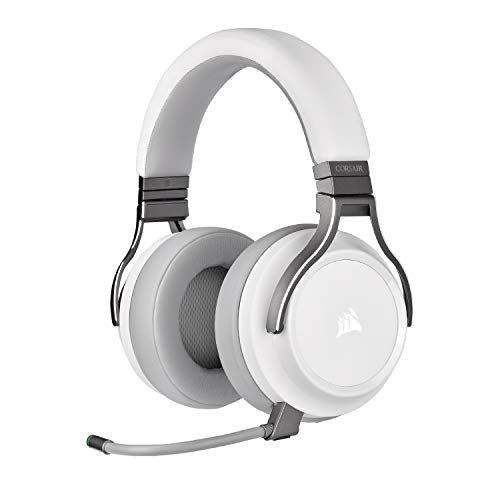
The product table lists the A50 X with the cheaper A50 and other wireless headsets that use a base station, so you can compare price and features.
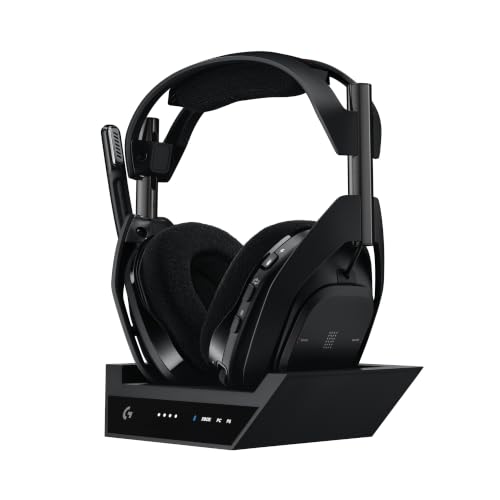
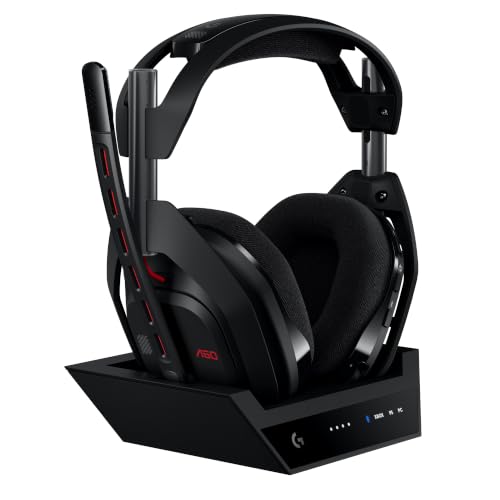



Astro A50 X Review: The Headset and Base Station
The A50 X is described as an omni platform wireless headset with a base station. The base connects to your consoles and PC and acts as an audio and video hub. That means you leave the cables in place and change platforms with a button on the earcup.
Wireless uses Logitech's LIGHTSPEED technology, and Bluetooth is also available for a phone. The listing mentions 40 mm PRO-G graphene drivers, which are meant to deliver clear audio separation and accurate positioning. A 48 kHz broadcast quality microphone handles voice chat.
PLAYSYNC and Multi System Switching
The headline feature is PLAYSYNC, which lets you stay connected to Xbox, PS5 and PC at the same time. Tap a control on the headset and you switch to a different system. You can also mix sound from another platform while you play, such as game audio plus Discord chat from a PC.
This is a big convenience for people with more than one console or a gaming PC beside a TV. It saves unplugging and replugging a USB dongle, and it avoids the multiple headset drawer problem.
HDMI 2.1 passthrough
The base station passes video through its HDMI ports, with 4K at 120 Hz and variable refresh rate support listed. That means you can place the base between your console and a modern TV without losing picture quality. Use a certified HDMI 2.1 cable to take full advantage.
Sound and Microphone
The audio is tuned for gaming, with a focus on positional accuracy so you can hear footsteps and direction. The listing mentions 24 bit audio from the console passthrough and 48 kHz from the microphone. Those figures point to higher quality than a basic wireless headset.
Use the companion app on a PC to adjust the equalizer and microphone settings. A good starting point is a flat curve, then small boosts to taste. Position the microphone a thumb's width from the corner of your mouth.
Comfort and Wearing
A headset worn for hours needs to be comfortable, so look at weight, clamp force and the ear cushions. Replacement pads exist if the originals wear out, and several third party kits are sold for the A50 family. Try the headset for a few days to see if it fits your head.
Glasses wearers should check the pad firmness. A softer pad is kinder to the frames. If the clamp feels tight, bend the headband gently over a week rather than forcing it.
A50 X vs the Standard A50
The standard A50 costs about $100 less and still offers PLAYSYNC switching across three platforms, 24 bit wireless and Bluetooth mixing. The A50 X adds HDMI 2.1 passthrough and the omni platform base, which is the main difference. If you do not need the passthrough, the A50 is a cheaper way to get the same sound.
For other premium options, the SteelSeries Arctis Nova Pro Wireless review and the Sony Pulse Elite review show what rivals offer. The best gaming headset guide compares more models.
Setting Up the Base Station
Place the base near your TV or monitor, where the cables from your consoles and PC can reach it easily. Connect each console with HDMI, run the USB connection to the PC and plug in power. Then pair the headset by following the quick start guide, which takes only a minute.
Keep the base away from large metal objects and other wireless gear, because interference can shorten range. Set the video output on each console to match the TV, and enable the highest refresh rate your screen supports.
Price, Warranty and Value
At about $400 the A50 X is among the most expensive gaming headsets. You pay for the base station, the passthrough and the multi platform switching, not only for sound. If those features match how you play, the price is easier to justify.
Check the warranty length and the return window before buying. A premium headset should come with solid support, and keeping the receipt makes any claim smoother.
Who Should Buy It
Players with a console and a PC, or two consoles, benefit the most. Streamers and competitive players who want clear voice chat will appreciate the microphone. If you only use one platform, a simpler wireless headset costs far less.
What You Give Up
The base station takes desk space and needs power and several cables, so it is less tidy than a simple USB dongle. The price is high compared with headsets that cover a single platform. Battery life depends on volume and use, so check the listing before you rely on a full day of play.
Frequently Asked Questions
Does the A50 X work with Xbox and PlayStation?
Yes, it is described as a multi platform headset for PS5, Xbox and PC.
What does the base station do?
It connects your devices, passes HDMI video through and switches the audio source.
Can I connect it to my phone?
Yes, it supports Bluetooth for mixing a mobile device into game audio.
Is the A50 X worth the extra over the A50?
Only if you need HDMI 2.1 passthrough and the omni platform base.
Does it need a wired connection to the console?
The base station connects to the console with cables, and the headset is wireless.
Final Verdict
This astro a50 x review ends with a confident recommendation for multi system players: the A50 X combines clear sound, a good microphone and easy switching in one package. The price is high, so compare the A50 and the other base station headsets in the product table. If you play on one platform only, you can save by buying something simpler.
Prices and availability can change, so check the product page before ordering.


