
Beelink SER8 vs Minisforum UM890 Pro: Which Is Better in 2026?
Disclosure: We may earn a commission when you buy through links on this page, at no extra cost to you. As an Amazon Associate I earn from qualifying purchases. Learn more

A beelink ser8 vs minisforum um890 pro comparison: processor gap, USB4 and Ethernet ports, noise, and which fits your budget.
Two small Ryzen machines often land on the same shortlist: the Beelink SER8 and the Minisforum UM890 Pro. This beelink ser8 vs minisforum um890 pro comparison goes through processor, ports, memory, cooling, and price so you can decide which belongs on your desk.
Both are compact Windows capable desktops aimed at people who want laptop class chips without a laptop screen. The product table near the top shows both models and close neighbors so you can compare current prices.





Beelink SER8 vs Minisforum UM890 Pro: The Processor
Current listings show the SER8 with a Ryzen 7 8745HS or 8845HS, and the UM890 Pro with a Ryzen 9 8945HS. All three are 8 core, 16 thread chips, but the Ryzen 9 reaches a higher boost clock, listed as up to 5.2GHz against 4.9GHz for the Ryzen 7 parts.
In daily use the gap is small. Browsing, office work, and photo editing feel almost the same on both. The extra speed shows up in long exports, builds, and sustained loads, where the faster chip and its cooling can keep ahead.
Graphics and Gaming
The UM890 Pro lists Radeon 780M graphics, and the SER8 chips use similar integrated Radeon graphics from the same family. Expect comfortable 1080p play in older and esports titles at lowered details on either machine.
Neither is a replacement for a desktop with a separate graphics card. If you want better graphics later, the USB4 ports on both models give you a path to an external graphics dock, though the dock adds cost and bulk.
Ports and Expansion
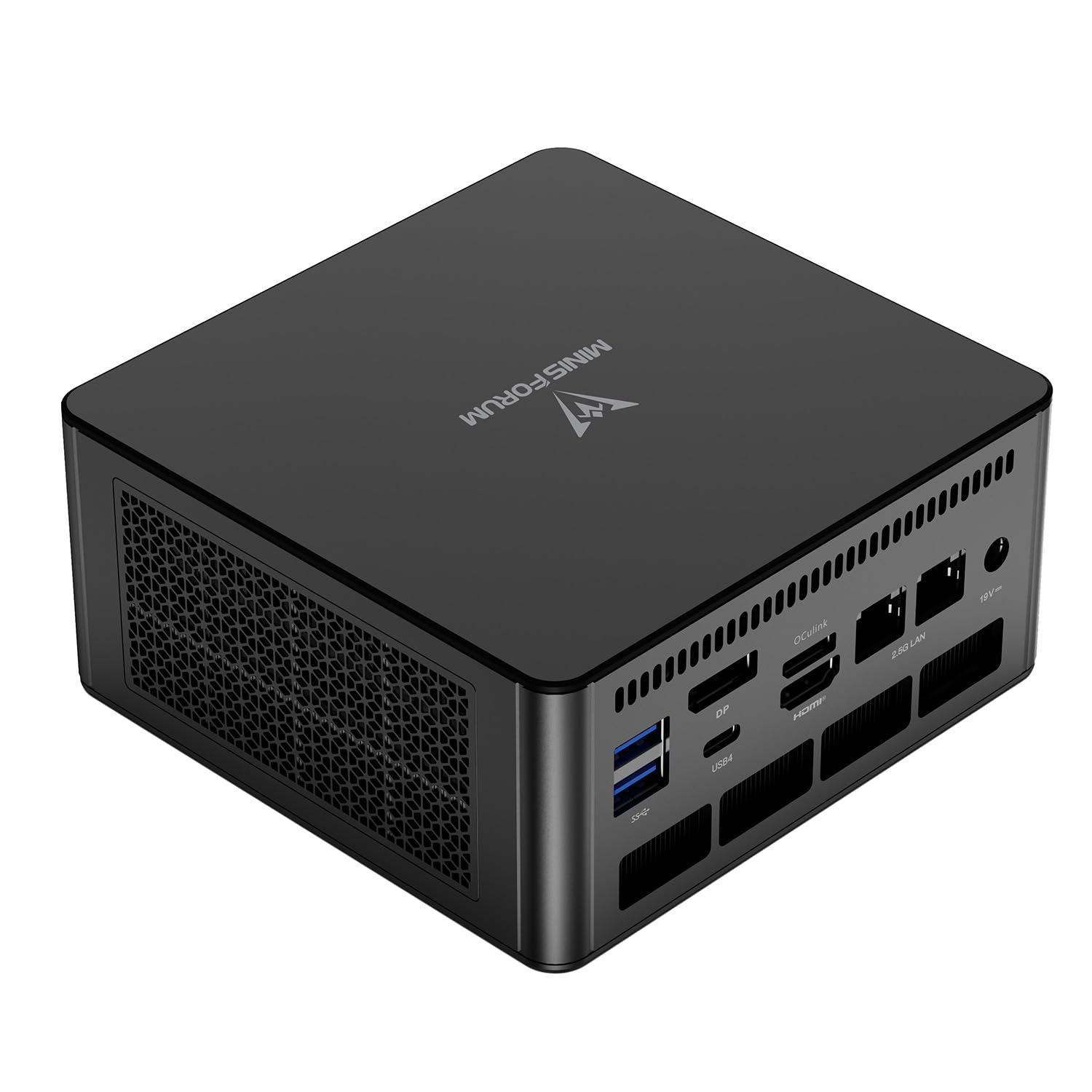
This is where the UM890 Pro stands out. Its listing names two USB4 ports, an HDMI port, a DisplayPort, four video outputs in total, two RJ45 Ethernet ports, Bluetooth 5.2, and four USB 3.2 ports. Dual Ethernet suits home server and network work.
The SER8 offers its own mix of USB and display ports that varies by version. Check the SER8 listing for the number of USB4 or USB-C ports and the network speed before comparing, because small differences here decide which machine works with your monitors and accessories.
Memory, Storage, and Configurations
Both brands sell full kits and barebone options. A typical kit has 32GB of DDR5 memory and a 1TB PCIe 4.0 SSD, which is a comfortable setup for most work. Barebone models save money but leave you to add memory, storage, and a Windows licence.
Pay close attention to which configuration a price refers to. A low price on a barebone unit is not comparable to a full kit, and mixing the two leads to disappointment. Match memory, storage, and operating system before you compare.
Noise, Cooling, and Build
Both machines use a fan and a vapor or heatsink design to cool a laptop class processor. Under heavy load both become audible, and neither is silent. In office work both stay quiet enough for a normal room.
Build quality is similar: compact metal and plastic cases, easy access for upgrades on many versions, and VESA mounting options. Read recent buyer comments about fan noise, because individual units vary.
Which One Should You Pick?
- Pick the SER8 if you want a good price and a proven Ryzen 7 for office, coding, and light creative work.
- Pick the UM890 Pro if you need extra USB4 ports, dual Ethernet, or the faster Ryzen 9 chip.
- Pick neither if you want a quiet low power box. A cheaper N series mini PC is better for that.
For more context, see the best mini PC guide, the NVIDIA DGX Spark review, and the Apple Mac mini M4 review.
Support and Warranty
Check the warranty length and the claim process for each brand. Both sell through major retailers, so returns and replacements are usually straightforward within the first month. Keep the original box until you are sure the machine suits you.
Update the BIOS and drivers soon after setup, since early firmware often improves memory stability and fan behavior. The Framework Desktop review is worth reading if you value upgrade freedom more than size.
Price and Value
The Ryzen 9 machine usually costs more than a comparable Ryzen 7 machine, but prices move with sales and memory configurations. Compare the cost per feature you need, such as extra USB4 ports or storage, rather than only the sticker price.
If two kits are within a small gap, prefer the one with more memory and a longer warranty. Those are the parts of a mini PC you cannot change easily after the fact.
Real Use Cases Side by Side
A developer who builds software all day will notice the faster chip in the UM890 Pro during long compiles, while a writer or analyst may never feel the difference. A home server fan will love the second Ethernet port on the Minisforum, and a buyer who wants a plain quiet desktop may prefer the simpler SER8 at a lower price.
Write down your three most common tasks and check which machine handles them with the least fuss. That list matters more than any benchmark chart.
A Practical Buying Checklist
Before you order either model, confirm the exact processor in the listing, the memory type, the storage size, and whether Windows is included. Count the display outputs against your monitors, and check the Ethernet speed if you plan to use a fast network. Then compare warranty length and return terms, because a small saving is not worth a harder return process.
FAQs
Is the UM890 Pro faster than the SER8?
It uses a faster Ryzen 9 chip, so it can be quicker in long heavy tasks. In everyday work the two feel similar.
Which has more ports?
The UM890 Pro lists dual USB4, four video outputs, and two Ethernet ports. Check the SER8 listing for its exact set.
Can both run Windows and Linux?
Yes. Windows is common out of the box, and both run popular Linux distributions well.
Are they good for gaming?
They handle lighter and older games on integrated graphics. For modern titles, choose a machine with stronger graphics.
In short, this beelink ser8 vs minisforum um890 pro comparison favors the SER8 on price and the UM890 Pro on ports and peak speed, so use the table above to match the choice to your budget. Prices and availability can change, so check the product page before ordering.


