
Best 2T External Hard Drives: Portable Backup Drives Compared for 2026
Disclosure: We may earn a commission when you buy through links on this page, at no extra cost to you. As an Amazon Associate I earn from qualifying purchases. Learn more

Room for photos, documents and a full laptop backup: the best 2t external hard drives are small and bus powered, though toughness and software vary.
Two terabytes is the comfortable middle size for an external hard drive. It holds about half a million photos, a full laptop backup and a few hundred hours of video, and it costs far less per terabyte than a flash based drive. The best 2t external hard drives are small portable units that plug into a USB port and need no separate power supply, which makes them easy to use at home or on the road.
This guide explains how portable hard drives differ, how to choose between plain and rugged models, what speeds to expect, how to format and back up, and how to avoid the mistakes that cost people their files.




What 2TB Gets You
A 2TB drive can store the family photo collection, years of documents, a copy of a laptop and a lot of music and video. For many households it is the sweet spot: large enough to last years, small enough to carry in a pocket, and inexpensive enough to buy two for redundancy.
If you shoot lots of video or keep large game libraries, you may want more capacity or a faster drive. Our guide to the external hard drives page covers other sizes, and the external hard disk drives guide compares more.
Plain, Slim or Rugged
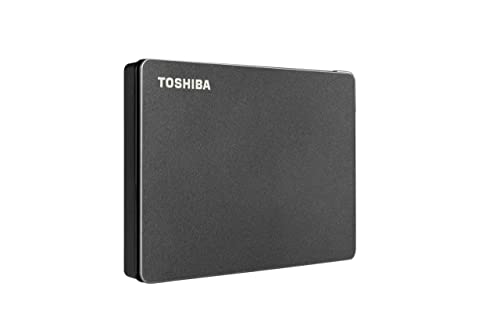
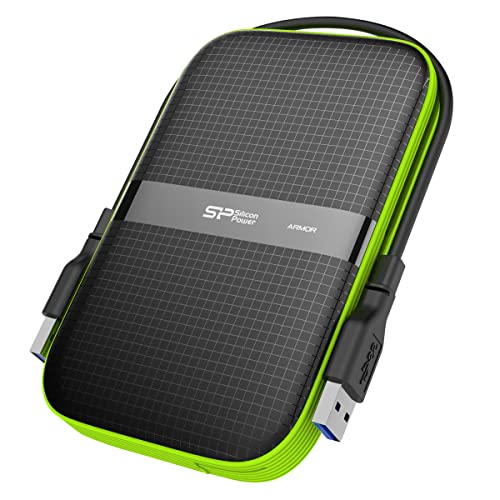
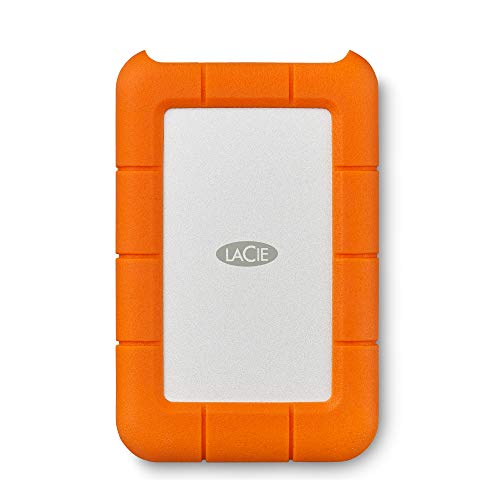
Plain portable drives are the cheapest and are fine for a desk or a bag. Slim models are thinner and lighter. Rugged drives add a rubber bumper and sometimes water and dust resistance, and they protect against drops.
If you move the drive often or work outdoors, rugged is a smart choice. A hard drive has moving parts, so avoid knocking it while it is running.
Look at the drive's cable. A short built in or detachable cable is convenient, and a USB-C connector helps with new laptops. A cable that is too short can strain the port.
Speed and Interface
A portable hard drive on a modern USB port reaches about 100 to 140 megabytes per second for large files. That is enough for backups and media, but slow for editing video straight from the drive or for running programs. Small files transfer slower than large ones, and the first backup can take hours.
If you need speed, consider a flash drive instead. See our guide to the SSD external hard drives for that route. For archiving and backups, a spinning drive remains the better value.
Power and Compatibility
Most 2TB portable drives draw power from the USB port, which keeps cables to one. Some older laptops struggle with the current, so use a port on the computer and not an unpowered hub. Most drives come formatted for Windows.
For a Mac, reformat to APFS or use exFAT to share between systems. Game consoles often accept a drive of this size for extra storage, but check the console's rules.
Backup Software and Habits
Many drives include backup software and a password tool. They are optional, because Windows File History and macOS Time Machine work with any drive. Set up an automatic backup so that copies happen without thinking. Keep a second copy of important files elsewhere, since a single drive can fail.
Eject the drive properly before unplugging it, and avoid moving it while it spins. Store it away from heat and magnets, and test it now and then by opening a few files. For photographers, our page on the external hard drives for photography gives extra advice.
Reliability and Warranty
Hard drives can fail without warning. Look for a warranty of two years or more, and treat the drive as a copy, not as a safe. Replace it after several years of heavy use. If the drive starts clicking or disappears from the computer, stop using it and copy your files elsewhere quickly.
Mistakes to Avoid
- Treating one external drive as the only backup.
- Dropping the drive while it is running.
- Using a long or damaged cable.
- Forgetting to reformat for a Mac.
- Unplugging without ejecting.
Setting Up Your First Backup
Plug the drive into a port on the computer and let the system recognize it. On Windows, open the backup settings and choose the drive for File History or a system image. On a Mac, open Time Machine and select the drive. The first copy takes the longest, so start it before bed and leave the computer plugged in.
After the first run, check that the drive contains your folders by opening a few files. Set the backup to run automatically, and note how many versions the system keeps. If you want to copy files by hand, create a clear folder structure with dates so you can find things later. Review the backup every few months to make sure it still runs.
Carrying and Storing the Drive
Keep the drive in a padded sleeve or its own case when you travel. Wrap the cable loosely and avoid tight bends near the connector. Do not put the drive in a bag where heavy items press against it, and never move it while it is running.
At home, store the drive upright or flat on a stable surface away from magnets, direct sun and heat. If you keep a backup copy off site, choose a safe place such as a drawer at a relative's home or a locked cabinet at work. A drive in a drawer still counts as a backup only if you check that it reads properly now and then.
Frequently Asked Questions
Is 2TB enough?
For most households, yes. Photos, documents and a laptop backup fit comfortably.
Do I need a rugged drive?
If you travel or work outdoors, yes. For a desk, a plain drive is fine.
Can I use it with a game console?
Often yes for extra storage, but check the console's compatibility rules.
How long do external hard drives last?
Commonly several years, but failures are random. Keep a second copy.
Final Thoughts
The best 2t external hard drives are portable, bus powered and well reviewed, and they come with a warranty. Choose rugged if you carry it daily, format it for your system, set up automatic backups and keep a second copy of anything important.
Prices and availability can change, so check the product page before ordering.


