
Best 32 Inch Computer Monitors for 2026: A Simple Buying Guide for Home and Office
Disclosure: We may earn a commission when you buy through links on this page, at no extra cost to you. As an Amazon Associate I earn from qualifying purchases. Learn more

Best 32 inch computer monitors for home and office use: a plain guide to resolution, panel type, stand and ports so you can pick the right screen for your desk.
Thirty-two inches is a big step up from the 24 and 27 inch screens that most people start with. It gives you a roomy desktop for documents, two windows side by side and a bigger picture for video. The best 32 inch computer monitors range from simple Full HD screens to sharp 4K models, and this guide walks through the choices in the order that matters: how you will use it, which resolution fits, then everything else.
If you are replacing a smaller screen or buying your first big monitor, you will find a short decision path here and a table of current models to compare.
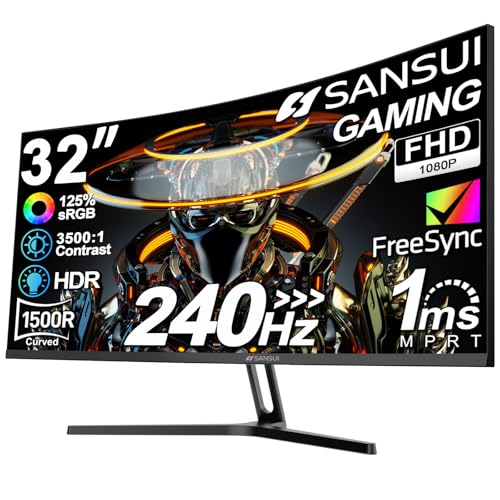


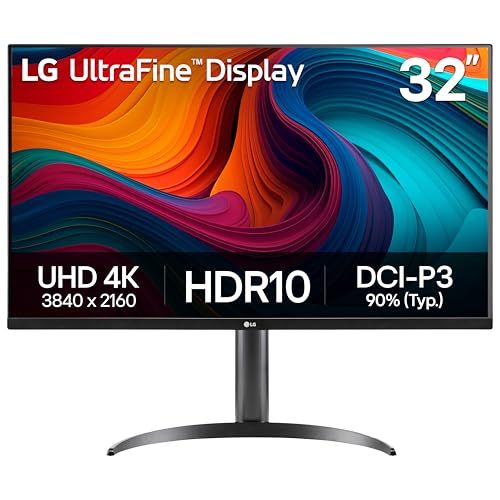


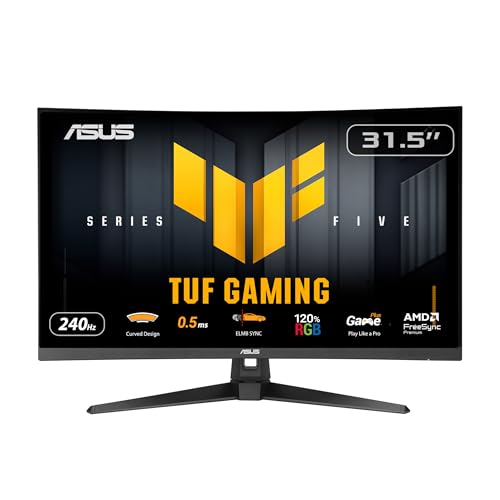
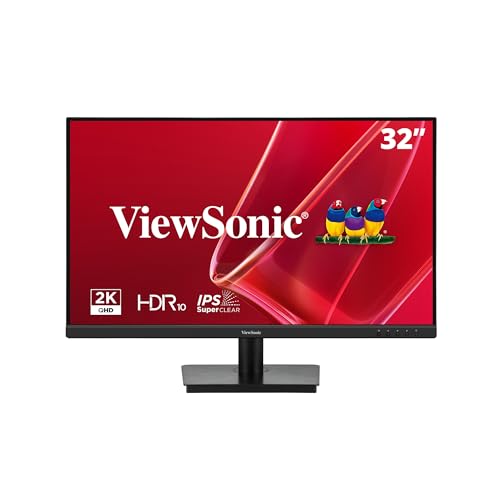

Start with how you will use it
- Everyday home use: browsing, streaming, homework and email, where a Full HD or QHD screen at a modest price is enough
- Office and study: long hours with text, where sharpness, a flicker-free backlight and a good stand matter
- Photo and video work: color accuracy and 4K resolution come first
- Gaming: refresh rate and response time rise to the top of the list
- Mixed use: a QHD screen at a good refresh rate is a safe middle path
Write down your top two uses and let them break ties. A person who mostly streams video will not benefit from a 240 Hz gaming panel, and a gamer will not enjoy a slow 60 Hz office panel.
Pick the resolution
Full HD (1080p) is the cheapest option, but at 32 inches it looks soft because the same pixels are stretched over a large area. QHD (1440p) is a clear improvement and is easy on any computer. 4K is the sharpest, with crisp text and fine detail, but it asks more of your computer and usually costs more. Our short comparison of 4K vs 1440p monitors explains the trade-off in more depth.
As a rule of thumb, choose QHD if your budget is moderate and your computer is a few years old. Choose 4K if you want the best text and can afford it. Choose Full HD only if price is the main concern or the screen will sit farther away, such as at a TV-style distance.
Panel type and shape
IPS panels give consistent color from any angle and suit shared screens and creative work. VA panels give better contrast and are common on curved screens, which suits movies and games. Flat screens suit documents and drawing. Curved screens feel more immersive, though they look odd with a stack of windows. Check the product page for the panel type, because it is not always in the title.
What to look for beyond the specs
The stand
A stand that adjusts for height saves your neck. Many budget models only tilt, which is a problem at 32 inch, since the screen is tall. If the stand is basic, a monitor arm or a riser fixes it.
Ports
At least one HDMI port and one DisplayPort cover most computers. A USB-C port with power delivery is great for laptops. A headphone jack and a few USB ports are handy extras.
Brightness and coating
Choose a brighter screen if your desk faces a window, and a matte coating to cut reflections. A glossy panel looks richer in a dim room.
Warranty and returns
Check the return window, because dead pixels and backlight leaks happen. A one year warranty is common.
Mac and laptop notes
Mac users should look for a 4K or 5K screen for the sharpest text, though a QHD screen works fine for casual use. Check that the monitor and the computer share the right connections. Our guide to monitors for Mac mini lists the best fits for that setup. If you use a laptop, USB-C docking models reduce cable clutter.
Setting up for comfort
- Place the screen about an arm's length from your eyes
- Set the top edge at or slightly below eye level
- Tilt the screen a few degrees back
- Match the brightness to the room
- Use an arm or riser if the stand is limited
A larger screen invites longer sessions, so take regular breaks. Use night mode in the evening to reduce eye strain.
How to shop for the best 32 inch computer monitors
Use the product table as a shortlist, then read the listing for each model you like. Check the exact resolution, the refresh rate, the panel type, the ports and the stand description. Compare buyer comments for the same points rather than the overall score, since a monitor that is great for gaming can be dull for office work. Pay attention to comments about backlight bleed, dead pixels and firmware, and note how the seller handles returns.
If two models look equal, choose the one with the better stand or the longer warranty. Those are the parts that you notice every day, and they are rarely the focus of the marketing.
Cables, adapters and extras
Some monitors ship with only an HDMI cable, which may limit the refresh rate on a high-speed screen. A DisplayPort cable or a USB-C cable gives the full range for most models. If you plan to run a laptop, check the charging wattage of the USB-C port, since a low figure will not keep a powerful laptop charged. A small desk shelf, a bias light or a cable tray are cheap extras that improve a big monitor setup.
Common mistakes
Buying the biggest screen without checking desk depth is the most common error. A 32 inch monitor needs enough distance to see the whole screen without turning your head. Another mistake is to assume that every monitor has speakers or a USB hub. Check the listing, because many do not. And do not forget cables: some boxes include only one type of cable, so you may need DisplayPort or USB-C separately.
Budget guide
Full HD models sit at the bottom, QHD in the middle and 4K and high refresh rate screens above. A good QHD screen from a known brand is the sweet spot for most buyers. Spend more on the stand and panel quality than on special features you will not use. For a broader look, see our best computer monitor page.
FAQ
Is 32 inch too big for a desk?
For a standard desk about 30 inches deep, it fits, but you need to sit back.
Do I need two monitors?
A 32 inch screen can replace two small ones, with the bezel gap gone.
Is 32 inch good for gaming?
Yes, with a QHD or 4K panel and a decent refresh rate.
Can I mount it on a wall?
Check the VESA pattern and weight.
Final thoughts
The best 32 inch computer monitors should match your use and your desk. Decide how you will use it, pick the resolution, check the stand and ports, and compare current models in the product table.
Prices and availability can change, so check the product page before ordering.


