
Best 75 Inch TVs: Which One Fits the Way You Use It?
Disclosure: We may earn a commission when you buy through links on this page, at no extra cost to you. As an Amazon Associate I earn from qualifying purchases. Learn more

Match a 75 inch TV to your room and habits: movies, gaming, daytime sports or budget.
A 75 inch TV turns a living room into a home theater, but the category spans everything from around $550 budget Mini LED sets to OLEDs that cost four times as much. A movie fan in a dark basement, a gamer with a PS5 and a family watching daytime sports in a sunny room all need different strengths, and paying for the wrong ones wastes hundreds of dollars. The best 75 inch tvs are the ones that match how and where you watch.
This guide sorts 75 inch TVs by viewer type, explains the features that matter at this size and lists the mistakes buyers make most often. You will also find answers to common questions about viewing distance, refresh rate, panel types and lifespan. One thing to check first: a 75 inch TV is about 66 inches wide and 37 to 38 inches tall without its stand, so measure your wall or TV stand before shopping.



Who Should Buy Which 75 Inch TVs?
Movie lovers should prioritize contrast and HDR, gamers should prioritize 120Hz or faster panels with HDMI 2.1, bright room viewers should prioritize brightness and budget buyers should prioritize value Mini LED models. Here is how that breaks down.
For Movie Lovers and Home Theater Fans
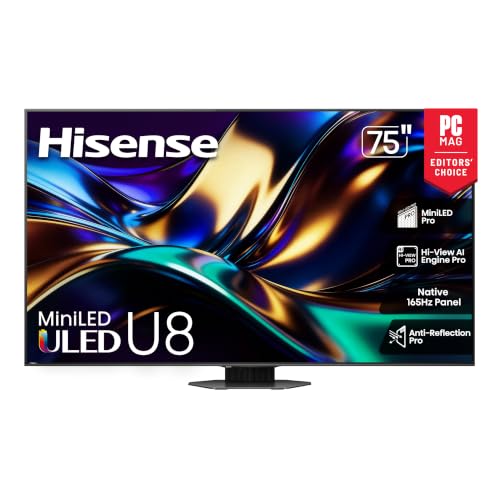
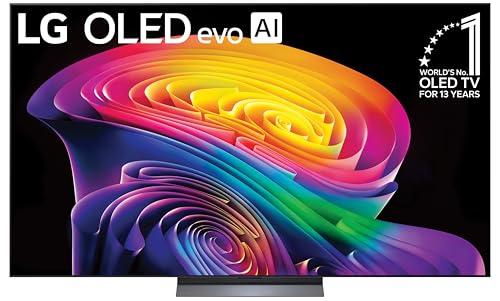
If you watch films in a dim or dark room, contrast and HDR performance matter most. OLED TVs such as LG's C series deliver perfect blacks because each pixel turns off on its own, though 77 inches is the closest OLED size to 75. Premium Mini LED sets such as the Sony BRAVIA 5 or Hisense U8 get close with thousands of dimming zones and higher brightness for HDR highlights.
Look for Dolby Vision support, Filmmaker Mode, good upscaling for lower resolution content and Dolby Atmos passthrough to a soundbar or receiver. A dedicated sound system matters at this size, since built in speakers rarely match a 75 inch picture.
For Gamers and Power Users
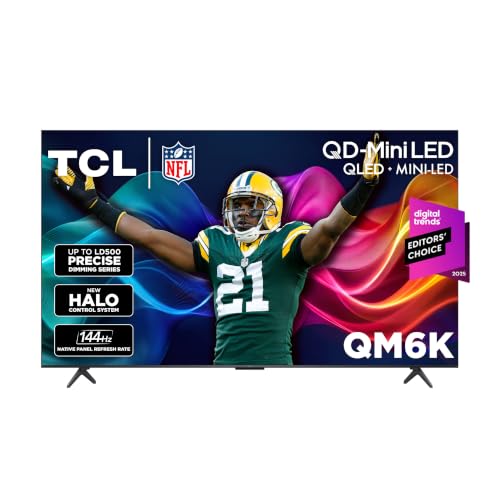
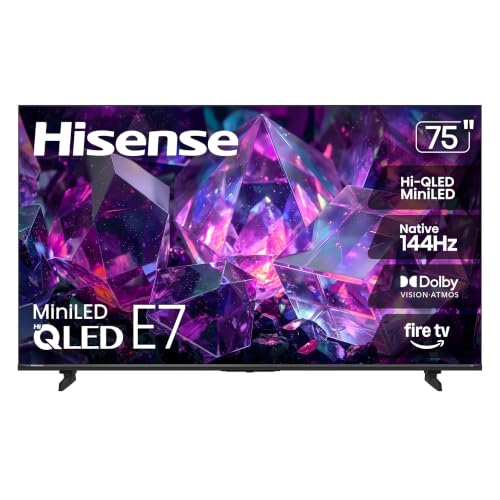
Gamers need a native 120Hz or faster panel, HDMI 2.1 ports for 4K at 120Hz from a PS5, Xbox Series X or gaming PC, variable refresh rate (VRR) and auto low latency mode (ALLM). Many current Mini LED TVs go further: the TCL QM6K and Hisense E7 list native 144Hz, and the Hisense U8 lists a native 165Hz panel.
Input lag under about 10ms in game mode keeps controls responsive. If you play for long sessions with static HUDs, a Mini LED avoids the small burn in risk of OLED, while OLED gives the fastest pixel response.
For Bright Rooms and Daytime Sports
Sunny living rooms wash out dim TVs. Prioritize peak brightness and anti glare treatment. Mini LED QLED sets are brighter than most OLEDs, with high end models claiming several thousand nits of peak brightness, and they hold color well in daylight. A high native refresh rate and good motion processing keep fast sports clear.
Wide viewing angles matter for big family rooms where people sit off to the side. VA panels have deep contrast but lose color off angle, while some brands add wide angle layers to help.
For Budget Buyers and Family Rooms
If you want a big screen for streaming, kids' shows and casual viewing, entry Mini LED TVs like the Samsung M70H, around $550, or the Hisense E7, around $675, deliver 4K HDR and smart features at a low price. You give up some brightness, dimming precision and gaming features compared to premium sets. For most family viewing at normal distances, that trade off is reasonable.
Picking the Right 75 Inch TVs for Different Uses
Match the panel and features to the content you watch most often.
- Movies at night: OLED or premium Mini LED with many dimming zones.
- Sports in daylight: bright Mini LED with a native 120Hz or faster panel.
- Everyday streaming: an entry Mini LED with a smart platform you like.
Best 75 Inch TVs for Gaming
The best 75 inch tvs for gaming combine a native 120Hz to 165Hz panel, at least two HDMI 2.1 ports and VRR support such as FreeSync Premium or HDMI Forum VRR. Low input lag in game mode is the third key factor. The TCL QM6K, with its native 144Hz panel, offers these features at a midrange price.
Key Features to Compare in the Best 75 Inch TVs
Compare refresh rate, gaming features, panel technology, brightness, smart platform and sound. Each one changes how the TV looks in your room.
Refresh Rate and Response Time
Refresh rate is how many times per second the screen updates. A native 60Hz panel is fine for movies and basic TV, but 120Hz or higher makes sports, scrolling and games look much smoother. Consoles top out at 120Hz, while PCs can use 144Hz or 165Hz panels.
Watch for marketing terms such as "Motion Rate 240" or "Motion Xcelerator", which describe processing rather than true native refresh. Response time, how quickly pixels change, is fastest on OLED and good on modern Mini LEDs, reducing blur in fast scenes.
Adaptive Sync and Gaming Features
Variable refresh rate matches the TV's refresh to the game's frame rate, preventing tearing and stutter. TVs support it through HDMI 2.1 VRR, AMD FreeSync and sometimes NVIDIA G-Sync compatibility. ALLM switches the TV to game mode automatically when a console starts.
Check how many HDMI 2.1 ports the TV has, since a console, a PC and a soundbar with eARC can quickly fill them. Some TVs share bandwidth between ports or limit 4K at 120Hz to two inputs.
Panel Technology (IPS, VA, OLED, Mini LED)
OLED offers perfect blacks, infinite contrast and wide viewing angles, but lower full screen brightness and a small risk of burn in with static images. Mini LED LCDs use thousands of tiny backlight LEDs in local dimming zones for high brightness and strong contrast, with occasional blooming around bright objects. VA panels give deep blacks but narrower viewing angles, while IPS panels give wider angles with weaker contrast.
QLED and quantum dot layers widen the color range on LCD TVs, and most current Mini LED models include them.
Brightness and HDR Formats
Brightness drives HDR impact and daytime viewing. Budget Mini LEDs are bright enough for most rooms, while premium Mini LEDs push much higher. HDR formats matter too: Dolby Vision and HDR10+ adjust the picture scene by scene. Samsung TVs support HDR10+ but not Dolby Vision, while TCL, Hisense, Sony and LG models generally support Dolby Vision.
Smart Platform and Sound
Google TV (Sony, TCL, Hisense U8), Fire TV (Hisense E7), Tizen (Samsung) and webOS (LG) all offer the major streaming apps. Choose the one you find easiest, or add a streaming stick later. Built in speakers on thin TVs struggle to fill a large room, even with Dolby Atmos processing. Plan on a soundbar with eARC for clear dialogue and fuller bass.
What 75 Inch TVs Cost at Each Price Tier
Expect to pay around $550 to $800 for entry models, $800 to $1,400 for midrange and $1,800 or more for premium sets. The table shows what each tier typically delivers.
| Tier | Typical Price | What You Get | Best For |
|---|---|---|---|
| Entry | Around $550 to $800 | 4K HDR, basic Mini LED or edge lit dimming, 60Hz to 144Hz depending on model, full smart platform | Streaming, kids' rooms, casual viewing |
| Midrange | Around $800 to $1,400 | Brighter Mini LED with more dimming zones, native 120Hz to 165Hz, HDMI 2.1, Dolby Vision | Gamers, sports fans, bright living rooms |
| Premium | Around $1,800 and up | Top Mini LED or OLED (77 inch), best processing and upscaling, premium build | Home theater fans and dark room movie watching |
The midrange tier is the sweet spot for most buyers in this size. It delivers most of the picture quality of premium sets, while entry models are best when price matters more than HDR punch.
Mounting and Placement Tips for a 75 Inch TV
Mount or place the TV so the center of the screen sits near seated eye level, usually about 40 to 45 inches from the floor. Mounting high above a fireplace forces you to look up and can strain your neck.
- Check VESA size and weight: most 75 inch TVs use 400 x 300 or 400 x 400 mounting patterns and weigh roughly 60 to 90 lb with stand; buy a mount rated above that weight.
- Anchor into studs: use the mount's lag bolts in wood studs or proper anchors for masonry, and get help lifting, since this is a two person job.
- Plan cables: leave room for HDMI, power and an eARC soundbar connection, and consider an in wall power kit rated for the purpose.
- Control glare: avoid placing the screen directly opposite a bright window.
Common Mistakes to Avoid When Buying 75 Inch TVs
These mistakes cause most big screen regrets.
- Not measuring: a 75 inch TV needs about 67 inches of width plus stand feet that may sit near the edges, so check your stand.
- Trusting "motion rate" numbers: look for native refresh rate in the specs instead.
- Ignoring HDMI 2.1: gamers who buy a 60Hz TV lose 120Hz modes.
- Skipping a soundbar budget: big pictures deserve better audio than thin speakers provide.
- Leaving vivid mode on: the default store mode looks harsh at home; switch to a movie or Filmmaker preset.
Care and Maintenance Tips
A few habits keep a large TV looking its best for years.
- Calibrate picture settings: turn off vivid mode and start with Filmmaker, Movie or Calibrated presets.
- On OLEDs, let the TV run its pixel refresh cycles in standby and vary content to reduce burn in risk.
- Clean screens with a dry microfiber cloth only; avoid sprays, paper towels and glass cleaner.
- Use a surge protector to guard against power spikes.
- Keep vents clear and allow space behind wall mounted TVs for airflow.
- Install firmware updates, which often improve picture processing and fix bugs.
75 Inch TVs: Your Questions Answered
What size should I get for my room or desk?
A 75 inch TV suits viewing distances of roughly 7 to 10 feet. A common guideline for 4K is a seating distance of about 1 to 1.5 times the screen's diagonal, which for 75 inches is around 6 to 9.5 feet. If you sit closer than 6 feet, the picture can feel overwhelming; farther than 11 feet, consider 85 inches. A 75 inch TV is far too large for desk use.
Does refresh rate matter for non gamers?
Yes, refresh rate matters for sports and fast action even if you never game. A native 120Hz panel shows smoother motion in football, hockey and action films, and makes menu scrolling feel more responsive. For mostly movies and dramas, 60Hz is acceptable, but most midrange 75 inch TVs now offer 120Hz or more at little extra cost.
IPS vs OLED: which is better?
OLED is better for contrast and dark room viewing, while LCD panels are better for brightness. OLED's self lit pixels deliver perfect blacks and wide viewing angles. IPS LCDs offer wide viewing angles but lighter blacks. Most 75 inch TVs use VA panels with Mini LED backlights, which give strong contrast and high brightness, making them a good middle ground for bright living rooms.
How long do they last?
Most modern TVs last about 7 to 10 years of regular use. LED backlights and OLED panels slowly lose brightness over many thousands of hours. Smart TV software support often ends sooner, but you can add a streaming device to keep apps current. A surge protector and good ventilation help extend lifespan.
Is 4K worth it?
Yes, 4K is essentially standard and worth it at 75 inches. At this size, 1080p looks soft from normal distances, while 4K stays sharp. Nearly all 75 inch TVs are 4K. 8K TVs exist, but very little native 8K content is available, so 4K with strong HDR and upscaling is the better value.
Do I need a soundbar with a 75 inch TV?
A soundbar is strongly recommended with a 75 inch TV. Thin TVs have small, down firing speakers that struggle with dialogue clarity and bass in large rooms. A soundbar connected through HDMI eARC improves dialogue and lets you pass through Dolby Atmos from streaming apps, and adding a subwoofer fills out explosions and music.
Our Verdict
Choose your panel by room light, insist on a native 120Hz panel and HDMI 2.1 if you game and budget for a soundbar. Movie fans should look at OLED or premium Mini LED, gamers at fast Mini LED sets like the TCL QM6K or Hisense U8 and budget buyers at entry Mini LED models from Samsung and Hisense. Keep those points in mind and choosing among the best 75 inch tvs becomes much easier. Compare current models in the product table above, and see our guides to the best OLED TVs and best sounding soundbars to complete your setup.


