
Best Audio Production Laptops: Which Type Is Right for You?
Disclosure: We may earn a commission when you buy through links on this page, at no extra cost to you. As an Amazon Associate I earn from qualifying purchases. Learn more

Workstation class, gaming, ultraportable and budget laptops compared for DAWs, plugins, latency and portability.
Music producers face a confusing choice when shopping for a laptop. Gaming laptops promise raw power, ultraportables promise silence and battery life, creator laptops promise both and budget laptops promise to save money for plugins and monitors. Each type handles digital audio workstations differently, especially when projects grow to dozens of tracks and virtual instruments. This guide to the best audio production laptops compares every type side by side so you can match the machine to the music you make.
The short answer: most producers should choose a laptop with a fast multi core processor such as Apple M4 Pro, Intel Core Ultra 7 or AMD Ryzen 7, at least 16GB of RAM, ideally 32GB, a 1TB SSD and quiet cooling; MacBook Pro class machines are the strongest all round choice, gaming laptops offer the most Windows power for the money and ultraportables suit beat making and mixing on the go.

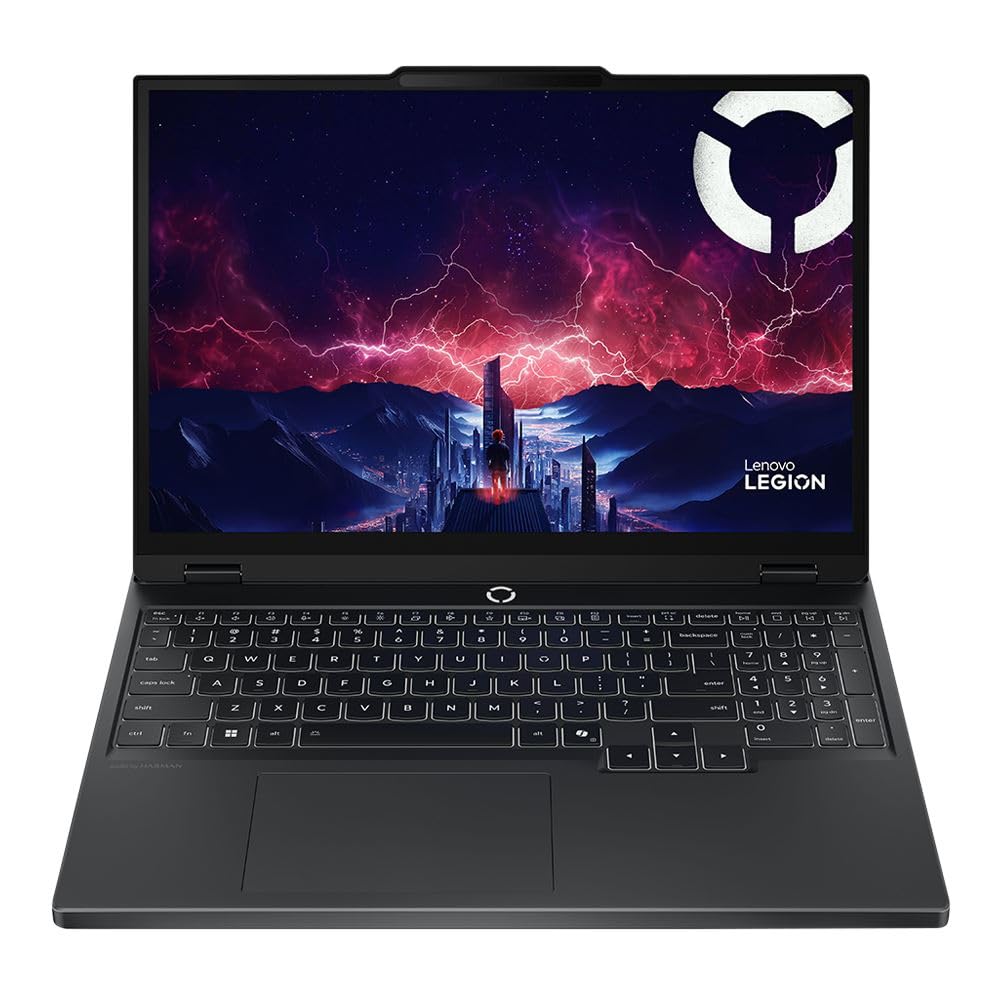


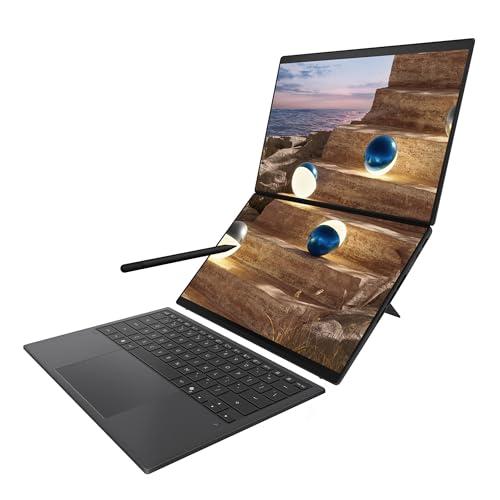

Top 3 Picks at a Glance
These three laptops represent the strongest choice in the three most popular types for audio production.

Types of Audio Production Laptops Compared
The table below summarizes the main laptop types used for music production before we look at each one.
| Type | Best For | Pros | Cons | Typical Price |
|---|---|---|---|---|
| Creator and pro laptops | Serious producers, mixing and mastering | Top CPU performance, quiet, long battery, great screens | Expensive, limited upgrades | around $1,600 to $3,000 |
| Gaming laptops | Windows producers on a budget for power | Strong CPUs, upgradeable RAM and storage, many ports | Loud fans, heavy, shorter battery | around $1,000 to $2,000 |
| Ultraportables | Beat making, travel, light mixing | Light, silent or quiet, all day battery | Fewer ports, less sustained power | around $900 to $1,400 |
| Budget laptops | Beginners, students, simple projects | Affordable, adequate for small sessions | Limited RAM, weaker CPUs, plastic builds | around $550 to $800 |
Creator and Pro Laptops
Creator laptops such as the MacBook Pro combine powerful multi core processors, large amounts of fast memory and efficient cooling. For audio work, CPU performance matters most because effects, virtual instruments and real time processing all run on the processor. Apple's M4 Pro chips deliver excellent performance with low latency audio and run nearly silent, which is valuable when recording vocals or acoustic instruments.
The downsides are price and limited upgrades, since memory and storage are fixed at purchase. These laptops suit producers who mix large sessions, run heavy plugin chains or work professionally with clients.
Gaming Laptops
Gaming laptops pack high end CPUs, plenty of ports and often upgradeable RAM and SSDs at lower prices than creator laptops. Their powerful processors handle big projects in Ableton Live, FL Studio, Cubase and Reaper on Windows.
The trade offs are fan noise, weight and battery life. Fans can spin up under load and bleed into microphone recordings, and dedicated graphics cards add little for audio work. Gaming laptops suit Windows producers who want maximum performance per dollar and mostly work at a desk with headphones or monitors.
Ultraportables
Ultraportables like the MacBook Air and thin Windows laptops are light, quiet and efficient. Many run without fans or with very quiet cooling, making them pleasant for recording. Modern chips handle beat making, songwriting and moderate mixing sessions comfortably.
Limits include fewer ports, which often means a USB C hub for audio interfaces and MIDI controllers, and reduced sustained performance on very large projects. They suit traveling producers, songwriters and DJs who prepare sets on the move.
Budget Laptops
Budget laptops around $550 to $800 can run DAWs well for smaller projects when configured properly. Look for 16GB of RAM and an SSD; avoid 8GB models. Mid range Intel Core i5 or AMD Ryzen 5 and 7 chips handle beginner productions with a modest number of tracks and plugins.
Expect plastic builds, average screens and occasional limits with heavy virtual instruments. These laptops are best for beginners, students and producers who mainly record audio rather than run large orchestral libraries.
Gaming Laptops vs Ultraportables: Which Should You Choose?
- Performance: Gaming laptops sustain higher CPU loads for longer, handling larger projects. Ultraportables are fast in bursts but may throttle on very heavy sessions.
- Noise: Ultraportables are much quieter, often silent, which helps when recording. Gaming laptops can get loud under load.
- Portability: Ultraportables weigh around 3 pounds with all day battery, while gaming laptops weigh 4.5 to 6 pounds with shorter battery life.
- Ports and upgrades: Gaming laptops offer more USB ports and upgradeable memory, while ultraportables rely on USB C hubs.
- Value: Gaming laptops offer more raw power per dollar, while ultraportables cost more for efficiency and design.
Choose a gaming laptop if you produce large projects at a desk on Windows. Choose an ultraportable if you travel, record often or value silence and battery life.
How to Choose the Right Audio Production Laptop
RAM and Storage
RAM holds your project, plugins and sample libraries while you work. Sixteen gigabytes is the minimum for comfortable production, while 32GB or more suits large sessions, orchestral libraries and heavy sampling. Storage should be a fast NVMe SSD; 1TB is a practical minimum for producers with sample packs and virtual instruments, and external SSDs extend space affordably. On laptops with soldered memory, buy enough at purchase.
Display Size, Resolution, and Brightness
Larger screens of 15 to 16 inches show more of your arrangement, mixer and plugins at once, while 13 to 14 inch screens are easier to carry. Higher resolutions like 2560 by 1600 or more give more workspace. Brightness matters less for audio than for video, but a comfortable 300 to 500 nit screen reduces eye strain during long sessions. Dual screen laptops can display the mixer and arrangement simultaneously.
Processor and Performance Tier
The CPU is the most important component for audio production. Strong single core performance keeps real time processing smooth at low buffer sizes, while more cores help with large projects and many plugins. Apple M4 Pro and Max, Intel Core Ultra 7 and 9 and AMD Ryzen 7 and 9 chips lead performance. Budget producers can start with Core i5 or Ryzen 5 and 7 processors.
Weight and Portability
Producers who travel to studios, gigs and sessions benefit from laptops around 3 to 3.5 pounds with long battery life and USB C charging. Producers who work mainly at a home desk can prioritize performance and screen size over weight. Remember to factor in the weight of an audio interface, controller and chargers when choosing a travel setup.
Ports and Audio Interface Compatibility
Producers often connect an audio interface, MIDI keyboard, external drives and studio monitors. Check for enough USB ports, ideally Thunderbolt or USB4 for high bandwidth interfaces. Confirm your DAW and interface drivers support the laptop's operating system and chip architecture, especially on Windows on ARM laptops, where some drivers may be missing.
Picking the Right Audio Production Laptops for Different Uses
Best Audio Production Laptops under 700
The best audio production laptops under 700 focus on three essentials: 16GB of RAM, an SSD of at least 512GB and a modern Core i5 or Ryzen 5 to 7 processor. Skip extras like touchscreens and dedicated graphics. A laptop such as the ASUS Vivobook 16 with 16GB of memory handles beginner productions and recording well.
Best for Live Performance
Performers using Ableton Live or DJ software on stage benefit from reliable, quiet laptops with bright screens and long battery life, plus enough ports for controllers.
Best for Mixing and Mastering
Mixing and mastering engineers need strong CPUs for heavy plugin chains, plenty of RAM and large, sharp screens to view detailed meters and EQ curves.
Tips to Get the Most From Your Audio Production Laptop
Keep the OS, DAW and audio interface drivers updated, but avoid major OS updates in the middle of important projects until your plugins support them. Avoid running at 100 percent charge all the time by enabling battery care settings. Use a padded sleeve when commuting to protect the laptop and screen. On Windows, set the power plan to high performance, disable unnecessary background apps and use ASIO drivers for low latency. Freeze or bounce heavy tracks to save CPU during large sessions.
Building a Complete Laptop Studio
A laptop is the heart of a mobile studio, but a few accessories complete the setup. An audio interface converts microphone and instrument signals into digital audio with far better quality and lower latency than built in sound cards. Entry level two input interfaces cost around $100 to $200 and connect over USB C.
Studio headphones and monitors let you hear mixes accurately. Closed back headphones suit recording, while open back headphones and nearfield monitors help with mixing. A MIDI keyboard controller around 25 to 49 keys makes playing virtual instruments and programming drums much faster than clicking notes with a mouse.
Fast external SSDs store sample libraries and project backups, keeping the internal drive free for the operating system and active sessions. A powered USB hub or Thunderbolt dock adds ports for all of these devices without constant cable swapping. Finally, a laptop stand raises the screen to eye level, improving posture during long production sessions.
Reducing Latency and Avoiding Audio Dropouts
Latency is the delay between playing a note and hearing it, and low latency matters when recording vocals or playing virtual instruments. Lower your DAW's buffer size to around 64 or 128 samples while recording, then raise it to 512 or 1,024 samples while mixing to give the CPU more headroom.
Use manufacturer drivers for your audio interface, such as ASIO on Windows, and disable WiFi and Bluetooth during critical recording if you hear crackles. Plug the laptop into power, since battery saving modes can throttle the CPU. On Windows, tools that measure DPC latency help identify drivers causing dropouts.
Mac or Windows for Music Production?
Both platforms run professional music production software, but each has strengths. macOS includes Core Audio, which offers low latency without extra drivers, and Logic Pro, a powerful and affordable DAW exclusive to Mac. Apple silicon laptops deliver excellent performance per watt and quiet operation.
Windows offers more hardware choices, lower prices for powerful CPUs and upgradeable components on many models. FL Studio, Ableton Live, Cubase, Reaper and Studio One all run well on Windows. Check that your preferred plugins and interfaces support your chosen platform, and stick with the system your collaborators use if you share projects often.
Frequently Asked Questions
How much RAM do I need for audio production?
Most producers need at least 16GB of RAM, and 32GB is ideal for large projects. Sixteen gigabytes handles typical electronic, hip hop and pop productions. Orchestral libraries, large sample instruments and long sessions with many tracks benefit from 32GB or more. Avoid 8GB laptops for production work.
Is a Chromebook enough for music production?
No, a Chromebook is not enough for serious music production. Most professional DAWs and plugins require Windows or macOS. Chromebooks can run some web based and Android music apps for sketching ideas, but they lack support for most audio interfaces, plugins and professional workflows.
Should I buy a laptop or a tablet for music production?
Buy a laptop for full music production. Laptops run complete DAWs, plugins and audio interfaces. Tablets like iPads run excellent music apps for sketching and performing, but they have limits with plugins, file management and complex mixing.
Is a dedicated GPU worth it for audio production?
No, a dedicated GPU adds little for audio production. Audio processing relies on the CPU, RAM and storage. A dedicated GPU helps only if you also edit video, game or use GPU accelerated visual tools. Spend the money on a better processor or more memory instead.
How long should an audio production laptop last?
A good audio production laptop should last around four to six years. Choosing a strong processor, 32GB of RAM and plenty of storage helps it handle future plugins and larger projects. Regular updates, clean storage and battery care extend its useful life.
Do fan noise levels matter for recording?
Yes, fan noise matters if you record vocals or acoustic instruments near the laptop. Loud fans can bleed into sensitive microphones. Quiet or fanless laptops avoid the problem, while gaming laptop owners can move the mic farther away, use directional microphones or switch to quieter power profiles while recording.
Our Verdict
The right audio production laptop depends on how and where you make music. Creator and pro laptops deliver the best balance of power and silence, gaming laptops offer Windows power for less, ultraportables excel for traveling producers and budget laptops help beginners get started. Prioritize CPU performance, at least 16GB of RAM and fast SSD storage above all else.
Compare the best audio production laptops in the product table above to find the right type for your music and budget.


