
Best Branded Laptops: Our 2026 Checklist and Top 3 Picks
Disclosure: We may earn a commission when you buy through links on this page, at no extra cost to you. As an Amazon Associate I earn from qualifying purchases. Learn more

A checklist for choosing a name brand laptop, with three picks that pass it.
Buying a laptop from an established brand such as Apple, Dell, HP, Lenovo, ASUS or Acer brings real advantages: driver and firmware updates for years, wide repair networks, reliable warranties and resale value. But every major brand also sells weak configurations, so a famous logo alone does not guarantee a good laptop. To find the best branded laptops, we use a checklist covering processor, build, ports, memory, operating system, battery and graphics.
Below, each criterion includes what good and poor look like, followed by three picks that pass the checklist, a quick buyer checklist, red flags and answers to common questions.




How We Evaluate Branded Laptops
We judge branded laptops on seven criteria, weighted toward performance for the price and long term support. Our scoring uses manufacturer specifications, listing details, brand support policies and buyer feedback in aggregate.
Processor and Performance Tier
Good for everyday work: Apple M series chips, Intel Core Ultra 5 or 7 and AMD Ryzen 5 or 7 (including Ryzen AI). These handle browsing, office apps, video calls and light photo editing smoothly. Good for heavy work: Intel Core i7 or i9 HX, Ryzen 9 or Apple M4 Pro class chips for video editing, coding and gaming. Poor: Intel Celeron, Pentium or older Athlon chips on Windows laptops, which feel slow with modern apps.
Keyboard, Trackpad, and Build
Good: a firm keyboard with about 1 to 1.5mm of key travel, backlighting, a large glass or precision trackpad and an aluminum or magnesium chassis that does not flex. Apple's MacBooks and premium Dell, HP and Lenovo lines set the standard. Poor: mushy keys, small or imprecise trackpads and plastic decks that bend under pressure. Budget plastic builds are acceptable if they feel solid.
Ports and Connectivity
Good: at least two USB-C ports (ideally Thunderbolt 4 or USB4 for fast docks and displays), a USB-A port, HDMI, a headphone jack and Wi-Fi 6E or Wi-Fi 7. Poor: a single USB-C port that also charges the laptop, forcing you to use adapters. Gaming laptops often add Ethernet; thin laptops often drop HDMI and USB-A.
RAM and Storage
Good: 16GB of RAM and a 512GB SSD, which suit most users for years. Apple now ships the MacBook Air with 16GB unified memory as standard. Acceptable: 8GB on Chromebooks or very light use. Poor: 8GB Windows laptops with 128GB or eMMC storage, which slow down quickly and run out of space. Check whether RAM is soldered, since it cannot be upgraded later.
Operating System (Windows, macOS, ChromeOS)
Choose the OS that fits your apps and other devices. macOS suits iPhone and iPad users and creative work. Windows runs the widest range of software and games. ChromeOS suits schools and simple web based work at low prices. Make sure any specialist software you need, such as engineering tools or games, supports your chosen system.
Battery Life in Real World Use
Good: 10 hours or more of real mixed use, common on Apple M series MacBooks and efficient Intel Core Ultra and Snapdragon laptops. Acceptable: 6 to 9 hours on typical Windows laptops. Poor: under 5 hours, typical of gaming laptops away from the charger. USB-C fast charging that refills about 50% in 30 minutes is a strong plus.
Graphics (Integrated vs Dedicated GPU)
Integrated graphics in modern Apple, Intel and AMD chips handle streaming, photo editing and light games. A dedicated GPU such as an NVIDIA GeForce RTX 4050, 5060 or higher is needed for modern PC gaming, 3D work and faster video exports. Dedicated GPUs add weight, heat and cost and shorten battery life, so buy one only if you will use it.
3 Picks That Pass Our Checklist
The Apple MacBook Air 13 with M4 is our best overall branded laptop, the Lenovo IdeaPad Slim 3 is the best value and the ASUS ROG Strix G16 is the best for heavy use and gaming.
Best Overall: Apple MacBook Air 13-inch with M4
The MacBook Air M4 suits students, professionals and anyone who wants a light, long lasting laptop that will stay fast for years. At around $986, it pairs Apple's M4 chip with 16GB of unified memory, a 256GB SSD and a 13.6 inch Liquid Retina display, according to its listing.
Its two standout strengths are Apple's efficient chip design, which delivers long battery life and silent fanless operation, and a premium aluminum build with a 12MP Center Stage camera and Touch ID. It is built for Apple Intelligence features. The limitation is the 256GB base storage, which fills quickly with large photo or video libraries, so consider cloud storage or a larger configuration.

Best Value: Lenovo IdeaPad Slim 3
The Lenovo IdeaPad Slim 3 suits budget buyers, families and students who need a capable Windows laptop. At around $684, it offers an 8-core AMD Ryzen 7 5825U, 16GB of RAM, a 512GB SSD and a 15.6 inch Full HD touchscreen, plus Wi-Fi 6 and Bluetooth 5.2.
Its strengths are generous memory and storage for the price and a large touchscreen that suits documents and spreadsheets. Lenovo's wide service network adds peace of mind. The limitation is the older generation Ryzen chip and 720p webcam, which trail newer premium laptops in efficiency and video call quality.

Best for Heavy Use: ASUS ROG Strix G16
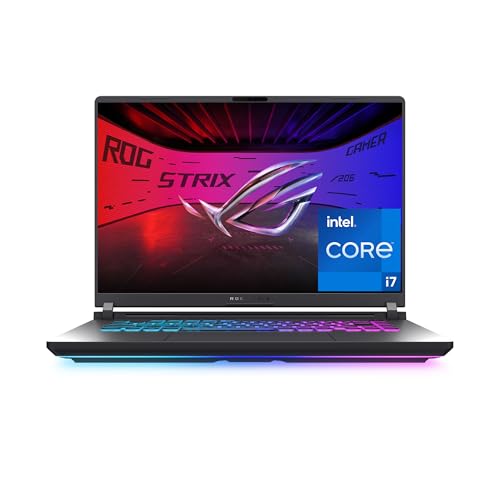
The ASUS ROG Strix G16 suits gamers, streamers and creators who need serious performance. At around $1,620, it combines an Intel Core i7-14650HX with an NVIDIA GeForce RTX 5060 laptop GPU, 16GB of DDR5 memory, a 1TB PCIe Gen 4 SSD and Wi-Fi 7.
Its strengths are a smooth 16 inch 165Hz FHD+ display and ROG's cooling system with a vapor chamber, tri-fan design and liquid metal, according to ASUS. A Stealth Mode turns off RGB lighting for professional settings. The limitation is weight and short battery life away from the outlet, typical of gaming laptops.

Quick Buyer Checklist
Answer these yes or no questions before buying.
- Does it have at least 16GB of RAM, or 8GB only for a Chromebook?
- Is storage an SSD of 512GB or more, or do you rely on cloud storage?
- Is the processor a current generation Intel Core Ultra, AMD Ryzen or Apple M series chip?
- Does it have the ports you need without adapters?
- Does the battery last a full workday for your use?
- Does the operating system run all your required apps?
- Do you need a dedicated GPU for gaming or creative work?
- Does the brand offer at least a one year warranty and local service?
Red Flags to Watch For
Even branded laptops can disappoint. Watch for these signs.
- Old processors at new prices: check the CPU generation, not just "Core i7" or "Ryzen 7".
- eMMC storage or 4GB RAM: these make Windows laptops slow from day one.
- Dim screens: displays under about 250 nits are hard to use near windows.
- Unclear sellers: buy from the brand or authorized sellers to get full warranty coverage.
- Bloatware heavy setups: preinstalled trial software slows startup; plan to remove it.
Which Laptop Brand Fits You?
The best branded laptops come from makers whose strengths match your needs, and each major brand suits different buyers.
| Brand | Known For | Best For |
|---|---|---|
| Apple | Efficient M series chips, long battery life, premium build, long software support | Students, creatives, iPhone users |
| Dell | Business reliability, XPS and Dell Plus lines, strong support options | Professionals and offices |
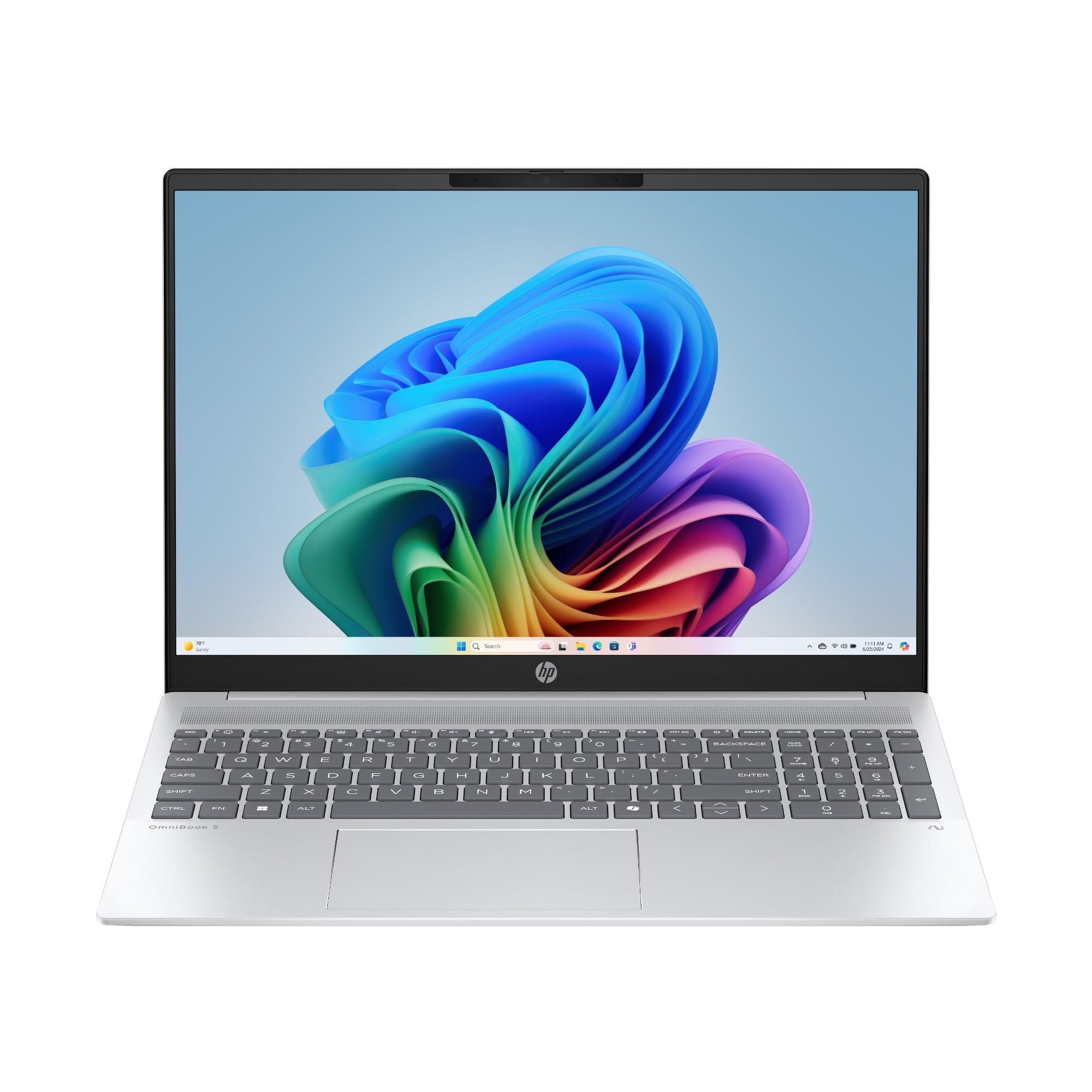
| HP | Wide range from budget to premium, OmniBook and Spectre lines, OMEN gaming | Families and mixed use |
| Lenovo | ThinkPad keyboards, IdeaPad value, Legion gaming | Value buyers and business users |
| ASUS | Vivobook value, Zenbook thin and lights, ROG gaming | Gamers and budget buyers |
| Acer | Low prices, Aspire and Swift lines, Predator gaming | Tight budgets |
Within any brand, the specific model and configuration matter more than the logo, so compare specs using the checklist above.
Where to Buy and How to Protect Your Warranty
Buy from the brand's own store, Amazon listings sold by the manufacturer or an authorized retailer, so the warranty is honored without questions. Third party sellers sometimes ship open box, refurbished or imported units that carry limited or no manufacturer coverage, even when the listing looks new.
- Check the seller name: look for "Ships from and sold by" the retailer or the brand.
- Register the laptop: registering with the brand speeds up warranty claims.
- Keep the receipt: proof of purchase date is required for most repairs.
- Consider extended coverage carefully: accidental damage plans can help students and travelers, but read what they exclude.
- Watch return windows: check the screen, keyboard and battery during the return period so problems can be fixed by exchange.
Tips to Get the Most From Your Branded Laptop
- Keep the operating system, drivers and firmware updated for security and performance.
- Avoid sitting at 100% charge all the time; use battery care modes that cap charging around 80% when available.
- Use a padded sleeve or backpack compartment when commuting.
- Remove unneeded preinstalled software to speed up startup.
- Register the laptop with the brand for warranty service and recall notices.
- Keep vents clear and clean dust out periodically, especially on gaming laptops.
Branded Laptops: Your Questions Answered
Should I buy a laptop or a tablet?
Buy a laptop if you type a lot, use desktop software or multitask. Laptops have built in keyboards, more ports and full operating systems for office apps, coding and games. Tablets are lighter and better for reading, streaming, drawing and note taking. A tablet with a keyboard case can cover light work, but it is less comfortable for long typing sessions.
How much RAM do I need?
16GB of RAM is the right amount for most people. It handles many browser tabs, office apps and video calls together and keeps the laptop useful for years. Choose 32GB for heavy video editing, large coding projects or gaming with streaming. 8GB is acceptable only on Chromebooks or very light use.
How long should a branded laptop last?
A well built branded laptop typically lasts about four to seven years. MacBooks often receive macOS updates for many years, and business lines from Dell, HP and Lenovo are built for long service. Battery capacity fades over time, so a battery replacement around year three or four can extend life.
Which laptop brand is most reliable?
Apple, Lenovo's ThinkPad line and Dell's business laptops have long reputations for reliability. Reliability varies more by product line than by brand, though: premium and business models from HP, Dell, Lenovo and ASUS are generally sturdier than their cheapest consumer models. Choose a well reviewed model line and buy from an authorized seller.
Is a dedicated GPU worth it?
A dedicated GPU is worth it for gaming, 3D work and heavy video editing. For browsing, office work and streaming, integrated graphics are enough and give better battery life, lighter weight and lower cost. Modern integrated graphics can also handle light games at low settings.
Are refurbished branded laptops worth it?
Manufacturer refurbished laptops can be good value if they include a warranty. Apple, Dell and Lenovo sell certified refurbished units with new batteries or full checks and warranties. Avoid unknown refurbishers without coverage, and confirm battery health and return terms before buying.
Is a Chromebook enough for school?
Yes, a Chromebook is enough for most school work. It runs Google Docs, web research, learning platforms and video classes well, at low cost with simple security. It is not enough if courses require Windows or macOS software, such as certain engineering, design or exam software used by some programs, so check requirements first.
Wrapping Up
Focus on a current processor, 16GB of RAM, a fast SSD and the operating system that fits your apps, then pick a brand with strong support. The MacBook Air M4 suits most users, the Lenovo IdeaPad Slim 3 suits budgets and the ASUS ROG Strix G16 suits gamers and creators. Keep the checklist in mind and choosing among the best branded laptops becomes simple. Compare current models in the product table above, and see our guide to the best laptops for colleges for student focused picks.


