
Best Computer Headsets: Reviews and Buying Guide
Disclosure: We may earn a commission when you buy through links on this page, at no extra cost to you. As an Amazon Associate I earn from qualifying purchases. Learn more

A buying guide to computer headsets for work calls, study and gaming, with three short picks and the specs that matter.
Hours of video meetings, online classes and late night gaming sessions all depend on one small piece of gear: the headset on your head. A poor microphone makes you sound distant to colleagues, tight ear cups cause headaches by lunchtime and unreliable wireless connections drop at the worst moment. This guide to the best computer headsets explains what matters for calls, work and play, then highlights three picks that cover most budgets.
The short answer: for most people, a USB or wireless headset with a boom microphone that has noise cancellation, lightweight padded ear cups and plug and play compatibility with Zoom, Teams and Discord is the right choice; office workers should favor certified wireless models with long battery life, while gamers should choose low latency wireless or wired gaming headsets with larger drivers.


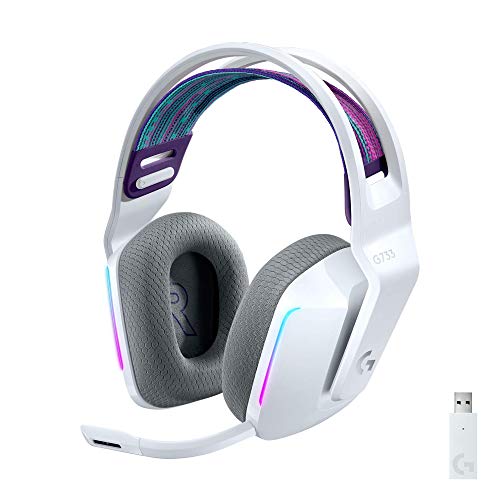
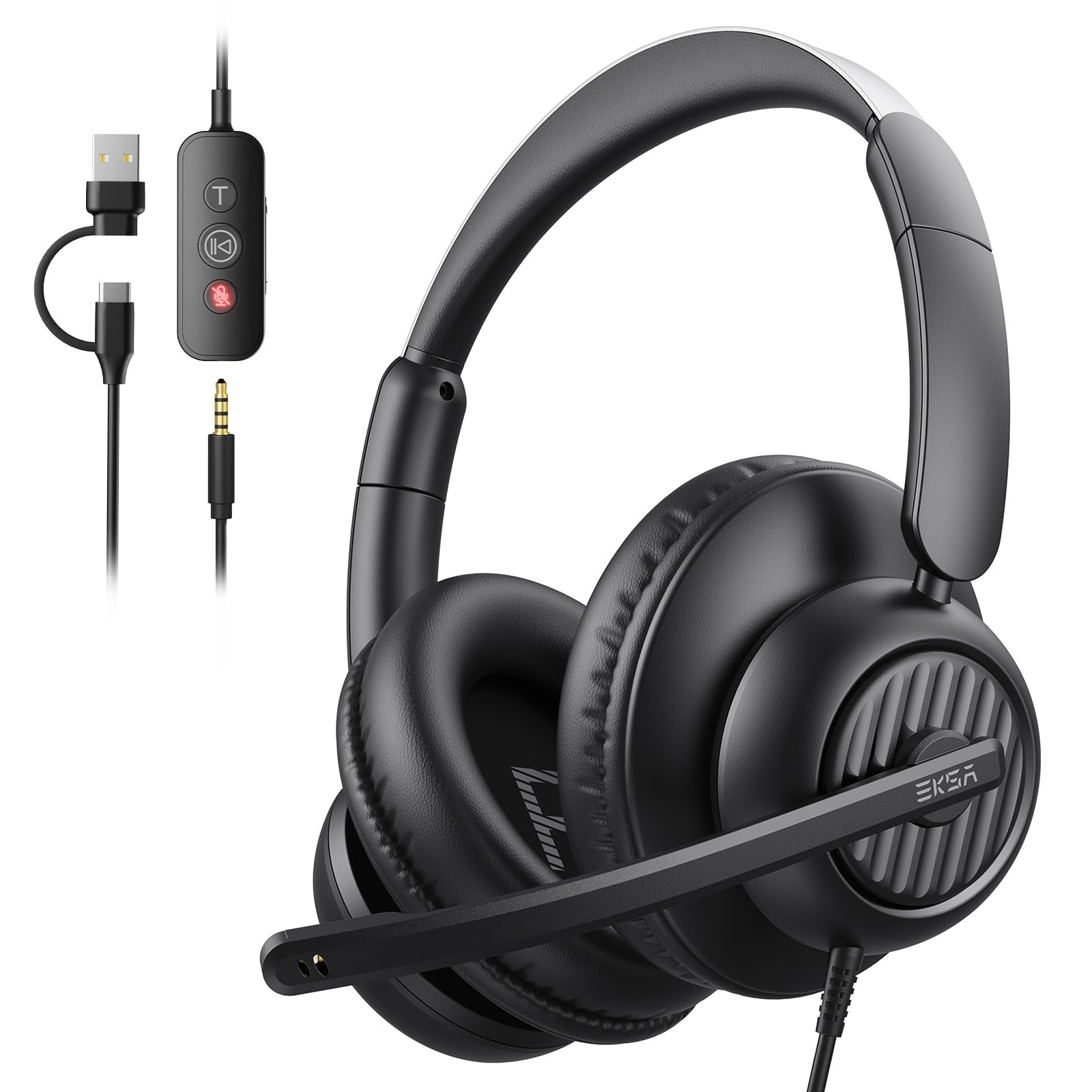
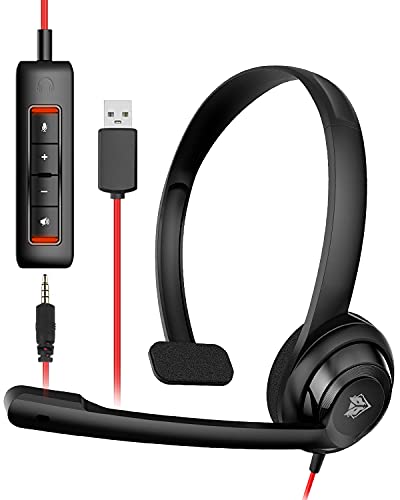

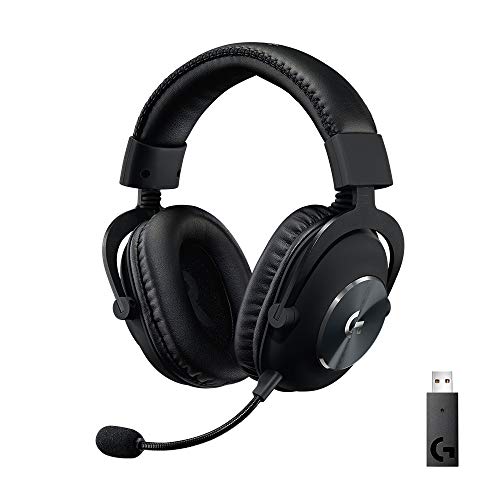
Our Top 3 Picks at a Glance
These three headsets come from the product table above and represent the best options for professionals, budget buyers and first time headset users.


Best Overall
The Jabra Evolve 65 MS, around $180, is designed for professionals who spend much of their day on calls and want freedom to move away from the desk. Its first strength is wireless flexibility: it connects to a computer through the included Link 370 USB adapter and to a phone by Bluetooth, so you can take calls from either device. Its second strength is a business focused microphone and busylight that signals to coworkers when you are on a call. The Microsoft Teams certified version integrates smoothly with Teams controls.
The limitation is price. It costs several times more than a basic wired headset, which only pays off if you take many calls daily or value moving around while talking.
Best Value
The Logitech H390, around $20, is the classic budget USB headset for students, home offices and anyone who needs a dependable mic without spending much. It connects through USB A with no drivers, and its noise cancelling boom mic rotates out of the way when not in use. Inline controls for volume and mute sit on the cable, and padded leatherette ear cushions keep it comfortable for moderate sessions.
The limitation is that the sound is tuned for voice rather than music or gaming, and the on ear cushions can feel warm during very long days.
Best for Beginners
The Jabra Evolve 20, around $45, suits people setting up a home office or school laptop for the first time who want something simple yet clearly better than earbuds. Its noise cancelling microphone focuses on your voice and reduces background chatter, and the wired USB connection means no charging, pairing or batteries to worry about. Jabra offers USB A and USB C versions, which helps with newer laptops.
The limitation is that the wire keeps you tethered to the computer, so it is not ideal if you like to walk around during calls.
How to Choose the Best Computer Headsets: Buying Guide
The right headset depends on how you work, where you sit and how long you wear it. Below are the specifications and features that make the biggest difference when comparing the best computer headsets for your setup.
Sound Quality and Tuning
Driver size and tuning shape what you hear. Office headsets often use drivers of around 30 to 40 mm tuned for clear voices, which is ideal for meetings but can sound thin for music. Gaming and media headsets typically use 40 to 50 mm drivers with stronger bass and wider frequency response, around 20 Hz to 20 kHz or more.
If you listen to music between calls, look for a headset with stereo sound and balanced tuning. Mono single ear headsets suit call centers and people who need to hear their surroundings, but they are not great for media.
Durability and Build Quality
Computer headsets are mainly used indoors, so water resistance matters less than build quality. Look for metal reinforced headbands, sturdy hinges and replaceable ear pads, which extend the life of a headset significantly. Thick, braided or reinforced cables resist fraying where they meet the ear cup or plug.
Office headsets that get packed into laptop bags benefit from foldable designs and a carrying pouch. Gaming headsets often survive drops better thanks to flexible plastic frames and steel sliders.
Comfort, Fit, and Weight
Comfort matters more than almost any spec when you wear a headset for hours. Lightweight models under about 300 grams reduce pressure on the top of your head. Over ear cups that surround your ears spread clamping force better than on ear cushions that press directly on the ear.
Memory foam pads covered in fabric breathe better than leatherette, which can feel warm. Adjustable headbands and swiveling ear cups help the headset fit different head sizes, and glasses wearers should look for soft pads that do not press frames into their temples.
Microphone Quality
The microphone is what other people experience, so do not overlook it. Boom microphones positioned near your mouth pick up voice far more clearly than built in mics in earbuds or ear cups. Noise cancelling microphones and AI noise reduction filter out keyboard clicks, fans and household noise.
For business calls, certifications for Microsoft Teams or Zoom ensure the mute and call controls work properly. Gamers using Discord benefit from flip to mute booms and detachable mics, which make the headset usable as regular headphones away from the desk.
Open Back vs Closed Back and Your Room
Closed back headsets seal around your ears, blocking more outside noise and keeping your audio from leaking to others. They suit shared homes, open offices and busy cafes. Open back designs let air and sound pass through, creating a wider, more natural sound but leaking audio in both directions.
If you work in a quiet private room, open back headsets can be more comfortable for long sessions. In noisy or shared spaces, closed back models or active noise cancellation are the better choice.
Battery Life and Charging
Wireless headsets list battery life in hours of talk or listening time. Aim for at least 12 to 15 hours, enough to cover a full workday with margin; many gaming headsets reach 20 to 30 hours or more. Quick charging, where 10 to 15 minutes provides a couple of hours of use, saves you if you forget to charge overnight.
Charging docks keep wireless headsets topped up and give them a permanent place on the desk. Many models also work while charging over USB, which avoids interruptions in the middle of a meeting.
Connectivity (Bluetooth Version, Codecs, Wired)
USB headsets are plug and play on Windows, macOS and ChromeOS. Wireless models connect through a dedicated USB dongle, Bluetooth or both. Dongles typically offer lower latency and more stable connections, which matters for gaming and long calls. Bluetooth multipoint lets you stay connected to your computer and phone simultaneously.
Codecs such as aptX and AAC improve Bluetooth music quality, but for calls the microphone and connection stability matter more. If you need zero latency for gaming or editing, wired USB or 2.4 GHz wireless is the safest option.
Types of Computer Headsets
Wired Models
Wired USB and 3.5 mm headsets are affordable, reliable and never need charging. They offer stable audio with zero latency and are ideal for students, home offices and anyone who stays at a desk. The downside is the cable, which limits movement and can snag on chairs. Choose USB for the simplest setup and built in controls.
Wireless Office Models
Wireless office headsets connect through a USB dongle or Bluetooth and focus on call quality, comfort and battery life. They let you walk to the kitchen or answer the door without leaving a call. They cost more and need regular charging, but busy professionals often find the freedom worth it. Many include Teams or Zoom certification and busylights.
Gaming Models
Gaming headsets prioritize immersive sound, larger drivers and low latency connections. Many include virtual surround sound, RGB lighting and detachable or flip up microphones. They are excellent for gaming and media, and many also work well for calls. The trade off is a bulkier design and styling that may not suit professional settings.
Picking the Right Computer Headsets for Different Uses
The ideal headset depends on whether you mostly talk, listen or play. Here is how to narrow down options for each use.
Best Gaming Computer Headsets
The best gaming computer headsets combine low latency wireless or wired connections, large 40 to 50 mm drivers and a clear, flip to mute microphone for team chat. Lightweight frames and breathable pads matter during long sessions. Wireless options like the Logitech G733 Lightspeed use a dedicated USB receiver to avoid Bluetooth lag while keeping weight low.
Best for Video Calls and Remote Work
Remote workers should prioritize microphone clarity, comfort and certification for their meeting platform. A stereo wireless headset with a noise cancelling boom mic and a battery that lasts the full day keeps calls professional.
Best for Students and Online Classes
Students benefit most from simple, durable USB headsets that work instantly on school laptops and Chromebooks. Budget friendly models with inline mute controls cover lectures, group projects and exams without breaking the bank.
Care and Maintenance Tips
- Keep firmware updated. Wireless and office headsets often receive updates that improve connection stability, microphone processing and battery management.
- Store in a case to protect drivers. A pouch or hard case protects the headband, hinges and microphone boom from damage in bags.
- Clean ear pads regularly. Wipe pads with a slightly damp cloth weekly and replace worn pads to keep comfort and hygiene high.
- Avoid max volume for long sessions. Keeping volume moderate protects your hearing and reduces stress on drivers.
- Handle cables with care. Unplug by the connector, not the cord, and avoid wrapping cables tightly around the headset.
- Charge smartly. Avoid leaving wireless headsets completely drained for long periods, which shortens battery life.
Common Mistakes When Buying a Computer Headset
One common mistake is choosing a headset based only on sound quality while ignoring the microphone. Colleagues and teammates hear your microphone, not your drivers, so a great sounding headset with a weak mic will still make calls frustrating. Another mistake is buying a heavy gaming headset for all day office use, which can cause neck fatigue and looks out of place on professional video calls.
Buyers also overlook compatibility. Some headsets use only USB A, which requires an adapter on newer laptops, while others rely on a 3.5 mm combo jack that may not work with every desktop without a splitter. Finally, consider whether you need to move during calls. Wired headsets are cheaper and more reliable, but if you often pace or step away, a wireless model will save frustration.
FAQs
Do I need a noise cancelling microphone?
Yes, a noise cancelling microphone is worth having if you work anywhere other than a silent room. It reduces background sounds like keyboards, fans, traffic and family members so your voice comes through clearly. Even budget USB headsets now include basic noise cancelling mics, while premium office models add AI processing for busy environments.
Is ANC worth the extra cost?
Active noise cancellation is worth the extra cost if you work in noisy shared spaces or travel often. ANC reduces low frequency sounds like air conditioners, traffic and office chatter, helping you focus and hear calls without raising volume. In a quiet home office, a closed back headset without ANC is usually enough.
Wired or wireless: which sounds better?
Wired headsets generally offer slightly better and more consistent sound with no latency. They never need charging and avoid dropouts. Wireless headsets using dedicated USB dongles come very close, and the freedom to move is valuable. For most calls and casual listening, the difference is small; competitive gamers and audio editors benefit most from wired connections.
How long does the battery last?
Most wireless computer headsets last around 12 to 30 hours per charge. Office models usually cover a full workday or two, while many gaming headsets last several days of typical use. Features like ANC, RGB lighting and high volume reduce battery life, so check the manufacturer's figures with those features enabled.
Do I need a special codec?
You do not need a special codec for calls or most computer use. Codecs like aptX and AAC improve Bluetooth music quality on compatible devices, but call quality depends mainly on the microphone and connection. If you want the best audio on a computer, a USB dongle or wired connection matters more than codec support.
The Bottom Line
A good headset makes long workdays and gaming nights more comfortable and productive. Focus first on microphone quality, comfort and the connection type that fits how you move, then match sound tuning to whether you mostly talk, listen or play. Professionals should consider certified wireless headsets, students and budget buyers can rely on affordable USB models, and gamers should choose low latency designs with larger drivers.
Compare the best computer headsets in the product table above to find the right balance of comfort, clarity and price for your desk.


