
Best Door Cameras in 2026: Which Type Is Right for You?
Disclosure: We may earn a commission when you buy through links on this page, at no extra cost to you. As an Amazon Associate I earn from qualifying purchases. Learn more
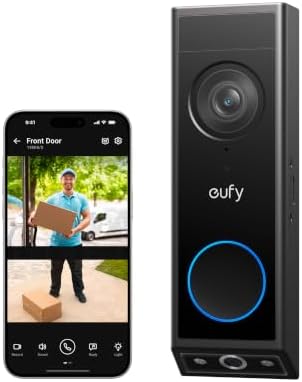
Video doorbells and door cameras compared, with how to choose by power, video, privacy and storage, plus setup tips.
The front door is where packages arrive, guests knock and most break ins start, which makes it the single most valuable spot for a camera. A door camera lets you see who is there from your phone, talk to delivery drivers when you are away and review clips if a package disappears. Options range from video doorbells that replace your existing button to small cameras mounted above the door and peephole style cameras for apartments. The best door cameras show visitors head to toe, alert you quickly and work with your home's wiring, WiFi and smart home setup.
This guide compares door camera types, explains how to choose one and covers setup, care and common questions. Compare current models in the product table above.


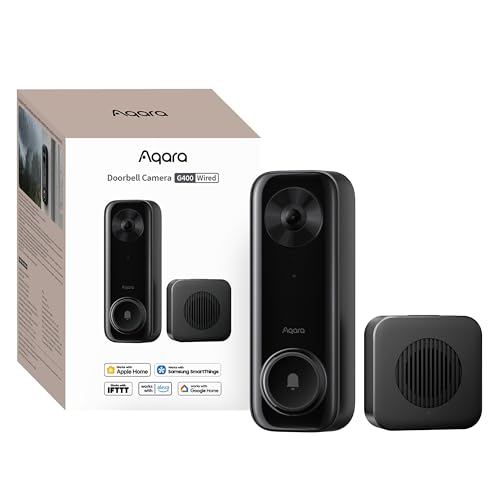
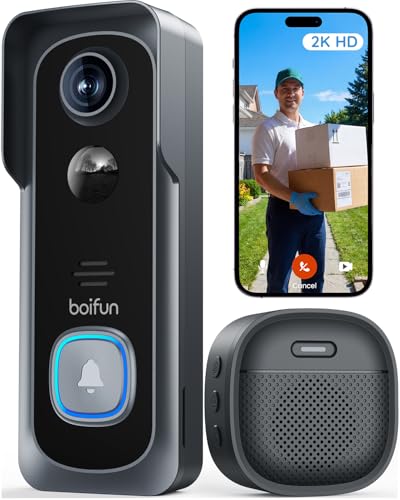
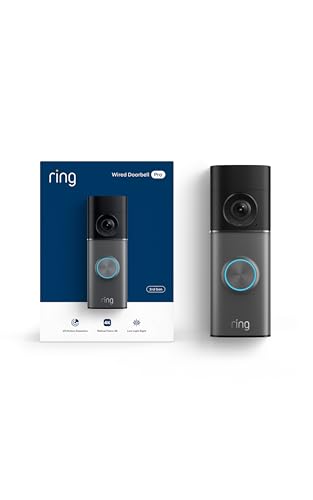


Types of Door Cameras Compared
Door cameras fall into four main categories: battery powered wireless cameras, wired camera systems, indoor cameras pointed at the door and video doorbells. Here is how each works for the front entrance.
Video Doorbells
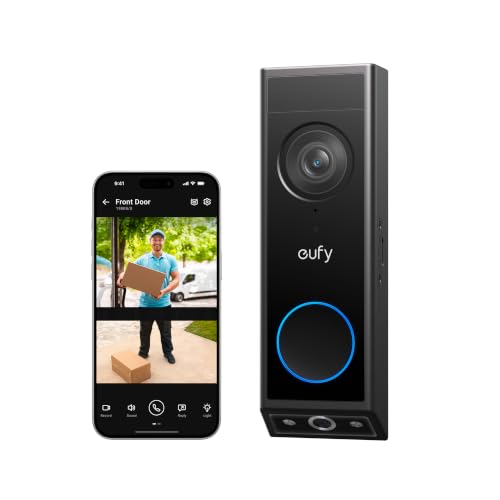
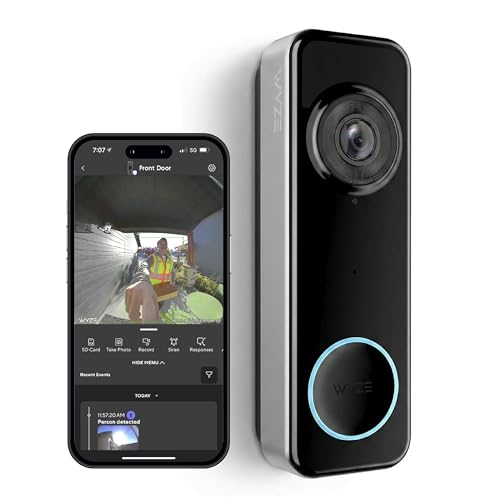
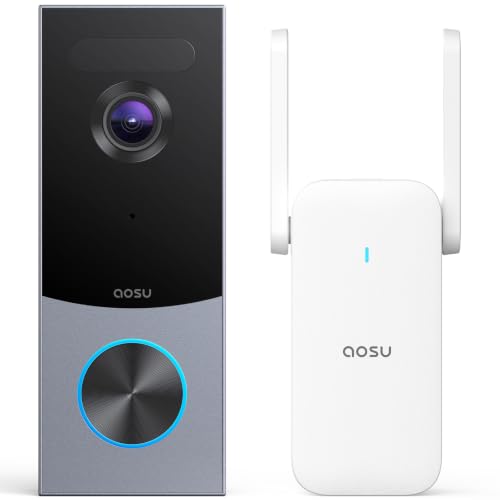
Video doorbells replace your doorbell button with a camera, motion sensor, speaker and microphone. When someone presses the button, you get a phone alert and can see and talk to them. Many newer models use tall or square aspect ratios (such as 1:1 head to toe views) or dual cameras so you can see both visitors and packages on the ground. They are the most popular door camera because they combine a doorbell with security footage.
Battery Powered Wireless Cameras
Battery cameras and battery video doorbells install without wiring, making them ideal for renters and homes without a doorbell transformer. Batteries last weeks to months depending on traffic and settings, and some models support solar charging. They may react a second slower than wired cameras because they wake from standby when motion is detected.
Wired Camera Systems
Wired doorbells use your existing doorbell wiring for power, while PoE cameras and doorbells use a single Ethernet cable for power and data. Wired options never need recharging, react instantly and often support continuous recording. PoE offers the most reliable connection but requires running a cable.
Indoor Cameras
An indoor camera pointed at the door from inside captures who enters and can work for apartments where exterior mounting is not allowed. It cannot see visitors outside a closed door, so it complements rather than replaces an outdoor door camera.
Battery Powered Wireless Cameras vs Wired Camera Systems: Which Should You Choose?
Choose a battery door camera if you rent, lack doorbell wiring or want installation in minutes. Choose a wired doorbell or PoE camera if you have existing wiring or can run a cable and want instant response, continuous recording and no battery changes.
Wired doorbells also ring your existing indoor chime in most cases, while many battery doorbells use a plug in chime or phone alerts. In very cold climates, batteries drain faster and may stop charging, so wired power is more dependable. If your front door has strong WiFi and steady foot traffic, wired power avoids frequent recharging.
How to Choose the Right Door Camera
The right door camera shows visitors clearly, alerts you reliably and fits your power and privacy needs. These are the features to compare.
Video Resolution and Field of View
Look for 2K or higher resolution to recognize faces, and a field of view that captures both people and the porch floor. Head to toe views, tall aspect ratios and dual camera designs help you see packages placed right at the door. Wide dynamic range (WDR or HDR) helps when bright sun is behind visitors.
Two Way Audio and Siren
Clear two way audio lets you talk with visitors and delivery drivers. Quick replies and pre recorded messages help when you cannot speak. Some cameras include sirens or alarms to deter intruders.
Power Options: Wired, Battery, Solar or PoE
Check whether your home has doorbell wiring and a compatible transformer voltage before buying a wired doorbell. Battery models offer flexibility, solar panels reduce charging and PoE provides power and network in one cable for the most reliable setup.
Privacy and Security: Encryption and 2FA
Choose brands that encrypt video, support two factor authentication and update firmware regularly. Local storage keeps footage in your home, while cloud storage protects clips if the camera is stolen. Use privacy zones to avoid recording neighbors and the street.
Storage and Subscriptions
Some door cameras store clips on a base station or microSD card with no monthly fees, while others require subscriptions for video history and smart detection. Compare the total cost over two to three years, including any subscription.
Smart Detection and Integration
Person and package detection reduce alerts from passing cars and trees. Integration with Alexa, Google Home or Apple HomeKit lets you see visitors on smart displays and TVs. HomeKit Secure Video offers end to end encrypted storage for iCloud users with supported cameras.
Choosing Door Cameras for Your Situation
Different homes and lifestyles call for different door cameras.
Best WiFi Door Cameras: Which Type Works Best
For most homes, a WiFi video doorbell with 2K or higher resolution, head to toe view and person and package detection works best. Make sure your router's signal reaches the front door; a mesh node or extender near the entrance can solve weak connections.
Best Door Cameras for Renters and Apartments
Renters should look at battery video doorbells with no drill mounts, peephole cameras or an indoor camera facing the door, and check building rules first.
Best Door Cameras for Package Theft
Dual camera doorbells or models with a tall vertical view and package detection alerts help you see deliveries on the doorstep and respond quickly.
Best Door Cameras Without Subscriptions
Models with local storage, such as base station or microSD recording, avoid monthly fees while still saving clips.
Door Camera Features Explained
- Pre roll recording: saves a few seconds before motion was detected, so clips show the visitor approaching instead of starting mid step.
- Radar or 3D motion detection: measures distance to reduce false alerts from passing cars and lets you set how close someone must come before recording.
- Package detection: notifies you when a package is delivered or picked up from the doorstep.
- Facial recognition: identifies familiar faces on some models so you get named alerts; check privacy settings and local laws.
- Quick replies: pre recorded messages like "leave it at the door" when you cannot talk.
- Color night vision: uses porch lights or built in LEDs to show color at night, helpful for identifying clothing and vehicles.
- Chime compatibility: works with your existing mechanical or digital chime, or with a plug in chime.
Where to Mount a Door Camera
Mount a video doorbell about 48 inches above the ground, close to the door frame, so it captures faces and the area right in front of the door. If your door is set back or at an angle, use a wedge or corner mount to aim the camera toward the walkway. For a camera above the door, mount it 7 to 9 feet high and angle it down. Avoid pointing directly at the street or bright light sources, and make sure the camera is not easy to knock off; some brands include anti theft screws or replacement guarantees.
Video Doorbell vs Outdoor Security Camera
A video doorbell is designed for the front door: it captures faces at eye level, lets visitors ring you and offers two way talk. An outdoor security camera covers wider areas such as driveways, side yards and back doors, often from higher up. Many homes pair a video doorbell with one or two outdoor cameras from the same brand so everything works in one app and a single subscription covers all devices.
Privacy and Etiquette
Point door cameras at your own entry and use privacy zones to block neighbors' doors, windows and yards. Audio recording rules vary by state, so check local laws before recording conversations, especially in shared hallways. In apartments, ask your landlord or HOA about installation rules. Store clips securely and think carefully before sharing footage of neighbors or delivery workers online.
Choosing a Door Camera Ecosystem
Door cameras work best when they fit the smart home you already use, so consider the ecosystem before the camera itself.
- Amazon Alexa households: doorbells that show live video on Echo Show displays and announce visitors on Echo speakers.
- Google Home households: cameras that stream to Nest Hub displays and Chromecast TVs.
- Apple households: HomeKit Secure Video doorbells that record end to end encrypted clips to iCloud and show visitors on Apple TV.
- Privacy first households: brands with local storage and no required cloud account.
Sticking with one brand for doorbells and outdoor cameras keeps alerts, storage and subscriptions in a single app, which is simpler to manage day to day.
Door Camera Accessories Worth Considering
- Wedge and corner mounts to aim the camera toward visitors or the walkway.
- Plug in chimes for battery doorbells or louder alerts in large homes.
- Spare batteries so you can swap instead of waiting for a recharge.
- Solar chargers for doors that get direct sunlight.
- Anti theft mounts that make the doorbell harder to pry off.
- WiFi extenders or mesh nodes to strengthen the signal at the front door.
Door Camera Price Tiers
- Under $60: basic battery doorbells with 1080p or 2K video and simple apps.
- $60 to $150: 2K and higher doorbells with head to toe views, local storage options and better detection.
- $150 to $250: dual camera and 4K doorbells, PoE models and premium smart features.
- Over $250: professional grade door stations and full camera systems.
How to Install a Video Doorbell
- Check compatibility: confirm your doorbell wiring and transformer voltage for wired models, or plan a mounting spot for battery models.
- Check WiFi at the door with your phone before installing.
- Turn off power at the breaker for wired installations.
- Mount the bracket about 48 inches above the ground, using a wedge or corner mount if you need a better angle.
- Connect wires or insert the charged battery, attach the doorbell and restore power.
- Set up the app, motion zones, alerts and storage.
Care and Maintenance Tips
Wipe the lens with a soft cloth every few months, especially after storms or pollen season. Recharge or swap batteries before they run out, and keep a spare battery for high traffic doors. Update firmware when prompted, review motion zones seasonally as plants grow and check that the mount stays secure. In winter, consider wired power or an insulated mount if your battery model struggles in the cold.
Common Door Camera Problems and Fixes
- Delayed alerts: improve WiFi signal at the door and use wired power if possible.
- Constant motion alerts from the street: narrow motion zones, reduce sensitivity and enable person detection.
- Faces too dark: turn on HDR or WDR and add porch lighting.
- Chime not ringing: check transformer voltage and chime compatibility, or add a plug in chime.
- Battery drains quickly: shorten clip length, reduce live view use and lower sensitivity.
Frequently Asked Questions
Can door cameras work without WiFi?
Most door cameras need WiFi to send alerts and live video to your phone. Some PoE models record locally to a hub or NVR without internet, and cellular models exist, but standard video doorbells rely on WiFi.
Are home cameras easy to hack?
Cameras from reputable brands are secure when you use strong unique passwords, enable two factor authentication and keep firmware updated. Avoid very cheap no name doorbells with no update history.
How much storage do I need?
Door cameras usually record short motion clips, so a 32GB to 128GB microSD card or base station can store weeks of events. Cloud plans typically keep 30 to 60 days of history.
Wired or wireless: which is more reliable?
Wired doorbells and PoE cameras are more reliable because they never run out of battery and respond instantly. Battery models are easier to install and reliable when WiFi is strong and batteries are charged.
Do I need a subscription?
Not always. Many door cameras offer live view and alerts for free, and some store clips locally without fees. Subscriptions typically add cloud history, advanced detection and extra features.
Will a video doorbell work with my existing chime?
Most wired video doorbells work with standard mechanical and many digital chimes when your transformer provides the voltage the doorbell requires, often 16 to 24V AC. Battery doorbells typically use a plug in chime or phone alerts instead.
How long do video doorbell batteries last?
Battery life ranges from a few weeks to several months depending on traffic, motion settings, live view use and temperature. Busy front doors and cold weather drain batteries faster; wired power or solar panels avoid frequent recharging.
Can I install a door camera if I rent?
Often, yes. Battery doorbells with no drill mounts, peephole cameras and indoor cameras facing the door avoid permanent changes. Check your lease and ask your landlord before drilling or wiring.
What resolution do I need for a door camera?
2K resolution is a good minimum for recognizing faces and reading details at the door, while 4K helps when zooming into clips. Field of view and good low light performance matter just as much as resolution for useful footage.
Do door cameras deter package theft?
A visible door camera can discourage some thieves, and package alerts let you respond quickly or ask a neighbor to grab a delivery. For high theft areas, pair the camera with a lockable package box or delivery instructions.
Final Thoughts
For most homes, a WiFi video doorbell with 2K or higher resolution, a head to toe view and person and package detection is the best door camera choice. Renters and homes without wiring should choose a battery model, while homeowners who can run wiring or PoE get the most reliable, instant response. Check your WiFi at the door, secure your account and the best door cameras will help you keep watch over every delivery and visitor. Compare current models in the product table above, and see our best home security system guide for whole home coverage.


