
Best Headsets for PS5: Types Compared and How to Choose
Disclosure: We may earn a commission when you buy through links on this page, at no extra cost to you. As an Amazon Associate I earn from qualifying purchases. Learn more

PS5 headset types compared, with three picks, 3D audio setup and buying advice.
A good headset transforms PS5 gaming. Sony's Tempest 3D AudioTech lets you hear footsteps behind you, rain overhead and enemies flanking from the side, and a clear microphone keeps party chat easy to understand. But not every headset works the same way with a PS5: the console does not support standard Bluetooth audio, so connection type matters as much as sound quality. This guide to the best headsets for ps5 compares every type side by side, explains what to look for and shows how to set up a headset for the best 3D audio.
The short answer: most PS5 players should choose a wireless headset with a 2.4GHz USB dongle, which delivers low latency audio without Bluetooth; budget buyers can get excellent sound from a wired headset plugged into the DualSense controller, and players who want the best sound and noise cancellation should consider a premium multi system headset with a base station.

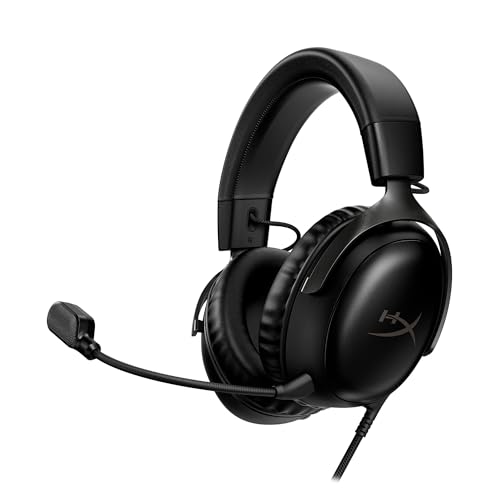


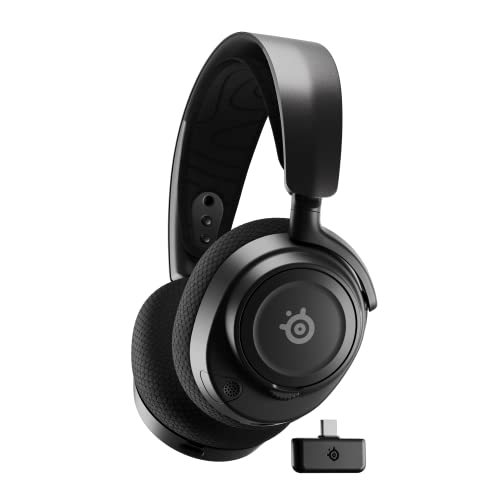
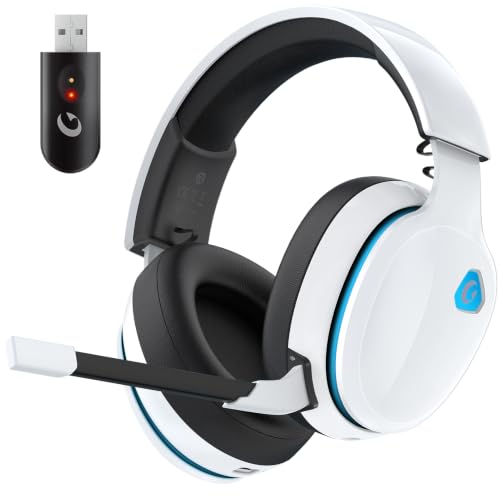
Our Top 3 Picks at a Glance
For a quick starting point, these three headsets cover the main budgets.
Best overall: the HyperX Cloud III S Wireless, around $120, connects to PS5 through a 2.4GHz USB C or USB A dongle, offers up to 120 hours of battery on 2.4GHz and 200 hours on Bluetooth, and uses 53mm angled drivers with memory foam comfort and a detachable mic.

Best value: the HyperX Cloud III Wired, around $70, plugs into the DualSense controller with 3.5mm or into the console with USB, offering the same 53mm drivers, a noise cancelling 10mm mic and an aluminum frame.

Best premium pick: the SteelSeries Arctis Nova Pro Wireless, around $273, is a multi system headset with active noise cancellation, a hot swap Infinity Power System and a Gen 2 mic for PS5, PC and Switch.

Types of Headsets for PS5 Compared
PS5 compatible headsets fall into five main types. Here is how they compare.
| Type | Best For | Pros | Cons | Typical Price |
|---|---|---|---|---|
| 2.4GHz Wireless | Most players | Low latency, no cables | Needs charging, uses a USB port | around $50 to $180 |
| Wired | Budget, competitive play | No charging, zero lag, cheap | Cable to controller | around $25 to $100 |
| Official PlayStation | PlayStation fans | PlayStation Link, easy pairing | Fewer multi platform features | around $100 to $200 |
| Premium Multi System | Enthusiasts, streamers | ANC, base station, top audio | Expensive | around $250 to $380 |
| Bluetooth Only | Phones and PC | Wide compatibility | Will not connect to PS5 directly | varies |
2.4GHz Wireless Headsets
Most wireless gaming headsets for PS5 use a small USB dongle that plugs into the console. This 2.4GHz connection has much lower latency than Bluetooth, so audio stays in sync with gameplay. Many models also offer Bluetooth for phones, letting you take calls or listen to music while gaming.
They are the best balance of freedom and performance. The main considerations are battery life and making sure the dongle supports PS5 rather than Xbox only.
Wired Headsets
Wired headsets plug into the DualSense controller's 3.5mm jack or into a USB port. They never need charging, have no latency and usually cost less than wireless headsets with similar sound. The cable can be a minor annoyance if you sit far from the screen.
Official PlayStation Headsets
Sony's own headsets and earbuds use PlayStation Link, a low latency wireless connection designed for the console and PlayStation Portal. They integrate neatly with PS5 menus and features, though they may offer fewer customization options for other platforms.
Premium Multi System Headsets
Premium headsets add active noise cancellation, base stations with displays and audio mixing, swappable batteries and advanced microphones. They suit players who game on PS5 and PC and want the best possible sound.
Why Bluetooth Only Headsets Fall Short
The PS5 does not natively support Bluetooth audio headphones. Bluetooth only headsets need a third party adapter and often add latency, so they are not ideal for gaming.
Wireless vs Wired: Which Should You Choose?
Choose wireless if you play from the couch, want freedom to move or share a room where cables get in the way. Choose wired if you want the lowest price, never want to charge a headset or play competitively and want guaranteed zero latency. Many players own a wireless headset for comfort and keep a wired one as a backup.
How to Choose the Right Headset for PS5
These features decide how a headset sounds and feels during long sessions.
Features That Matter for PS5
Look for explicit PS5 compatibility, a 2.4GHz dongle or wired connection, and support for Tempest 3D Audio through the console's settings. On button controls for volume and game chat balance, a mic mute indicator and sidetone (hearing your own voice) improve the experience.
Sound Quality and Drivers
Larger drivers, often 40 to 53mm, deliver fuller sound. A balanced tuning helps you hear footsteps and dialogue clearly without overwhelming bass. Open back headsets give a more natural soundstage, while closed back designs block outside noise.
Microphone Quality
Clear voice chat matters in team games. Detachable or flip to mute boom mics with noise filtering perform better than built in mics. Check that the mic works with PS5 party chat.
Comfort, Weight and Fit
Memory foam ear cushions, breathable fabric and a light frame matter for long sessions. Glasses wearers should look for soft cushions that do not press arms into the head.
Battery Life and Charging
Wireless headsets range from around 20 hours to over 100 hours per charge. USB C fast charging and the ability to play while charging are useful.
Multi Platform Support
If you also play on PC, Switch or mobile, choose a headset with a USB C dongle, Bluetooth or switchable modes so one headset covers everything.
Open Back vs Closed Back Headsets
Closed back headsets have solid ear cups that block outside noise and keep sound from leaking out, which suits shared rooms, noisy homes and late night sessions. Open back headsets have vented cups that create a more spacious, natural soundstage, which many players love for positional audio, but they let in household noise and leak sound to people nearby. For most PS5 owners in living rooms, closed back headsets are the practical choice, while open back models suit quiet, dedicated gaming spaces.
Using a Headset With the DualSense Controller
The DualSense controller has a 3.5mm jack that accepts any wired headset with a combined audio and mic plug. You can control volume and mute from the controller and the PS5 quick menu. This is the simplest setup for wired headsets and avoids using a USB port on the console. Keep in mind that powering audio through the controller can slightly shorten the controller's battery life during long sessions.
Setting Up 3D Audio on PS5
- Connect the headset through its dongle, USB or the DualSense jack.
- Open Settings, then Sound, then Audio Output, and select your headset.
- Turn on 3D Audio for headphones.
- Use the 3D audio profile adjustment to choose the profile that sounds most accurate to you.
- Adjust game and chat balance and enable mic monitoring if you like to hear your voice.
Best Headsets for PS5 by Player Type
The best headsets for ps5 vary by how and what you play.
For Competitive Shooters
Players in games like Call of Duty and Fortnite benefit from clear footstep detail, low latency and a strong mic. Wired or 2.4GHz headsets with balanced tuning work best.
For Story and Single Player Games
Immersive games shine with comfortable, closed back headsets that deliver rich bass and wide 3D audio. Noise cancellation helps in busy homes.
For Kids and Teens
Choose durable, lightweight headsets with volume limiting options where available, and a mic that is easy to mute. Wired headsets reduce charging hassles.
For Streamers
Streamers benefit from premium mics, base stations with mixing and comfortable fit for long sessions. Some prefer a separate desk mic and use the headset purely for audio.
Headsets vs Gaming Earbuds and TV Speakers
Headsets remain the best choice for most PS5 players because their boom mics pick up voice clearly and their larger drivers deliver more convincing 3D audio. Gaming earbuds with PlayStation Link or a USB dongle are lighter and great for PlayStation Portal or travel, though their mics are weaker. TV speakers and soundbars are fine for single player games with family nearby, but they cannot match a headset for positional audio or late night play without disturbing others.
Common Mistakes to Avoid
- Buying an Xbox only wireless headset whose dongle does not work with PS5.
- Expecting Bluetooth headphones to connect directly to the console.
- Skipping the 3D audio profile setup, which noticeably improves positioning.
- Ignoring comfort, especially clamp force for glasses wearers.
- Running audio too loud for long sessions, which risks hearing damage.
Protecting Your Hearing
Long gaming sessions at high volume can damage hearing over time. Keep volume at a level where you can still hear someone speaking nearby, take short breaks every hour or so and use PS5 settings that limit maximum volume for younger players. Closed back and noise cancelling headsets let you hear details at lower volumes because they block outside noise.
Useful Accessories
- A headset stand keeps cushions in shape and cables tidy.
- Replacement ear cushions refresh comfort and sound after heavy use.
- A USB extension moves the wireless dongle closer for a stronger signal.
- A charging dock keeps wireless headsets ready to go.
What Your Budget Buys
Around $25 to $70 buys a solid wired headset with good sound and mic. Between about $80 and $180, you get reliable 2.4GHz wireless headsets with long battery life and multi platform support. Above about $250, premium headsets add noise cancellation, base stations, swappable batteries and refined audio. Most PS5 players find the best value in the midrange wireless tier.
Tips to Get the Most From Your Headset
- Update firmware through the manufacturer's app when available.
- Use the 3D audio profile tool in PS5 settings to match your hearing.
- Keep volume at a safe level to protect your hearing during long sessions.
- Clean ear cushions regularly and replace them when they flatten.
- Charge between sessions rather than letting the battery run completely flat.
Headsets: Your Questions Answered
These are the questions PS5 players ask most.
What features matter most in headsets for ps5?
PS5 compatible connection (2.4GHz dongle or wired), comfortable fit, clear mic and support for Tempest 3D Audio matter most. Long battery life and multi platform support are big bonuses.
Can I use Bluetooth headphones with PS5?
Not directly. The PS5 does not support Bluetooth audio headphones natively. Use a headset with a USB dongle, a wired connection or a Bluetooth adapter designed for consoles.
How long does the battery last?
It varies widely, from about 20 hours to more than 100 hours per charge depending on the model and connection type.
Do PS5 headsets work with PS4 and PC?
Most do. Many 2.4GHz and wired headsets support PS4, PC, Switch and mobile, so check the compatibility list.
Do I need a headset with surround sound?
No. The PS5's Tempest 3D Audio creates virtual surround through any stereo headset, so you do not need a headset with its own surround processing for PS5.
Can I use my PS5 headset with PlayStation Portal?
Portal supports wired headsets and PlayStation Link devices, but not Bluetooth audio, so check compatibility before buying.
Can I wear glasses with a gaming headset?
Yes. Choose soft memory foam cushions and a moderate clamping force, and some brands make glasses friendly cushions with channels for frames.
Wrapping Up
The three things that matter most are a PS5 friendly connection, comfort for long sessions and clear audio and chat. Most players will be happiest with a 2.4GHz wireless headset, budget buyers can rely on a quality wired headset and enthusiasts should consider a premium multi system model. Use this guide to choose the best headsets for ps5, then check the product table above for current prices. For more options, see the best gaming headsets.


