
Best Laptops and Notebooks for Every Need: How to Pick the Right One
Disclosure: We may earn a commission when you buy through links on this page, at no extra cost to you. As an Amazon Associate I earn from qualifying purchases. Learn more

How to choose among the best laptops and notebooks by use case, with the specs that matter and mistakes to avoid.
Laptops now range from $230 Chromebooks to $4,500 workstations, and the most expensive model is rarely the best one for any particular person. A student writing essays, a sales rep on the road and a video editor have completely different needs. Finding the best laptops and notebooks starts with matching the machine to how you actually work, then checking a handful of specs that matter more than the marketing.
This guide skips the hype and pairs laptop types with real use cases. It explains who should buy what, which features deserve your money, the mistakes that lead to buyer's remorse and how to keep a new laptop running well for years. The models in the product table above span every category discussed here.


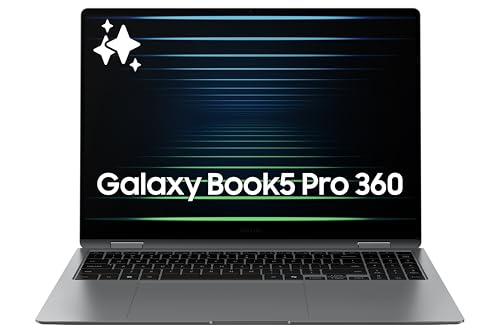
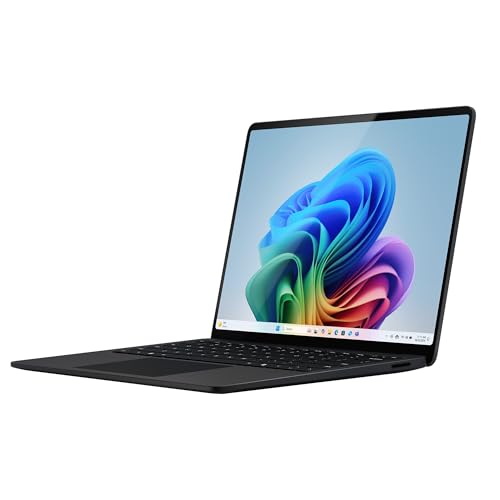
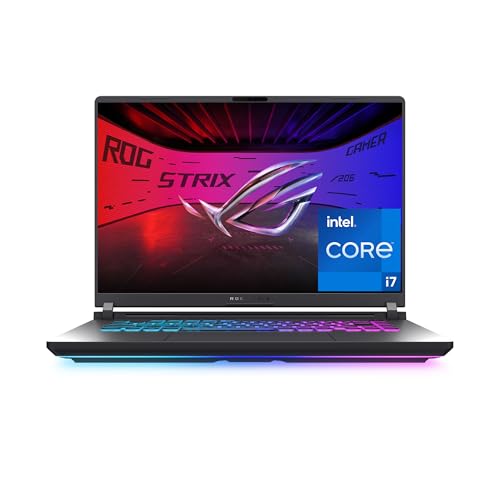
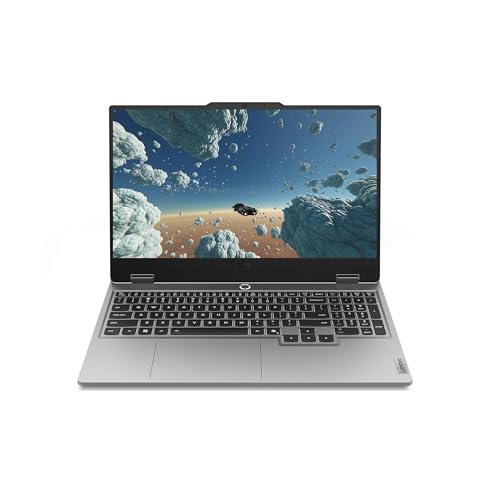




Who Should Buy Which Laptops and Notebooks?
Most buyers fall into one of three groups. Start by finding yours, then use the feature guide further down to narrow the choice.
For Travelers and Commuters
If your laptop rides in a backpack every day, weight and battery life matter more than raw power. Look for a 13 to 14 inch model that weighs around 3 pounds or less, offers all day battery life and charges over USB C so one compact charger covers both your laptop and phone.
Thin and light machines with efficient processors, such as Apple's MacBook Air line and premium Windows ultrabooks, suit this group well. A bright screen helps on trains and in airports with harsh lighting, and a sturdy aluminum chassis survives daily bumps better than thin plastic. A good webcam and microphones matter if you take calls on the go, and a fingerprint reader speeds up logins.
For Students and Everyday Users
Students and home users mostly browse, write documents, stream video and join video calls. A Chromebook or an entry to midrange Windows laptop handles all of that, and price matters. Chromebooks are inexpensive, start quickly and are easy to manage, while Windows laptops run a wider range of software that some courses require.
Aim for at least 8GB of RAM on Windows, a solid state drive and a Full HD (1920 x 1080) screen. Battery life of eight hours or more covers a full school day. Check whether your school requires a specific operating system or software before buying.
For Remote Workers and Creators
People who work from home, edit photos and video, or run many apps at once need more performance. Look for a current generation processor, 16GB of RAM or more, at least 512GB of storage and a high quality display with accurate colors. A comfortable keyboard and a good webcam make long workdays easier.
Creators who edit video or work in 3D benefit from a dedicated graphics card or a powerful integrated chip, such as Apple's M5 Pro and M5 Max. Gamers who also work on their laptop should look at gaming laptops with RTX graphics and high refresh rate displays, accepting more weight and shorter battery life.
For Gamers
Gaming laptops pack dedicated graphics cards, fast processors and high refresh rate displays into one portable machine. An RTX 5050 or RTX 5060 class GPU handles most current games at 1080p, while higher tiers push 1440p and maximum settings. Look for a screen of 144Hz or more, at least 16GB of RAM and a cooling system with large vents.
Expect trade offs: gaming laptops weigh more, run louder under load and often last only a few hours on battery. If you game mostly at a desk, a gaming laptop plus an external monitor and keyboard gives you a desktop style setup that still travels when needed.
For Business Users
Business laptops prioritize reliability, security and support. Features such as fingerprint readers, IR cameras for face login, TPM security chips, privacy shutters and spill resistant keyboards protect data and devices. Many business lines also offer longer warranties and better repair access.
If your company manages devices, check compatibility with its software and security tools. For freelancers and small business owners, a durable midrange laptop with a comfortable keyboard and long battery life often beats a flashier consumer model.
Choosing Laptops and Notebooks for Your Situation
A few specific search terms come up often. Here is how to approach them.
Best Small Laptops Notebooks
The best small laptops notebooks have 13 to 14 inch screens, weigh under about 3 pounds and still offer full size keyboards. They suit commuters, students and anyone who works in cafés or small spaces. The trade off is fewer ports and, on some models, less cooling for heavy workloads, so check that the processor and RAM match your tasks.
Best Chinese Laptops Notebooks
Shoppers searching for the best Chinese laptops notebooks usually mean brands such as Lenovo, which is headquartered in China and is one of the world's largest laptop makers. Its lineup ranges from budget IdeaPads and business V series models to gaming LOQ and Legion machines. Judge them the same way as any brand: by processor, RAM, display quality, warranty and US support availability.
Key Features to Compare
Once you know your category, these specs decide how a laptop feels to use day after day.
Weight and Portability
Ultraportable laptops weigh roughly 2.5 to 3 pounds, mainstream 15 inch models about 3.5 to 4.5 pounds and gaming laptops 5 pounds or more, plus heavy chargers. If you carry your laptop daily, every pound counts. Check thickness and charger size too; a slim laptop with a brick sized charger is less portable than it looks.
Processor and Performance Tier
The processor sets the performance ceiling. Entry chips such as Intel Celeron, Intel N series and MediaTek Kompanio suit Chromebooks and light tasks. Mainstream chips such as Intel Core 5 and Core 7, AMD Ryzen 5 and Ryzen 7 and Apple M5 handle multitasking and photo editing. High end chips such as Apple M5 Pro and M5 Max or Intel Core Ultra 9 suit demanding creative work.
Newer generations are usually faster and more efficient than older chips with similar names, so compare model numbers, not just the brand tier.
Graphics
Integrated graphics handle everyday tasks, streaming and light photo editing, and modern integrated chips can even run casual games. Dedicated graphics cards, such as NVIDIA's GeForce RTX series, are essential for serious gaming and help with video editing and 3D work. They add weight, heat and cost, and reduce battery life.
Display Size, Resolution and Brightness
A 13 to 14 inch screen balances portability and usability; 15 to 16 inch screens are better for spreadsheets and editing. Full HD is the minimum for a sharp image, and higher resolutions such as 2.5K, 3K or Retina displays look crisper. Brightness around 300 nits works indoors, while 400 nits or more helps near windows. OLED screens offer deep blacks and vivid colors.
Gamers should look for 120Hz or higher refresh rates for smoother motion, and creators should check color gamut coverage.
Operating System: Windows, macOS or ChromeOS
The operating system shapes your whole experience. Windows offers the widest software and game compatibility and runs on laptops at every price. macOS on MacBooks is known for polish, long battery life and tight integration with iPhones and iPads, and it is popular with creative professionals. ChromeOS on Chromebooks is simple, secure and inexpensive, built around web apps and Android apps.
If you rely on specific software, such as engineering tools, certain games or industry apps, confirm it runs on your chosen system before buying. Switching operating systems is easy for web based work but harder if you depend on desktop programs.
RAM, Storage and Battery Life
RAM determines how many apps and browser tabs run smoothly. Eight gigabytes is the minimum for Windows and macOS, 16GB is the comfortable standard and 32GB suits heavy creative work. Storage should be a solid state drive of at least 256GB, with 512GB or more for photos, videos and games. Many thin laptops have soldered RAM and storage, so buy enough upfront.
Battery claims vary widely in real use. Efficient chips and smaller screens last longer, while gaming laptops often manage only a few hours away from the outlet.
Build Quality and Repairability
Aluminum and magnesium bodies feel sturdier and resist flex better than thin plastic, though well built plastic laptops can be durable too. Hinges, keyboards and screens take the most wear, so look for solid hinges that hold the screen steady. Some laptops allow easy access to RAM, storage and batteries, while others are sealed; repairable designs can extend a laptop's life by years.
Keyboard, Ports and Webcam
Comfortable keys with enough travel make long typing sessions easier, and a backlit keyboard helps in dim rooms. Check ports: USB C with charging, USB A for older accessories, HDMI for monitors and an SD card reader for photographers. A 1080p webcam and noise reducing microphones improve video calls.
Price Tiers at a Glance
Prices vary by brand and season, but these rough tiers help set expectations:
| Price Range | What You Typically Get | Best For |
|---|---|---|
| Under $400 | Chromebooks and entry Windows laptops, basic processors, 4 to 8GB RAM | Students, browsing, streaming |
| $400 to $800 | Mainstream processors, 8 to 16GB RAM, Full HD screens | Home, school and office work |
| $800 to $1,500 | Premium build, better screens, 16GB RAM, entry gaming GPUs | Professionals, travelers, gamers |
| Over $1,500 | Top processors, high end GPUs, OLED or Retina displays | Creators, serious gamers |
Among the best laptops and notebooks, the biggest jump in everyday satisfaction usually comes between the first and second tiers, where screens, keyboards and performance improve noticeably.
Common Mistakes to Avoid When Buying Laptops and Notebooks
- Buying too little RAM or storage: soldered components cannot be upgraded later on many laptops.
- Chasing specs you will not use: a powerful gaming laptop is heavy and noisy if you only browse and write.
- Ignoring the screen: a dim, low resolution display makes every task less pleasant.
- Overlooking weight: a large laptop you dread carrying ends up staying at home.
- Not checking software needs: some courses and jobs require Windows or macOS specifically.
- Forgetting accessories: a sleeve, a USB C hub or a mouse may be needed and should be in the budget.
- Skipping the warranty details: know the coverage length and whether support is available in the US.
When to Buy
Laptop prices drop during major sales events such as back to school season, Black Friday and Cyber Monday, and when new models launch and older ones are cleared out. Previous generation models can be excellent value if their processors are still current enough for your needs. Avoid very old stock with outdated chips, which may lose software support sooner.
Refurbished and open box laptops from reputable sellers offer savings too, but check the warranty, battery health and return policy carefully.
Setup and Care Tips
When your laptop arrives, run all system updates before installing apps, then set up backups to the cloud or an external drive. Remove unwanted preinstalled software to free up storage and speed up startup. Create a strong password or use biometric login if available.
Take a few minutes to adjust power settings. Balanced or battery saver modes stretch battery life on the go, while performance modes help with demanding tasks when plugged in. Set screen brightness to automatic and turn off background apps you do not need.
For long term care, keep vents clear and avoid using the laptop on soft surfaces like beds, which block airflow. Clean the keyboard and screen gently with a microfiber cloth. Avoid leaving the battery at 100 percent constantly if your laptop offers a battery care setting, and use a padded sleeve when traveling.
Laptops and Notebooks: Your Questions Answered
Is a dedicated GPU worth it?
A dedicated GPU is worth it if you play modern games, edit video or work with 3D software. For browsing, office work and streaming, integrated graphics are enough and save weight, heat and battery life. Modern integrated chips handle light photo editing and casual games well, so most everyday users can skip a dedicated GPU.
Should I buy a laptop or a tablet?
Choose a laptop if you type a lot, run desktop software or need many ports. Choose a tablet if you mainly read, stream, draw or browse and want maximum portability. Two in one devices and tablets with keyboard covers bridge the gap, but full laptops still handle multitasking and productivity better.
How long should a laptop and notebook last?
Most laptops last about four to six years with good care, and premium models often last longer. Battery capacity usually declines first, and replacement batteries extend life on many models. Choosing enough RAM and storage at purchase is the best way to keep a laptop useful longer.
How much RAM do I need?
Eight gigabytes is enough for basic browsing and documents, 16GB is the best choice for most people who multitask and 32GB suits video editing, large spreadsheets and heavy creative work. Because many laptops cannot be upgraded later, buying 16GB is a safe middle ground.
Are gaming laptops good for work and school?
Gaming laptops handle work and school easily thanks to fast processors and plenty of RAM, and they are great for students in engineering, design or video programs. The downsides are weight, fan noise and shorter battery life. If you mostly take notes in class, a lighter laptop is more comfortable to carry.
Is a Chromebook enough for school?
For many schools, yes. Chromebooks handle web based assignments, Google Docs, video calls and research well, and they are affordable and simple to manage. Check your school's requirements first, since some courses need Windows or macOS software that Chromebooks cannot run.
Should I buy a 2 in 1 laptop?
A 2 in 1 laptop, with a touchscreen that folds or detaches into a tablet, is worth it if you take handwritten notes, sketch or like watching videos in tablet mode. They are usually a bit heavier than tablets and sometimes less powerful than traditional laptops at the same price. Pen support varies, so check whether a stylus is included.
Wrapping Up
Match the laptop to your routine before comparing specs. Commuters should prioritize weight and battery life, students should focus on value and reliability and remote workers and creators should invest in processor power, RAM and a quality display. Avoid underbuying RAM and storage, and check the screen and keyboard as carefully as the processor.
Compare the models in the product table above with the guidance here, and you will find the best laptops and notebooks for your needs without overpaying. Students can also read our guide to the best notebook laptops for students.


