
Best Mid Range Gaming Keyboards for 2026: Rapid Trigger, Gasket Mounts, and Buyer Guide
Disclosure: We may earn a commission when you buy through links on this page, at no extra cost to you. As an Amazon Associate I earn from qualifying purchases. Learn more

Competitive shooter fan or all day typist? This guide to the best mid range gaming keyboards compares Hall effect, gasket mount, layouts and polling rates.
Competitive players who want faster movement stopping, and mixed work and play gamers who want a better typing feel, are both well served in the $75 to $165 tier. Two developments define it: Hall effect magnetic switches with Rapid Trigger for instant movement control in shooters, and gasket mounted mechanical boards with factory lubed switches and thick PBT keycaps. Choosing the best mid range gaming keyboards means deciding whether your priority is sub millisecond strafing or a plush typing feel with wireless versatility. The picks in the table below let you compare both types side by side.
Dropping the number pad also gives your mouse hand several extra inches of desk space for low sensitivity flicks. A compact layout also leaves room for a larger mouse pad, so the whole desk setup can improve without overspending.



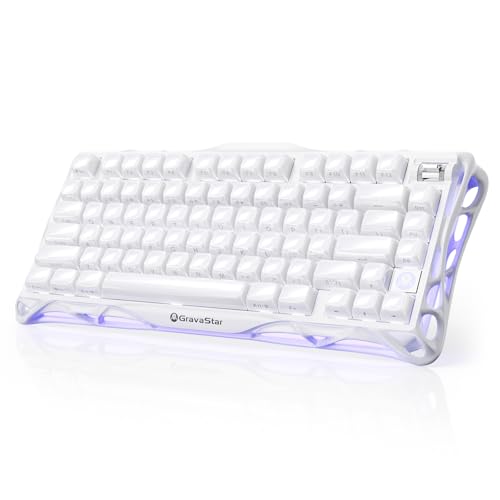

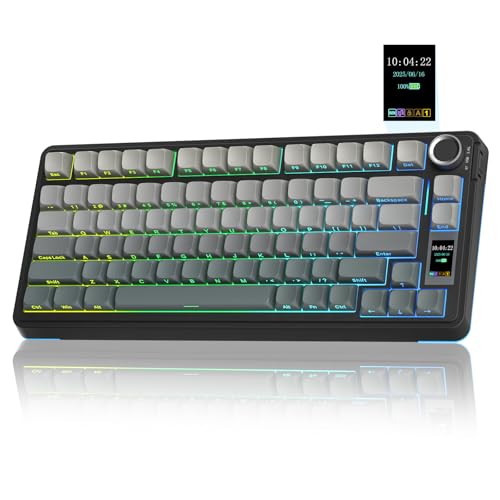
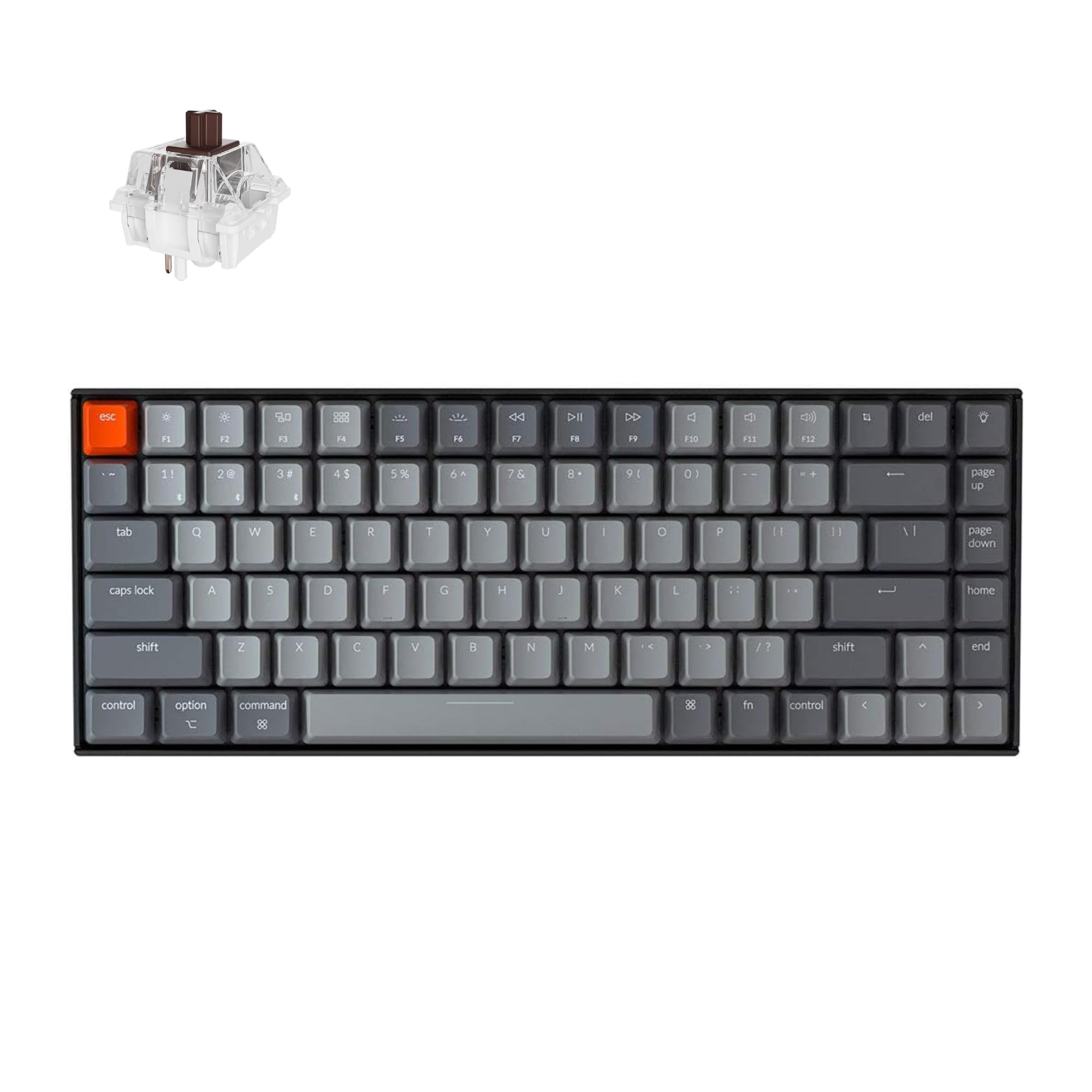
Who Should Buy Which Mid Range Gaming Keyboard?
The right board depends on the games you play most and on how many hours a day you also spend typing. Here is how the main player types usually line up.
Competitive Tactical FPS Players (Valorant, CS2, Overwatch, Apex)
Tactical shooter players should choose a 60%, 65%, or 75% Hall effect keyboard with Rapid Trigger and adjustable actuation from about 0.1mm to 4.0mm. In these games your first bullet is only accurate once your character stops moving (counter strafing), and a traditional switch must travel up past a fixed reset point of roughly 1.5mm to 2.0mm before that happens. With Rapid Trigger, the key resets the moment your finger relaxes upward by a tiny amount.
Players in this group should also favor a wired connection or a 2.4GHz dongle, a low profile of key travel they can adjust, and software that saves profiles on the board itself so settings follow them to a tournament PC or a friend's house.
Action RPG, MMO, and All Day Work + Play Gamers
If you split time between RPGs, strategy titles, MOBAs, and hours of typing, a gasket mounted board suits you better than an ultra sensitive magnetic one. Look for a 75% or tenkeyless (TKL) hot swappable mechanical keyboard with pre lubed linear or tactile switches, layered foam dampening, and a 2.4GHz wireless dongle. Cushioned acoustics and wireless convenience matter more here than a 0.1mm trigger.
MMO players in particular benefit from the function row and a volume knob, since they bind many abilities to number keys and F keys and often adjust game and voice chat levels on the fly.
Controller Style Analog Movement Fans (Racing and Sim Games)
Racing, flight sim, and stealth players benefit from magnetic analog switches because they measure how far a key is pressed. A light press on W can mean a slow walk or partial throttle, while a full press means a sprint or full boost. Check that the games you play actually support analog keyboard input before paying for it.
Key Technical Features That Actually Improve Gaming Performance
Only a handful of specifications change how a keyboard behaves in a match. These are the ones worth comparing in the product table.
Hall Effect Magnetic Switches and Rapid Trigger vs Traditional Mechanical
Magnetic switches track key position continuously, while mechanical and optical switches only register at fixed points. The three main types differ like this:
- Traditional Mechanical Switches (Metal Leaf Contact): Two metal leaves touch at a fixed depth, so you must lift your finger back past a fixed reset point to release the key.
- Optical Switches (Infrared Beam): They remove contact bounce and double click issues, but still use a fixed physical reset height.
- Hall Effect / TMR Magnetic Switches (Rapid Trigger): A magnet in the stem moves over a sensor on the PCB that measures distance continuously. With Rapid Trigger on, there is no fixed reset point, so the key deactivates as soon as your finger starts moving up from any depth.
Layout Sizes for Mouse Space: 60% vs 65% vs 75% vs TKL
A compact layout is the easiest way to gain mouse room, which is why most competitive players avoid full size boards. A 100% keyboard pushes the mouse several inches to the right, which can force your shoulder outward and make the mouse bump the board during wide flicks. Pick the layout that matches your hotkey needs:
- 75% Layout (The Best All Rounder): Keeps the F1 to F12 row, useful for MOBAs, MMOs, and RPG quick saves, plus dedicated arrow keys in a compact body.
- 65% Layout: Drops the function row to save vertical space while keeping arrow keys and a small navigation column.
- 60% Layout: The pure esports block, with maximum room for tilting and wide mouse sweeps, though arrows and F keys need the Fn layer.
- Tenkeyless (TKL / 80%): Standard spacing with arrow and navigation clusters, minus only the number pad.
True Polling Rate and Matrix Scan Rate (1,000Hz vs 8,000Hz)
A 1,000Hz keyboard reports to your PC every 1.0ms, while an 8,000Hz model reports every 0.125ms. Many mid range wired boards now offer 4,000Hz or 8,000Hz polling with high matrix scan rates. The gain over 1,000Hz is small, but it pairs well with Hall effect switches if you play on a 240Hz or faster monitor.
Wireless boards usually cap polling lower than wired ones, so check the maker's listed rate for the mode you will actually use during matches.
Gasket Mounting, Pre Lubed Stabilizers, and Acoustic Foams
Good sound and feel no longer require a custom build, even around $75 to $140. Look for pre lubed plate mount or screw in stabilizers on the spacebar, Shift, and Enter so long keys press with a clean thud instead of a metallic rattle. Layered switch pads, plate foam, and a silicone bottom pad inside a gasket mounted or aluminum case reduce hollow case noise.
Double Shot PBT Keycaps and Web Based Software
Double shot PBT keycaps resist the shine and wear that painted ABS caps develop from long sessions. The legend is molded as a second layer of plastic, so it cannot rub off. Also prefer keyboards that set actuation points, Rapid Trigger sensitivity, and macros through a browser based WebHID configurator or QMK/VIA instead of heavy background software.
Comparing Mid Range Gaming Keyboard Categories Side by Side
Matching the switch type to your main game genres puts your budget where it affects gameplay.
| Gaming Keyboard Type | Primary Advantage | Reset & Actuation | Connectivity | Best Game Genre |
|---|---|---|---|---|
| Hall Effect / TMR Magnetic | Rapid Trigger & custom 0.1mm actuation | Dynamic (0.05 to 4.0mm) | Wired 8KHz (or 2.4GHz) | Valorant, CS2, Overwatch, Apex, Osu! |
| Gasket Mechanical (Linear/Tactile) | Superior typing feel, sound, & wireless | Fixed (1.2 to 2.0mm) | Tri Mode (2.4GHz + BT + Wired) | RPGs, MOBAs, MMOs, & hybrid work/play |
| Low Profile Mechanical / Optical | Flat ergonomic wrist angle; fast travel | Short 1.0 to 1.5mm | 2.4GHz Wireless + Wired | Strategy, ARPGs, & travel bags |
Price Tiers: What Your Budget Gets You
Mid range pricing falls into three fairly clear bands, and each one buys a different mix of switch tech, case material, and wireless features.
Entry Enthusiast Gasket and Budget Hall Effect (Around $60 to $95)
At around $60 to $95 you generally choose between two good options. One is a 75% tri mode wireless gasket mechanical board with hot swappable linear switches, PBT keycaps, and a volume knob. The other is an entry 60% or 65% wired Hall effect board with Rapid Trigger and high polling rates. Both usually beat older big box membrane or soldered boards at similar prices.
The Core Mid Range Sweet Spot (Around $95 to $145)
Around $95 to $145 you find 75% and TKL Hall effect boards, often with aluminum top plates, tuned switches with little stem wobble, and web configurators. You also find CNC aluminum wireless mechanical boards, which can weigh several pounds and stay planted on the desk.
Upper Mid Tier Aluminum Magnetic and Wireless Hybrids (Around $145 to $185)
From around $145 to $185, some boards combine an aluminum case, a gasket or leaf spring mount, and wireless magnetic switches. These give you both enthusiast acoustics and Rapid Trigger, though battery life and wireless polling limits vary, so read the specs for the exact model.
How to Choose Between Wired and Wireless
Wired is the safest choice for competitive play, while wireless wins for a clean desk and mixed use. A wired USB C connection gives the highest polling rate and never needs charging, which is why most Hall effect esports boards ship with a detachable cable.
A tri mode board with a 2.4GHz dongle is a good compromise if you move between a desktop and a laptop. Look for a battery of several thousand mAh, a clearly listed battery life with lighting off, and the ability to keep playing while plugged in. Always game over the dongle or cable rather than Bluetooth.
Common Mistakes to Avoid With Gaming Keyboards
- Setting WASD actuation to 0.1mm while resting your fingers on the keys: At that depth the weight of your fingertips can register input. Try an actuation point of 0.4mm to 0.8mm so you can rest safely, with Rapid Trigger reset sensitivity set low for quick stops.
- Enabling SOCD / Snap Tap where it is restricted: Some games and tournaments ban hardware SOCD, which cancels one direction when you press the opposite one. Check the current ruleset and keep it off where it is restricted, since standard Rapid Trigger is generally accepted.
- Using Bluetooth instead of the 2.4GHz dongle while gaming: Bluetooth typically adds noticeable latency and lower polling. Use the 2.4GHz receiver or a USB C cable for play.
- Buying a board with soldered switches: Hot swap sockets let you replace a scratchy or damaged switch in seconds without soldering.
- Leaving RGB at full brightness on battery power: Per key lighting is often the biggest drain on a wireless keyboard. Lowering brightness or setting a sleep timer can stretch battery life considerably.
- Ignoring the keycap profile and wrist height: A tall board with no wrist rest can strain your wrists during long sessions. Check the front height and adjustable feet, and pair the board with a rest if needed.
Calibration, Cleaning, and Switch Care Tips
On a Hall effect board, run the calibration tool in the web software once after unboxing and again after swapping switches. Room temperature and switch seating depth can shift magnetic readings slightly, so calibrating helps every key report its full travel accurately.
Every few months, use a keycap puller to remove the WASD and spacebar keycaps, wipe finger oils off with a slightly damp soapy cloth, and blow crumbs from around the stems with a hand air blower. Avoid spraying liquid contact cleaner into pre lubed switches, as it can strip the factory lubricant. Let everything dry fully before putting caps back on.
Keep drinks away from the desk edge nearest the keyboard, and store the dongle in the slot some boards provide so it does not get lost. Updating firmware only when the maker lists a fix you need keeps your saved profiles stable.
Frequently Asked Questions
Are Hall effect (magnetic) keyboards worth it over regular mechanical keyboards?
Yes for competitive shooters and rhythm games, where Rapid Trigger makes movement stopping noticeably crisper. If you mostly play single player RPGs or strategy games, or type all day, a gasket mounted mechanical keyboard often feels and sounds richer for typing.
What switch type is best for gaming: Linear, Tactile, or Clicky?
Linear switches are the most popular for gaming. They travel smoothly with no bump, which makes fast double taps easier, and they are quieter than clicky switches during voice chat. Hall effect switches are also linear in feel.
What is the best keyboard size for FPS gaming?
A 75% or 65% layout suits most FPS players. It cuts several inches of width from the right side, giving the mouse more room, while keeping dedicated arrow keys. Tournament players who angle their keyboard often prefer 60%.
Can I put normal mechanical switches into a Hall effect magnetic keyboard?
Usually no, unless the PCB is a specialized hybrid with dual sockets. Standard switches use metal electrical pins, while Hall effect switches use a magnet and a sensor on the board. Compatible magnetic switches can be swapped, and standard Cherry MX style keycaps generally fit magnetic stems.
Does an 8,000Hz polling rate keyboard slow down my PC?
No, not noticeably on a modern gaming processor. A keyboard only sends meaningful data when keys change state, so the CPU load is much lower than with an 8,000Hz mouse. Check the maker's notes for any USB port requirements.
Final Thoughts
The best mid range gaming keyboards come down to a choice between the competitive edge of Hall effect Rapid Trigger and the comfortable acoustics of a tri mode wireless gasket board. Either way, moving from a bulky full size board to a 75%, 65%, or TKL layout with double shot PBT keycaps frees up mouse space right away. Compare the picks in the table above and match the switch type to the games you play most.


