
The Best Pc Cases for Beginners for 2026
Disclosure: We may earn a commission when you buy through links on this page, at no extra cost to you. As an Amazon Associate I earn from qualifying purchases. Learn more
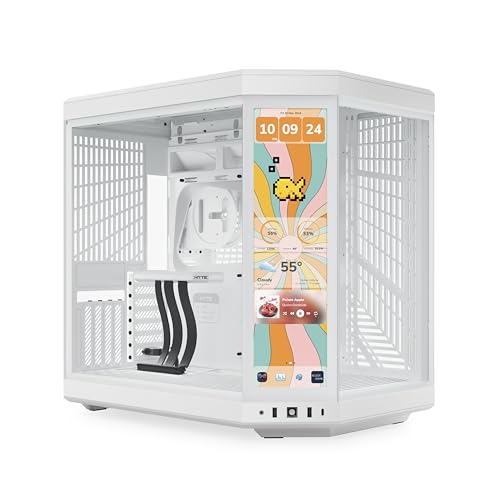
What to look for in a PC case for beginners, including sizing, build-friendly features, airflow, and mistakes first-time builders commonly make.
It's easy to spend weeks researching a processor and graphics card, then treat the case as an afterthought bought in the last five minutes of checkout. That's a mistake. The right PC case for beginners makes every step of your first build easier, from routing cables cleanly to keeping your components cool, while the wrong one turns a fun weekend project into a frustrating fight with sharp edges and cramped compartments.
This guide walks through exactly what to check before buying a PC case for beginners, so your first build goes smoothly instead of becoming a lesson learned the hard way.

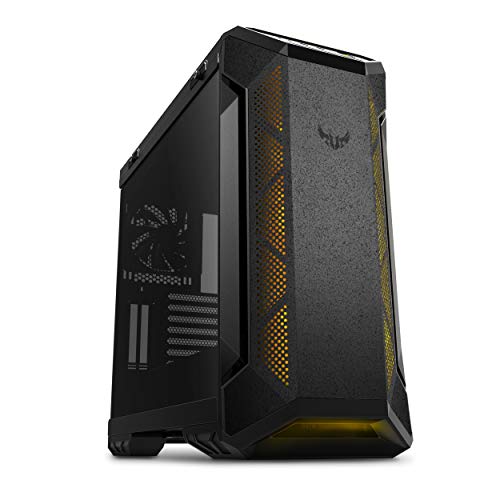


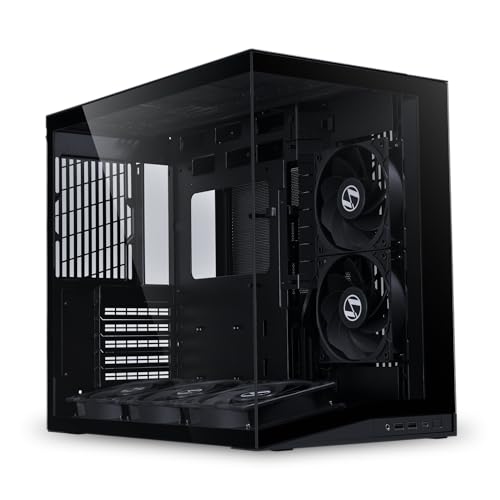




Why the Case Matters More Than First-Time Builders Expect
A case isn't just a box that hides your components. It determines how much airflow reaches your CPU and graphics card, how easy it is to route cables without a tangled mess, and how much room you have to work when your hands are already full holding screws and cables. A cramped, poorly designed case can turn a two-hour build into an all-day struggle, even with high-quality components inside.
For a first build specifically, ease of access matters just as much as looks. Beginners benefit enormously from a case that gives generous clearance around the motherboard tray, rather than one designed purely to look sleek with minimal working space.
Case Sizes and Motherboard Compatibility
Cases come in a few standard sizes, and matching yours to your motherboard's form factor is the first non-negotiable step. Full tower and mid-tower cases fit standard ATX motherboards and offer the most room to work, which makes them a forgiving choice for a first build. Compact and mini-ITX cases look great on a desk but demand precise cable routing and leave very little room for mistakes, so they're better suited to builders with some experience already.
Before buying, always check the case's supported motherboard sizes and maximum graphics card length listed by the manufacturer, and compare that against the components you've already picked. A case that's a fraction of an inch too short for your graphics card is a common and completely avoidable first-build headache.
Features That Make Your First Build Easier
A handful of design details separate a genuinely beginner-friendly case from one that only looks approachable. Tool-less drive bays and thumbscrews mean you spend less time hunting for the right screwdriver bit. Pre-installed motherboard standoffs save a step that trips up a lot of first-timers, since a missing or misaligned standoff can short a motherboard.
Look for a case with a dedicated cable management space behind the motherboard tray, complete with routing channels and tie-down points. This single feature does more to make a build look clean and stay cool than almost anything else, and it takes the guesswork out of where excess cable length should go.
Airflow and Cooling Basics for a First Build
Good airflow starts with mesh front panels rather than solid glass or metal fronts, since mesh lets significantly more air reach your components. A case that ships with at least two or three fans pre-installed, or has clearly marked mounting points for fans you add later, gives you a straightforward path to good thermals without needing to research airflow theory before your first build.
Pay attention to dust filters on the front and bottom of the case as well. They're easy to overlook but make ongoing maintenance far simpler, since a filter you can slide out and rinse beats disassembling half your build to clean dust off a graphics card.
Mistakes First-Time Builders Make When Choosing a Case
The most common mistake is buying a case based purely on looks, then discovering during the build that cable management space is nearly nonexistent or that the graphics card barely fits. A close second is ignoring front panel connectivity, only to realize afterward that the case lacks a USB-C port that a newer motherboard supports.
Another frequent issue is underestimating how much space power supply cables and front panel wiring actually need. A case that looks spacious in photos can feel tight once every cable is connected. Reading a handful of real build videos for the exact case you're considering, rather than relying on marketing photos alone, is one of the simplest ways to avoid a poor fit.
Frequently Asked Questions
What size case should a beginner choose?
A mid-tower case is generally the best starting point. It offers enough room to work comfortably, supports standard ATX motherboards, and has plenty of clearance for most graphics cards and cooling setups without the tight tolerances of a compact case.
Do I need a case with a tempered glass panel?
No, it's purely cosmetic. A glass panel lets you show off internal lighting and components, but a solid side panel works exactly as well functionally and is sometimes easier to handle during the build itself.
How many fans does a beginner-friendly case need?
Two to three fans, arranged with intake at the front and exhaust at the rear or top, is a solid baseline for most builds. Many cases now include this configuration out of the box, which removes one more decision from a first build.
Does case size affect cooling performance?
Yes. Larger cases generally allow better airflow and support larger cooling hardware like bigger radiators or taller air coolers, while compact cases require more careful component selection to avoid overheating.
What should I check before buying a case for a specific graphics card?
Always compare the graphics card's listed length against the case's maximum GPU clearance, which manufacturers publish for nearly every case. Add a small buffer for cable connectors at the end of the card, since that space is sometimes not included in the stated measurement.
Is it hard to upgrade components later in a beginner case?
A well-designed mid-tower case makes future upgrades straightforward, with tool-less drive trays and enough interior room to swap a graphics card or add storage without a full teardown. This is another reason to avoid overly compact cases for a first build.
Final Thoughts on Choosing Your First PC Case
A good PC case for beginners won't show up in a benchmark chart, but it shapes nearly every part of the building experience and the ongoing life of your PC. Prioritize compatibility, working room, airflow, and cable management over pure aesthetics, and your first build will go far more smoothly than if you chase looks alone. Get these fundamentals right, and the case becomes a foundation you can build on for years of upgrades.
Related reading: best pc for ai video generation.


