Best Self Emptying Robot Vacuums: Specs, Picks & Buying Guide
Disclosure: We may earn a commission when you buy through links on this page, at no extra cost to you. As an Amazon Associate I earn from qualifying purchases. Learn more
Robot vacuums that empty themselves into a sealed dock, compared by suction, navigation and station features.
The holidays bring guests, crumbs, pine needles and pets shedding by the fireplace, and that is exactly when a robot that cleans on its own earns its keep. The best self emptying robot vacuums dump their dustbin into a sealed bag in the dock after every run, so you can go weeks without touching dirt. They also make a great gift for busy families, pet owners and anyone who would rather spend December with people than with a broom.
Below you will find our product table, three standout picks, a buying guide focused on the specs that matter, setup tips and the common mistakes to avoid before you order.


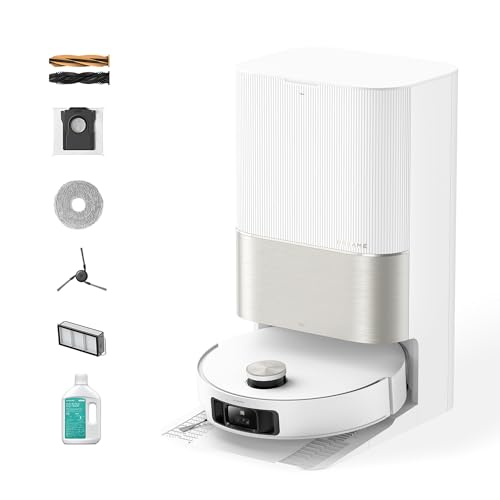
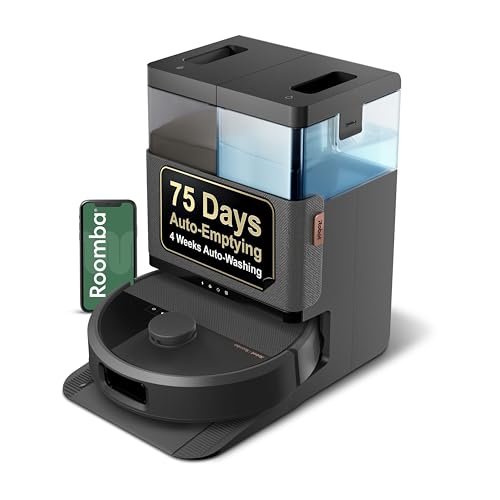
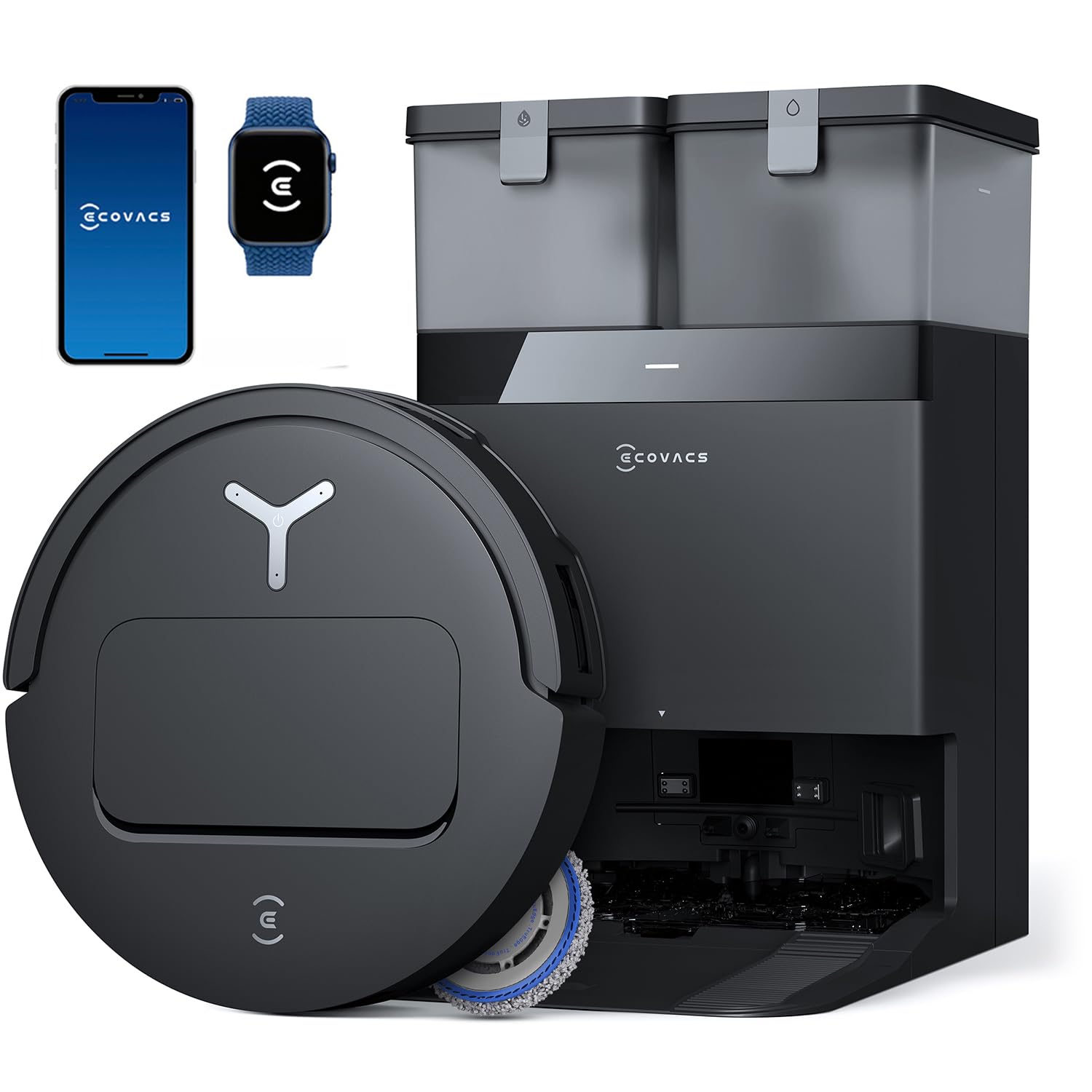
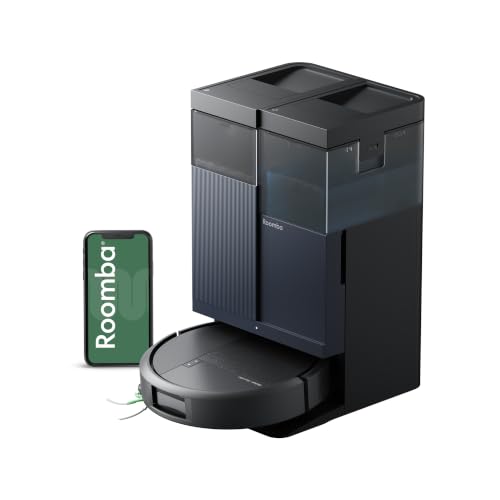

Our Top 3 Self Emptying Robot Vacuums at a Glance
We chose these three among the best self emptying robot vacuums by weighing suction, navigation, dock features, app quality and the size of each model's review base. Together they cover the best all rounder, the best value and a premium pick for homes that want almost zero maintenance.
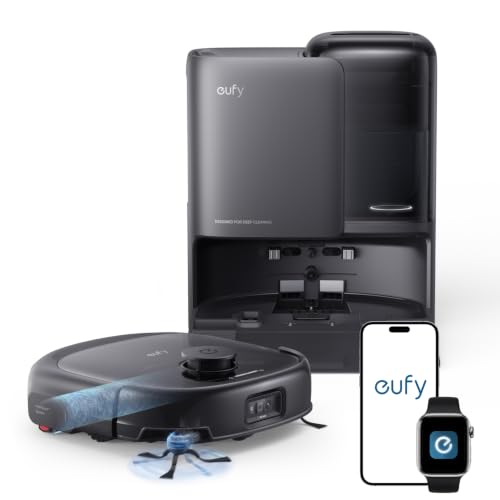
Best Overall Tech Pick: eufy E25 Robot Vacuum and Mop Combo
The eufy E25 hits the sweet spot between power and price. It vacuums with serious suction and mops with a roller that keeps itself clean, then handles most maintenance at its station.
- 20,000 Pa suction: strong enough to lift embedded dirt and pet hair from carpets.
- All in one station: auto empties into a 3L bag that lasts about 75 days, washes the roller mop, dries it with 50°C hot air and refills water.
- Smart cleaning: a CornerRover arm reaches baseboards, and DuoSpiral brushes resist hair tangles.
The real drawback is that it only connects to 2.4GHz Wi Fi, which can be an issue on some mesh networks. At around $600 it is a strong value for a robot that both vacuums and mops with this little upkeep.

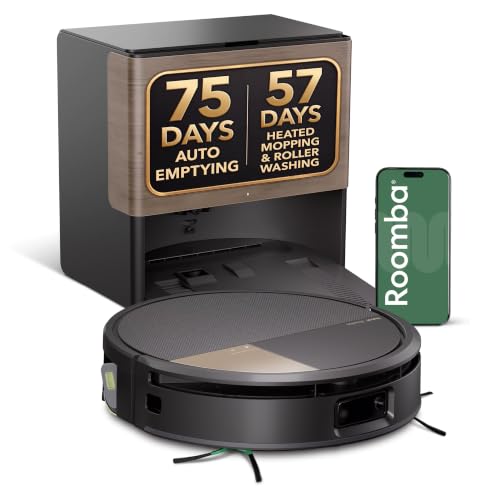
Best Bang for the Buck: iRobot Roomba 105 Combo with AutoEmpty Dock
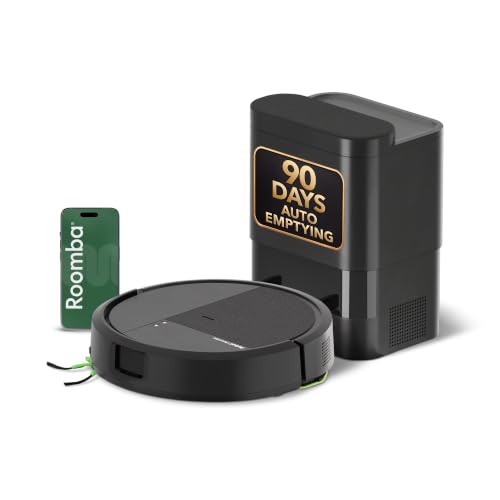
The Roomba 105 Combo brings LiDAR mapping and self emptying to a price that used to buy a basic bump and turn robot. With tens of thousands of ratings, it is one of the most reviewed models in this group.
- Up to 75 days hands free: the AutoEmpty dock uses a bag that traps 99% of allergens as small as 0.7 microns.
- ClearView LiDAR: fast, precise mapping with sensors that prevent falls down stairs.
- Dry rugs while mopping: it detects carpets and avoids them automatically when the mop pad is attached.
The trade off is its mopping, which uses a simple pad rather than a spinning or roller mop, so it handles light dust better than sticky messes. For around $300, it is the easiest way to get real self emptying convenience.

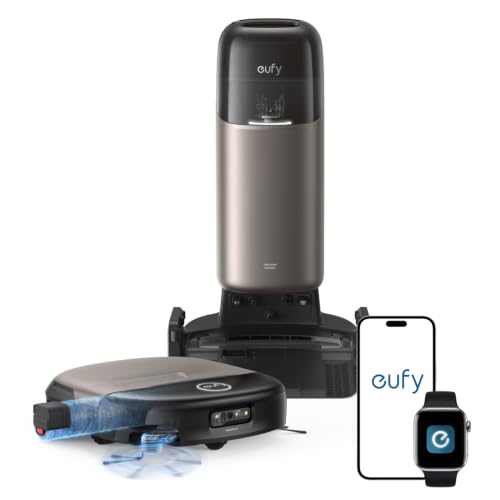
Best High End Pick: eufy Omni S2 Robot Vacuum and Mop Combo
The Omni S2 is for homes that want the most automated cleaning available. It pairs very high suction with a station that handles nearly every chore a robot creates.
- 30,000 Pa suction: AeroTurbo 2.0 pulls dust and debris from deep in carpet fibers.
- 12 in 1 station: auto empties for up to 68 days, washes the mop with 140°F water and dries it with hot air.
- Advanced navigation: 3D MatrixEye 2.0 recognizes 200+ obstacle types and crosses thresholds up to 1.65 inches.
The obvious downside is price: at around $1,400, it costs more than many full sized upright vacuums combined. If allergies, pets or large floor plans make cleaning a daily battle, the extra automation pays off.

How to Choose the Best Self Emptying Robot Vacuums
Choosing among self emptying robot vacuums comes down to your floors, your Wi Fi and how much maintenance you want to skip. Here is what to look at, with clear advice on who should buy what.
Compatibility
Every model in this guide runs through a companion app on both iPhone and Android, so phone choice is not a barrier. Check voice assistant support instead: most work with Alexa and Google Assistant, and some eufy models add Siri shortcuts. Many robots only connect to 2.4GHz Wi Fi, so if your router combines bands, you may need to enable a 2.4GHz network during setup. Families deep in one smart home platform should confirm support before buying.
Battery Life and Charging
Runtime determines how much floor a robot covers before heading home. Budget models typically run 90 to 150 minutes, enough for most apartments and small homes. Larger homes benefit from robots that recharge and resume where they left off automatically, which every model here supports. Charging happens on the dock, so there are no cables to manage once it is placed. If you have more than about 1,500 square feet, prioritize longer runtime and recharge and resume.
Core Performance
Suction is listed in pascals (Pa). Around 5,000 to 7,000 Pa handles hard floors and low pile rugs well, while 15,000 Pa and above helps with thick carpet and pet hair. Navigation matters just as much: LiDAR maps rooms quickly and accurately, and camera based obstacle avoidance helps dodge cords, socks and pet messes. Pet owners should look for anti tangle brushes and high suction; hard floor homes can save money with mid range suction.
Ease of Setup
Most robots are ready in under 15 minutes. You place the dock against a wall, connect the app to Wi Fi, and let the robot run a mapping pass. From there you can name rooms, set no go zones and schedule cleaning. Models with fast LiDAR mapping finish this step in a single run, which is ideal as a gift since the recipient sees results on day one.
Durability and Warranty
Robot vacuums are not water resistant, so keep the dock away from spills and sprinklers near patio doors. Most major brands include a limited warranty of about a year, with batteries and brushes treated as wear parts. Replacement bags, filters and brushes are widely available on Amazon for popular models from eufy, iRobot and roborock, which matters for long term ownership.
Price vs Features
Basic self emptying robots with LiDAR now sell for around $200 to $300. Spending more adds mop washing, hot air drying, auto water refill and stronger obstacle avoidance. Prefer current models such as the eufy E25, the Roomba 105 Combo or the roborock Qrevo 2 Pro over discounted older units that may stop receiving app updates or parts. If a deal seems too good, check the model year first.
Types of Self Emptying Robot Vacuums
Self emptying robots fall into a few clear groups. This quick table shows who each type suits best.
| Type | Best For | Watch Out For |
|---|---|---|
| Budget | Apartments and hard floors | Basic mopping pads, smaller bags |
| Mid range | Mixed floors and pets | 2.4GHz only Wi Fi on some models |
| Premium | Large homes, allergies, heavy pet hair | High price and large docks |
| Kid friendly | Homes with toys and cords on the floor | Needs good obstacle avoidance |
Budget
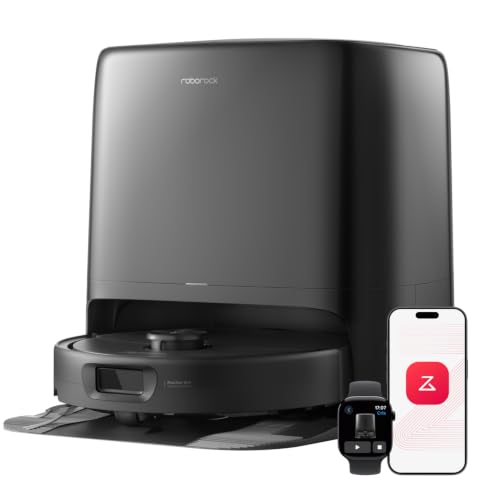
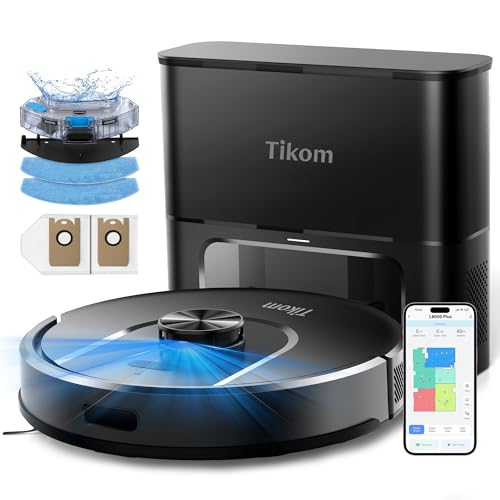
Models like the iRobot Roomba 115X Combo, the Tikom L8000 Plus and the Roomba 105 Combo offer LiDAR and self emptying for roughly $200 to $300. They are ideal for smaller homes and hard floors.
Mid range
The dreame L40 Ultra Gen 2 adds an all-in-one self-cleaning dock and the eufy E25 adds mop washing and drying at the dock, which is a big upgrade for kitchens and entryways that need frequent mopping.
Premium
The eufy Omni S2, iRobot Roomba 705X and roborock Qrevo 2 Pro bring very high suction, hot water mop cleaning and advanced obstacle recognition for large or busy homes.
Kid friendly
Homes with kids need robots that avoid toys, socks and charging cables. Camera based navigation like the Roomba 705X PrecisionVision or eufy's 3D MatrixEye helps the robot clean without getting stuck.
Setup Tips
A little setup makes any robot work better, especially before holiday guests arrive.
Unboxing and First Setup
Place the dock on a hard surface with clear space on each side, then install the app and create an account. Update the robot's firmware before the first run, since updates often improve mapping and obstacle avoidance. Let it complete one full mapping pass, then split and name rooms in the app.
Accessories Worth Adding
Order a spare pack of dust bags, filters and side brushes for your model, so you are never caught short. Pet owners may want extra main brushes. For mopping models, buy the brand's recommended floor cleaning solution rather than household cleaners.
Privacy and Parental Controls
If your robot has a camera, review its privacy settings and turn off remote video features you do not use. Use a strong, unique password for the app account and enable two factor sign in if offered. Set child lock in the app so kids cannot start cleaning cycles with the buttons.
Are Self Emptying Robot Vacuums a Good Holiday Gift?
Yes, especially for new homeowners, busy parents, pet owners and older relatives who find vacuuming tiring. A self emptying robot removes the chore most people dislike, and the dock means they rarely touch dust at all. It is a practical gift that feels luxurious every single day.
To make it feel complete, wrap a spare pack of bags or brushes alongside the robot so they are set for months. Robot vacuums are bulky, so plan shipping early: check Amazon's official holiday delivery dates for 2026 before ordering, and do not count on last minute arrival for large boxes.
Common Mistakes to Avoid
Buying a robot without measuring is the first mistake. Check the height under your sofa and bed, since tall robots with LiDAR turrets may not fit, and leave room for the dock.
Ignoring Wi Fi requirements is the second. Many robots only work on 2.4GHz networks, so confirm your router supports that band.
Picking the wrong suction for your floors is the third. Thick carpet and heavy pet hair need high suction, while hard floor homes can save money.
Finally, avoid older discounted models that may lose app support or replacement parts, and do not skip ongoing costs such as bags and filters when comparing prices.
FAQs
Quick answers to the questions buyers ask most about these robots.
Are self emptying robot vacuums worth buying this year?
Yes. Prices have dropped, and even top rated self emptying robot vacuums with LiDAR now start around $200. They save time every day and mean you only handle dust every one to three months.
Do self emptying robot vacuums work with iPhone and Android?
Yes. All major brands, including eufy, iRobot and roborock, offer apps for both iPhone and Android. Most also work with Alexa and Google Assistant for voice control.
How long does the battery last?
Most models run about 90 to 180 minutes per charge depending on suction level and floor type. When the battery runs low, they return to the dock, recharge and resume cleaning automatically.
What accessories should I buy with self emptying robot vacuums?
Buy spare dust bags, HEPA filters and side brushes for your exact model. Mopping models also need replacement mop pads or rollers and the brand's recommended floor cleaning solution.
Where can you buy self emptying robot vacuums online?
Amazon carries every model in this guide, often with fast Prime shipping. Buy from listings shipped and sold by Amazon or the brand's official store to ensure warranty coverage.
Final Thoughts
The best self emptying robot vacuums remove the dirtiest part of cleaning. The eufy E25 is the best all rounder, the iRobot Roomba 105 Combo is the top value, and the eufy Omni S2 is the premium choice for homes that want almost no maintenance. Scroll back up to the product table to compare current prices on Amazon, and if you are shopping for gifts beyond the home, browse our guide to the best tech gifts. For more ideas, see the best cleaning gifts guide on our sister site.