
Best Small Office Printers: Every Type Explained Side by Side
Disclosure: We may earn a commission when you buy through links on this page, at no extra cost to you. As an Amazon Associate I earn from qualifying purchases. Learn more

Laser, ink tank and inkjet printers compared for small offices.
Small office printers come in more varieties than most people expect: compact monochrome lasers, color lasers, cartridge inkjets, refillable ink tank models and all-in-ones that also scan, copy and fax. Each type has a different upfront price, cost per page, speed and footprint, and picking the wrong one can mean paying far more over the life of the machine. This guide compares the best small office printers by type so you can see which style fits your workload.
You will find a side by side comparison table, a closer look at each printer type, a direct laser versus ink tank match up, a buying checklist and answers to the questions small offices ask most.




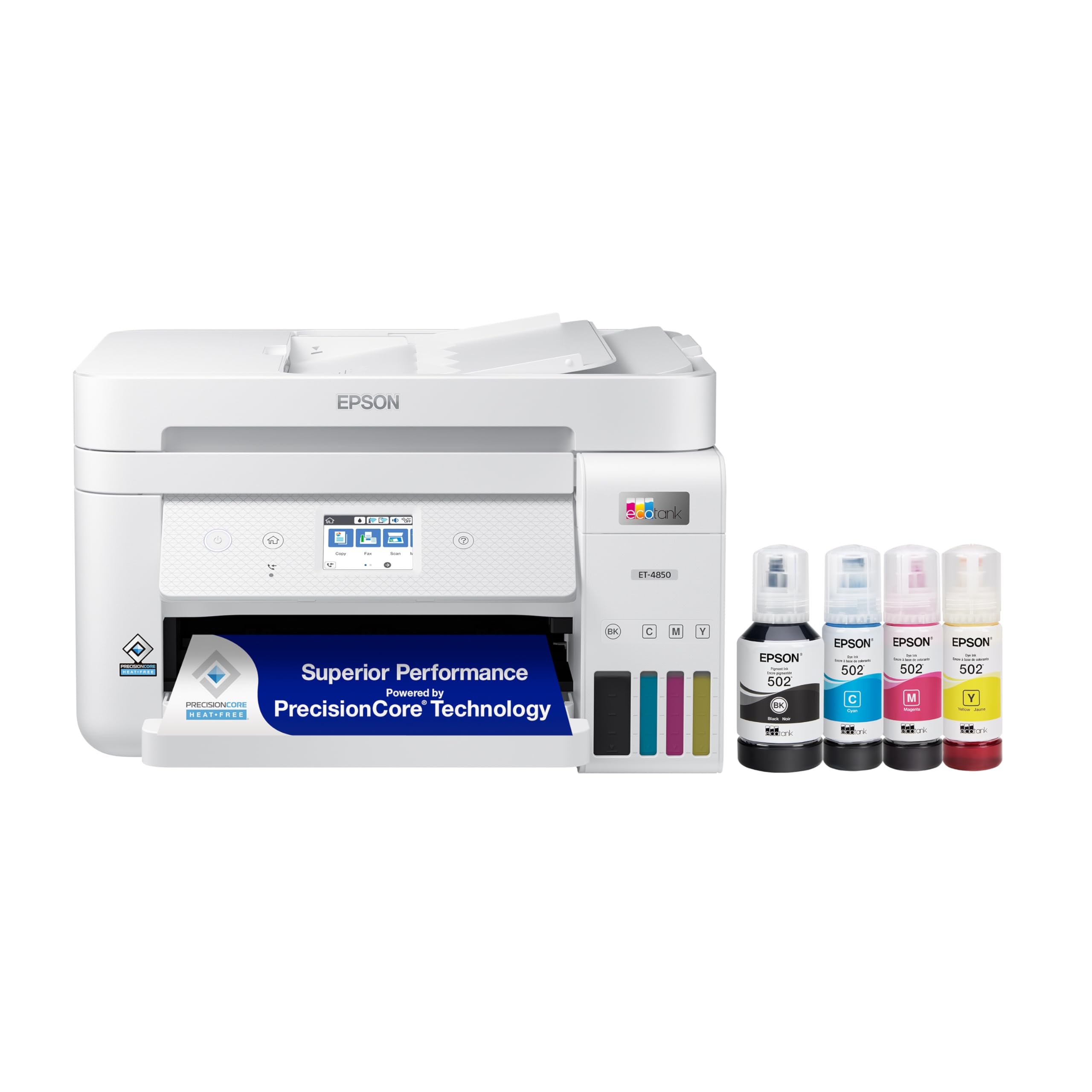

Types of Small Office Printers Compared
Monochrome lasers suit text heavy offices, color lasers suit offices printing marketing material, ink tank inkjets suit low running costs in color and cartridge inkjets suit very light use. The table summarizes the trade offs.
| Type | Best For | Pros | Cons | Typical Price |
|---|---|---|---|---|
| Monochrome laser | Invoices, contracts, documents | Fast, crisp text, low cost per page, toner does not dry out | No color | Around $140 to $660 |
| Color laser | Flyers, reports with charts | Fast color, sharp text, reliable | Higher upfront and toner cost, bulkier | Around $400 to $850 |
| Ink tank inkjet | Color printing on a budget | Very low cost per page, bottles last long | Higher upfront cost, slower than laser | Around $250 to $500 |
| Cartridge inkjet | Light or occasional printing | Low upfront price, good photos | Expensive cartridges, can clog if unused | Around $100 to $250 |
| Photo printer | Product photos, marketing prints | Best photo quality | Slow, expensive per page for documents | Around $150 to $500 |
Laser Printers
Laser printers use a laser to draw an image on a charged drum, which picks up powdered toner and fuses it onto paper with heat. The result is crisp, smudge proof text at speeds of 30 to 40 pages per minute or more, even on compact models such as Brother's HL-L2405W or MFC-L2820DW.
Toner cartridges yield thousands of pages and do not dry out, so a laser sitting idle for weeks still prints immediately. Monochrome lasers have the lowest cost per page for text. Color lasers, such as HP's Color LaserJet Pro line or Canon's imageCLASS color models, add color at higher upfront and toner costs.
Choose a laser if your office prints mostly documents, prints in batches or needs fast, reliable output with little maintenance.
Ink Tank Printers
Ink tank printers, such as the Epson EcoTank and Brother INKvestment lines, replace small cartridges with large refillable tanks or high capacity cartridges. They come with enough ink for thousands of pages, and refill bottles cost a fraction of cartridges, bringing color cost per page down to around a cent or less on many models.
The trade off is a higher purchase price than cartridge inkjets and slower speeds than lasers. Ink tanks also need occasional use to keep print heads clear, though their large ink supply makes routine printing cheap.
Choose an ink tank if you print a lot of color pages and want the lowest running cost.
Photo Printers
Photo printers use six or more ink colors, or dye sublimation, to produce smooth gradients and accurate skin tones. They suit small businesses that print product photos, real estate flyers or event prints in house.
For everyday documents, photo printers are slow and costly per page, so most offices pair one with a laser or ink tank workhorse rather than relying on it alone. Our guide to the best printers for photo printing covers this type in depth.
Inkjet Printers
Cartridge inkjets spray tiny droplets of ink through print heads. They cost little upfront and handle mixed documents and photos well, making them popular for home offices. Business models such as HP's OfficeJet Pro line add automatic document feeders, duplex printing and fax.
The downside is cost per page: standard cartridges can push color pages to 10 to 20 cents each, and ink can dry in the heads if the printer sits unused. Subscription ink services reduce the cost for steady users.
Choose a cartridge inkjet only if you print lightly and want the lowest purchase price.
Laser Printers vs Ink Tank Printers: Which Should You Choose?
Laser printers win on speed, text quality and reliability after idle periods, while ink tank printers win on color running costs and photo quality. Here is how they compare on five points.
- Speed: compact lasers print 30 to 40 pages per minute; ink tanks often print about 10 to 20 pages per minute in black.
- Cost per page: monochrome laser toner is cheap for text; ink tanks are cheapest for color.
- Idle reliability: toner never dries out; ink tanks need regular use to avoid clogs.
- Print quality: lasers produce sharper small text; ink tanks produce richer photos.
- Upfront price: basic monochrome lasers start around $140; ink tank all-in-ones usually start around $250.
Choose a monochrome laser for document heavy offices, an ink tank for color heavy work on a budget and a color laser if you need fast color and can afford higher upfront cost.
How to Choose the Right Small Office Printer
Estimate your monthly page volume and color share first, then check size, connectivity, paper handling and running costs. These factors decide whether a printer fits your office.
Measuring for Size and Portability
Measure the shelf or desk where the printer will sit, including clearance above for scanner lids and in front for paper trays and output. Compact monochrome lasers measure around 14 to 16 inches wide; all-in-one color lasers can be 16 to 18 inches wide and over 50 lb. Smaller printers save space but usually have smaller paper trays and lower duty cycles, so balance footprint against workload.
Printer Type (Inkjet, Laser, Tank)
Match the type to your pages. Mostly black text: monochrome laser. Regular color charts, flyers and reports: color laser or ink tank. Occasional mixed printing with photos: cartridge inkjet or ink tank. Decide whether you need scanning, copying and fax; an all-in-one with an automatic document feeder saves time on multi page scans.
Reliability and Support
Look for brands with good driver support across Windows, macOS, ChromeOS and mobile, plus regular firmware updates. Brother, HP, Canon and Epson all offer business lines with longer warranties on some models. Check the recommended monthly page volume and stay within it for long life. Note that some printers use firmware that limits third party cartridges, which affects running costs.
Paper Handling and Duplex
Automatic duplex (two sided) printing saves paper. A 250 sheet tray suits most small offices; busy offices may want a second tray. A single pass duplex automatic document feeder scans both sides at once, which speeds up contracts and multi page records. Check maximum paper size if you print legal documents or envelopes often.
Cost per Page and Ink or Toner Costs
Divide the cartridge or bottle price by its rated page yield to get cost per page. High yield toner cuts monochrome laser costs to around 2 to 3 cents per page, and ink tanks bring color pages to around a cent. Standard inkjet cartridges cost much more. Subscription programs such as HP Instant Ink charge monthly by pages printed and can help light, steady users.
Connectivity and Security
Wi-Fi and Ethernet let several people share one printer, and mobile printing apps help staff print from phones. Business models add secure print release, user PINs and network security features that protect sensitive documents. Make sure the printer supports your devices, including AirPrint for Macs and iPhones.
Best Small Office Printers for Specific Needs
Narrow the type further by computer platform and color needs.
Best Small Office Printers with Mac
The best small office printers with Mac support Apple AirPrint, so Macs, iPhones and iPads print without extra drivers. Look for current macOS driver support on the manufacturer's site and a scanning app that works on macOS. Most current Brother, HP, Canon and Epson wireless models support AirPrint, including the Brother MFC-L2820DW.
Best Monochrome Small Office Printers: Which Type Works Best
The best monochrome small office printers are compact lasers with automatic duplex, Wi-Fi and high yield toner options. A monochrome laser gives the lowest cost per text page and handles long idle periods without clogging. Choose an all-in-one model such as the HP LaserJet Pro MFP 4101fdw if you also need to scan, copy and fax.
Matching Printer Type to Monthly Print Volume
Your monthly page count is the single best guide to printer type, because running costs grow with every page. Count a typical month's printing, or check the page counter on your current printer, then use the table below.
| Monthly Pages | Mostly Black Text | Regular Color |
|---|---|---|
| Under 100 | Compact monochrome laser | Cartridge inkjet or small ink tank |
| 100 to 500 | Monochrome laser with duplex and Wi-Fi | Ink tank all-in-one |
| 500 to 1,500 | Monochrome laser all-in-one with high yield toner | Color laser or business ink tank |
| Over 1,500 | Business laser with extra paper tray | Color laser with high yield toner |
Leave headroom: a printer rated for 2,500 recommended pages per month will last longer printing 800 than one rated for 1,000.
Setup Tips for Shared Office Printers
A shared printer works best when it is set up once, properly, for everyone.
- Use a wired or stable network connection: Ethernet or a strong Wi-Fi signal prevents dropped jobs.
- Assign a fixed IP address: this keeps computers from losing the printer after router restarts.
- Set duplex and grayscale as defaults: staff can switch to color when needed, which cuts costs.
- Enable secure print or PIN release: sensitive documents stay in the queue until the owner arrives at the printer.
- Keep spare toner or ink on hand: running out mid deadline is a common small office headache.
Care and Maintenance Tips
Simple habits keep office printers reliable and print quality consistent.
- Inkjets and ink tanks: print at least a page weekly to keep print heads from clogging.
- Use genuine or reputable ink and toner: poor quality supplies can leak, streak or trigger errors.
- Lasers: replace drums and toner at the recommended intervals and gently shake a new toner cartridge before installing it.
- Keep paper dry: store paper in its wrapper to prevent curling and jams.
- Clean the scanner glass and feeder rollers: use a lint free cloth to avoid streaks and misfeeds.
- Update firmware: updates fix bugs and security issues, though check notes for cartridge restrictions.
Small Office Printers: Your Questions Answered
Do I need an all-in-one printer for a small office?
Most small offices benefit from an all-in-one printer. Scanning, copying and sometimes faxing are common office tasks, and an all-in-one saves space and money compared to separate devices. An automatic document feeder makes multi page scanning far faster. Choose a print only model only if you already have a separate scanner or rarely scan.
What does cost per page mean?
Cost per page is the ink or toner cost of printing one page. Calculate it by dividing the cartridge or bottle price by its rated page yield. For example, a $60 toner cartridge rated for 3,000 pages costs 2 cents per page. Comparing cost per page shows the true long term cost of a printer, which often matters more than its purchase price.
Inkjet or laser: which is cheaper long term?
A monochrome laser is usually cheaper long term for text, while an ink tank is cheapest for color. Cartridge inkjets are typically the most expensive to run because small cartridges cost a lot per page. If your office prints hundreds of pages per month, a laser or ink tank pays back its higher purchase price quickly.
Are ink tank printers worth it?
Ink tank printers are worth it if you print color regularly. They cost more upfront, but bundled ink often covers thousands of pages and refills are inexpensive, bringing color costs to around a cent per page. For offices that print only occasionally, a laser may still be better because toner does not dry out between uses.
How many pages per month should a small office printer handle?
Most small office printers should handle 250 to 2,500 recommended pages per month. The recommended monthly volume, not the maximum duty cycle, is the figure to compare. Choose a printer whose recommended volume sits comfortably above your typical month so it is not working at its limit every day.
Wrapping Up
Start with your monthly volume and color needs, then choose the type: a monochrome laser for document heavy work, a color laser for fast color and an ink tank for low cost color printing. Check paper handling, duplex scanning and connectivity, and compare cost per page rather than sticker price. With those points in mind, choosing among the best small office printers becomes simple. Compare current models in the product table above, and see our guide to compact photo printers if you also print photos.


