
Best SSDs for Gaming in 2026: NVMe, Capacity, and Endurance Guide
Disclosure: We may earn a commission when you buy through links on this page, at no extra cost to you. As an Amazon Associate I earn from qualifying purchases. Learn more

Load times aren't the whole story. See how capacity, interface, and endurance decide which ssds for gaming actually hold up to a growing game library.
Load times get most of the attention when people shop for the best ssds for gaming, but capacity and long-term reliability usually matter more once you actually live with the drive. A fast drive that fills up in a month, or one rated for far less write endurance than your install-and-uninstall habits demand, ends up being the wrong purchase no matter how quick the benchmark numbers looked. Here's what actually separates a good gaming SSD from a disappointing one.




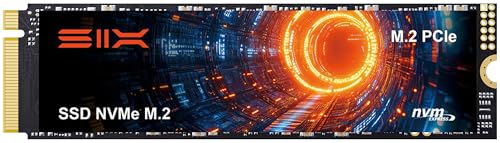


NVMe vs SATA: Does the Interface Actually Matter for Games
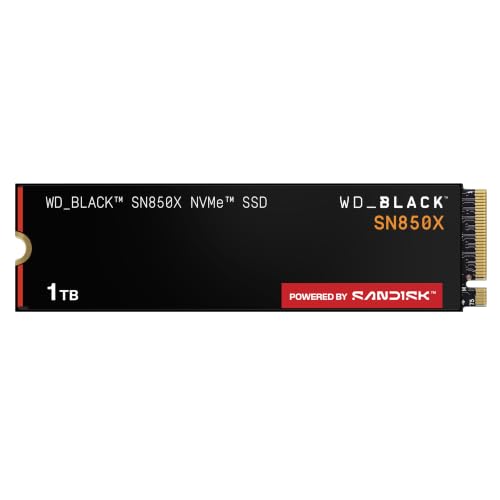
NVMe drives connect directly over the PCIe bus and deliver dramatically higher sequential read speeds than SATA SSDs, but the practical difference in most game load screens is smaller than the raw numbers suggest, since games are often bottlenecked by CPU decompression and asset loading rather than pure drive throughput. Where NVMe genuinely shines is in open-world titles with frequent streaming of new areas, and in reducing overall system boot and application launch times across the board.
SATA SSDs remain a reasonable, budget-friendly choice if your motherboard has limited NVMe slots or you're expanding an older system, since they still vastly outperform any mechanical hard drive for game loading.
Capacity Planning for a Growing Game Library
Modern AAA titles routinely take up 80 to 150GB each after updates and expansions, which means a 500GB drive fills up after installing just a handful of large games alongside your operating system. A 1TB drive is the realistic minimum for anyone who plays more than two or three big titles at once, and 2TB is worth considering if you frequently install and swap out games rather than maintaining a small, fixed library.
Rather than buying the largest single drive available, many gamers find better value pairing a smaller, faster boot drive for the OS and most-played titles with a second, larger drive for the rest of the library, spreading both cost and write wear across two drives instead of one.
Read Speeds, Load Times, and Where the Difference Is Real
Sequential read speed numbers on the box matter far less than real-world random read performance for typical game loading, since games load thousands of small files rather than one continuous stream of data. This is why two drives with similar advertised sequential speeds can produce noticeably different load times in practice. Newer PCIe Gen4 and Gen5 drives do meaningfully cut load times in titles built to take advantage of very fast storage, particularly ones using direct storage APIs that let the GPU decompress assets without routing everything through the CPU first.
For most current games, a solid Gen4 drive delivers the vast majority of the real-world benefit, and paying a steep premium for Gen5 rarely translates into a proportional improvement unless you're running titles specifically optimized to use it.
Endurance and Longevity Under Heavy Install/Uninstall Cycles
Every SSD carries a Total Bytes Written, or TBW, rating that estimates how much data it can reliably write over its lifespan before failure risk rises. Gamers who frequently install, uninstall, and reinstall large titles put meaningfully more write cycles on a drive than typical everyday use, so it's worth checking the TBW rating rather than assuming any modern SSD will comfortably outlast your usage pattern. A drive with a higher TBW rating relative to its capacity generally indicates better-quality NAND flash and controller design, not just a marketing number.
Keeping some free space unused on any SSD, generally at least 10 to 15 percent of total capacity, also helps sustain write performance and extends effective drive lifespan over time.
DRAM Cache and Controller Quality
Budget SSDs often skip a dedicated DRAM cache to hit a lower price point, relying instead on a small slice of your system RAM or a slower host memory buffer scheme. This mostly goes unnoticed during light use, but under heavy sustained writes, such as installing several large games back to back, DRAM-less drives can see a noticeable drop in write speed partway through the transfer. A drive with a proper DRAM cache generally holds its performance more consistently during exactly the kind of large, sustained installs gamers do most often.
Controller quality is harder to judge from a spec sheet alone, but checking independent sustained-write benchmarks rather than only peak burst-speed numbers gives a much more accurate picture of how a specific drive behaves once its cache is exhausted.
Internal vs External for Expanding a Console or PC Library
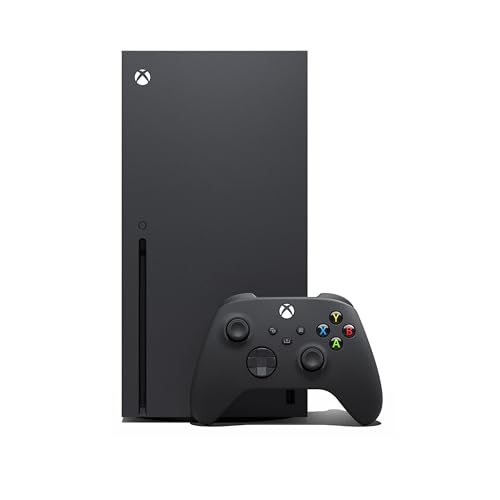
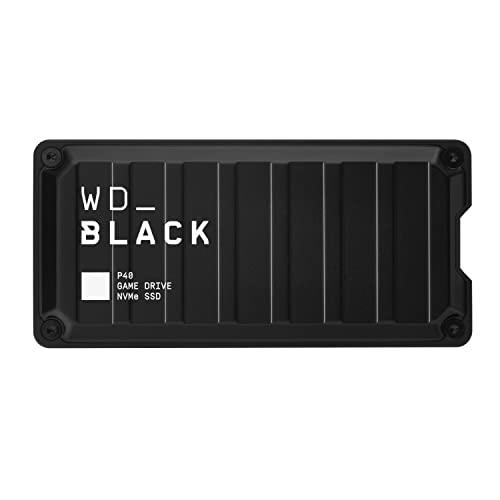
For a desktop or laptop, an internal NVMe drive is almost always the better choice when a free slot is available, since it avoids the bottleneck of any external connection and doesn't add a cable to manage. External SSDs make more sense when you need portability between systems, or when a system's internal slots are already full and opening the case isn't practical. Some current-generation consoles also support specific external SSD standards for expanding game storage, but always confirm compatibility with your exact console generation before buying, since requirements differ between models.
Frequently Asked Questions
Do I need PCIe Gen5 for gaming right now?
No, the vast majority of current games see little practical benefit beyond what a good Gen4 drive already delivers, so Gen5 is more of a future-proofing purchase than a necessity today.
Is 500GB enough for a gaming SSD?
It's tight for anyone installing more than two or three modern AAA titles at once, so 1TB is a safer starting point if you plan to maintain an active, varied library.
Does SSD speed actually reduce in-game stutter?
A fast SSD can reduce texture pop-in and streaming stutter in open-world games specifically, but it won't fix stutter caused by CPU bottlenecks, driver issues, or insufficient RAM.
Should I put my OS and games on the same SSD?
It's fine for most setups, though splitting your OS and most-played games onto a fast primary drive and less-played titles onto a secondary drive can help manage both cost and long-term wear.
How do I know when an SSD is nearing end of life?
Most drives report health status and remaining lifespan through manufacturer utility software, and modern SSDs typically show gradually degrading write speeds well before an actual failure occurs.
Is an external SSD a good option for a growing game library?
A fast external NVMe drive over USB can work for expanding storage, though it's typically a bit slower than an internal drive and depends heavily on your system's USB port speed.
The Bottom Line
The best ssds for gaming combine enough capacity to hold your actual library, an interface that matches what your system and games can use, and an endurance rating that fits how often you install and remove titles. Chasing the highest advertised sequential speed number matters far less than getting these fundamentals right for how you actually play.
Related reading: best gaming desks and best cpu air coolers.


