
The Best Wifi Routers for Long Range for 2026: Whole Home Signal Guide
Disclosure: We may earn a commission when you buy through links on this page, at no extra cost to you. As an Amazon Associate I earn from qualifying purchases. Learn more

Big home or thick walls? Learn how antennas, 2.4GHz range, Wi Fi 6 and 6E, beamforming and mesh help you pick the best wifi routers for long range.
Anyone with a back bedroom, an upstairs office or a backyard patio knows the frustration of a Wi Fi signal that fades to a single bar. Video calls stall, 4K streams freeze and games lag. Routers supplied by internet providers often use weak internal antennas that struggle with drywall, metal air ducts and brick chimneys. Choosing among the best wifi routers for long range helps by adding stronger radio amplifiers, beamforming and, where needed, mesh expansion.
A standalone router with external antennas can cover a two story home of around 3,000 square feet, while a mesh system suits larger or more awkward layouts of 4,500 square feet and up. This guide explains frequency bands, antennas, processors, ports and setup habits so you can read the picks in the table with confidence.

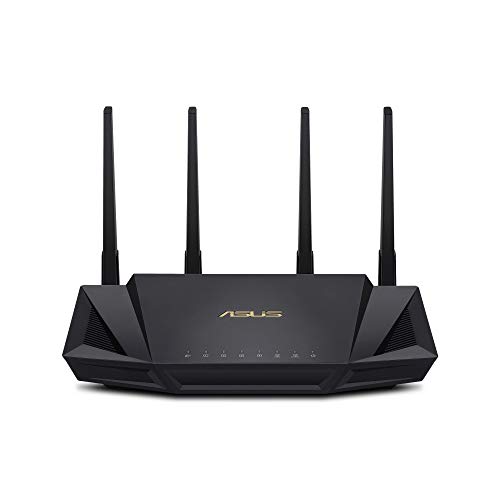


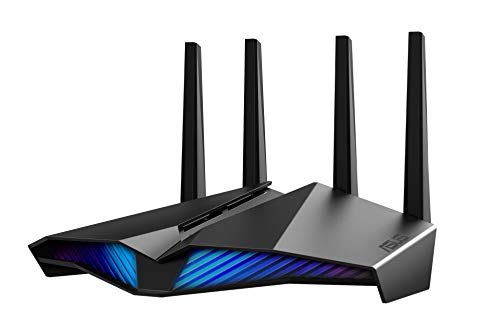



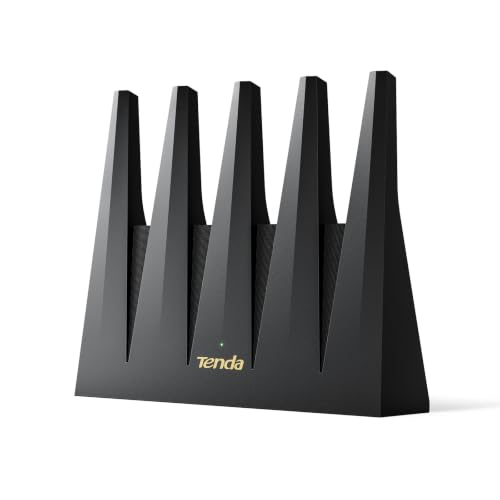
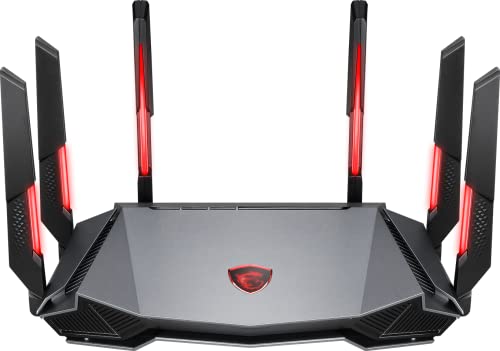
How to Choose the Best Wifi Routers for Long Range: Buying Guide
The right long range router combines strong radio hardware, a modern protocol standard and enough processing power to handle every device in the house. Check these core points before buying.
Frequency Band Physics: 2.4 GHz Wall Penetration vs 5 GHz Speed
The 2.4 GHz band reaches farthest, while 5 GHz and 6 GHz are faster at close range. Radio frequency physics explains the trade-off:
- 2.4 GHz: Longer waves travel farther and pass through drywall, plaster and wooden floors with less loss, so this band is the backbone of long range coverage.
- 5 GHz and 6 GHz: These bands deliver much higher speeds over short and medium distances, ideal for 4K streaming and gaming in the same room, but they weaken quickly through solid walls.
Physical Antenna Design and External Power Amplifiers (FEMs)
External antennas with built-in power amplifiers generally push a signal farther than hidden internal ones. Enclosed antennas sit close to metal circuit boards, which can limit their reach.
Look for models with several adjustable external antennas and dedicated Front End Modules (FEM amplifiers). Adjustable dipole antennas let you aim signal horizontally across one floor or vertically through the ceiling and floor.
Wi Fi Protocol Standards: Wi Fi 6 (802.11ax) vs Wi Fi 6E vs Wi Fi 7
Wi Fi 6 is a solid, widely available choice for long range homes, while 6E and Wi Fi 7 add extra bandwidth. The standard defines efficiency and congestion handling:
- Wi Fi 6 (802.11ax): Adds OFDMA and MU MIMO, so the router can talk to many smart devices at once without lag spikes.
- Wi Fi 6E and Wi Fi 7: Open the uncongested 6 GHz band, which gives high throughput in the same room and a fast wireless link between mesh nodes. Remember that 6 GHz does not travel through walls well, so it will not extend your range on its own.
Explicit Beamforming and BSS Coloring Technology
Beamforming focuses the signal toward your device instead of spreading it evenly in all directions. The router detects where a phone, laptop or console is and concentrates radio energy there, which helps at the edge of coverage.
BSS Coloring tags packets with an identifier so your router can ignore overlapping signals from neighbors' networks. This matters most in apartments and tight suburban streets.
Processor Power, RAM, and Device Capacity
A router is a small computer, so a quad core processor and at least 512MB to 1GB of RAM keep it responsive under load. Typical long range models run at around 1.5 GHz to 2.0 GHz.
That power lets the router handle 4K streams, online gaming and dozens of smart home sensors without buffering or rebooting. A household with 30 or more connected devices should treat this as a priority.
Multi Gigabit Ethernet Ports and USB Connectivity
Ports decide how well the router fits your wired devices and internet plan. A 2.5 Gbps WAN port supports multi gigabit fiber plans, and four Gigabit LAN ports give steady wired links for desktop PCs and consoles.
A USB 3.0 port lets you attach an external drive for shared storage or backups.
Wired Ethernet Backhaul for Large Multi Story Residences
Wired backhaul is the most dependable way to extend coverage in difficult buildings. Wireless links between mesh nodes weaken when they pass through brick, metal ductwork and concrete floors.
Running Cat6 Ethernet cable from the main router to each satellite node creates a dedicated wired connection. This frees the wireless bands for phones and laptops, so distant rooms get speeds close to those near the router.
Automated Channel Selection and Dynamic Frequency Selection (DFS)
Automatic channel selection helps your router avoid crowded airwaves. In dense neighborhoods, nearby routers compete for the same channels and slow everyone down.
Dynamic Frequency Selection (DFS) opens extra 5 GHz channels shared with radar systems, which are often much quieter. Routers with automated channel scanning and DFS tend to give steadier video calls and gaming.
Standalone High Power Routers vs Whole Home Mesh Wi Fi Systems
A standalone router suits compact homes, and a mesh system suits large or dense ones. Match the design to your floor plan and square footage.
Standalone High Power Routers
These routers pair external antennas with strong amplifiers and often include gaming QoS settings. They fit two story homes, ranches or apartments up to roughly 3,500 square feet, offering high raw speed and low latency without extra nodes. If your home is a similar size, they keep one simple setup to manage.
Whole Home Mesh Wi Fi Systems
A mesh system has a main router and one or two satellite nodes that work as a single network. It suits sprawling ranch homes, multi story houses over 4,500 square feet and homes with thick concrete, stone or brick walls. Devices roam between nodes automatically as you walk from the basement to the backyard.
Essential Setup Habits for Maximum Wi Fi Range
Good placement can improve range as much as new hardware. These four habits cost nothing.
- Elevate your router to a central, open location: Put it on a high shelf in the middle of the home, never inside a metal cabinet, a TV stand or behind a couch. Furniture and appliances absorb radio waves, and big metal appliances can reflect them.
- Position external antennas at alternating angles: Point half vertically to cover one floor and tilt half about forty five degrees to reach upstairs and downstairs.
- Separate 2.4 GHz and 5 GHz network names if smart devices struggle: Many older smart plugs and cameras only work on 2.4 GHz, so separate names stop them from choosing the wrong band.
- Update router firmware regularly: Turn on automatic updates in the router app for security patches and performance fixes.
Frequently Asked Questions
What makes a long range router better than a standard ISP rental router?
A long range router uses stronger hardware to push a signal through walls. High gain external antennas, dedicated power amplifiers, beamforming and a quad core processor all add reach and stability that basic rental units often lack.
Which frequency band provides the longest Wi Fi range: 2.4 GHz or 5 GHz?
The 2.4 GHz band gives the longest range. It passes through walls, doors and floors far better than 5 GHz or 6 GHz, which makes it the most reliable band for distant bedrooms, though its top speeds are lower.
Can a long range router penetrate thick brick or concrete walls?
Only partly, because dense masonry absorbs radio waves heavily. High power routers pass through drywall easily, but for brick or concrete homes a mesh system with wired Ethernet backhaul is usually the most effective fix.
How long does a quality long range router last?
A good Wi Fi 6 or 6E router commonly stays useful for around five to seven years. After that, newer standards and faster internet plans tend to make an upgrade worthwhile.
Final Thoughts
Dead zones and dropped video calls are usually fixable with the right hardware and sensible placement. Focus on external antennas with power amplifiers, strong 2.4 GHz reach, Wi Fi 6 efficiency, beamforming and a capable processor, and add mesh nodes with wired backhaul if your home is large or has masonry walls. Compare the picks in the table above to find the best wifi routers for long range for your layout.


