
Are Wireless Headsets Good for Gaming? What to Know in 2026
Disclosure: We may earn a commission when you buy through links on this page, at no extra cost to you. As an Amazon Associate I earn from qualifying purchases. Learn more

Are wireless headsets good for gaming? A guide to latency, battery, platform support, comfort and sound.
The short answer to are wireless headsets good for gaming is yes. Modern 2.4 GHz wireless headsets have latency so low that most players cannot tell the difference from a cable, and they give you freedom to move, a clean desk and the ability to use them across a PC, console and phone.
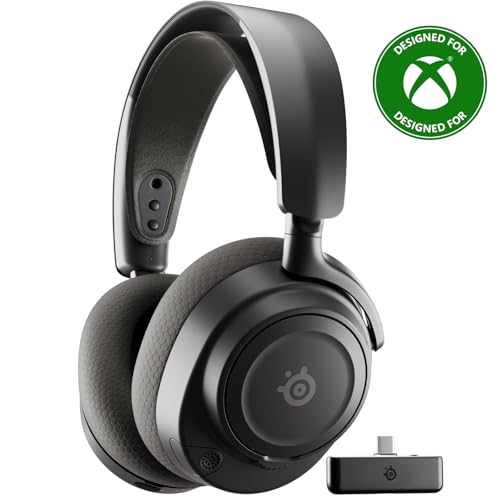
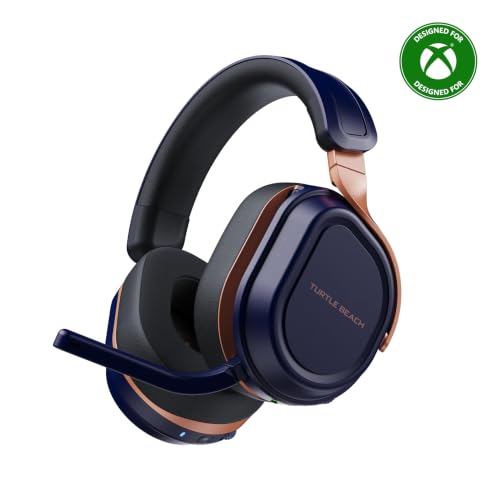
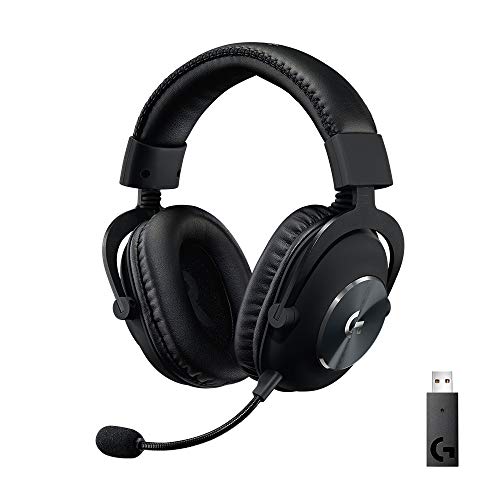
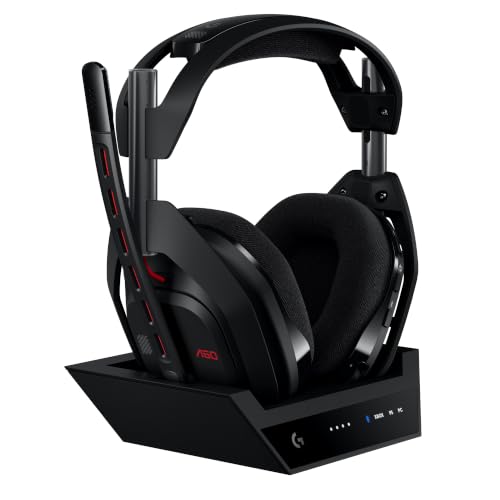
The product table right after this intro lists wireless gaming headsets at several prices and for several platforms, so you can compare while reading the guide.



Are Wireless Headsets Good for Gaming? What Changed
Older wireless headsets used Bluetooth, which adds noticeable delay and makes audio drift out of sync with the picture. Today's gaming headsets mostly use a USB dongle with a dedicated 2.4 GHz link, which cuts latency to a level that works for fast shooters. Many also include Bluetooth for a phone, so you can use one headset for both.
The result is that wireless gaming is no longer a compromise for most players. The main reasons to still pick wired are the lowest price, no charging and a few competitive pros who want every millisecond.
Benefits of Going Wireless
Freedom and a Tidy Desk
No cable means no tangles, no snagged chair wheels and no limit on where you sit. It is a real quality of life gain for couch gaming, living room consoles and desk setups with a lot of gear.
Multi-Platform Use
Many wireless headsets connect to a PC with a dongle, a console with the same dongle or a base station and a phone with Bluetooth. That means a single headset can serve all your devices.
Extras
Wireless headsets often add features such as active noise cancelling, mic monitoring, a hot-swap battery or a base station with an equalizer. Check the extras on the listing for each model.
Drawbacks to Know
Batteries need charging. Most headsets last from a day to several days of play, and some run for over a hundred hours. A few models offer a swappable battery or quick charge. Wireless headsets also cost more than a similar wired model, and the battery wears down over a few years.
Latency and Interference
2.4 GHz dongles are reliable, but crowded wireless environments can cause occasional dropouts. Placing the dongle on a front port or an extension helps. Bluetooth is fine for a phone but not ideal for fast action games.
What to Look for in a Wireless Gaming Headset
- A 2.4 GHz dongle for low latency, with Bluetooth as a bonus.
- Battery life that matches how long you play.
- Platform support: check your console and PC.
- A clear microphone, preferably detachable or retractable.
- Comfort: weight, ear cup size, padding and headband.
- Software with an equalizer if you like to tune your sound.
Console Compatibility
Not every wireless headset works on every console. Some listings say they do not work with Xbox, and others come in a specific version for Xbox or PlayStation. Read the platform line before you order.
Real Gaming Situations
Competitive Shooters
Fast shooters demand low delay and clear footsteps. A 2.4 GHz headset handles this well, and most players do not notice any lag. The more important factors are sound quality, positional accuracy and a comfortable fit for long matches. Choose a headset with good imaging and a mic you can monitor.
Console and Couch Play
For couch gaming the freedom of wireless is the biggest win. You can get up for a drink without pausing, move around a room and keep the cable away from pets. Make sure the dongle connects to your console, and place the console where the signal is clear.
Long Sessions and Streaming
Battery life and comfort decide long sessions. A headset with a hot-swap battery or a very long battery life removes the need to stop. For streaming, a headset with a good detachable microphone and a mixing control for game and voice is handy.
Travel and Mobile
Bluetooth lets you use the same headset with a phone or laptop away from home. Sound is fine for music and calls, though latency is higher in games, so use the dongle for gaming when you can.
Battery Care
Lithium batteries last longer when you avoid running them down to zero or leaving them hot. Charge the headset when the indicator is low, store it somewhere cool and use the power saving features if available. After a few years the battery may hold less, and some headsets let you replace it.
If you travel with the headset, switch it off to avoid draining the battery in a bag, and keep the dongle somewhere you will not lose it.
Wireless or Wired?
Choose wireless for comfort, flexibility and a cleaner setup. Choose wired for the lowest price, no charging and a spare for tournaments. Many players keep a wired headset as a backup. If you are shopping on a budget, a good wired headset beats a poor wireless one.
See the best gaming headset guide for more picks, or learn how to connect a headset to PS5.
Sound and Comfort Matter Too
The wireless connection is only part of the story. A headset with good drivers, clear voice reproduction and a comfortable fit will serve you better than one that is wireless but weighs on your head. Look at the weight, the padding on the headband and the ear cups, and whether the cups are large enough to fit around your ears. If you wear glasses, check that the cushions are soft enough not to press on the arms of your frames.
FAQs
Is there lag with wireless headsets?
Low latency 2.4 GHz models have very little. Bluetooth has more.
How long does the battery last?
It varies from a day to over a hundred hours, depending on the model.
Can I use a wireless headset on a console?
Yes, if the model supports your console.
Do wireless headsets sound worse?
Not necessarily. Sound depends on the drivers and tuning more than on the connection.
Final Verdict
So, are wireless headsets good for gaming? Yes, for nearly every player, as long as you choose a model with a 2.4 GHz connection and enough battery. Compare the table, check platform support and check the product page for current pricing.


